I’m trying to fill the hourglass with sand particles, but the sand keeps falling through the bottom of the glass.
I have the glass set as passive collision object.
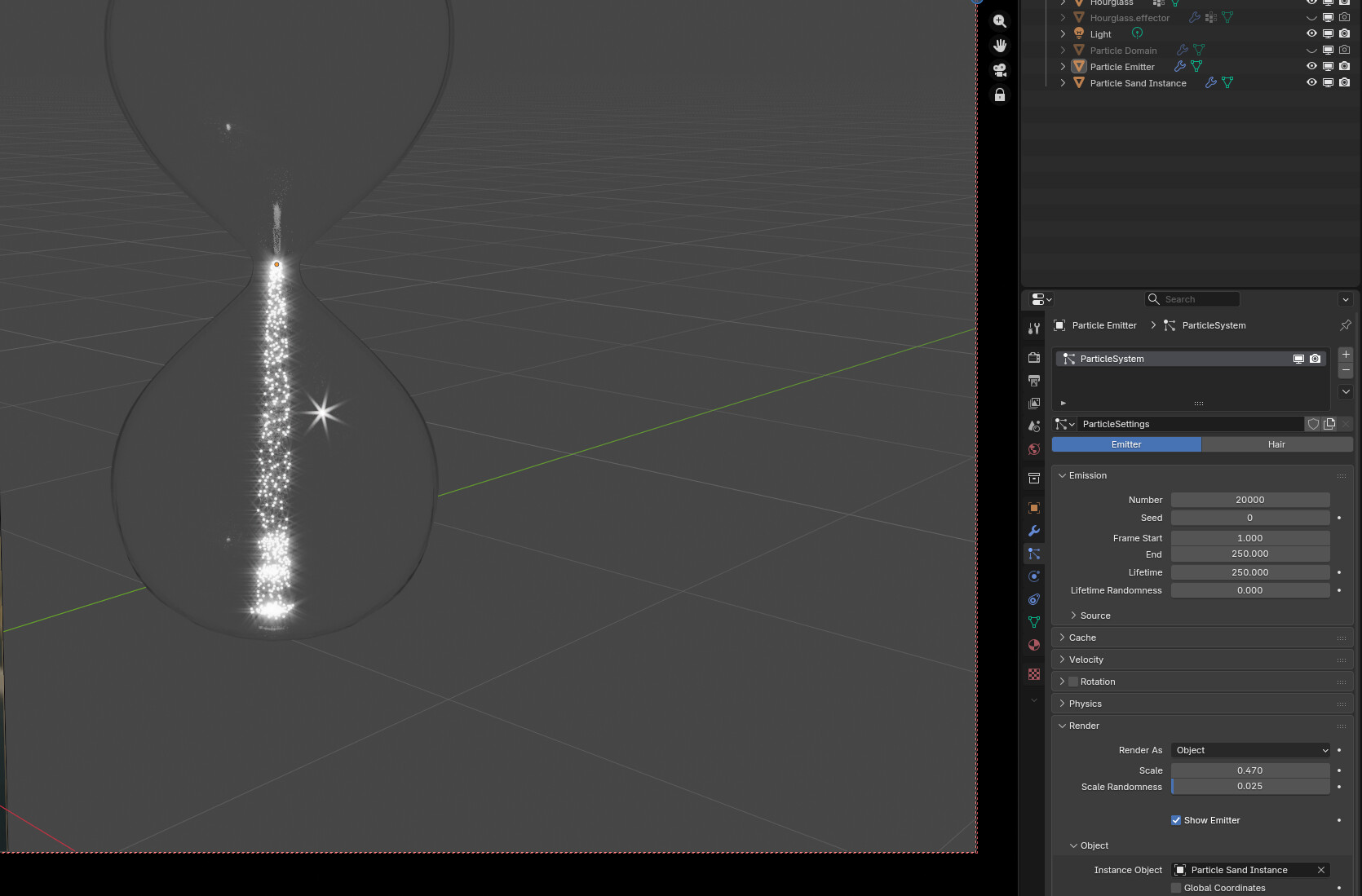
The particle emitter is in the narrow part of the hourglass and is instancing an icosphere.
The goal is to have the stream of sand visible like the hourglass is about to run out, and a small pile of white sand at the bottom of the hourglass.
If someone knows a way to do this without it becoming a 2-day science project, I’d be grateful for solid advice.
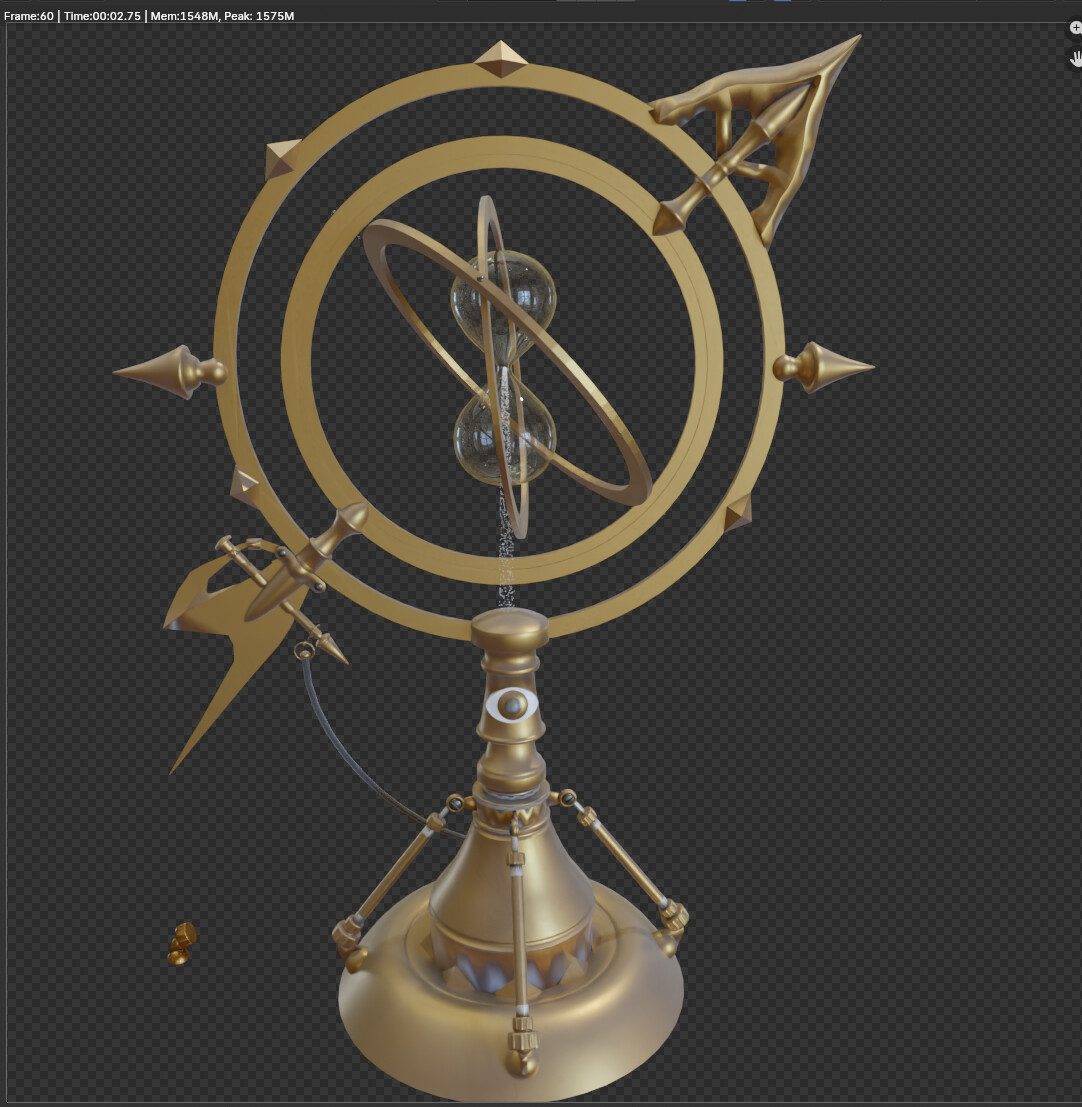
It seems it is drizzles correctly through the upper part, especaillly the narrowing part (?). So maybe
if you had your hour glass mirrored and so the lower part has inverted normals ?? …
…or…
Hmmm…  i have seen something like this. Let me see… like something from 2022 in 30 min ?

or a bit “shorter” (10 min):
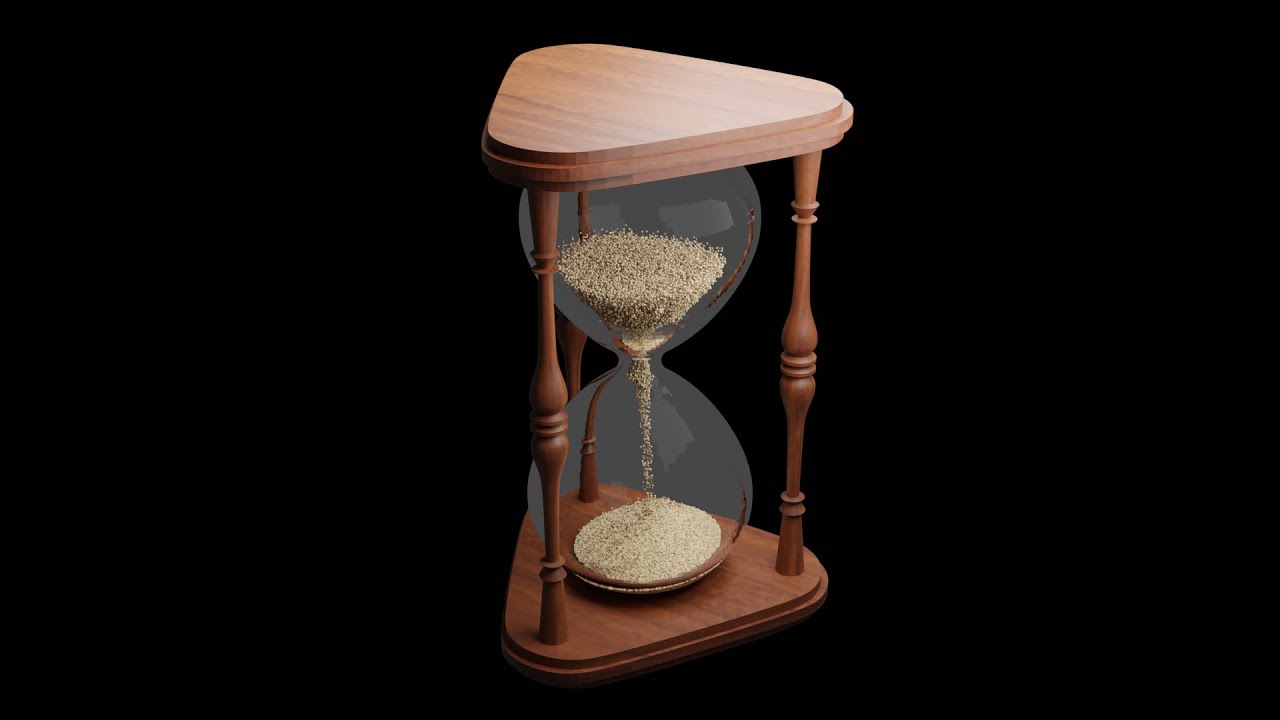

I created the hourglass from a Bezier curve and used a screw modifier to sweep it about an origin point. Then I applied the modifier and added a solidify modifier and applied it. I think the normals are correct, but just to be sure, I tried flipping the internal faces and ran the simulation again and the same thing happend.
These video are what I was afraid of. There’s no “common sense” method that works. These two videos are complex and hard to follow. The second one moves WAY too fast for me to follow what the artist is doing. And there’s a lot of steps that get into very technical details. This has always been the aspect of Blender that frustrated me. I’ve abandoned so many projects because common sense approaches to creating don’t work in Blender. You have to be a genius to figure these things out. How many decades spent learning Blender’s nuances does it take to learn how to do this?
From these two videos, I can see that this isn’t going to be a 30 minute project to make sand flow in an hourglass.
Well… simulations are complex… and even if using something very helpfull like blender (or any other 3D app ) will not save anyone to not do a little research how to use these tools and “play” with it to get the wanted result 
Even when “drawing” every single frame one has to investigate closely who some real wordl references does look like… 
Yeah, simulations are never very easy.
In this case the normals shouldn’t matter much. All I can really think of is double-check that the “Permeability” of your collision object is set to 0. Also probably make sure all your scaling is applied to both objects (scale should be 1, 1, 1).
Scale everything up by at least 10x, possibly 100x. Default or real sizes world sizes don’t work with Blender sims
Hi, In order to verify that the glass object is the problem just add a plain collider inside the glass and see if it collides with your paarticles.
If it dose then add an object similar in shape to your glass lower part and hide it from render.
By a “collider” do you mean a passive collision object?
I tried adding a UV sphere inside the bottom of the hourglass and making it a passive collision object. However, this produced unexpected results. The stream of particles, instead of going straight down, shot off to the side briefly and stopped entirely!
This is the current setup I was trying. Do you see anything that could be a problem?
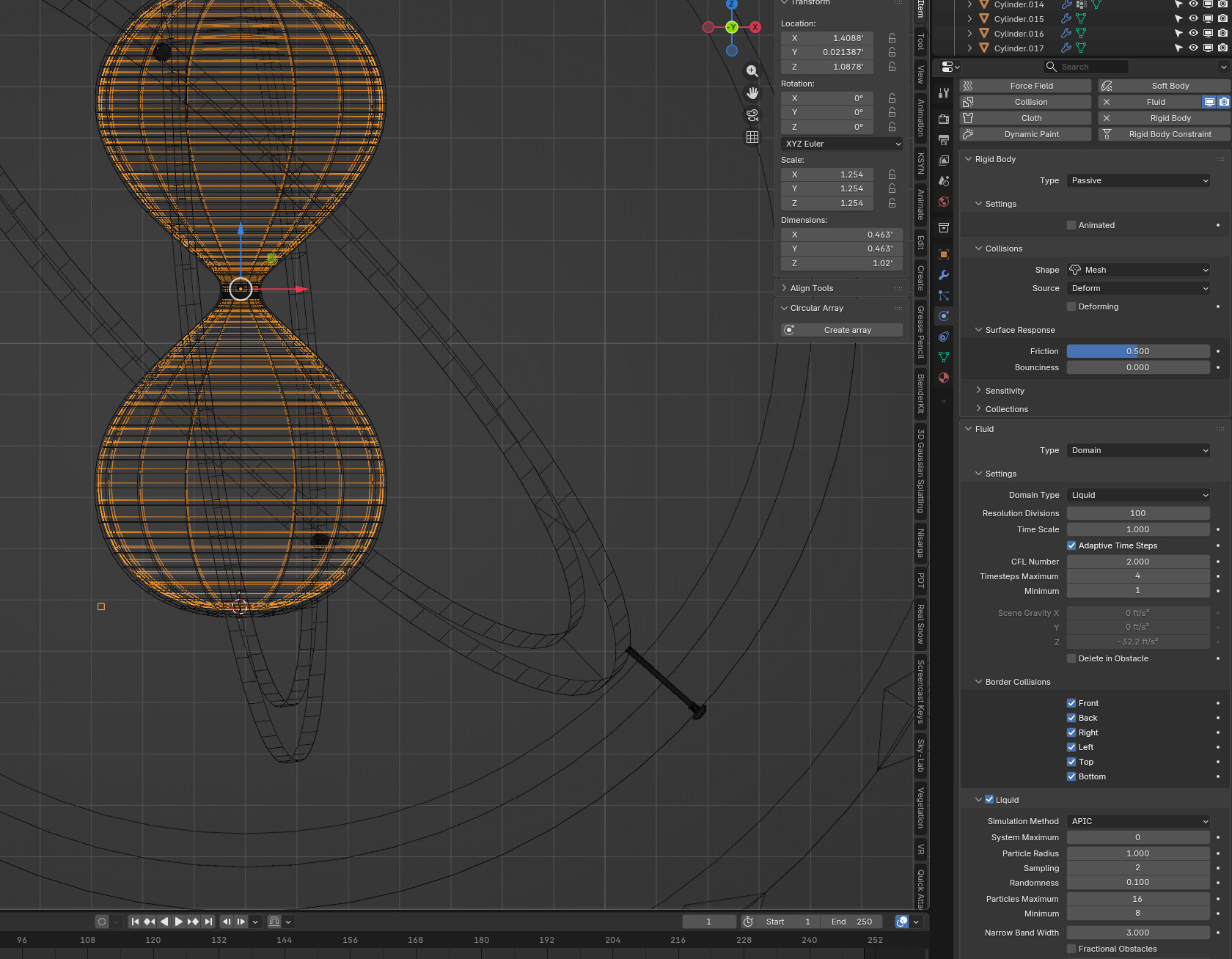
There’s a pretty big issue. You’re using a rigid body collider on a non-rigid body simulation.
Also not sure what the fluid sim is for? Particles need a standard collision object (the button at the top titled “Collision”). But if you’re doing fluid you need to also set “effector” settings in the fluid stuff.
Unless you’re filling the hourglass with fluid though, you shouldn’t need the fluid sim, only a particle system and a collision object.
I was copying a tutorial I did four years ago and trying to reproduce the results, but it’s not turning out the same.
Yeah, I was asking the same question, “why do I need to use fluid sim for a particle sim?”
What steps/components do I need to:
Generate particles and have them conform to the shape of the hourglass while accumulating at the bottom?
I think you should only need a particle system and a collision object. The particle system should have its physics type set to fluid (otherwise the particles won’t interact with each other). Then you’ll have to adjust the various physics parameters to get it to look right.
I think @BlenderTimer hit the nail on the head, you must have confused the fluid sim with the particle physics set to fluid. Good luck
It’s confusing because of the tutorial I did several years ago, showing a fluid sim for an hourglass animation.
So what are the CORRECT steps for instancing a grain of sand and making it conform to the shape of the hourglass while falling and accumulating at the bottom?
The correct way is whatever works for you. I didn’t see that tutorial so i don’t know.
This quick example of particles+ colliders set to fluid physics is showing a away of achieving the effect of the sand accumulating to create a pyramid shape by animating a cone to rise with shape kyes, and hiding it from render view.
The problem is that nothing I’ve tried recently is working at all. I tried following a tutorial but it was going way too fast to keep up with what was being done.
I keep thinking that my particles go through the effector because maybe the particles aren’t linked to the effector so they don’t know to interact with it?
I’m just spinning my wheels for two weeks on this. Maybe someone can quickly spot my mistake if I upload the blend file.
I have included the reference image so you can see the look I’m after.
temp2blend.blend (588.5 KB)
Not the best result because I’d need to spend a lot more time tweaking parameters to get it right, but here’s this:

You’re asking everyone for help but not listening to anything we tell you. You didn’t scale everything up by 10x. You didn’t remove the rigid body or fluid sim. You didn’t make the hourglass a “Collision” object. Like, I get Blender’s simulation system can be difficult but, if you’re going to ask for people to help you, at least do what they say to do. 
Anyway, the system I used had 100k particles set to “Fluid” physics (not to be confused with a fluid simulation like you had) and the hourglass had “Collision” physics with some damping and friction parameters. There are several other parameters which you need to tweak to get the simulation working. I’m not uploading the file I tested with because it’s >400MB with all the particles.
If I’m being completely honest, you probably need to do a bunch of research on the basics of Blender simulations (like stuff completely regardless of the specifics of an hourglass simulation) because you don’t seem to know anything about any of them. Believe me, it’s easier to take it one step at a time and learn the basics before diving into a complex task.
Also, if this is only for an image, doing a simulation is quite a bit overkill (if you’re doing an animation then you’ll want a simulation though).
This is going to be an animation. The inner gimbals slowly turning, while the sand runs down the hourglass.
I’m an octogenarian and probably suffering some level of dementia, as I can’t remember things I studied moments ago. Could be all the medications I’m on for heart problems. Brain not getting enough oxygen, etc. As such, I struggle with simple tasks that young folks can do in their sleep. This is my 7th year of Blender. 26 years ago, I learned Maya and was able to learn it well to be productive within a year. Now that I’m much older, I find learning is difficult, could also be the fact that I’m vision-impaired. I miss a lot of small details because I can’t see!
This is 3 weeks of struggle for me:
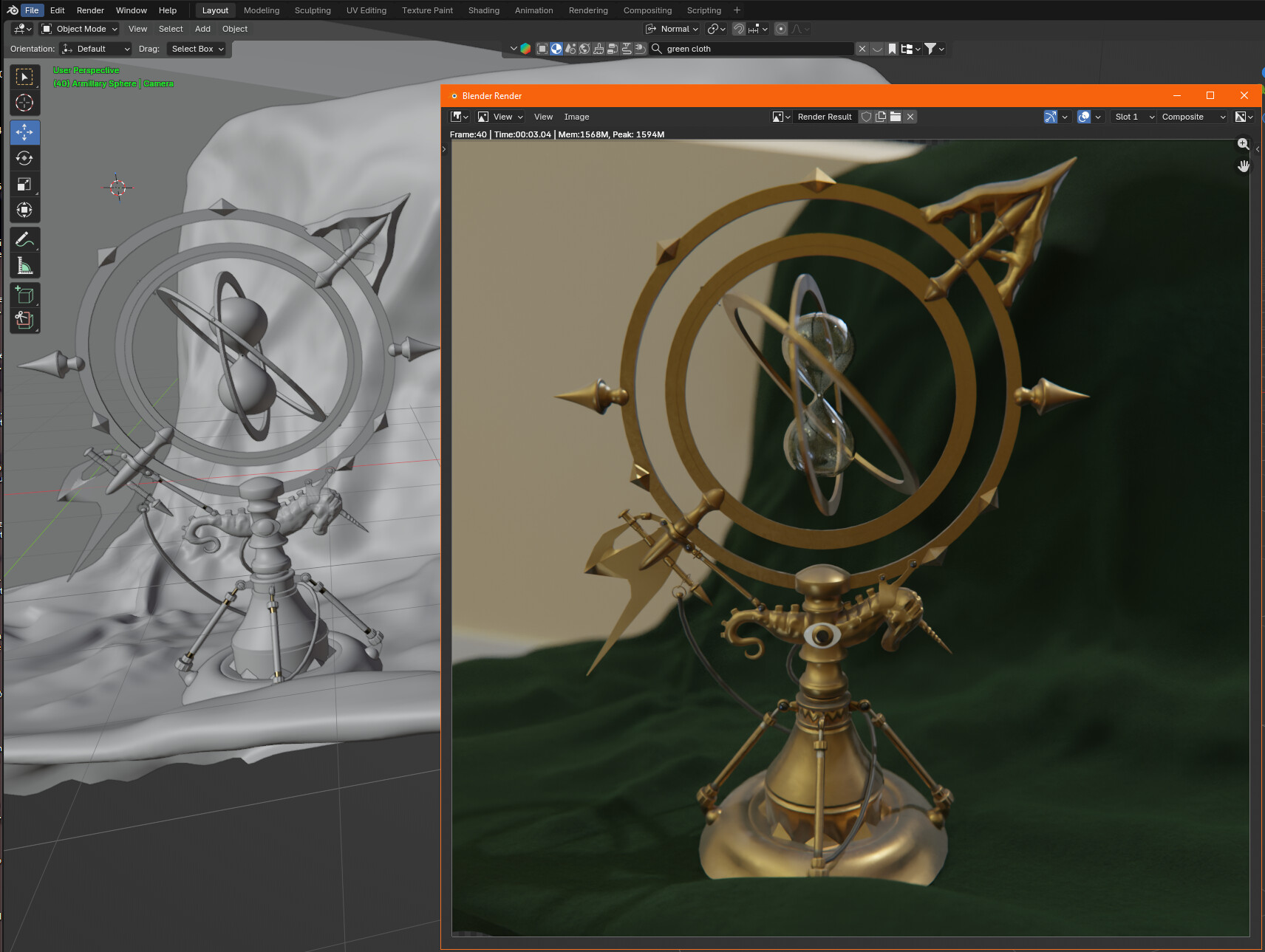
After experimenting for many hours, I got the particles to stop at the bottom of the hourglass. However one issue remains: they do not accumulate and form a pile.
I don’t know how the liquid modifiers got in there, but I deleted each one from both the constraint mesh and the emitter. Then I changed the constraint mesh to collision only. But no matter how long the simulation runs, the particles seem not to accumulate to form a pile.
temp2blend.blend (848.3 KB)
Sorry to hear about your struggle with the dementia, as a mature Pearson myself i do admire your perseverance. going back to the simulation, the accumulation of the grains is combination of the collider settings and a cheat with an animated cone rising to form the pile. (Just realised your file is here.)
This was my setting for the colider:

Here is a link to another example file for you to disect: