Too bad for me I guess  can be useful when you want work outside of the cut.
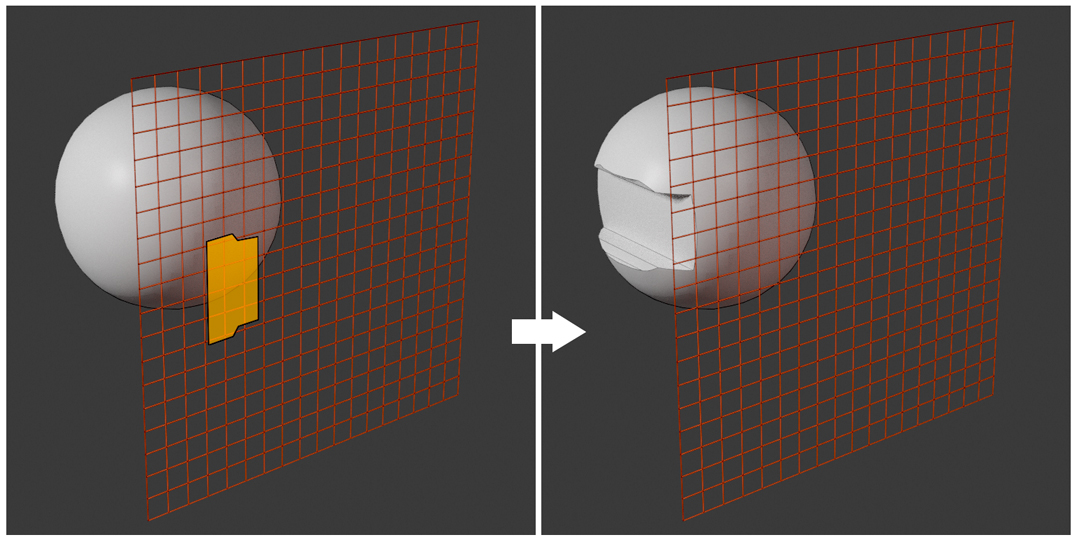
Just an idea: can we not have an option for a grid that is not attached on the faces but works from a distance, so that the user can make the operations on objects that have curvy surfaces too?
I am putting a roughly done explanatory image below:
4 Likes
Hi, could you tell me if Grid Modeler and Super sword work while orbiting using a 3d Mouse (3dConnexion mouse)?
‘CAD-like transform’ and ‘Constructions Lines’ addon devs have added a few lines of could to enable this function. Thanks @Kushiro
If you just want to draw on a floating plane and then cut into the curved object, you can do it right now  because you can use Alt + scroll to enlarge the grid plane. So you just have to select one face on your sphere, run the addon then Alt Scroll to create a large plane, then you can draw and boolean cut into it. ( I use it in this way myself too).
In fact I am looking for a “clever way” to enable curve surfaces support. Some people asked me about it too. But technical side, drawing on curve surfaces (really draw “on top of it”) seems a bit difficult.
1 Like
Hello!
I do not own a 3d mouse, so I don’t know too… (the addon have no special orbiting functionality, user just navigate in blender in “blender’s own way”, so if your hardware works in blender, it may be no problem I think. But I am not sure.)

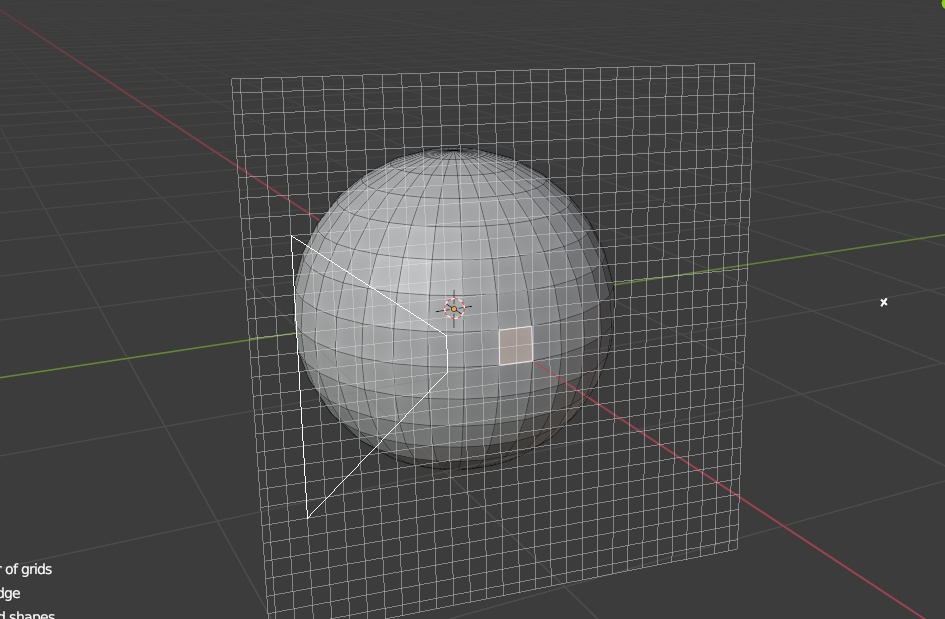
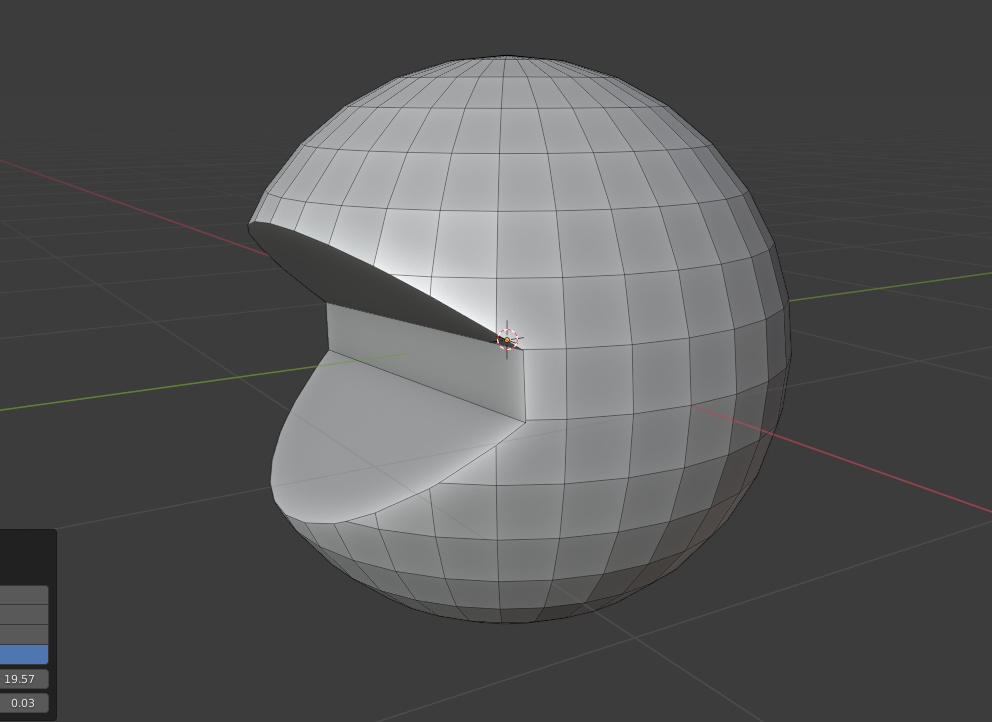
I do know that you can do it in the way you describe but in such a case the face to be selected must be aligned exactly to a scene axis (so that you may make, say, the precision work in an orthogonal profile view).
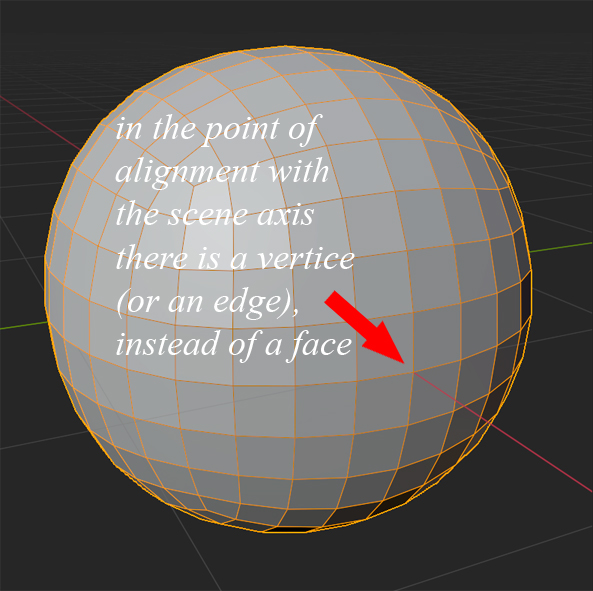
I almost always use spheres made by subdivided cubes and those spheres have aligned with the scene axis a vertice (instead of a face). So there you meet a difficulty in maintaining symmetry and precision in case you do not have a floating grid.
Shortly said: having a floating grid option would be great especially when someone wants to work in orthogonal profile views on objects shaped by curvy surfaces.
I see…  let say we have a floating plane, how to control its orientation ?
May be 3 ways :
-
The plane is always align to global axis. Good: it is simple to do. Bad : it is less useful ?
when I am modeling, most of the time the mesh is not align to global… -
Press key to rotate it. Good: it is simple to do. Bad : free form rotation is useless and not align to anything.
-
Select something, then use its normal to align. Good : it is accurate. Bad : So user need to switch mode , in your case, he need to switch to vertex mode, select your vertex, then… The UI interaction is too complex, almost buggy.
It seems that it is not easy to control a floating plane 
Super Swort yes, Grid Modeler no.I am using Linux, maybe it behaves differently on other operating systems.
1 Like
Thanks MarioPeper. That was extremely helpful.
I had a quick chat with Kushiro and expressed my need for Grid Modeler to be used alongside the 3dMouse, sadly no luck at the moment.
Time to give Super sword a try, I will report back shortly.
UPDATE: Fantastic it works… 3d Mouse remains active while Super sword tool is also active.
Clever Kushiro has built 2 fantastic tools.
1 Like
As far as I know, it has to do with interface overlays in Blender. But please note that the middle mouse button works with both. It is not the problem that construction lines had.
1 Like
Hi ! hmm, I didn’t used any platform or os specific things for the code (just python only, and python should be cross platform… may be ?).
Need some testing later
1 Like
Since blender overlay use OpenGL, may be it is related to OpenGL on Linux.
But if it is the problem , then it is hard to solve (since I just used the standard example overlay code from blender’s document to create the overlay, and the overlay is very simple, just lines.)
1 Like
MarioPeper on Linux also experienced the same as Windows users. It is cross-platform.
1 Like
Interesting are there any differences in the overlays. @norrid seems to have found an easy way around this, maybe he can help. Many other addons don’t do that either, even fluent. I don’t have that long modelling tasks but if you model all day it is a huge difference with 3d mouse.
1 Like
Just noticed in Grid Modeler I can 3d mouse navigate only after I have pressed ‘Q’ to confirm, but the tool is still active. It allows the 3d mouse to perform while waiting for the Depth and Boundary offset input.
1 Like
Actually he has 3 fantastic tools where the fantstic value has increased with each time. @Kushiro  But it would be nicer if Grid Modeler would work completely with 3d mouse.
2 Likes
I see, thanks for the heads up Mariopeper. I will give Attach align a try 
2 Likes
I may install a Linux to test it later. But I am not sure if this bug happen at Linux inside virtual-box / vmware ?
I don’t have enough time