Thank you  Yes scale and free rotation is planned, I will make them in future update
1 Like
Holy crap, that was really fast! You’re the best @Kushiro!
I’m using this for creating game walls, general level design, detailing and so on. It’s just amazing.
Thank you !! 
I am very glad to hear that !! 
Updated version 1.5.4
It greatly improved the Ctrl + Click edge function.
Now when you Ctrl + Click an edge, it will center the grids plane to the center of the edge !
So you can conveniently draw symmetric shapes without worrying the alignment, it will always at the center !
1 Like
Bought it! Very useful and very easy to use! I do have a question however: How do you copy paste the shapes for arraying them?
I do think that it would be good to put all the information needed for all those actions in the information text appearing in the bottom-left corner of the work space.
Also, why not putting an option for inverse boolean cuts also? It is something that can solve the ‘slice’ matter too: someone can duplicate the object to be worked on and keep the two remaining, after the boolean cuts, parts.
Thank you !
For the copy / paste / move / rotate / delete / flip / bevel functions, all of them can be accessed by “Selection Mode”. (my gumroad page have detail instructions)
You can enter “Selection Mode” by simple Right Click once, right click again to back to normal mode.
Therefore, you just have to
- right click the screen (anywhere)
- now you are in Selection Mode
- drag a rectangle to select shapes, or just click the shape
- Ctrl + C to copy , Ctrl + V to paste
- Press G to move, R to rotate, M and N to flip, B to bevel
That’s it
2 Likes
I put some most important information to the Left Bottom ! but… it is too much key and usage,
it will become too much text, hehe 
I will add more boolean operation at blender 2.91, since they try to solve the overlapping / co-planar faces problem for boolean. 
3 Likes
some testing

13 Likes
Hi,
are you starting to test the new boolean functionality on 2.91 ?
this addon is incredible 
I would be happy to do the beta tester if you want
What about the possibility to bevel by vertex? in this example if I can bevel just the top one I create a door 
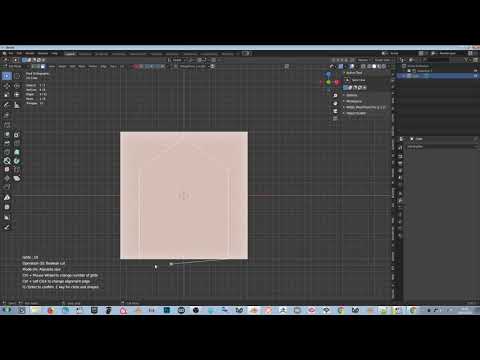
Thanks a lot for the detailed explanations Kushiro! 
Hello! not yet, I am still busy working for other issues…
I want to improve some core functionality first…
Thanks !! And if you have twitter, please follow me
It would be very useful, but selecting the vertices is a problem.
Need a simple way / simple steps to let user to do it (switching between edge mode and vertex mode, may cause confusion…)
No problem 
1 Like
I uploaded a new Tutorial Video to the gumroad page
It is 5 minutes long and talk about all basic functions
2 Likes
Can we use your boolean fonction from Grid Modeler outside Grid Modeler ? for example juste a knife tool on cube and select face then use grid modeler boolean ?
it could be awesome.
It is just the blender’s built-in boolean function
Edit mode > Face > Intersect (Boolean)
It will use your selection to subtract another part
humm not working at all with Intersect (Boolean) this is what I wish ( 'i use other boolean addon to show you )
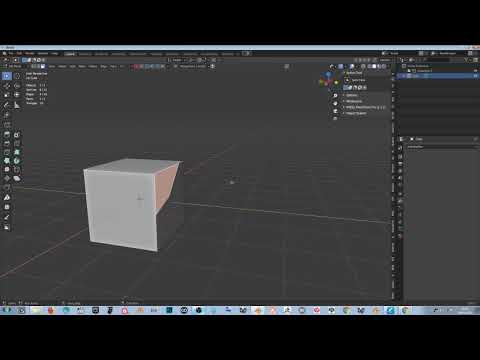
which addon is that you use for boolean?
I see. I think you like the real-time preview of boolean.
I won’t add too much functions for now, concentrate on creating shapes.