How to Achieve Realistic Diamond Caustics and Light Play in Cycles?

Hey everyone,

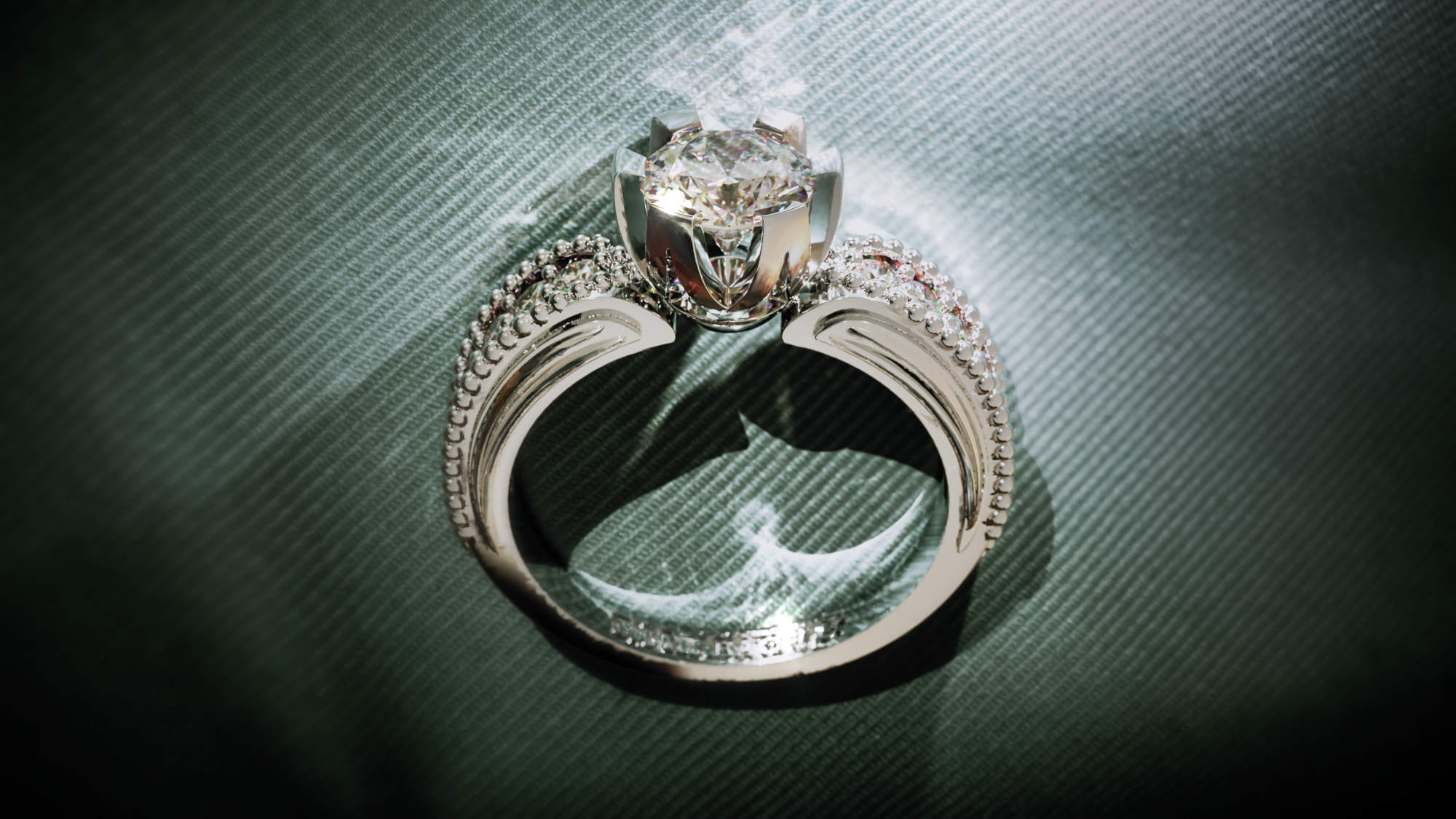
I’m working on a high-end jewelry render in Blender using Cycles, and I’m getting close to photorealism, but I’m hitting a wall with the realistic light behavior in diamonds.

The client loves the look overall, but there’s still a slight “CG sheen” compared to the real photo. The main difference seems to come from the lack of true caustics and dispersion. Real diamonds throw beautiful, organic light patterns and sparkle variations, while my render still looks a bit too uniform and clean, especially in the stones.

I’ve tried:

  • Using Glass BSDF with IOR 2.417

  • Faking caustics with glare nodes and emission tricks

  • Adding micro-roughness and randomized roughness/IOR via Object Info → Random

  • Creating subtle imperfections and bump maps on both metal and stones
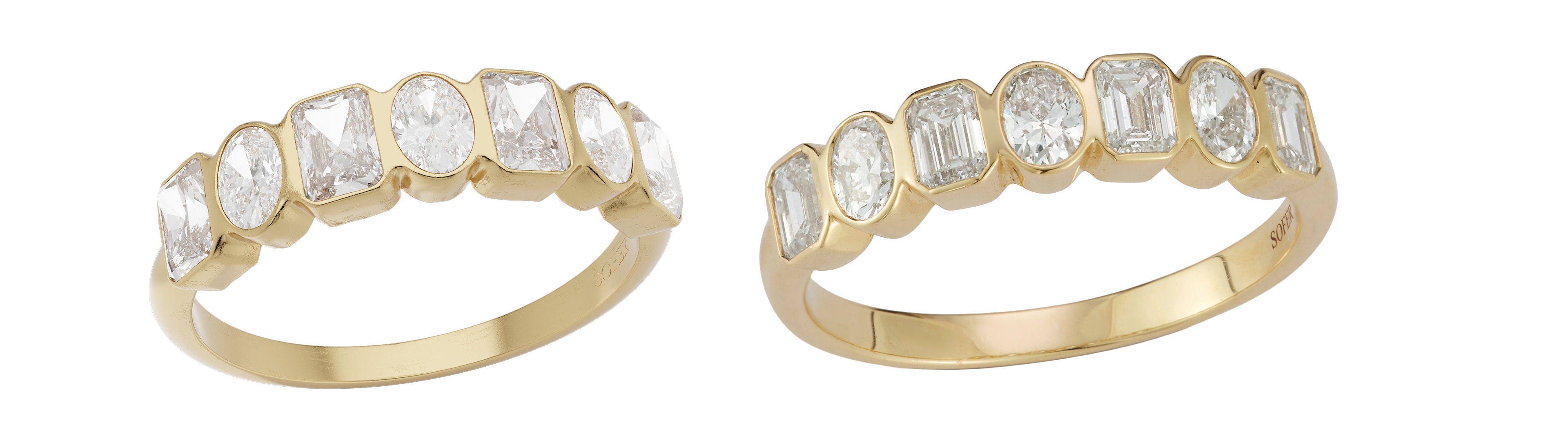
Still, it lacks that complex internal reflection and varied sparkle that real diamonds give off.

Question:

How can I push Cycles further to achieve more realistic diamond caustics, dispersion, and light bounce?

Is there a workflow or shader trick (even faked) that gets closer to what you’d see in high-end jewelry photography?

Or is this where I have to switch to LuxCore or other renderers for true caustics and spectral dispersion?

Any advice, references, or even example .blend setups would be hugely appreciated.

Thanks!

Hi,

Take a look @Drvquiron portfolio for examples and tutorials.

Just a quick clarification:
For diamonds, there is sparkle/scintillation, fire and brilliance/luster, but no caustics.
Faceted cuts do not involve caustics, only a cabochon cut could.

Good :blender_logo_64_png:

Welcome!

Is one of the images the reference? I am guessing the one on the left is your render?

Because if it is, I think the main difference is the lighting. The lighting on the left seems to have bigger and more numerous sources of light, which causes the diamonds to lack any dark area. Also, it’s lit more from the front, which removes contrast from the image, while the one on the right is lit a bit more from the sides.

One reason for this could be a lack of camera effects. Do you have any depth of field, lens distortion/dispersion, bloom or film grain (even if those effects are very subtle)? I am guessing the one on the left is the render, because of how sharp is looks. A real photo would have a subtle blur because of those camera effects.

If one of the images is the photo, there doesn’t seem to be much dispersion visible, but anyway, this is the best tutorial I have found about is. It gives a shader with continuous dispersion and good performance.

For caustics, you don’t need to worry about them if your scene is only this render, because you don’t have any. Caustics are the patterns that would be cast on surrounding objects, not the internal reflections. But you don’t have any object that receives caustics here.

If you plan an other render where you want them, like if the jewel is placed on a surface, it’s possible but not fast in Cycles.

You first need to disable “filter glossy” in the render settings, it exists to blur caustics out of existence.

Then switch to CPU rendering and activate path guiding (this will help find more caustics and complete them easier). Set the path guiding’s “training samples” to 0 and completely disable noise treshold (uncheck it, in sampling settings), both of those choices to ensure that Cycles doesn’t stop looking for more caustics too early.

Finally, render with a few thousand samples and you will get nice caustics, though it will take time to render.

The radius of the light source decides how sharp the caustics will be, a smaller light source=sharper, just like for shadows.

Of course, getting nice caustics is much easier in Luxcore, but is it worth switching the project? That will depend on if you intend to do lots of caustics or not.

Does the term caustics mean something in particular for diamonds? Because in rendering terms, a diamond could absolutely cause caustics. Any pattern of light reflected of refracted on surrounding surfaces would be called that way by a renderer.

One way to do it is to use specific lighting just for the diamonds I remember this thread,

Not really realistic and is a complex setup but it does give you very eye catching and controllable results. The basic Idea is to use completely different lighting for the diamonds and the mount (+surroundings).

Actually, I only used the term “diamond” because that was the OP’s request.
But these terms apply to the majority of precious and semi-precious stones used in jewelry.

On the other hand, for “caustics,” it seems that in CG, as you say :

The term is used much more broadly than in optics and mathematics (Wiki “Caustics”).

Or as I said, a gemstone cut into flat facets (whatever its shape) will not produce caustics while a stone polished into a cabochon can produce them regardless of its material.

Hi,

I would mention that if you want higher realism for diamonds, you must really think about using Luxcore or Octane Render, they both work in Blender. But that will imply longer rendering times. Dispersion and caustics requiere more calculatons so more rendering times. So for still renders thats’s okay for most people, but then if you want to make animations, it will become a problem. Then also Octane will be more suited to render animations with caustics.

That said, Cycles can be much faster, but in order to get caustics you will have to use shaders tricks, and in some situations it can become counter producttve (the render times also start to get longer and the final quality will be lower than Luxcore or Octane).

Rendering diamonds or any gems and caustics is also many times a question of the clients preferences. By example some clients like the diamonds to have blue facets, some clients don’t care about dispersion, some clients think that Luxcore renders diamonds are too yellow. Also most clients want white background, so the metallic and most gems caustics will be irrelevant (invisble). Don’t forget that caustics happen from reflections and refractions and are affected by dispersion. By example one of my renders https://luxcorerender.org/wp-content/uploads/2017/12/polished_ring.jpg You can clearly see metallic caustics, but then the dispersion in the diamond are not much visible, mostly hidden by the background (that example is the inverse of what I said above, where normally the background hides the metallic caustics because of the white background).

In the end, what matters is to make the client happy, some other client will say differently. Everybody sees realism differently, and diamonds and jewelry are some of the best proofs of that.

A tutorial in Cycles would be https://youtu.be/CjXFuRoKBGM?si=bPnAoAM0e4j87dhZ I personally don’t use that method, it never worked for me

For Octane, you’ll have to get used to installing it and the way that lights and materials work, it’s quite different in Octane. This tutorial https://youtu.be/aYxCDlxJRJ0?si=mn-e_zVSVKYuDVvn is some years old, but most of it is still the same in the newest 2025 version of Octane Blender. And also I don’t show how to use caustics in Octane, I always used Luxcore for that https://youtu.be/H7dsWONZh_A?si=vpWB-R6IyHWi0_gP

Thanks i think i will switch to octane for such renders, i have used octane for a few times, i have just started getting familiar with maybe, i will get used to it in few weeks i guess.

thanks for sharing, i almost forgot about him, i will continue to watch some of his tutorials maybe i can find what i need to know.