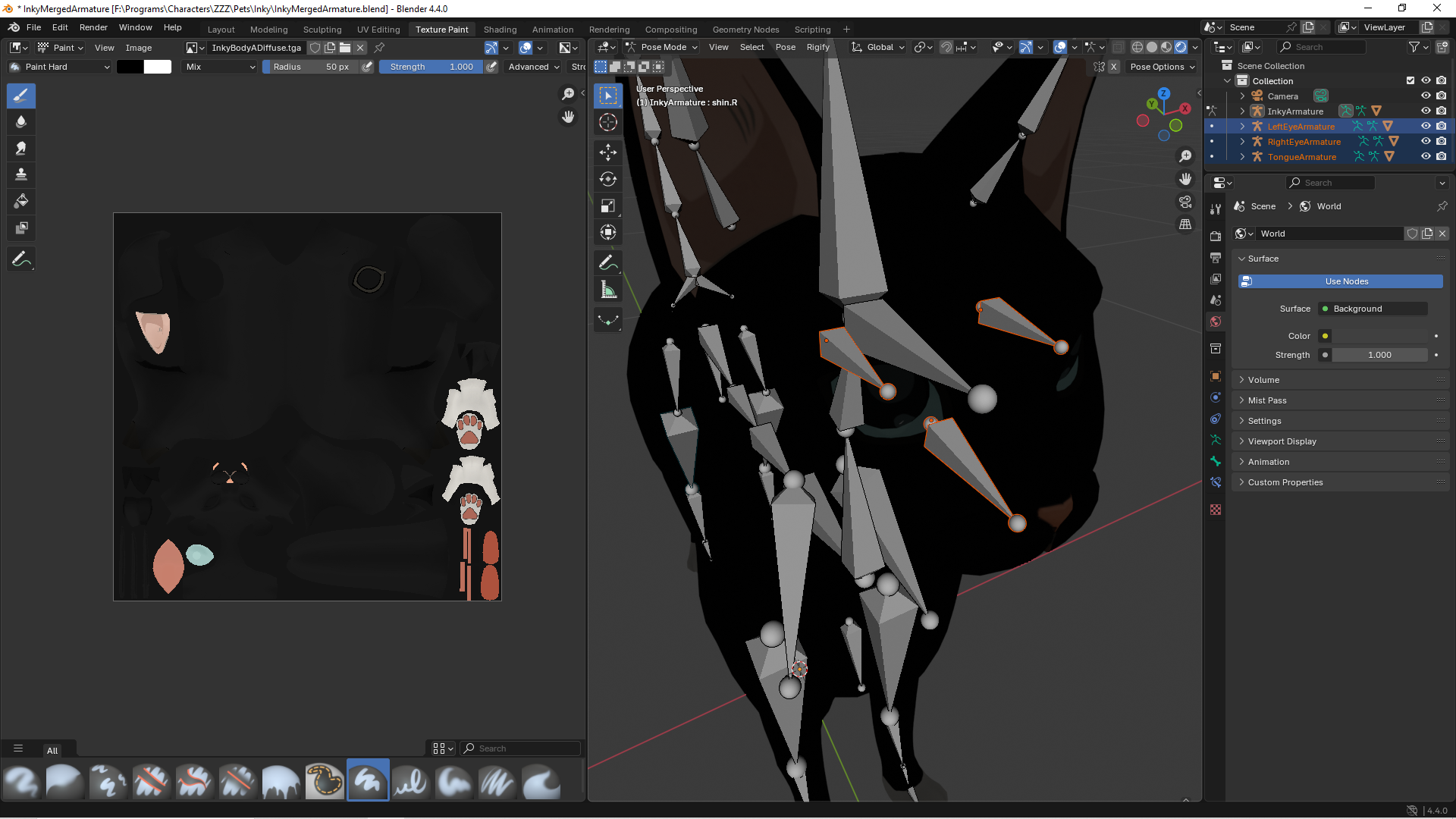
But I think I was following an outdated tutorial, because the video didn’t mention anything about how to unify the bones into a singular skeleton, that just happened automatically.
So I suppose the first step is to combine all the armatures I have created into one skeleton.
The second step is to link the final skeleton to the model for animation purposes.
Usually, the first isn’t needed, since all bones are just created/added under a single armature, but you can just select them all and join them all together like any other object, etc.
As for the second, you parent the armature to the mesh, starting with automatic weights.
Outside of that, I suspect it then won’t work too well, since it seems no controls/constraints, etc have been setup for easy of actual animation.
Which brings me to my main point, which would be to not do any of that, and look into/start with Rigify, which has a dog/cat rig fully made, you just have to position the bones.
There are plenty of Youtube videos to get you started with Rigify, while most are human character related, all the basic apply to any metarig.
How is the lack of controls/constraints visible in the sample image?
And how does that affect the final product?
As to why I am creating the product myself, I believe I need to learn the procedure because I will repeat this later with characters that don’t/can’t use a premade mesh:
As they are anthropomorphized, sure they have.
it’s just the human rig. There is nothing additional on these boars that a human rig won’t work.
Add the tail after.
The procedure you speak of is convoluted and takes a while to learn proficiently. Thus the creation of tools like rigify and auto-rig pro.
Take a step back and look at rigify, as it is free/comes with Blender.
Your image has no animation controls, it’s just bare bones, animators don’t directly animate just the bare bones (unless its something really simple and they are in a hurry).
It has no FK/IK setup, so if I want to say move the hips, I grab the hips control and the overall legs/body will move with it. If nothing but bare bones, you have to transform each single bone individually (total nightmare).
No, they likely don’t, but that doesn’t mean you have to fully create the whole animation rig manually. I mean you could and there are Youtube videos for that.
Or you can use an ‘auto rigger’ like Rigify (which is included with Blender), to adjust a human type metarig (that Boar is basically a simple human type character, no different then from say teh Dog and Cat in Blender Studios Wing It). Then once the base bones are positioned as needed, click the generate button and get a full animation control rig like the one in my screen shot.
As suggested, I used Rigify to create a cat armature.
However, I expected too many bones would be added, so I had to delete some I didn’t think were necessary.
I still don’t know if I should have left the jaw/mouth bones in place, since I’ve never seen this model move in such a way.
My primary concern is the eyes, in the Inky model, the eyes are a seperate mesh/object, but in this version, they are not.
So after merging the eyes into Inky’s main mesh, I am hoping the eye controls will work.
The bone heat weighting error is pretty common. Assuming that its a good quality model (no double vertices/ co-planer faces, normals all messed up, etc) and that scale has been applied to both mesh and rig.
Then the usual solution is to scale everything up 10x, then do the parenting with automatic weights and scale it all back down.
The Rigify eye setup will usually work best with the eyes as separate objects. If not, then its going to take some fun manual weight painting to try and get things to look OK.
Assuming that its a good quality model (no double vertices/ co-planer faces, normals all messed up, etc) and that scale has been applied to both mesh and rig…
I got it to parent with the metarig just fine, once I went into edit mode on the cat, selected all vertices and did a merge by distance (at the default 0.0001). It got rid of over 1700 vertices.
However, you have a bigger problem. First, its not the metarig you parent, you place the bones and then generate the rig and it’s that which is parented.
Thing is, the rig won’t generate.
And this is why. Those face bones you deleted are totally necessary, since the script expects them to be there and is coded as such.
Hence, even if you aren’t going to use the jaw/mouth bones for animation, it all still needs to be placed in the correct spot. Nothing prevents you from then just ignoring the resulting animation controls.
To answer what will now be your next question, no, you can’t just easily put those bones back and expect it to work.
The easiest thing is to actually take it as a lesson learned, and delete the existing metarig and place a whole new one. Then repositioning all the bones again, this time don’t delete anything and make sure to move any bones that are sitting on top of each other but not actually connected, as one.
If in doubt, save versions as you go along and you can even generate and re-generate the animation rig multiple times to make sure it keeps working.
Created a new rig and could not connect to the mesh.
Same error message as before.
The ears are what cause me the most inconvenience, I don’t need 4 bones per ear when just 1 will do.
I also don’t need bones for the digits, not animating those.
Now imagine how much worse this will be for a Bangboo:
Yes, because you didn’t do what I said before and merge all the model vertices together.
The claws could just be removed if not required or just ignored for animating.
Rigify has a couple of human metarigs, based on that image with no fingers, etc the basic human metarig would work just fine.
Here’s 10mins of work to do the basic mesh fix, some minor bone placement tweaks, etc so that the general rig will generate and work as expected.
It does of course need a lot more work to get good overall deformation, but that’s your job to spend the time tweaking bone placement of the metarig, re-generating and testing to see how it looks. Along with then spending the time to manually play around and adjust the weight painting.
I wanted to keep the eyelid bones, but when I move those, the model gets distorted instead of closing the eyes.
Those may have to be removed if I can’t fix that problem.
Now what about the eye meshes?
Should those be merged into the base model or left seperate?
I haven’t figured out how to link those to the bones yet.
Generally left separate, tho normally they are sphere’s, so it’s going to take some messing around and testing to see what works best in this case and depending on how much eye animation is needed.
Here’s what one would usually do with eyes:
But like I said, that may not work very well in this instance. But that’s rigging, it’s all about solving one problem at a time, which can take a fair bit of research/tutorials and just playing around with Blender.
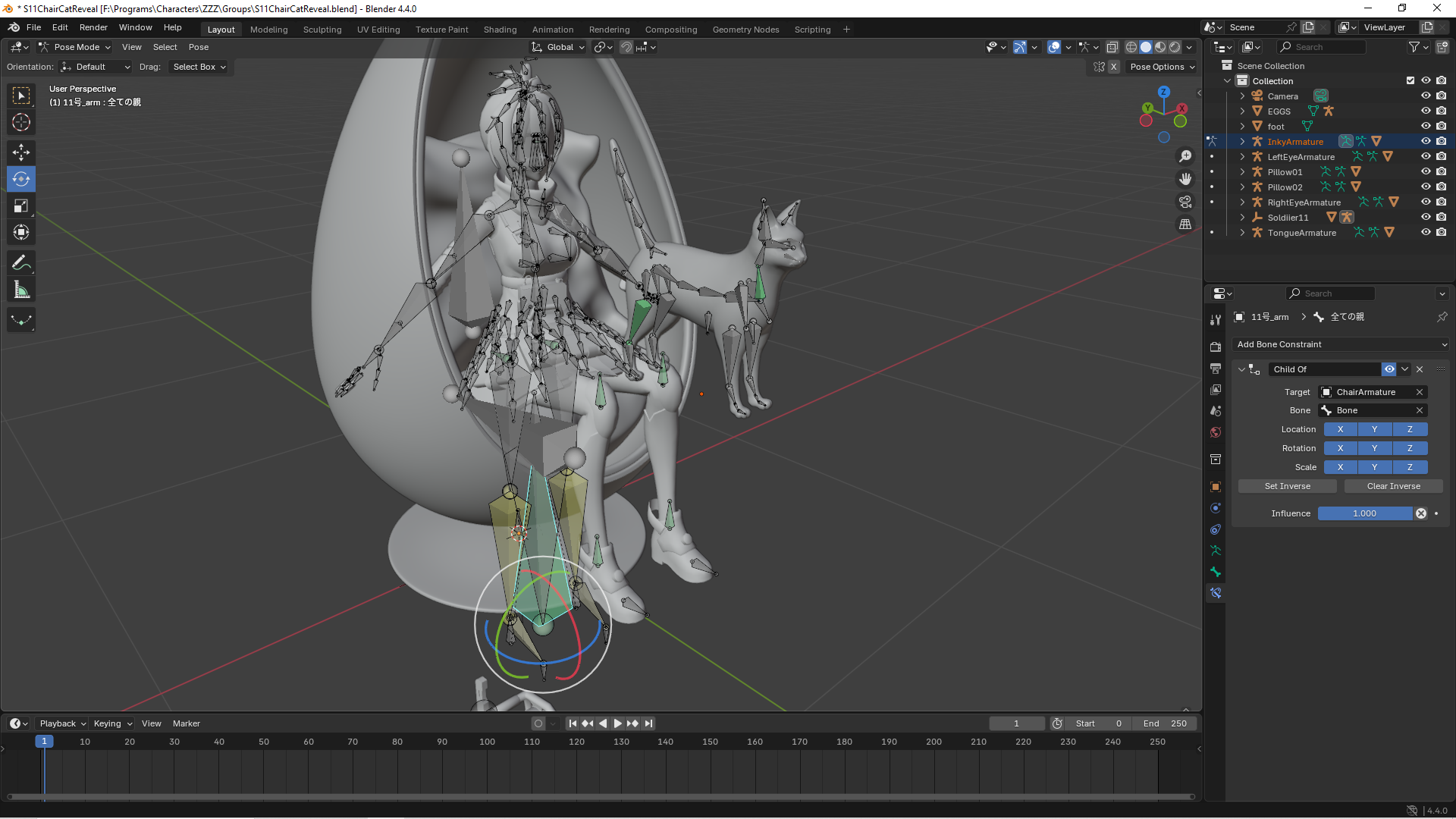
This is the main positioning control bone, this allows characters to move as one if connected via the ChildOf function.
Since this bone is absent from Inky, I couldn’t connect the cat to Soldier11’s main positioning bone.
How do you link Inky’s main armature to one bone?
But when I tried to export the model into MMD format for sharing purposes:
I think we first need to establish that you seem to be missing the main point of Rigify.
It’s an ‘auto’ rigging tool for creating an animation control rig.
The ‘metarig’ isn’t intended to be used for any actual animation or parenting to a mesh.
It’s to be used to position the bones of where you want the mesh to be deformed and animation controls created. Once you do that, you then ‘Generate’ the actual rig by pressing the button in the Rigify properties section.
Now I guess one could use the metarig to setup a basic armature for say export to something else, but then that’s a much more manual rigging process.
In addition if said ‘rig’ and mesh then need to be exported (of which this is first time it’s been stated that this seems to be a requirement), then it totally depends on what it’s being exported to, what format(s) can be used and what features or interpretations any importing software will do based on what has been done in Blender.
I linked the eye and tongue armatures to RigSkull.
I still don’t have my main positioning control bone.
Do I have to add this myself?
I did not mention the sharing before because I considered that a negligible concern if I was unable to create a final product.
Since I’m close to that final product, I potentially will have a file to share.