Hello friends, I need some help with color spaces!
Converting Blender scenes from Rec.709 to Rec.2020 is driving me nuts.
If I start a scene directly in Rec.2020 and render to EXR, the colors look pretty much right when I open them again in the Blender Sequencer.
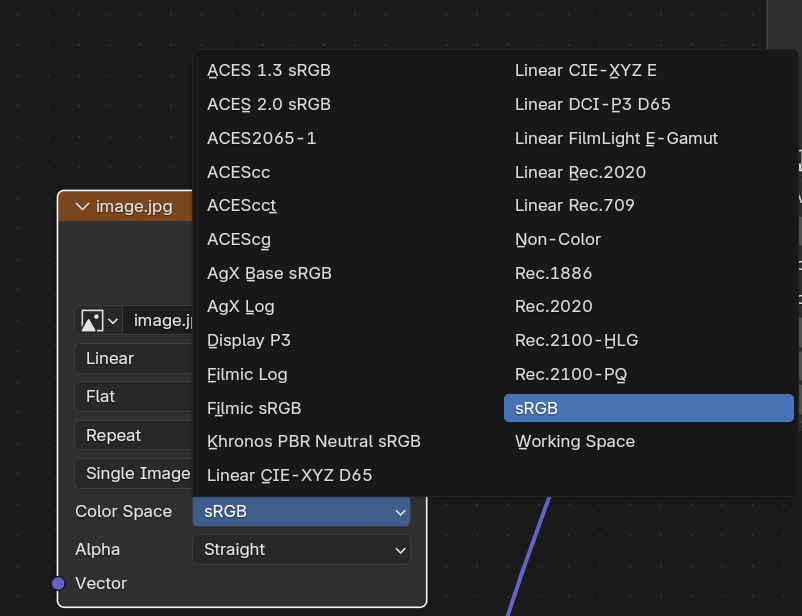
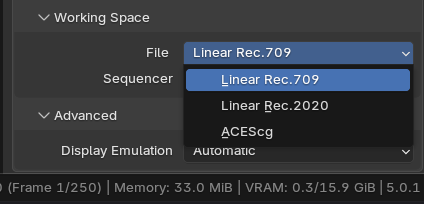
But if the scene was originally created in Rec.709 (which was the only option back then), and I either use the Convert Color Space node in the compositor or even change the entire project to Rec.2020, when I open it again in the Sequencer everything looks washed out and dull, very far from the intended look.
Does anyone know a way to take a project that was initially made in Rec.709 and make it look exactly the same (or at least very close) when working in Rec.2020?
IMPORTANT NOTE:
The textures are in .dds BC3 DXT5 (to save Vram)… a 8 bit per channel format therefore.
Could you maybe provide some sample file and an exact list of steps you take?
Also forgive for naive question, but if the intent is to keep the exact look that you seem to be happy with, why change anything at all? Especially why change it in what seems to be the middle of a project?
Hello @MartinZ!
Thanks for the feedback
I’ll divide my reply in 2 parts:
Part1:
I can’t share the file in question, but I can explain things better.
I haven’t done much yet …this is mostly experimentation.
I changed the color space to Rec.2020. Blender tries to compensate and keep things similar, but the result ends up with dull colors.
One thing I noticed is that if all textures are in 16-bit .TIFF, Blender converts between color spaces with almost no visible difference. Unfortunately, to save VRAM I’m using .dds BC3/DXT5 textures, and those convert terribly.
I suspect most of my issues are coming from the texture format, but I still don’t know what the best approach is to regain the original saturation and vibrance.
Part2:
The only reason I’m considering updating the color container is to help ensure the movie remains compatible with future TVs and display standards.
Right now it’s SDR only. From what I understand, that’s probably enough for DCP, Blu-ray, SDR TVs, and it will still play fine on HDR displays.
This is mostly about preservation. I want to keep the best master possible so that, 20 years from now, people might say:
“Hey, this was good stuff that nobody valued back then, but because he mastered it properly we can finally experience it at its full potential.”
It seems you are using a file format that is not very popular and so it’s possible that you may have discovered a bug. It’s hard to say. It’s unclear what you are doing exactly. Like for example, how and where you use Convert Color Space node in the compositor or why you mention switching the working space to Rec.2020 at the same time, because those will be 2 very different things. If you change the working space, that color space will be used for rendering calculations and you cannot do that in compositing. It’s unclear what you mean by
Open what, in what way? You mean rendered EXR sequence or that you use the sequencer in some other way? There are many ways to use it.
So I think sharing some example file would make the problem clearer. Not asking to share your production files…
Regarding the reasons, I don’t think it matters much. There is actually no way it would change much. It changes the correctness of semantics in rendering, because Rec.709 primaries are not well spectrally defined, but that’s about it. If you convert image textures that are in sRGB to Rec.2020 you are also converting to color space with different primaries - that process is not very precise. I would argue that you might be loosing data and introducing inaccuracies that way. Not that they would be perceivable. it probably doesn’t matter. Actually I would argue none of this matters at all. But what do I know?.. I would advice to consider if you actually have a good enough reason to do this. It’s not like it’s worse HDR if it’s in Rec.709 32bit per channel EXR format… I would say that’s very much HDR.
Now that might make a difference in my opinion. Way bigger than different working color space. But nobody talks about that… … and it’s not practical probably, there is that as well.
I’m forced to use .dds as I only have 16 GB of VRAM.
Using 16-bit textures pushes VRAM usage past 24 GB, and render times jump from about 1 minute per frame to 10 minutes per frame.
Even 8-bit .png textures still blow up the VRAM.
Every YouTuber I’ve found says that if you want HDR you need Rec.2020 so that’s not actually true?
But I genuinely want to learn the practical, no-BS version of this not just theory.
I’m very lost on this.
I can give you a demo file, just like a bug tracker thing containing a .dds texture.
Today I don’t have time but I’ll try upload one tomorrow.
No, it’s not entirely true in my view. HDR is HDR in whatever color space. Rec.2020 is for HDR though, so it’s not false either, but you should consider how it works practically as well. I know one thing for sure - you need HDR for HDR and 8bit textures ain’t it. So… that’s one interesting thing a lot of people choose to ignore in my opinion.
Hello ! Here my 2 cents about the subject, even if as a good 3D generalist I’m no expert in any field
From my understanding there are two ways you can benefit from Rec2020 :
1/ Is having that as a internal colorspace when rendering, you can learn more about it here : Will you use the new Rec.2020 working color space?
Should we do it ? : Well maybe ! This seems to let colors behave ̷b̷e̷t̷t̷e̷r̷ differently under very colored lighting. But in the meantime it doesn’t strikes as super different under regular conditions. So maybe not worth on a day by day basis…
I should probably experiment more… Anyway, while those calculations are in Rec2020 the result could be in Rec709 or not…
2/ Is having Rec2020 as your main colorspace when working !
Should we do it ? : Well again maybe ! But to make good use of that you need a monitor that allows to see the extreme saturation that Rec 2020 allows.
Again, that’s something I didn’t played with much. But in the meantime that de-saturation you’re experiencing could make sense :
Say you have a rec709 pure red (1,0,0) if you convert that to Rec2020 since it allows more saturated colors that red became less extreme, say (0.8,0.2,0.2)…
But under a proper monitor that red should be the same as when you had rec709. You can just have an actual 1,0,0 red next to that which is going to be even more saturated…
I think you shouldn’t worry about that, since all the produced TV content up to this day will need to be converted too. That’s probably something that is going to be very simple to do once Rec2020 monitors is going to be a norm.
Oh, Sozap, not you as well… Different. Not better. Better only in a way that it’s more semantically correct and so it makes more sense. Not in a perceivable way in this whole endless inaccurate mess of color in CG.
At a point in time I had all textures at 16 bit.
Eevee-Next then landed and suddenly drained Vram as if it was a sponge, so I was forced to use GPU friendly compressed textures .dds… on a .dds whatever size it occupies in disc it’s the same it uses in Vram.
A .TIFF 16 bit takes like 3 Mb in the Hard Drive and then in Vram is like 300 MB (exagerating but yeah )
But that whole situation does sound way more like you are adding something in terms of quality, doesn’t it? It’s subtle still. I just think it makes sense to worry about that before worrying about changing to Rec.2020. To be clear - I have nothing too much against it, but if it presents issues like you observe here, I think it’s worth considering what it really adds. Which not that much when you really think about it. If you have a result in Rec.709 32bit format, you will be able to convert that to whatever color space you need as well. What does it matter where the conversion happens? Before rendering or after? This is way trickier question than it seems But I mean it even thinking it all through.
I’m just looking for the peace of mind that I did everything as good as I possible could Don’t want to look back and thing… I could have done this and that better.
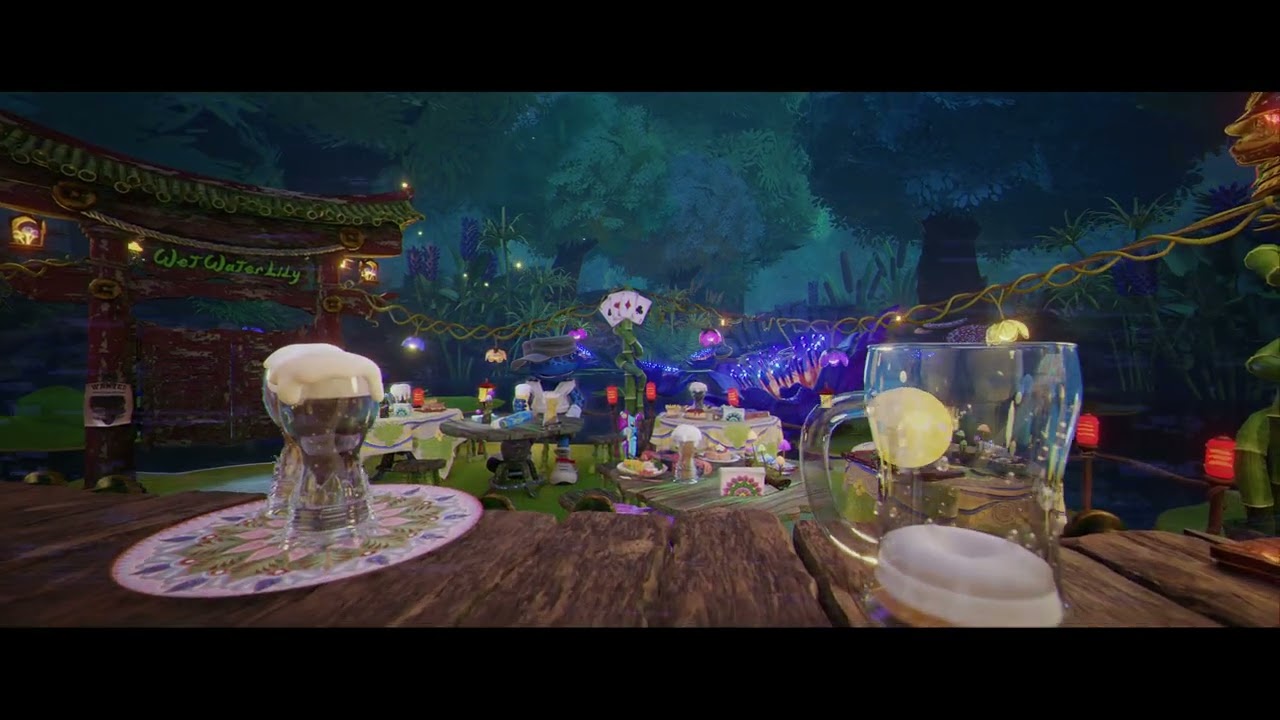
But I’m pretty happy with the current look:
.dds is, unfortunately, the only current way to save Vram so that the project fits entirely in the available 16Gb… being the render times the only problem.
But yeah:
if you use .dds textures, start with rec709 and change to rec2020 everything gets washed up
If you start with rec2020, convert textures to .dds and everything gets over saturated.
I cannot replicate the issue. Maybe there is some problem with the conversion process you use. Are you sure that DDS format really saves memory with Cycles? It’s not even listed as supported format. Have you tried using another format? Like maybe 8bit tiff? The amount of memory used by Cycles should be the same as far as I understand, unless i don’t know something about .dds support in Cycles.

 something like that
 and 8bit textures ain’t it. So… that’s one interesting thing a lot of people choose to ignore in my opinion.
 )
)