Loving the progress here. Shading, textures, expression all hold up really well (even close up).
Nice work Chris!
Loving the progress here. Shading, textures, expression all hold up really well (even close up).
Nice work Chris!
Bettlejuice, Bettlejuice, Bettlejuice lol
I don’t know if this is on topic or not but, hey Chris, i was wondering how the caruncle is connected to the eyelid mesh without it being separate? I was trying to analyze your model and i couldn’t figure it out.
The geometry is kind of weird in that area, so it’s hard to describe (or clarify with a screenshot for that matter), but it’s basically a flap extruded from the inner part of the eyelids and eye socket, which thins out and sits in-between the eyeball and eyelids at its outermost edge where it forms the plica semilunaris.
Is this similar to what you are talking about by extruding the flap. I’m poly modeling my character, it’s difficult for me to sculpt it. https://youtu.be/JReq_sJRCI4
That’s the caruncle, but without a plica semilunaris. If you extruded the face on the inside edge of the caruncle and extended the newly created flap behind the eyelids, and then added some edge loops so it follows the eyeball curvature, you’d have something more along the lines of what I’ve done.
After several days of trying and failing to fathom geometry nodes, I’ve made a separate post about whether hair length, or vertex groups, or something can be used to control hair strand thickness.
If this can be done using hair length in particular, it would allow for a more natural hair falloff without having to resort to making multiple layers of hair with decreasing radii.
[Edit] Never mind, someone’s solved it already. 
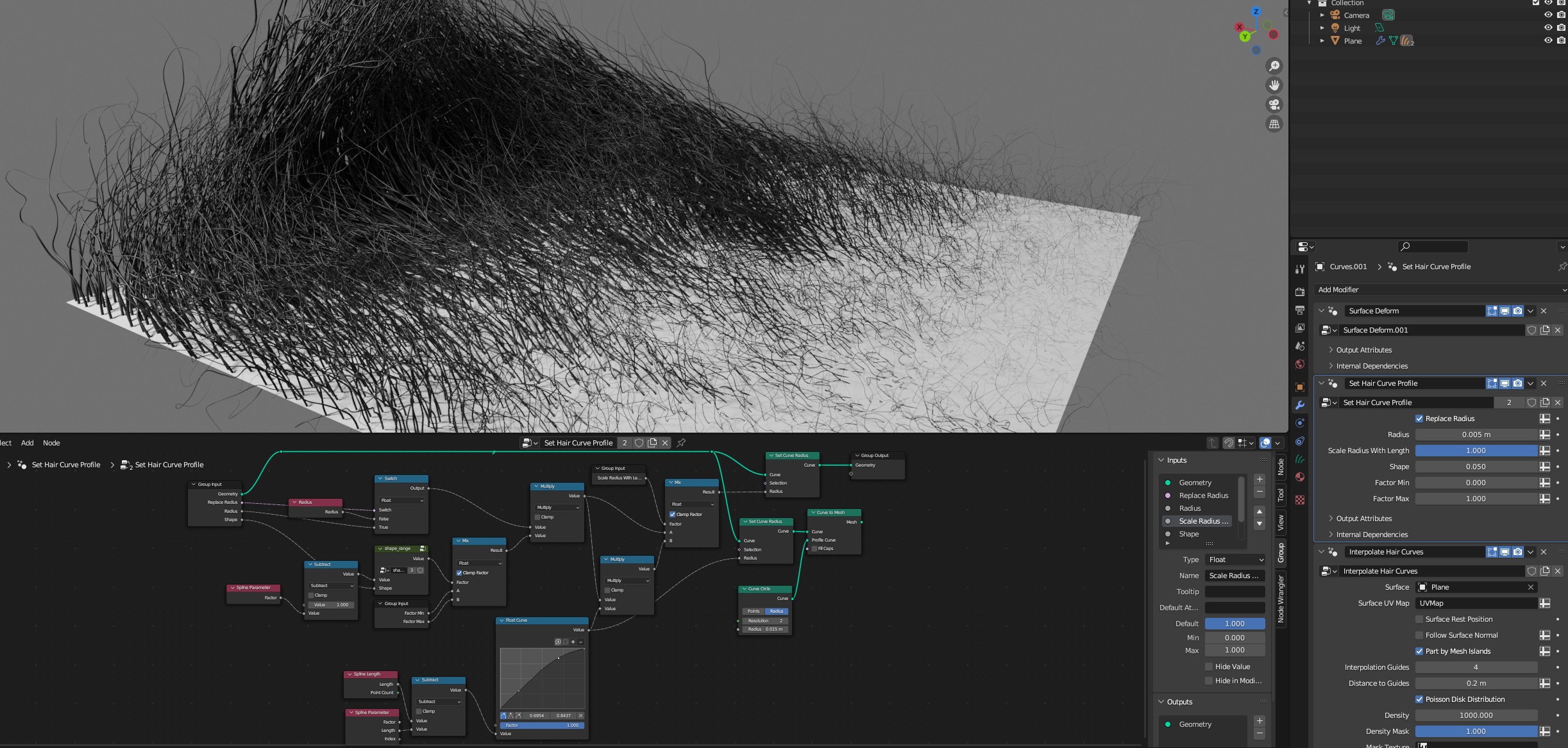
Subsequent to my previous post, I just adapted the nodes to work with Set Hair Curve Profile, and came up with… uh… this:
I already posted it in the other thread, but thought I’d put it here as well since it’s relevant to this thread.
also check Hair - Medusa Nodes an addon with advanced functionalities and extra nodes for hair…
After beetlejuicing us, you‘re creating cousin Itt now, right? 
@MichaelColina Yep, as usual though I have to be wary of incorporating anything commercial.
@ByteC Just getting a head start on Halloween. 
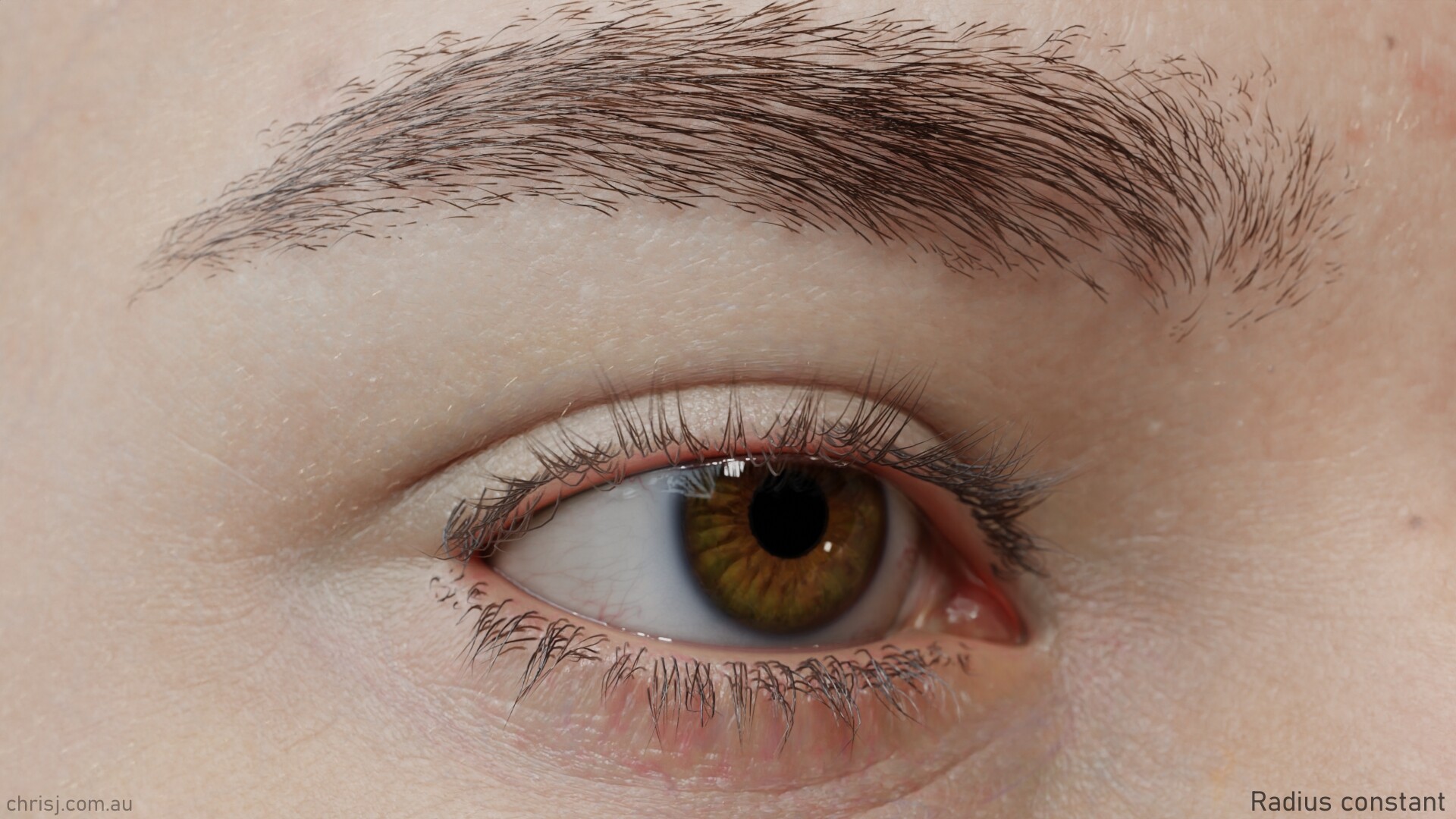
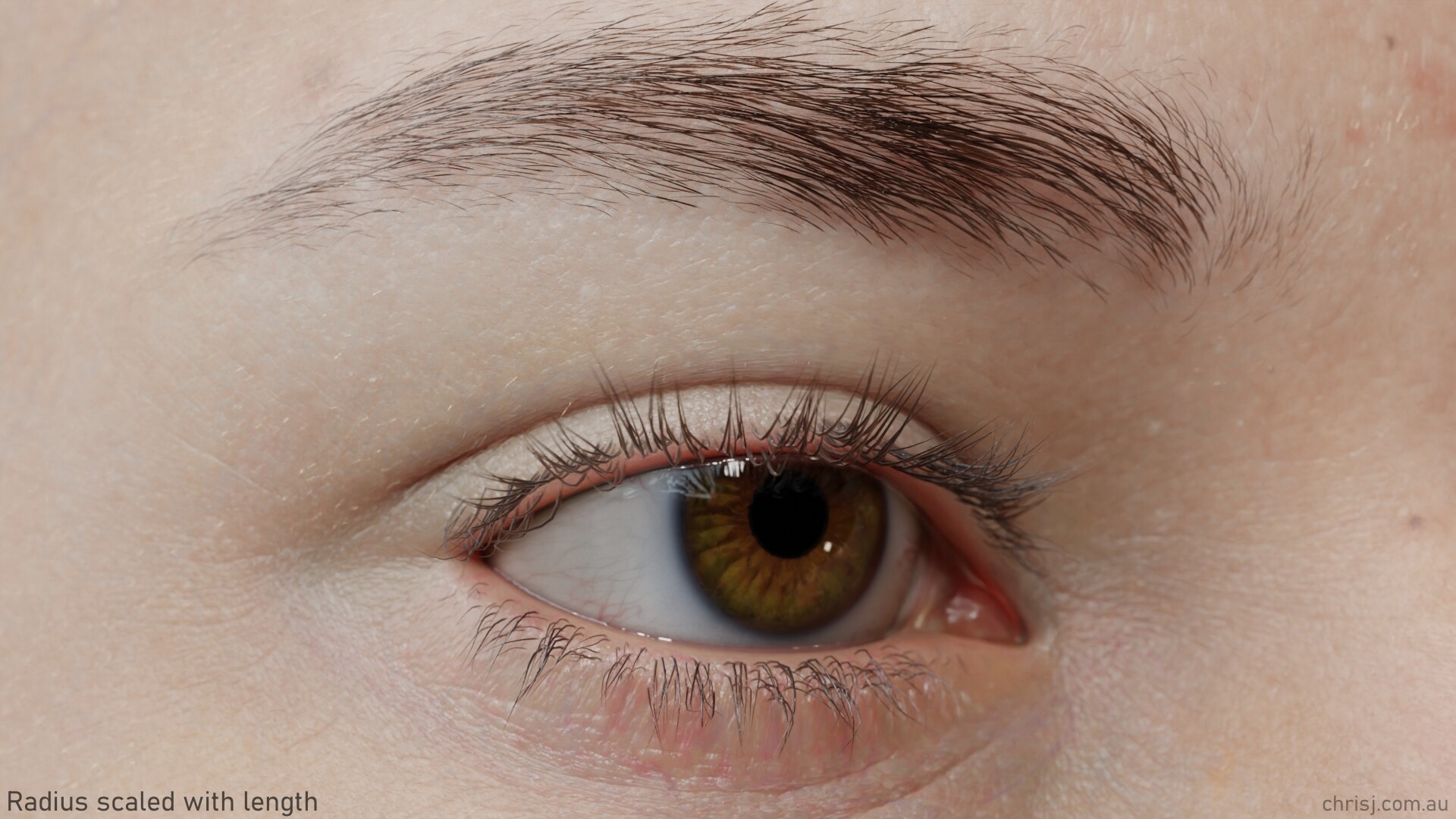
Here’s what the variable hair radius looks like in practice (which means I get to use the new image comparison thingy, yay). Also, individual hair bump textures at long last (yay again).
Aaand I updated the hair nodes with a Curve to Mesh switch for previewing the thickness in Workbench and EEVEE:Set Hair Curve Profile +.blend (3.0 MB)
2 quick questions since I remember you had some really nice and stable results to get a corneal bulge working some time back.
Did you find a way to generate the eye meniscus semi procedurally? I’m trying to work out a geo nodes setup to generate it, and keep it nice and consistent with deforming meshes, but it’s not an easy one :D.
Did you find a good way to make sticky lips? I want to find a semi procedural way here as well, preferably one that can do either sticky when lips are apart, or pressor bulge when lips press against each other.
I never realized that hair radius scales with length, but that’s a marked improvement! So cool to see
@dan2 I’m still scraping by with a strip of geometry for the meniscus, and warp modifier for the bulge. Sticky lips are still way down on my list, and although I have a shape key for pressed lips, it’s pretty basic. No doubt geo nodes would be the way to go, if only I could progress past kindergarten level…
@joseph Yeah without it you end up with little fat pyramids once the hairs get short enough. Scaling the radius probably makes more sense as the default behaviour.
You might wanna try new sdf volume nodes. It works b
Hm. SDF for the eye meniscus? I’d need a way to isolate it to be in the right place though, covering the visible part of the eyeball, softly transitioning onto the eyelids.
The way I’ve seen it work in production is generating 4 curves from a loop, doing some sort of quad fill, and a loop of deformers to shrinkwrap it onto the nearest geo and soften it, rinse and repeat a couple times.
Actually there are several methods, one of the old school strip approach, the other is the full coverage, and inbetween are a lot of heated discussions around the curvature and profile of the transition from eyelid to sclera.
Hey Chris btw you can use rbf nodes addon for any complex driver you can’t do with native drivers https://www.braverabbit.com/braverabbit/tools/rbf-nodes/
RBF is a very nice thing, but i assume that chris doesn’t want to rely on too many third party add-ons for functionality?
Well it’s up to him, he knows well the limitations of blender toolset so adding an extra helpful tool would just make his work easier, this one is free tho so it shouldn’t be a problem to install it separately by the users that bought universal human for the upcoming improvements of Chris’s rig and stuff…
Unlike the rbf drivers addon which is paid and likely is not in development anymore for what it seems…