Well, in general it’s not especially useful. But again it depends on the workflow.
What I’ve seen for lighting in houdini, is that they could treat multiple shots at the same time. So they can have a master lighting and do some tweaks on a per shot basis all within the same file, which is pretty cool !
But in blender working like that feels clunky. In the meantime, you might want some tools to do some batch operation on different shots even if they are not part of the same files. For lighting having a way to test a master lighting on multiple shots is going to be super helpful but it doesn’t necessarily means having all the shots in the same file : You can import all cameras , the set and a pose from each assets. And make an animation with each shot taking a frame. (which would be done by a script) …
It’s not 100% accurate but generally enough to build a master lighting that holds up in most shots. And in any cases it’s always tweaked on a per shot basis.
But there is also the old school way : Lead light make a master light rig on the most generic shot, once the shot is approved lighters copy that to each corresponding shots of the sequence, do small tweak and then they check continuity by rendering and checking.
Anyway, scene assembly and lighting is just another step, then it’s handed to other artists to export for compositing and eventually final grading.
Also, as discussed earlier, sometime layout can be done at sequence level, so the step between storyboard and animation, that is setting camera , adding assets in the scene testing that everything works as intended before animation, that can be done in the same file. And then it’s split into one file per shot.
Some studios work this way and I think it’s cool, but some others dont 
As a side note, while having one file per shot is the norm in animation, still there are very different ways to approach a project depending on it’s complexity or if it’s low or high budget. So even within the same industry something that makes sense for a project doesn’t for another, so nothing is really set in stone !
Generally one shot per file allows to split the work whenever you want. If artist A is having an issue they can hand over the shot to their supervisor and move on to another shot. Once the supervisor finished tweaking stuff artist A can resume it’s work on the shot. Here again multiple shot within the same file makes things like that harder.
Last thing I want to point out, is that when working on an animated project, there are always custom tools / addons that helps to customize the workflow.
Working with vanilla blender is going to be extremely difficult. Also there is a CG supervisor that create a particular workflow given the specifics of the project. So, as said earlier, some stuff can vary…
Ok, sorry if my answer is messy I’m not sure it’s addressing your question properly, this probably need a bit more in-depth explanation of the workflow with more practical examples. Anyway, it’s super interesting and having cross industry discussion like that also allows to sometime think out of the box and find new ways of working. I also think that for some small projects animation can be approached like you suggest, with one shot per scene, put together in the VSE. But this is very limiting for collaborative work.
I’m happy to continue the discussion if you have further questions, and maybe we’ll manage to make things a bit more clear eventually !


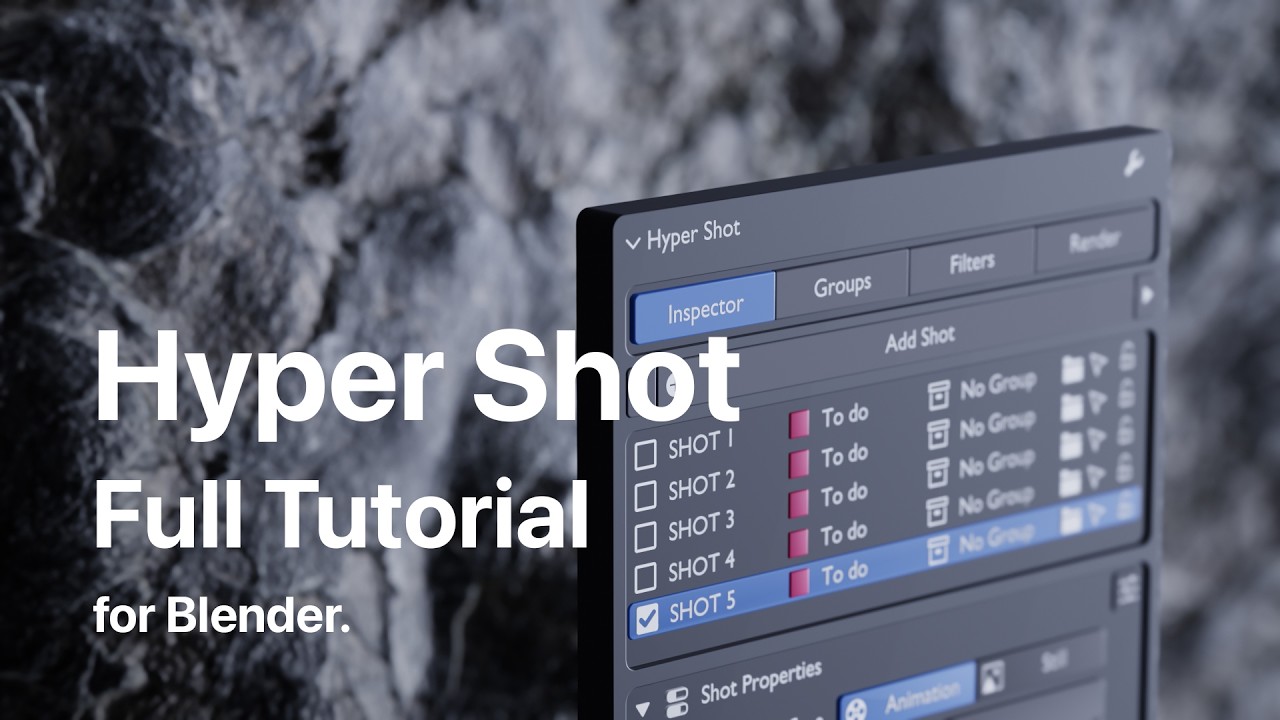
 First, the UI. I really care about a clean, minimal, carefully designed interface. The RenderSet panel didn’t really fit the way I like to work. Also, RenderSet includes some render/context settings that I personally don’t use. In Hyper Shot, I went in a different direction: the user only adds the specific shot settings they actually need. This keeps the panel clean.
 Second, Groups. Love it. Groups let you connect multiple shots together and share the same visibility preset between them. For example, if you have 10 close-ups of Character A, you can hide one object once, and it will be hidden in all 10 shots. You don’t need to go through every shot manually and repeat the same visibility change. Groups can also share a camera and world, if needed.
 Third, the render queue and progress feedback. Hyper Shot has a progress bar with a fairly accurate ETA, so during a batch render I can clearly see what is rendering, what is finished, and when the current job will be done (animated shots).
 Fourth, the scanner. Before rendering, Hyper Shot scans the output folders and shows the render state of every shot. So you can immediately see whether a shot is already rendered, partially rendered, or not rendered yet.
 Fifth, timeline management. Hyper Shot can automatically mark the timeline with shot markers and create gaps between animation shots. For me this is essential. If there are no gaps and I later need to extend a shot, I have to move the animation keys of all following shots manually. With gaps, I can adjust shot length much more safely.
 Sixth, bulk actions. In Hyper Shot, this works more like Copy Attributes / Paste Attributes in video editing software. You can copy only the specific data you need from one shot — for example, the output path — and paste it to other shots.
 It is also important to say that, as far as I know, RenderSet was created by a serious studio. It is a good and powerful add-on. So in some areas it may be more powerful than Hyper Shot. I am a solo developer. I spent months developing and testing my add-on, and I really hope I reached a good level of reliability and stability.
 Here is the full Hyper Shot tutorial. It may help you compare it more accurately with similar tools: