PSA: 3.4 is now available: Nothing major, just a few tweaks.
3 Likes
Currently on 3.4 Pro and unfortunately Context Bevel with ignoring scale breaks object scale on Undo. Here is the gif
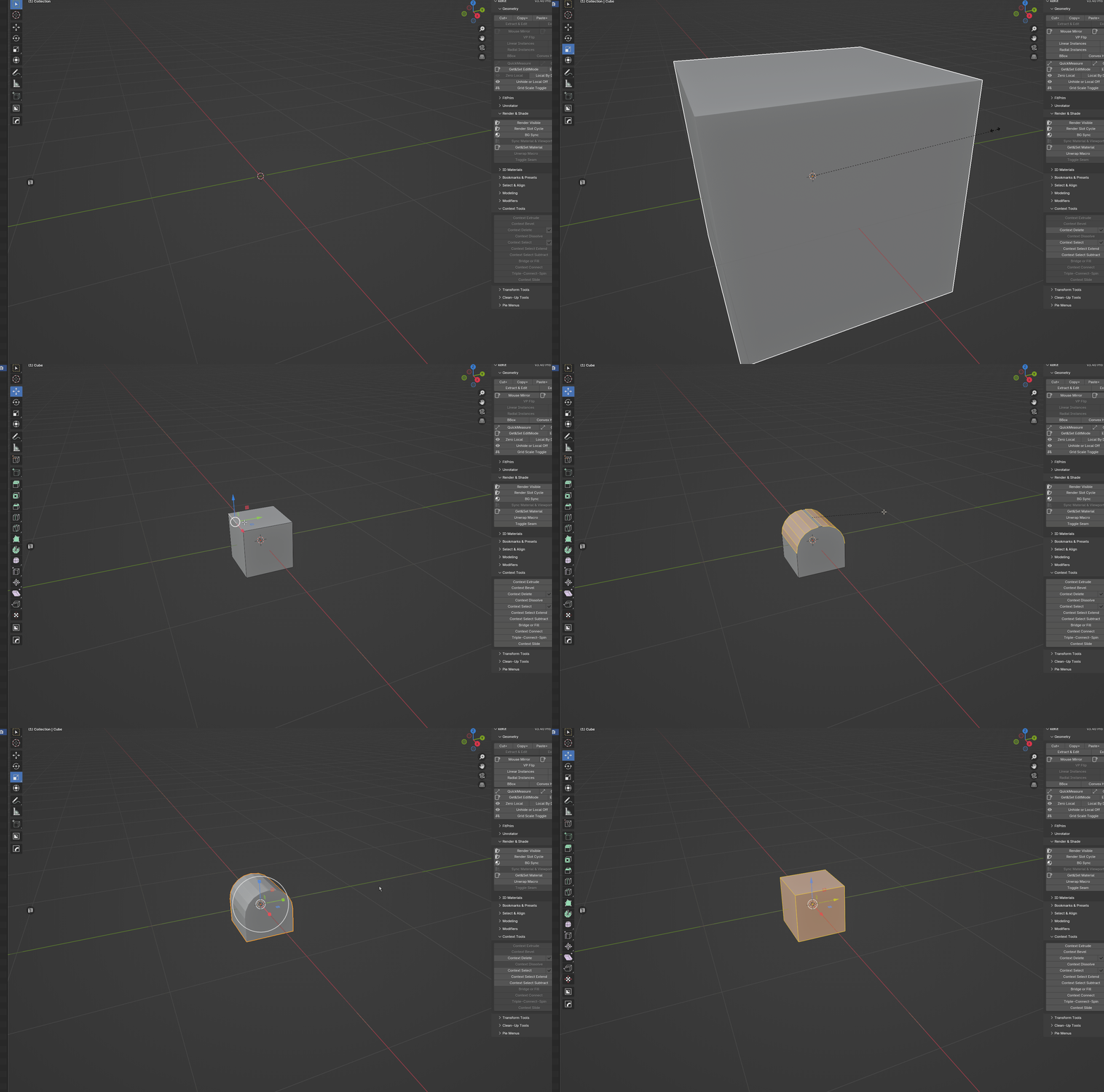
And another one, on 3.4 (recently updated from 3.33) view bookmarks work only from pie menu. The list of bookmarks is empty in N menu and i get this error

Scale: I don’t understand. Did you not intend to undo the scaling operation? Cannot replicate. (I might have managed to replicate it once - but it refuses to not work now…will look into it more later) update: Ok now I can replicate it ;D
upd2: Not sure this is something I CAN fix. If you undo another step or two, the scale should be restored. Most likely will not fix.
View bookmarks: can confirm. will fix. upd: Fixed. In next update.
1 Like
Thanks. Another couple of issues on 3.41
-
Assigning ID materials broken both in N menu and pie menu.
-
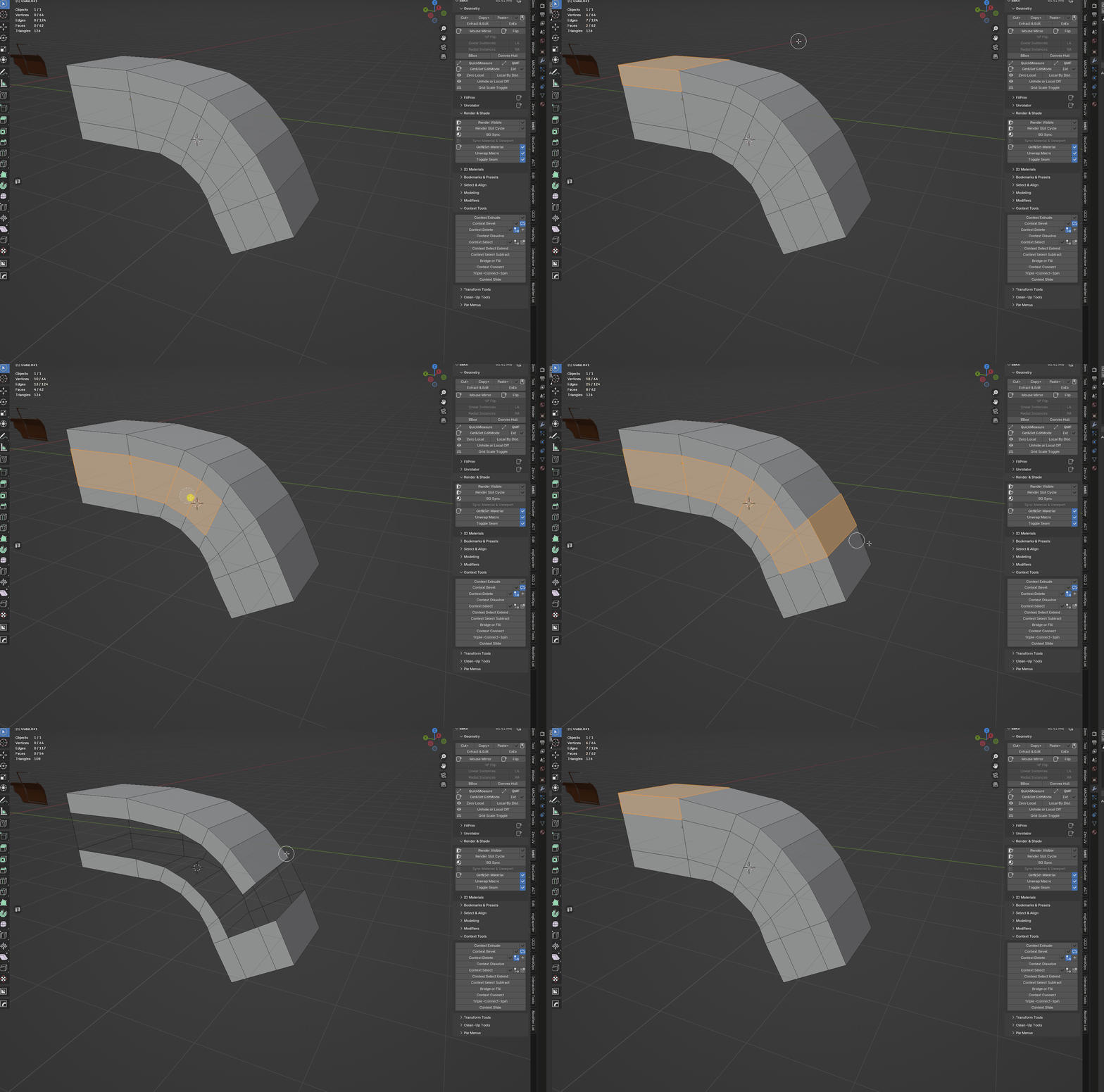
Undoing context delete undoes not only context delete but selection before that (gif)
1 Like
OK, I will investigate. (Thanks for the feedback btw! )
1 Like
Guys, in case you overlooked keKit’s Modifier Presets I’ve recorder a short demo with a couple of examples how it can be used:
It can store the state of each modifier(on/off, the values(offset, segments etc.), works both with standard modifiers and geometry nodes. Very useful feature!
4 Likes
Hi. Am a noob. How does Subd_bool work?
Thanks for your help.
It’s a stack of modifiers with the Subdivide mod in the end
I see. Could You please share the setup? Thanks.
Using the FitPrim pie menu, how come only the sphere works for me? All other shapes are initially created at 0,0,0 and subsequent ones are snapped to one of it’s faces.
The only time I can make any of the non uv sphere shapes work is when I zoom in like crazy to have the enitre face fit my screen.
Using Blender 4.3.2
Kekit Pro 3.4.1
Thank You!!!
1 Like
That looks like an old pie menu. You are either using KeKit Deprecated, and old operator sill left in the system somehow or something custom. Either way, it is not supported.
@TomSeas , @Kiellog
Adding prims through this menu works fine on my side.
keKit Depricated 1.0.2 , keKit 3.4.0
I was using a custom one. Tried to set it up again and it works now. Something about changing the position in the pie of the elements makes it so they break.
Reg. Modifier Presets
1 . I’ve noticed that for Bevel modifier both Clamp Overlap and Loop Slide are always On after a preset is applied. In some cases it can be handy to preserve overlapping, but in other it demands additional rechecking the modifier(s). In case a preset contains several bevel mods it can ruin the config. So, not sure which one is better.  TBD
TBD
2 . Presets with geo nodes work just fine if there is already that geo node used in the scene. Otherwise it adds nothing.
Custom Geo Nodes Support: As long as they are found (directly) in user asset paths, as a library asset setup just like “Smooth by Angle”, it should work™
The test geo node preset is a library asset, right?
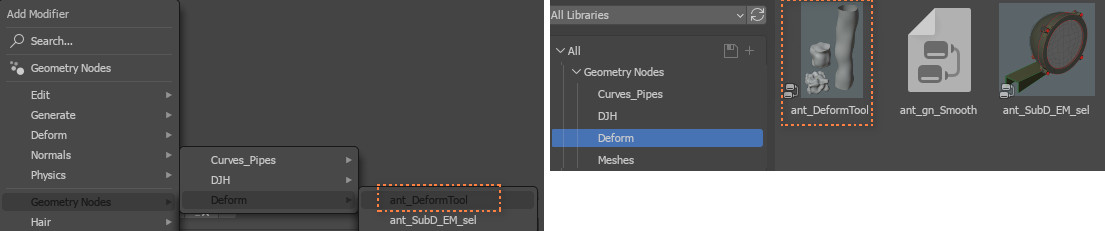
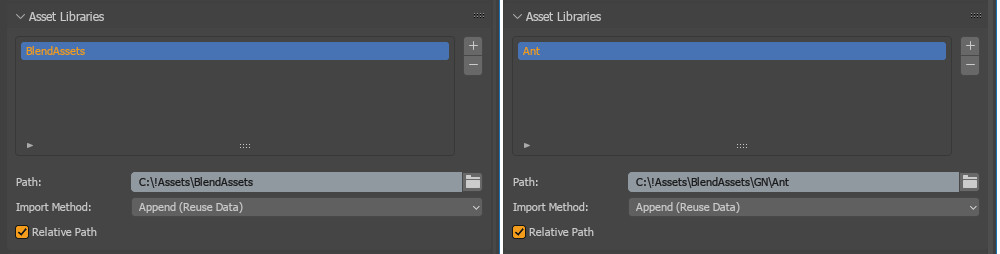
It saved at the following path: C:!Assets\BlendAssets\GN\Ant\
3 . Reg. Extract & Edit
I’d like to ask, if possible, to not make such drastic changes in the tool.
I’ve created a menu via PME with different behavior for click and click +holding Alt.

It’s convenient but quite complex. Especially to remember in a couple on months “where is what” ;)). And the problem is that such changes ruin the entire tool(menu) unfortunately

-
They should be stored, will double check.
-
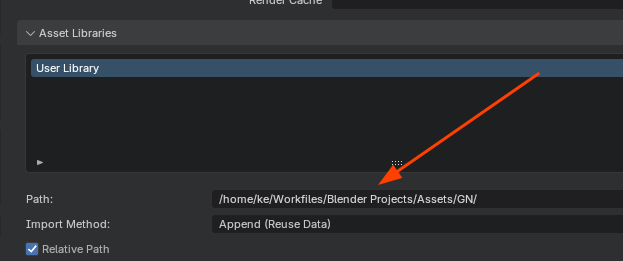
There is a simple file-search happening, but I am just assuming all GN’s are at the same location as blenders Autosmooth -or- the user asset path (where that is I am not sure edit: see pic). Might not be recursive…
user path:
-
Sorry! Butt the tool is now complete as far as I am concerned, At least there will be no more changes.
1 Like
- Yes, there was that asset library.
Also I deleted everything and added only these (one after another):
The result is the same:
And an interesting thing - if I open the previous file(from the demo video) the GN presets work just fine
Just noticed that Convex Hull creates mesh without any UVMap channel. Would be nice to have it.
1 Like