Hello! I am unaware of any general problem (works on my machine™ 
Please use the support form (if using the Pro version) ; https://ke-code.xyz/support/support
Sent… Tried it on a clean version. Same result.
1 Like
I recently run into a bug only in 4.3 where the subdivision modifier caused corners to be slightly round. I found out, that the subdivision modifier applied new in 4.3 seems to be different than the one before and the one added with KeKit. I have no idea if that has some legacy reasons, but also a script that I wrote for setting Subdivisions doesn’t work on newly created modifiers. So I guess that they changed script access.
I am not aware of any changes. I don’t see anything in the changelog that would be relevant. You should probably set up a test scenario and report to the Blender devs if you can reproduce it in the regular vanilla modifier between versions.
Ok! 3.42 bugfix release is now out! Check ke-code.xyz for the release log :>
1 Like
Couple of question for us who updated recently
- Is this how VPFLIP -180 is supposed to work?
- How do you set FLIP operator to work only in local mode for object mode and edit (so I don’t have to switch modes all the time when I want to use flip)
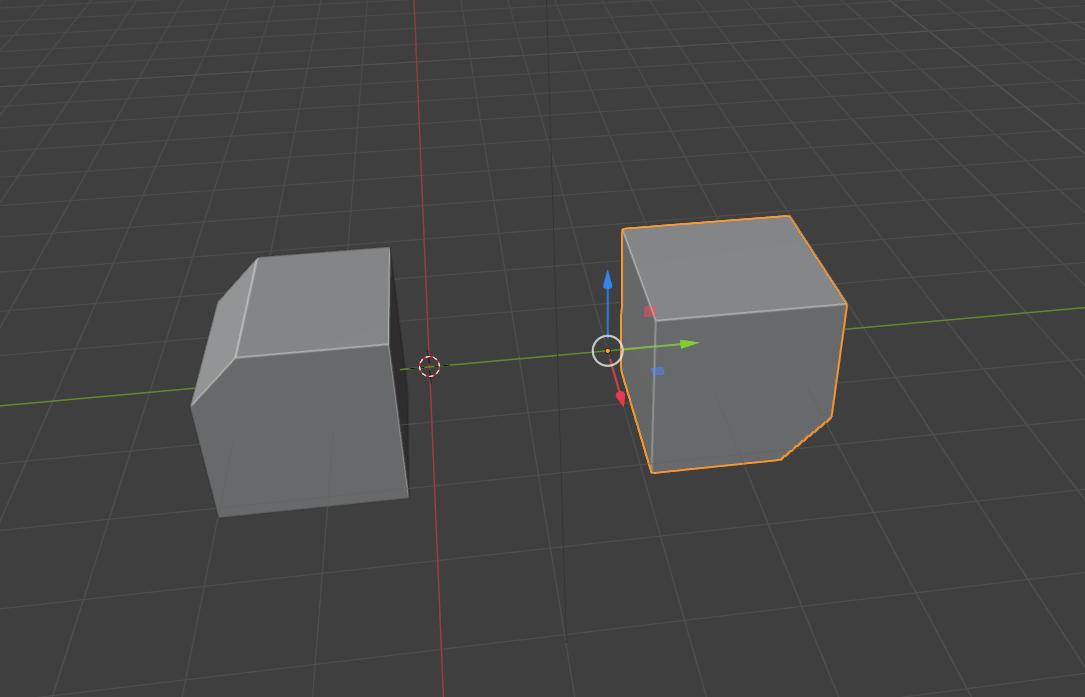
The docs. mention something but I can’t figure out how to do that
" Extra: Local Duplicate - This enum option can only be manually assigned in the shortcut editor.
It will disregard current orientation & always use “local” mode, in both Object and Edit mode."
Honestly, I don’t remember. I use Mouse mirror flip, and vpflip seems like duplicate functionality - or just some edge case (that I don’t care about anymore) - so I will remove vpflip in the next release! Thank you for the reminder! (I will place it in kekit deprecated if somebody actually needs it - upon request)
Yeah, VPFLIP is a linked duplicate. If you change something on the original the duplicate changes as well.
As far as flip goes. Is there a way or a plugin that you know of, that can just do flip/mirror in place instead of going into local mode and all that? I use that a lot so if you know something or you can remember the shortcut editor enum options, that would be great
No, sorry - Nothing comes to mind. (There probably is though… )
Good luck!
v3.43
[Select] EmptyParent (New)
- Parent objects to auto-created Empty for simple grouping purposes. Options in the redo panel:
Tip: Customize preferred defaults in shortcut (and export kekit prefs)- Parent the selected objects, or the collection the active object belongs to
- Empty created at Active Object Origin, Cursor or Origo
- Empty can optionally inherit rotation from Active Obj or Cursor
- Empty display size and type can be set
- Parenting using default, Keep Transform, No Inverse or Keep + No Inverse modes
[Select] Ortho Snap (Re-Newed)
- Ortho Snap is back! (Operator also renamed to ‘Ortho Snap’ for easier shortcut managment)
- I missed it. Often better than (just) the vanilla Axis Snap. Also works well in addition.
[Geo] Unhide or Local Off (Fix)
- Now restores transforms when Zero Local has been used (not just report)
[Select] VP Flip (Upd)
- VP Flip is now “unlisted” in kekit panels. Too wonky and niche to support, but keeping it in for now. The operator is still available in search or shortcut editor.
[kit] Prefs (Upd/Fix)
- The operator manifest list has been neglected for a few updates, but is now updated and semi-automated (in the backend) to make it easier to for me to manage
- You should export kekit prefs after upgrading!
5 Likes
Hey all, I’m following Simon Fuchs tutorial and can’t immediately drop the $20 on the pro version of kekit, when I install the legacy version I get a “missing manifest” error in Blender. Any ideas? The google doesn’t seem to help.
I just tried the github standard release (3.27) on the Blender 4.4B. No issues. Are you installing it like an extension? (It is not an extension. Please consult the blender documentation for details)
Hey Kiellog, thanks for the fast reply. No I’m going to the add-ons menu and selecting “Install from disk” from the drop down.
I’m not sure if it’s 3.7 I’m using, the file doesn’t say. “keKit-Blender-main” is what I dl’d from Github. I’m on Blender 4.3.2.

That did the job, I’m a github noob  Thanks very much!
1 Like
Hey! Small update:
v3.44
[TT] Reverse Cycle Mode (New)
- Added a button that reverse-cycles the TT-modes (Default, MouseAxis or ViewPlane) in the TT panel - so you can assign to 2 shortcuts for going back and forth, if you want. Or just the other way.
[TT] MouseAxis/ViewPlane (Upd/Fix)
- Fixed: bug that used Proportional Editing in Object Mode if on in Edit Mode.
- Added proper support for Object Mode Proportional Editing.
[Render] ID-Materials (Fix)
- Fixed: “Apply” Error (bug) in 4.2LTS (Did not affect latest (4.4) - Unknown if other blender versions were having issues but they should also work now)
5 Likes
Hey, just noticed that Context Delete does nothing in grease pencil Edit Model. Would be nice to delete selected curve points too.
2 Likes
For some time you did a script ‘ke_resize_zerosnap.py’, could that be changed into an alternative, where it doesn’t snap the axis to 0, but instead to -1 incl. flipping the faces?
It seems I did (I searched for that name in this very thread)
keKit for Blender (2.8+) - #1848 by Kiellog
edit: Sorry, I read the question part too literally: It CAN. But you were asking for me do it? (At a quick glance: You can probably change the 0 on line 75 to -1 yourself?)
Just pondering: With Blender 4.5 we can now align the cursor to things with rotation.
This makes keKit’s Cursor Fit & Align less crucial. I was considering removing it, but I haven’t checked all the functionality (aligning between, towards objects). But removal would not be anytime soon (like years) as boatloads of people are still on previous versions. No worries ;>
But I might change it to just use/match the internal functionality (not breaking backwards compat). Also, maybe I am missing something, so I’d just thought I’d share.
2 Likes