Hey! Thanks for the update! I’ve just tried downloading the latest alpha version to test the option you mentioned, but I can’t find anything you’re referring to. Could you point me to it? 
(shortcut example - section starts 1m in)

2 Likes
Hey. Just a small quirk of your copy+ / paste+
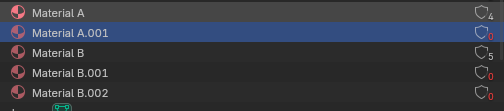
Is it possible for the addon to clean up the empty duplicate materials it creates on paste? I’m on 3.42 PRO on 4.2 LTS
Yes, it follows the standard “copy on duplicate” setting in Blender. Uncheck:
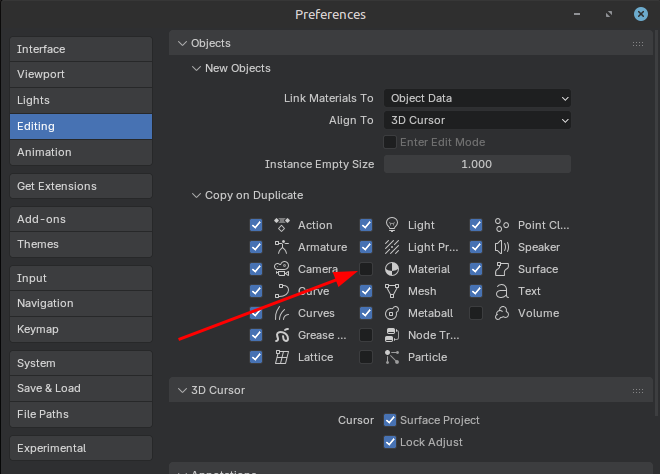
Thanks. I have it unchecked. Object materials are correct. But zero-user materials are still created.
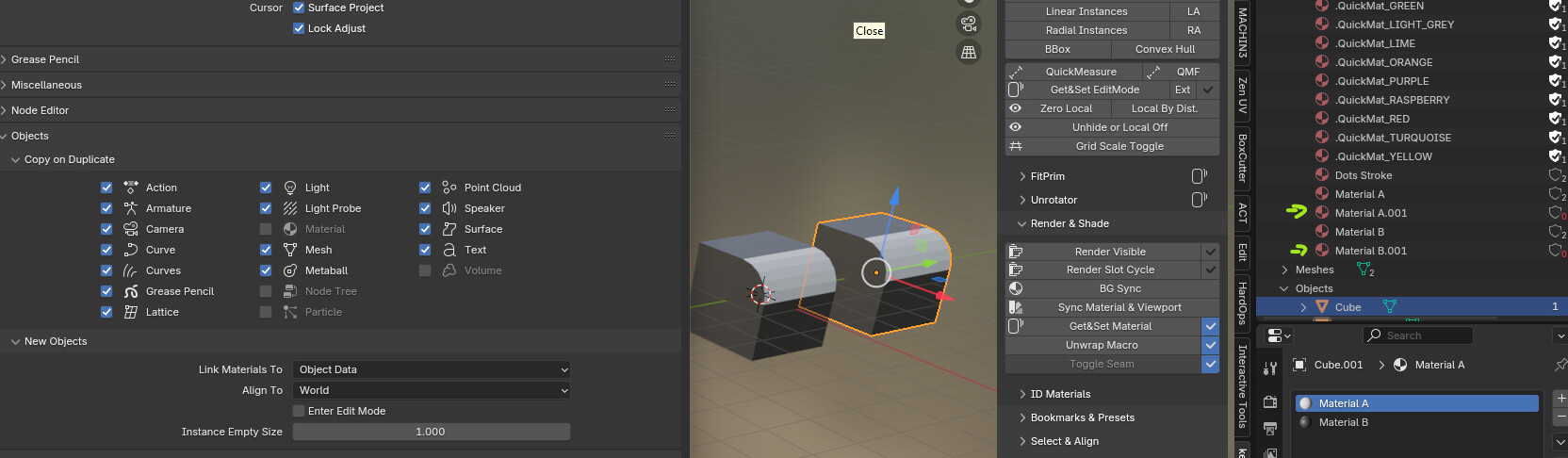
I cannot reproduce - works as intended on my machine™.
Troubleshooting, if you feel up to it, would start with a vanilla blender, new scene and new kekit install - no other add-ons.
jfyi; Copy+ uses a workaround, since the blender operator used has issues (not likely to be solved anytime soon, as it is considered working as intended) - copy+ is creating a string property on the objects when copypasting. Just in case this might help.
Interesting, i’ll check on another pc with fresh 4.5 and the latest kekit.
Hmm, as I mentioned above, the copy-buffer has issues. Could be that you are actually using that and not copy+ ? (due to some shortcut conflict or something)
No, i use buttons straight from the addon. Just tried Cut+/Paste+ 4.5/3.45 Pro but not a clean install. The result is the same for me, it works but leaves orphaned material copy. For now i can just purge materials
v3.47 - now available!
[Modeling] Merge To Mouse (Fix)
- Now respects “Correct Face Attributes” (Edit-mode tool option), to keep UV’s in place (both vert & edge mode)
[Unlisted] Cycles Image Reload (NEW)
- Reloads all images & updates Cycles(or EEVEE) viewport → images are immediately visible
- Assign shortcut manually in “Screen (Global)”: screen.ke_cycles_reload
[Context] Context Tools [Upd/Fix]
- Grease Pencil now works again: Blender API 4.x Change fix/support for Context Delete, Dissolve & Extrude
- Operator changes: These have changed category. Remove old mapping:
- mesh.ke_contextdissolve → view3d.ke_contextdissolve
- mesh.ke_contextextrude → view3d.ke_contextextrude
[Geo] QuickMeasure (Upd)
- Now automatically starts in Fast Mode if the mesh is “heavy” (>50k+ verts) - toggle with “B” in QM modal
[Render] Sync Material & Viewport (Fix)
- Now reads RGB-nodes (note: any node that is not an image or rgb-node → default 0.8 white (API limitation))
[TT] Mouse Axis Move (Fix)
- Using Rotate over object did nothing: now ignores ‘No Constrain Over’ option for rotate op.
Also, future plans:
- Blender 5.0 support (I haven’t even tried 5.0 yet!)
- I plan to sync the free Standard version up to that next 5.0 update.
- 5.0 specific tools will be coming later though (arrays and such) - in later Pro versions.
- Probably changing the add-on to an extension (not the blender online repo though - that’ll probably never happen!)
edit: I have now tried B5.0. FML.
6 Likes
I tested Blender 5.0 and nearly all add-ons have problems with modules.
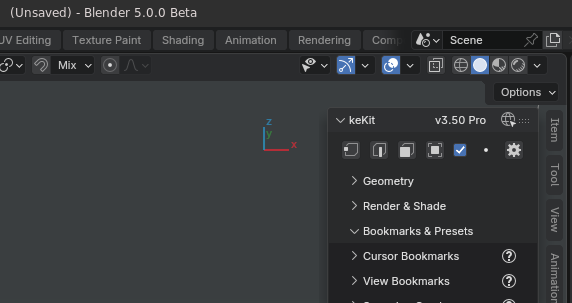
sneak peek  (heads up: you can expect to start fresh. Expect no backwards compat for kekit 3.5)
3 Likes
keKit for Blender 5.0 is now available:
Release Notes HERE
8 Likes
Will you be adding texturing as well? These as awesome free layer based texturing PBR addon that died, still works, but breaks sometimes. It’s still top of the heap as far as I’m concerned. Maybe you could incorporate it?
hi, not in keKit. I do have some separate custom pipeline scripts I use for texturing & exporting, but they are very very niche (and now all borked in b5) - so I’m not releasing anything like that any time soon.
About Slice Cut… using the latest Pro Version.
Not sure what happened, but I had an older version and could cut multiple times by simple using the mouse wheel. This seems gone. Not sure what happens.
What do you mean by “Slice Cut” ? Are you talking about the kekit operator Direct Loop Cut & Slice (I have not encountered any issues with that) ? it helps if you use the exact name, there are a thousand “slice” operators
My keyboard shortcuts got screwed, so I didn’t remember what kekit tool I used before. Now I have Slice Cut, which produce sometimes errors, not finding edges and general not having multi cut.
Was there a multicut before?
- Can’t you just look up your shortcut by keybinding to see what its mapped to?
- Alternatively check the history in the info menu.
- There is a keKit operator called “Multi Cut”, yes (in the modeling sub-panel).
- There is no operator called “Slice Cut” in keKit.
I’m using ‘mesh.ke_direct_loop_cut’