I was doing something similar but man for more complex shapes it get’s tiring, part of me wants to start paying for C4D again lol.
I know that feeling. My transition from Modo was similar to yours.
I looked for bunch of tools to imitate Modos.
Most of them I found in addons, others by changing blender defaults.
Maybe we can found/write script for this eventually.
What I like in Blender it’s a community that seeks to help to achieve needed results.
The issue to me is that i feel some what sorry for the addon makers because people like you and me end up relying on them to add just super basic stuff.
I have been using blender for a long time and the sad truth is they half ass add a tool and it’s a Miracle if it ever gets worked on again.
1 Like
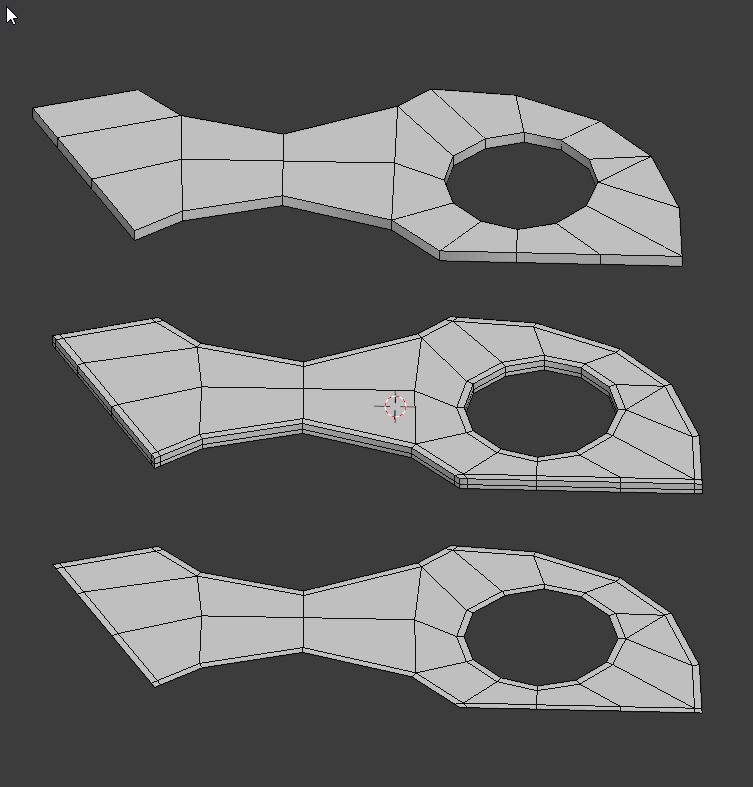
Another workaround is using Fast Loop, insert edges with its Loop cut tool (it’s like Swift Loop from 3ds Max) and use its sliding constraints (Edge Slide mode, while holding Ctrl + alt). You can use it to insert loops while preserving the edge flow too in case you are working on complex surfaces.
See this works only when you want that edge flow
for instance what i would do now.
Look at everything i need to do to get to that lol.
in C4D that would have taken me about 15-20 seconds.
already proposed similar tool,
you can propose yours vision there with making new “Submit Idea” but it would be quicker to make a script by users…=)
1 Like
Posted stuff on here before that had pretty large upvotes getting the devs to implement something there is like winning the lottery lol.
4 Likes
I see what you mean now. Yes, a proper “offset edge slide” is indeed missing.
I could probably do it, but it would take me a lot of time - which I do have to spend on other things atm.
A bit surprising that no one has already done a (free) add-on just for this? I think I’ve seen it in paid add-ons though (i might be wrong).
I created a topic on devtalk, maybe it will not be closed instantly
2 Likes
@Kiellog
Hello,
is it possible to add to Unrotator checkbox “Flip mesh”. Some meshes duplicates behind the face
Example:
Also, I asked you some time ago for align object between other two selected.
I found some example and modded if slightly, so if someone need it:
Code
import bpy, mathutils

act_obj = bpy.context.view_layer.objects.active
sel_objs = bpy.context.selected_objects
sel_objs.remove(act_obj)

posA = sel_objs[0].location
posB = sel_objs[1].location
objTarget = act_obj
midPoint = (posA + posB)/2
objTarget.location = midPoint
axis = mathutils.Vector(posA - posB)
objTarget.rotation_mode = 'QUATERNION'
objTarget.rotation_quaternion = axis.to_track_quat()
bpy.context.view_layer.objects.active = objTarget
bpy.context.object.rotation_mode = 'XYZ'
2 Likes
It shouldnt really need a flip, so its bugged. I’ll look into that.
For align between, I am content with Cursor Fit & Align (between two objects selected) and then align a third to cursor. It is two (+ selections) clicks, but could easily be macroed.
3 Likes
I missed this somehow, really nice feature!
I can’t seem to recreate the Unrotator issue. Could you post/DM me the blendfile?
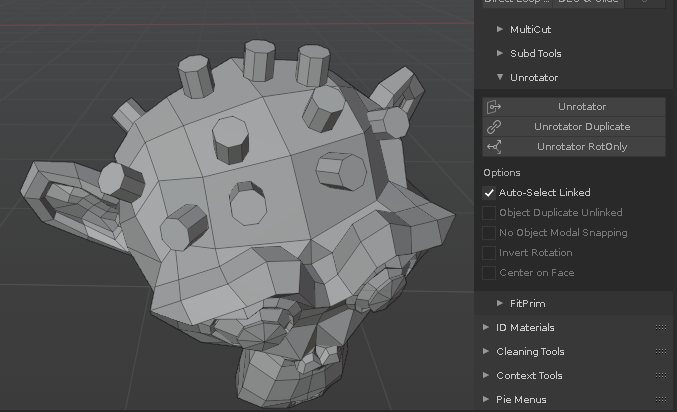
Maybe you select face to start snap,
but if I select edge loop as on saved file you get that result.
Update:
found behavior, works properly only if select top elements,
and sometimes first snap miss face Z normal if edges selected on source,
also rotation offset if selected edges or multiple faces works with issue
at your free time, no rush
Unrotator_test.blend (802.9 KB)
You fixed the group dupe error! You’re the best 
1 Like
Thank you for such amazing update!
Edit: but may be it possible to delete or disable triangulation while shading as “smooth” ^^
The update seems to have broken the “TT Move” for multi-object selections
v1.433 works like expected but v1.434 moves in an unwanted direction (Blender 2.93)
confirmed. (forgot to change a variable…fixed) ;D
will update once i fix the unrotator thing (soonish)
1 Like
Hi!
Triangulating flat is awesome but may be it possible to delete(prefered as for me) or disable triangulation while shading as “smooth” ^^? Cause as i think mostly it needs only when dealing with planar flat issues…