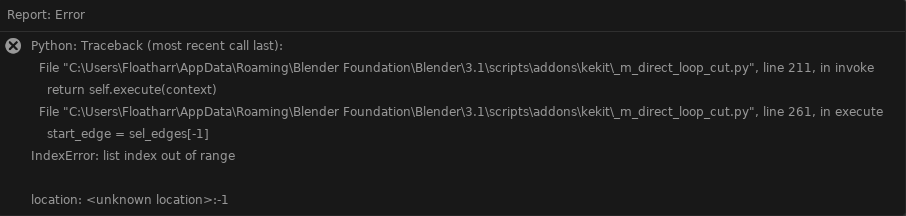
Kjell, is it possible to make that Macro Mesh Clean affects visible mesh only? Some sort of check-mark perhaps?
it processes what you have selected. why are you selecting invisible objects? ;>
It looks like it affects all the geo in scene atm
Instead of delete duplicates it merges all the geo:
Also, it doesn’t work it the object isn’t selected in Outliner:

And also a question regarding Context Extrude. Shouldn’t is work the same way like Extrude Along Normals for faces?
i dont understand. it affects all the geo in the scene, but not if it is unselected?
That is exactly how it is supposed to work.
(as shown in the outliner,—> this is “selected” as opposed to just being “in context” or active)
note: it does NOT work with edit mode selections. this is as intended. I will disable it in edit mode to avoid confusion. maybe.
At the first demo video with cube I have several separated pieces. Then I created duplicates on one of them.
How to delete duplicates and not merge all the geo? Currently Mesh Clean doesn’t work with selected geo only. It affects all
I will have to investigate the doubles removal.
Perhaps you can use the “select only” method and decide manually meanwhile.
(See my previous response reg edit mode.)
No, since It uses Extrude Region.
Just clarified to be sure as tooltip says: “Face Mode: Face Extrude Normal(Region)”
as intended 
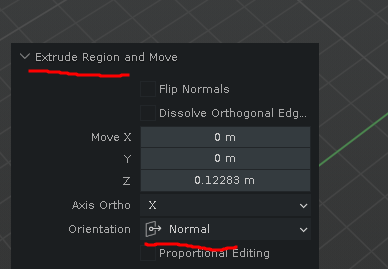
i could add a facenormal variant at some point. not a priority atm.
Context Extrude
No, don’t worry. There is no need for it. I just wanted to check it works as intended.
Regarding Macro Mesh Clean though I think it’s essential to have 100% predictable cleaner. That it affects either selected or visible geometry only.
So I used a fresh blender prefs folder and copied my old 1.48 preferences into the scripts folder. Installed 1.48 from zip, made sure my old hotkeys and toggles were set, then installed the new 2.001 beta from zip and presto everything is as it should be, all the settings are kept  Yay! And the new v2 prefs are in the config folder.
2 Likes
2.0 is about to replace 1.480 as the main release.
It is on gumroad already (2.002) - I just have to update all the tedious web & documentation (gumroad, my webpage with release notes & the wiki) ;>
Big thanks to all of you who helped with bug-testing the Beta versions!
002 updates:
- Clean-up tools bug fix (degenerate & interior now only removes appropriate geo) +now only runs in object mode
- Updated pie menus (6 slot opc & snapping combos)
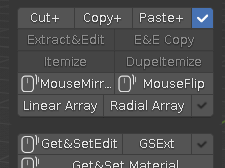
- Custom Icons! (for pie menus; opc, snapping combos and view&cursor bookmarks, as well as a new unique un-checked icon for the panels:


15 Likes
Wow this new combos awesome! Also wanna mention that updating was very easy! Thank you for your work!!
2 Likes
Thanks for that awesome kit. Can’t say this enough. You did one of the best add-ons for Blender!
4 Likes
Feel a bit stupid, but I got this for some reason after updating from 1.408 to 2.002 on 3.0
The addon seems to be working fine on first glance but I have this warning sign.
Also, I have a question about zero scale. It works with cursor. Is there a way for it to work with say whatever the normal is on? I would kinda like that Modo simple flatten option.
header: See release notes for v.004 ;>
zeroscale: There are several variants in the SnapAlign pie menu:
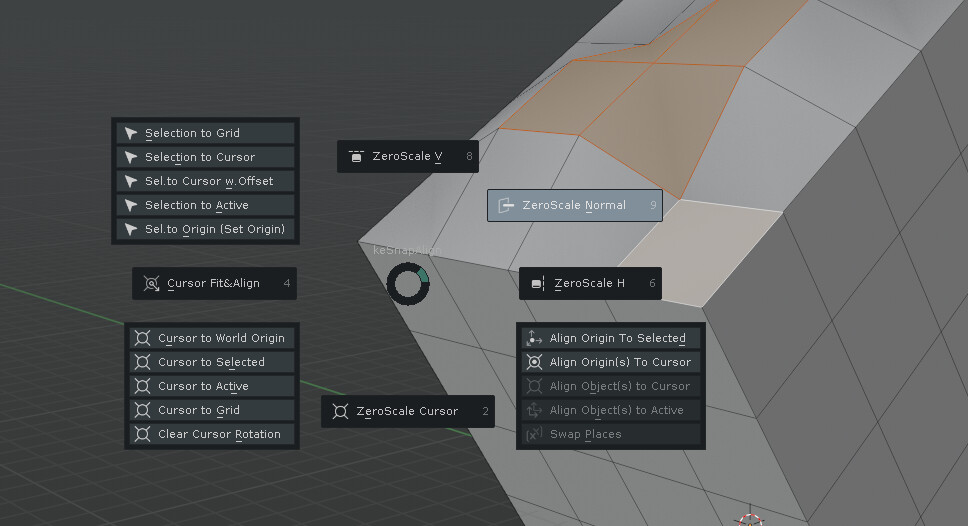
also:

check the release notes page for updates & fixes, and the wiki for info on the features:
https://artbykjell.com/wiki.html#zeroscale
2 Likes
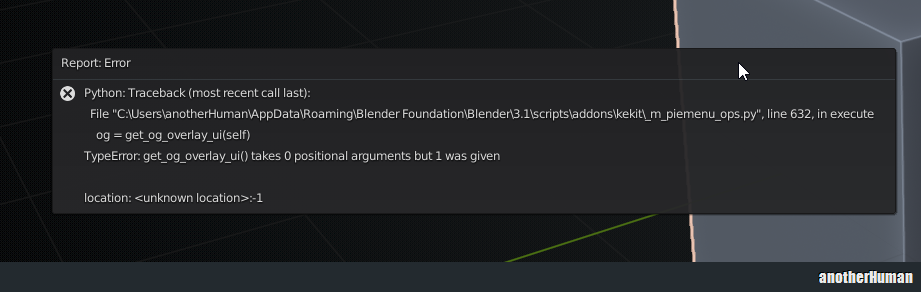
thanks!
I’ll check it out
edit: confirmed, and fixed ;>
(for .007)
4 Likes