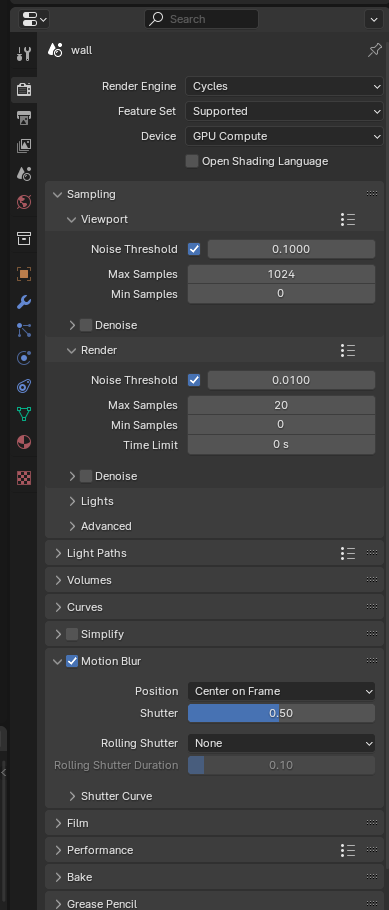
Hi, I trying to render my scene with motion blure. My scene have for example one normal mesh with animation and big alembic file. Normal mesh have motion blure, looks nice. In my alembic sim is not working. I tried different settings, nothing helps, can someone give some advice ? This is my settings motion blur :
Then your alembic mesh has no velocity information so Blender won’t be able to use motion blur with your alembic import. If your using another software check to see if you are able to export the velocity information for your sim.
I can’t test it because the file doesn’t exist.
Please refer to the link.
I’ve been struggling with this issues for months and found a solution.
When importing the alembic file, turn the “Is Sequence” option on, then disable it in the Mesh Sequence
Cache modifier.
Unfortunately it still doesn’t help.
Here is my test alembic : https://we.tl/t-WUmwbAaXf5 animation from 100 to 115 frames. If you or someone else have time and willingness to test, I would be very grateful !
3ds max with TYflow. I found option when I export abc as collapsed mesh I don’t have motion blur when I use option “noder per particle” - then one mesh is one alembic motion blur is working. The problem is I have for example 20 000 animated mesh so I can’t have each alembic for one mesh. Is need to be one collapsed mesh.
If its a particle sim you could just export it as a point cloud then the file size will be smaller and blender is able to render alembic point clouds with motion blur from version 4.1
It is particle sim but with shape sphere with special texture etc. I already have almebic point cloud but is possible to use this with mesh ? Because now I have only particle in blender without mesh…
The file you shared does not have a frame to play (only 16 frames exist)
If it’s simply a particle simulation, try it on blender.
Blender does not support particle simulation, but using Addon in the link below, particle simulation is possible.
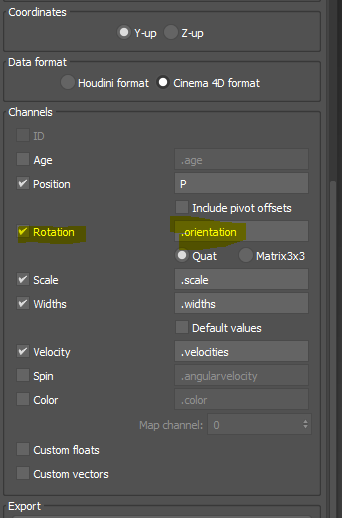
I almost have everything I export with alembic point cloud, added my mesh and materails. But now I dont have rotation, only position and velocity … I m not sure but I think alembic point cloud don’t export rotation info …
Alembic in blender is not able to read all attributes at the moment so it might be better to render in 3ds max the particle sim and do it in comp after