Hi everyone, I need some help with geometry nodes.
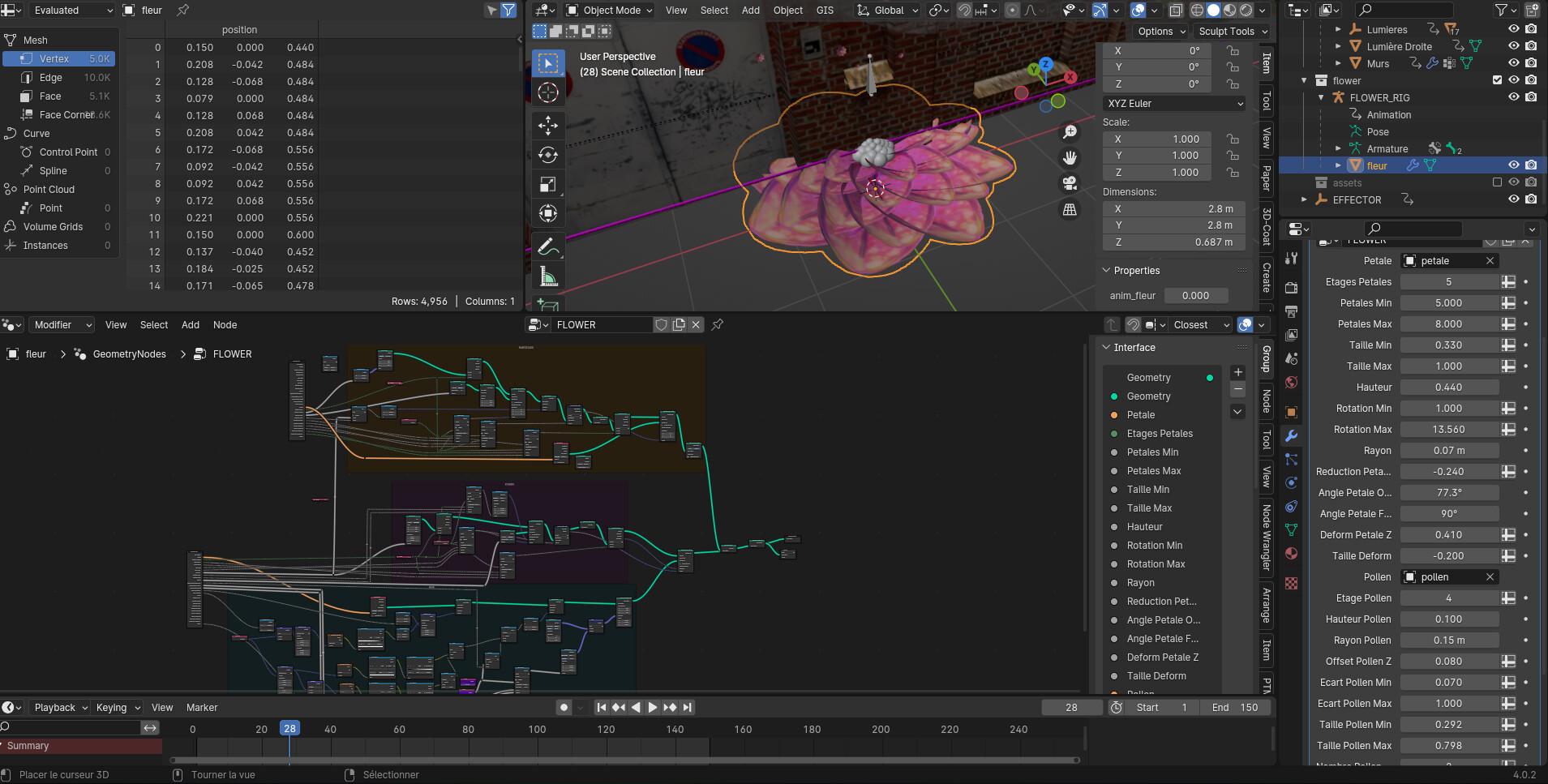
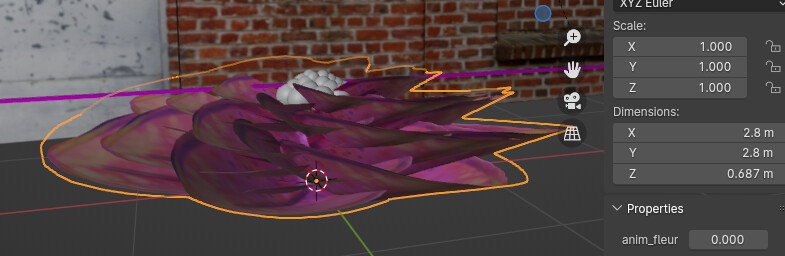
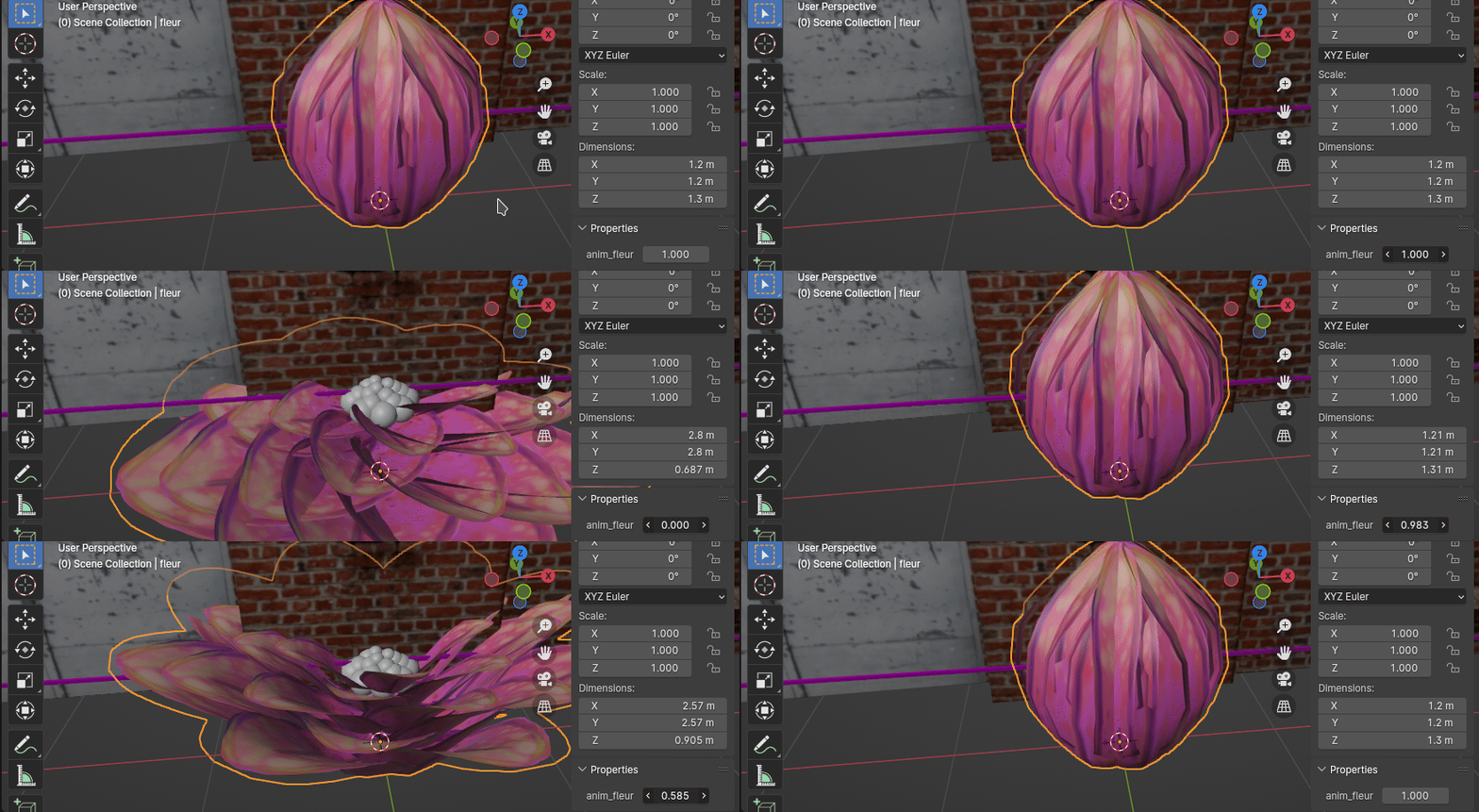
I made a procedural blooming flower as an object (composed of a petal that are deformed with a curve (using a shape key on the curve, and a modifier on the petal) ).
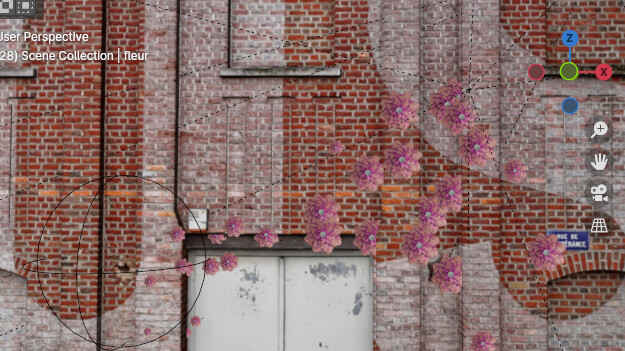
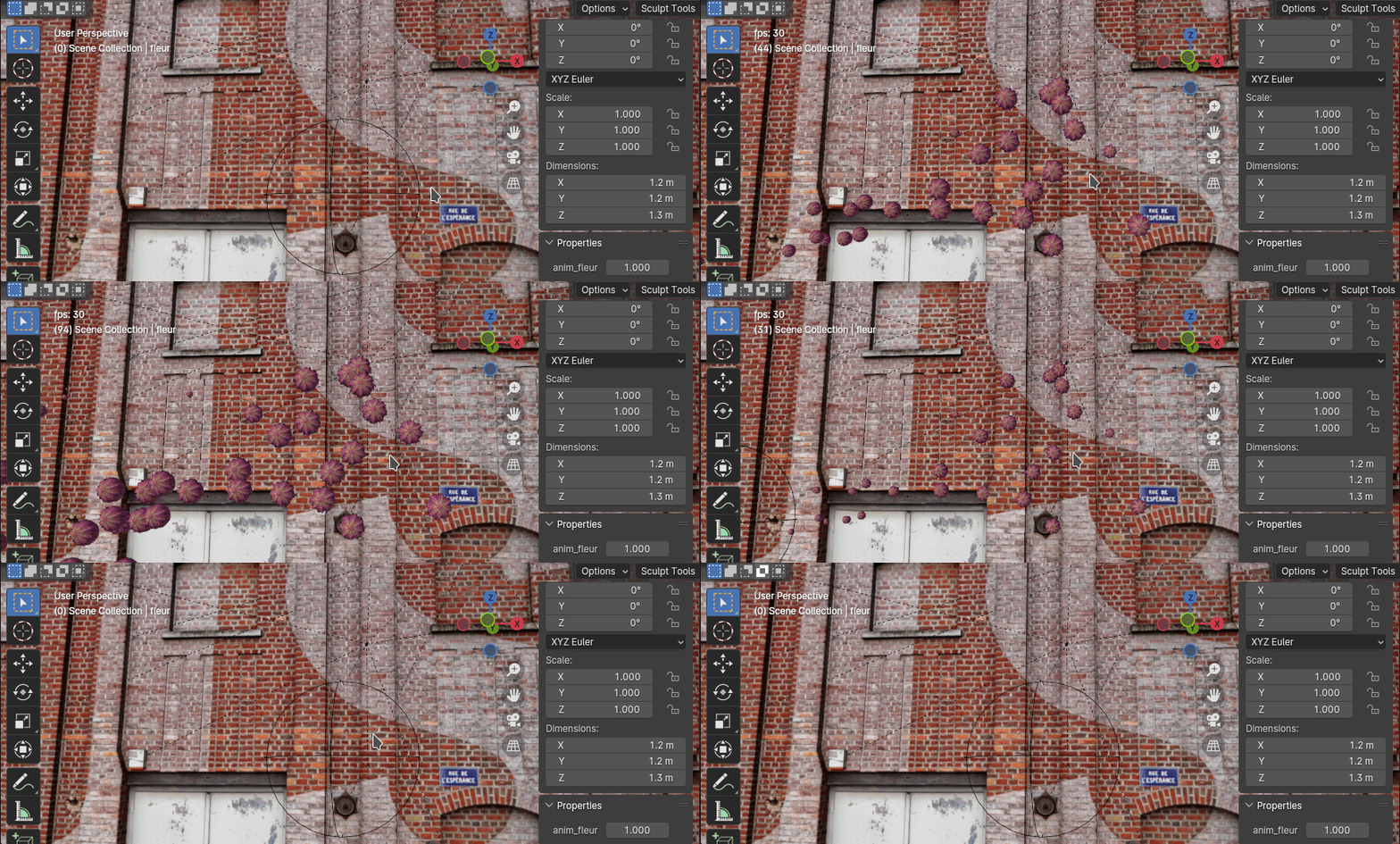
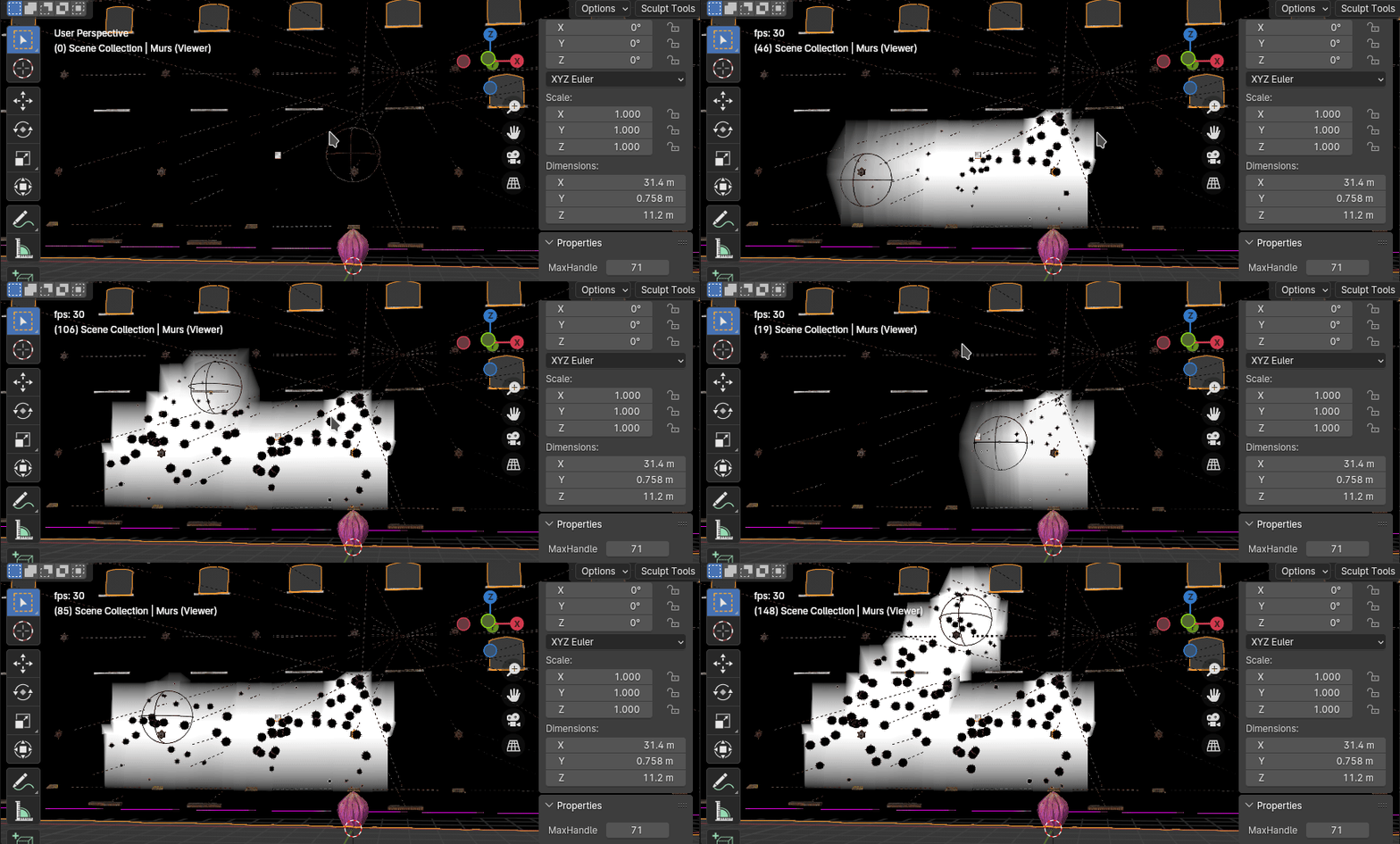
I want to instance blooming flowers on a wall using a dynamic-paint-like setup with geometry nodes.
I use an empty and a falloff to add flowers on the fly, but I also want to have the flowers blooming when they appear, one after the other.
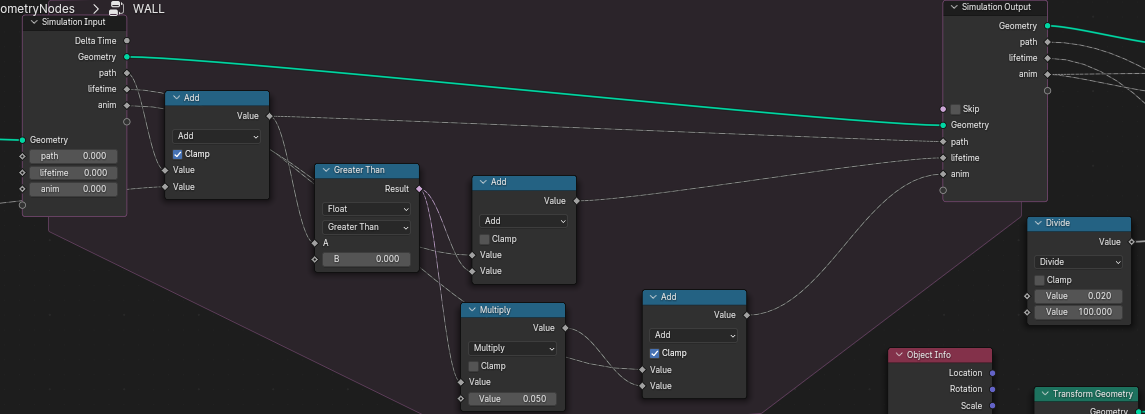
The system on the wall is using 1 texture + a lifetime for the creation and scaling of the flowers, and I created another attribute for animation that goes from 0 to 1 too.
While it always help to get some context, currently I have a hard time understanding what you are trying to do…
First what problem are you trying to solve ? Maybe there is a simpler way to get the result you want.
Secondly, if you still want to keep your solution (how you’d like to solve the problem) maybe do a simple test scene and post it here so we can test stuff : basically a scene with only one object, one driver and a simulation node somewhere. Probably that very scene can already inform you if what you want is possible…
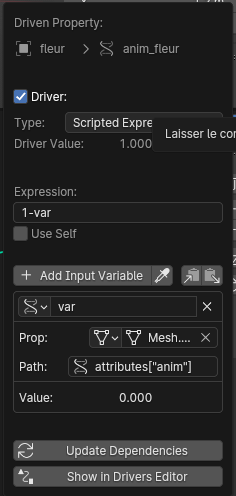
It seems that you want the anim_fleur to be driven by the result of the simulation, I’m not 100% sure but it seems very unlikely that it’s possible.
Geometry nodes work on the data level, and drivers tends to work on the object level ( to simplify) . Just like you generally can’t drive something with say the area of a face, or the radius of a point in a curve.
And GN makes things even more complicated since they are a modifier/non-destructive, even in python it’s a bit tricky to access geometry nodes’s data : generally that involves applying the modifier and drivers don’t support that.
Is the driver meant to activate the shape keys ? In that case there is probably another way to approach the problem…
I see, since it’s for a short group project I don’t know if I will have the time to experiment from scratch again … but thanks anyways.
But what I was trying to do is animating a path with an Empty on a wall, with flowers blooming where the Empty passes.
For that I have 2 nodes setup : one for the flower itself (where every petals is instantiated and got a basic deformation + other stuff) ; and one for the wall that detect the empty and keep track of it within an attribute in the Simulation Zone.
The flower blooming is animated by a curve modifier on one petal (which is further deformed with geometry nodes etc. after that).
So I got a base of everything : I made an attribute in the simulation zone in geo nodes that go from 0 to 1 to animate a custom property that drove each flowers blooming.
The only problem is that it seems like I can’t do a driver of the attribute of this map (called “anim”), into the custom property to animate every flowers (the curve modifier + the geo node setup)
So yeah I don’t know if it’s more clear, but I don’t see another way to do this either
First the flower is instanced, so you have only one flower that is duplicated on the wall. Basically that means they will all open at the same time. They can’t have different “anim_fleur” value since it’s always the same object.
Secondly, you can’t sample your dynamic paint on the wall and feed that into a driver.
Just like you can’t drive something with a vertex group.
Basically what you need to do is to redo the flower completely in geometry nodes and make sure it can be duplicated in a way that each flower can have different “open” states.
Yeah I thought that instantiating the flowers may be one of the problem, but even with “realize instances” it doesn’t change much…
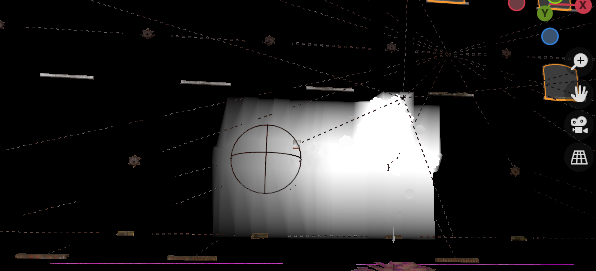
Secondly, I don’t use Blender Dynamic paint, but an attribute created in geometry nodes (the black and white texture is what the viewer node see).
And I must admit the solution seems a bit complicated. I also didn’t find some nodes like “Transfer Attribute” that seems to be deprecated … and I don’t think I’ll have the time to dive more into it.
And since I’m quite in a hurry I think I’ll go with open flower sadly …
But thanks anyways ! I really think it could be useful to have a simpler option to do things like that in the future…
But for now I can’t redo everything.
Ok ! I’ll give you quick hints, maybe for next time
Yes, because the open/close state is set before the realize instance. Basically you instance a closed flower, when you realize instance they stay close and it’s keeping only the geometry, there isn’t drivers/ curve modifier or whatever anymore.
Yeah I get that, it’s basically the same issue. Dynamic paint or your setup output some attributes ( like a vertex group ) and you can’t feed that into a driver.
Yeah it’s replaced with the sample nearest surface, sample index and sample nearest node.
Yeah it’s not a simple setup to build at all, if you are really interested in procedural stuff try to get back to it when you have time and that can be a really great exercise to start to build complex systems.