A quick model of the Halolens 2 VR unit using NITROX3D techniques-- under 400 verts
Used the new 2.82 weld modifier to clean up a bevel which worked GREAT! Bust from Blendswap by Geoffrey Marchal.
Some images and a video bleow:
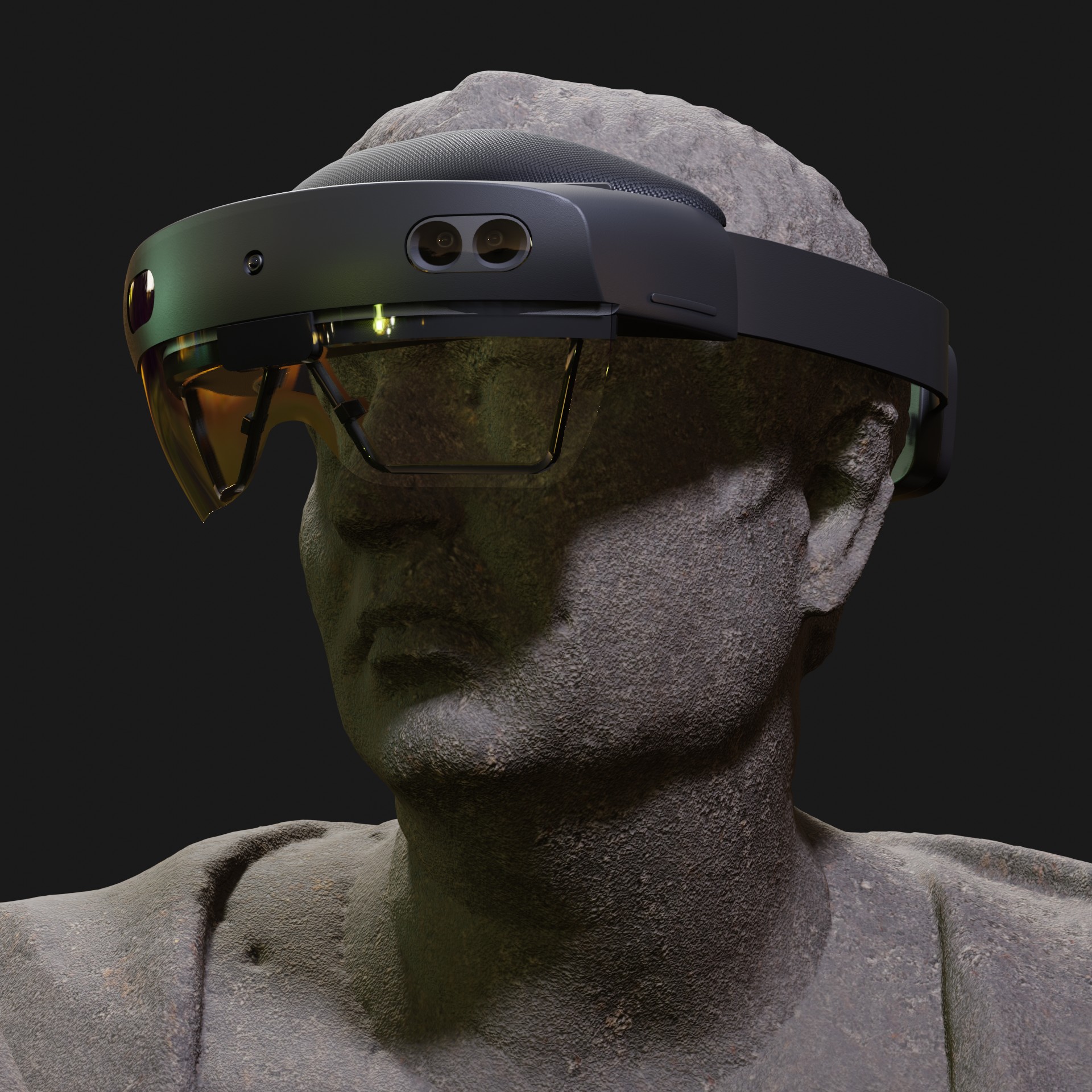
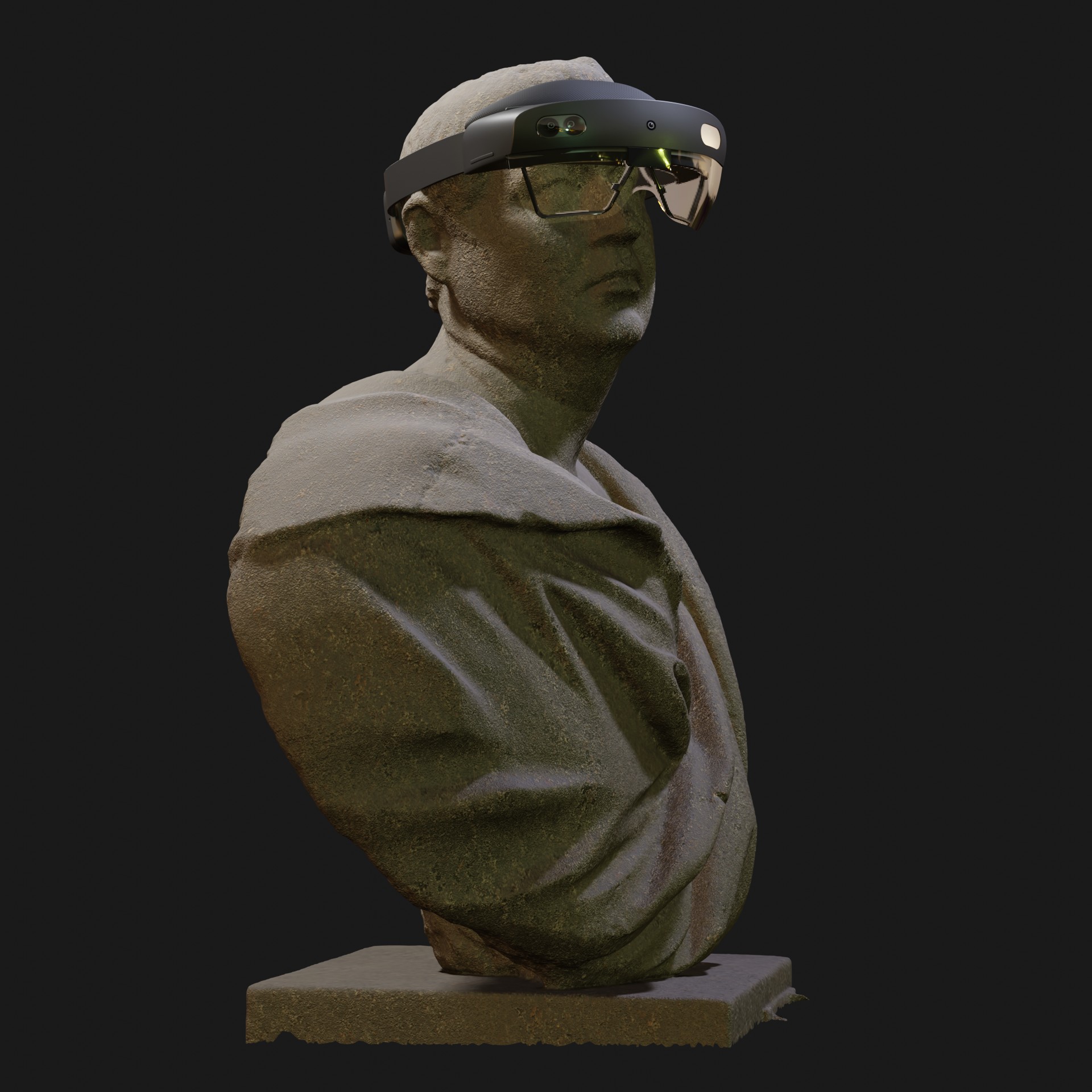
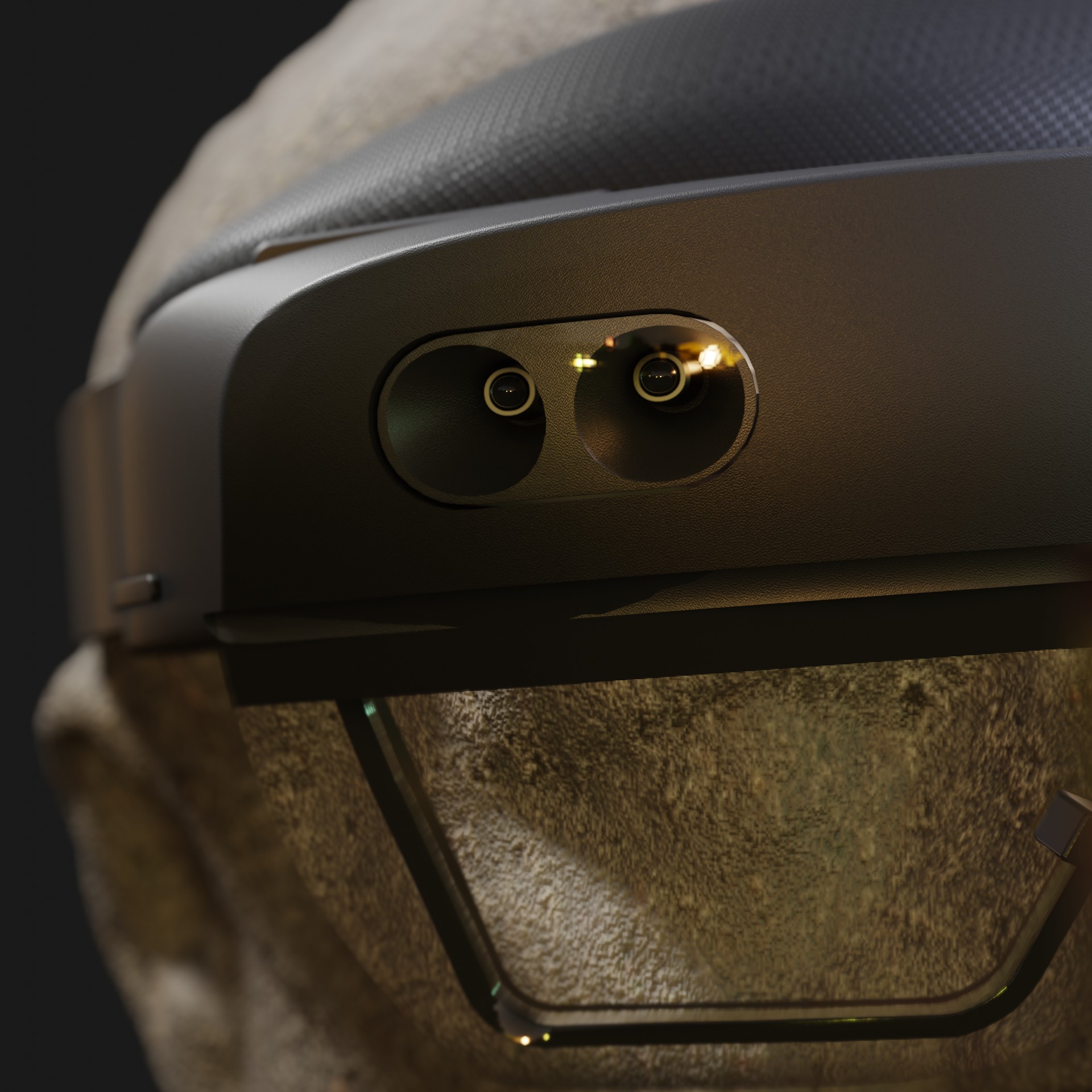
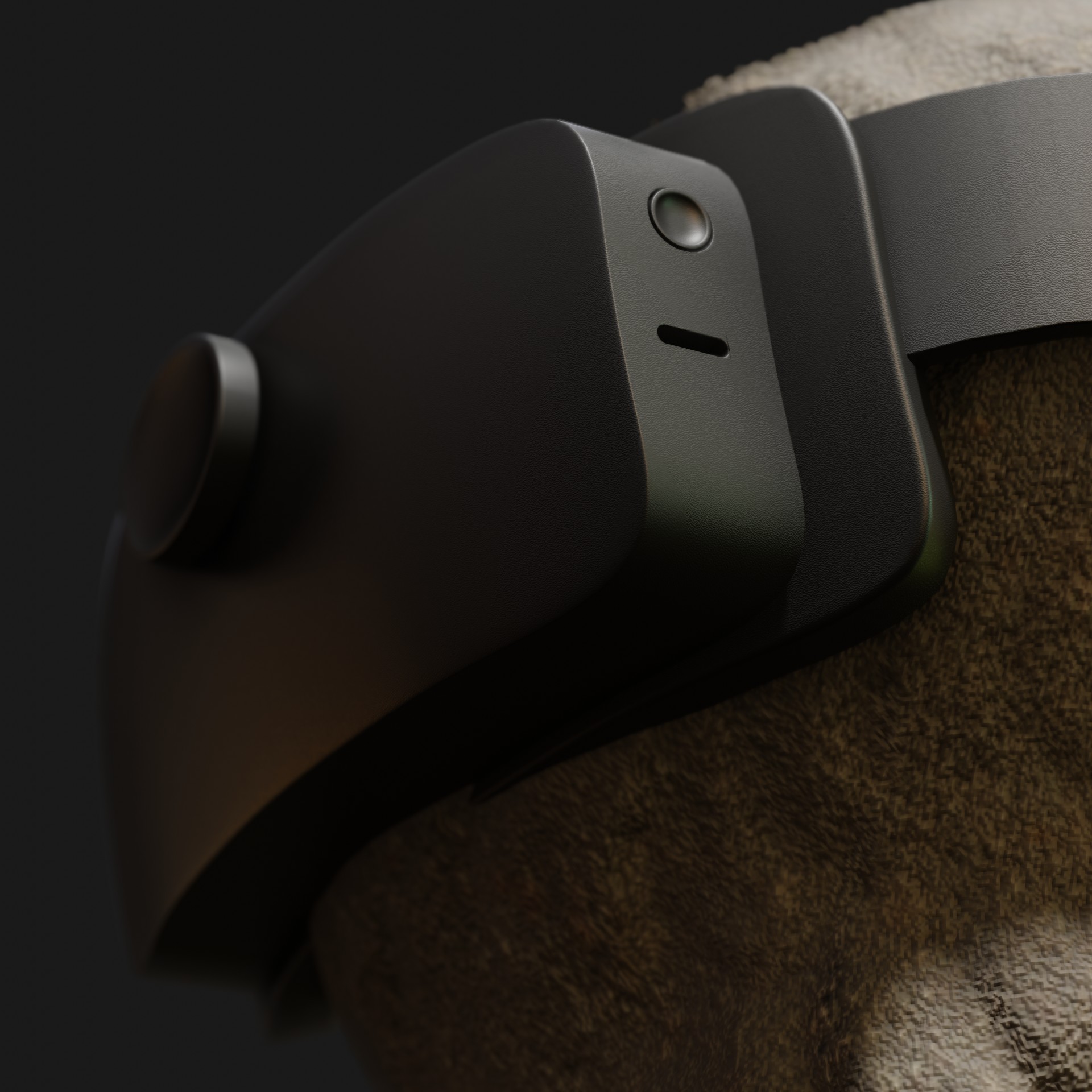

A quick model of the Halolens 2 VR unit using NITROX3D techniques-- under 400 verts
Used the new 2.82 weld modifier to clean up a bevel which worked GREAT! Bust from Blendswap by Geoffrey Marchal.
Some images and a video bleow:
Looks good Chipp, I didn’t know we are going to be getting a new modifier.
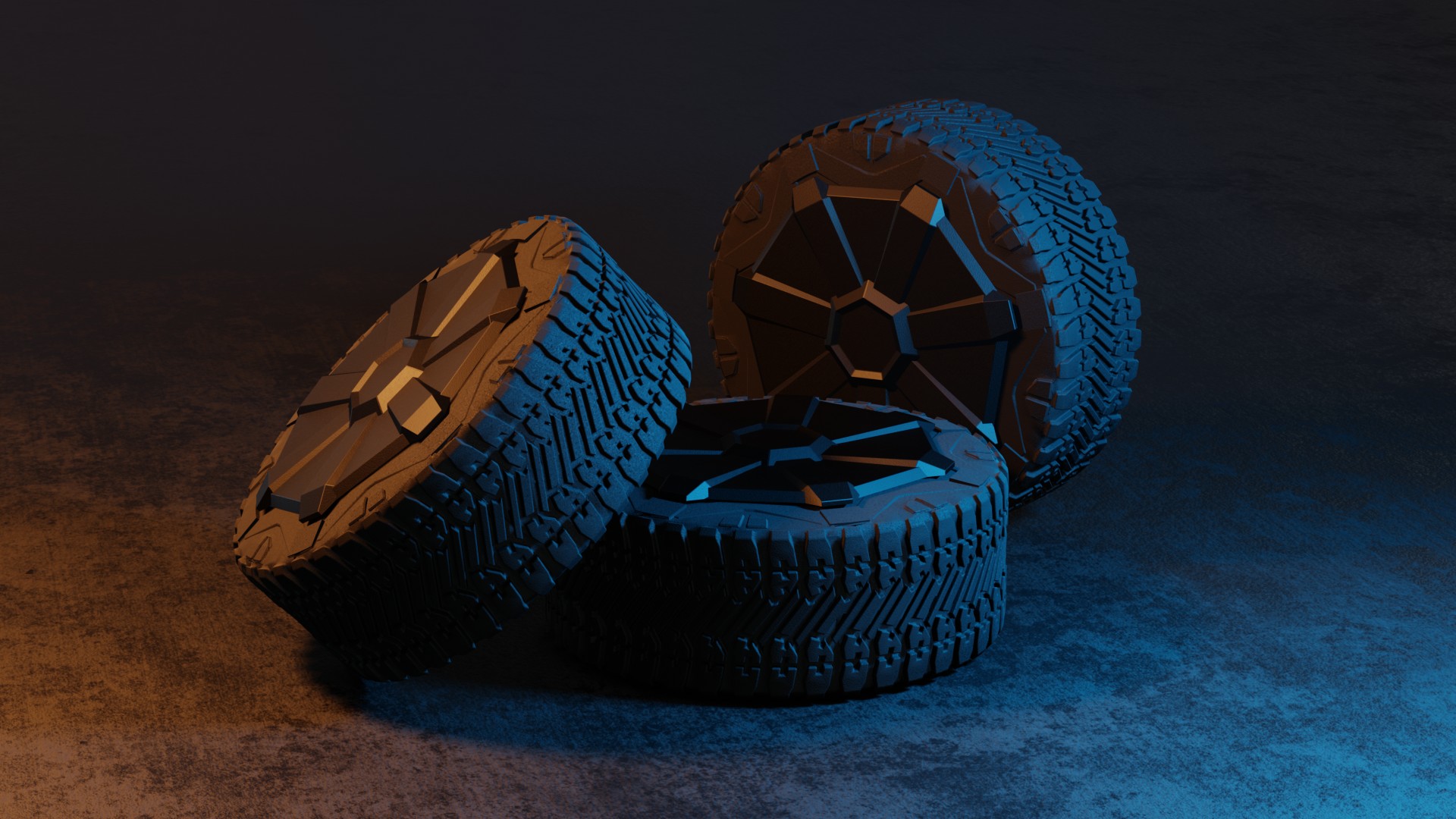
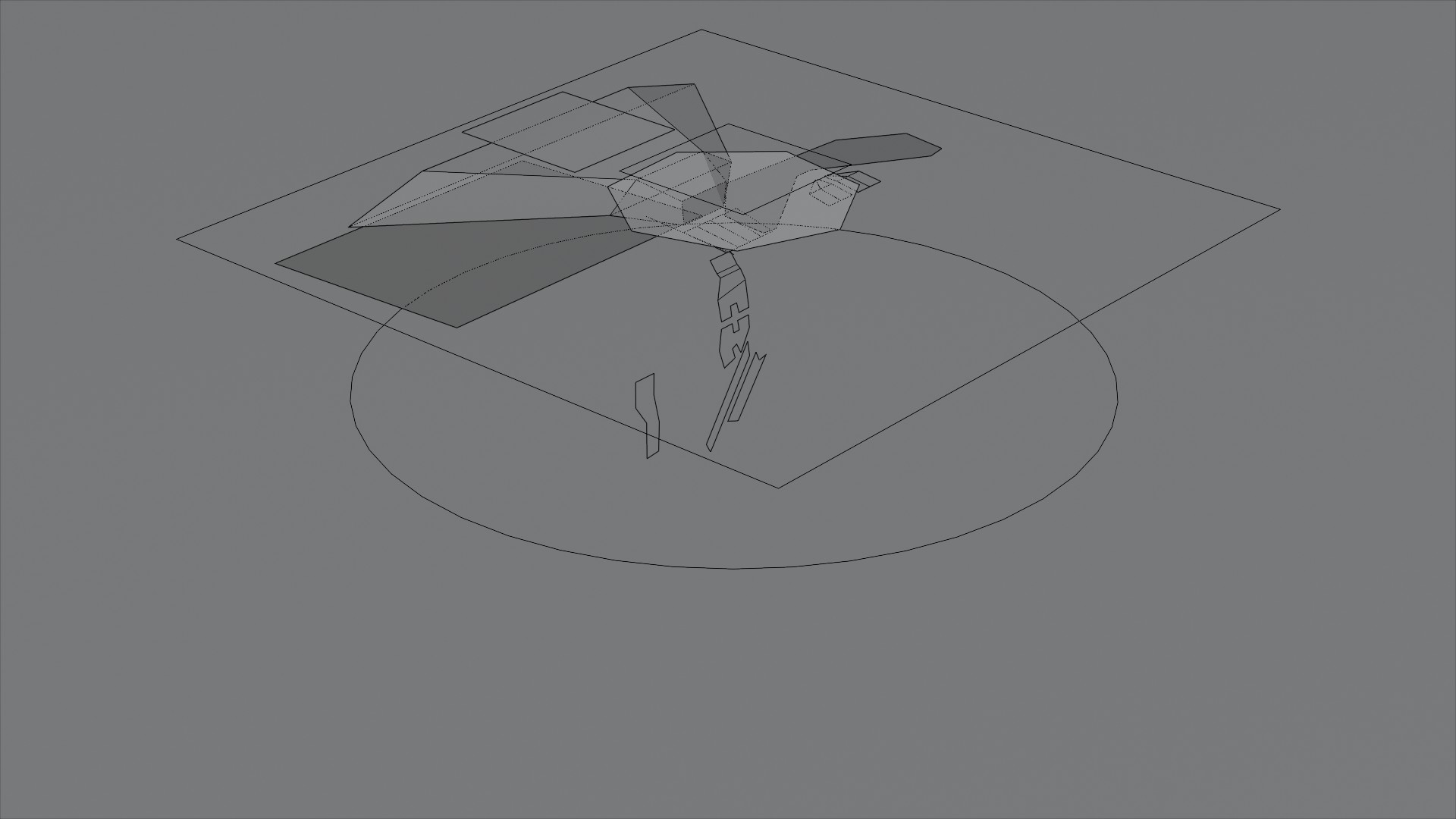
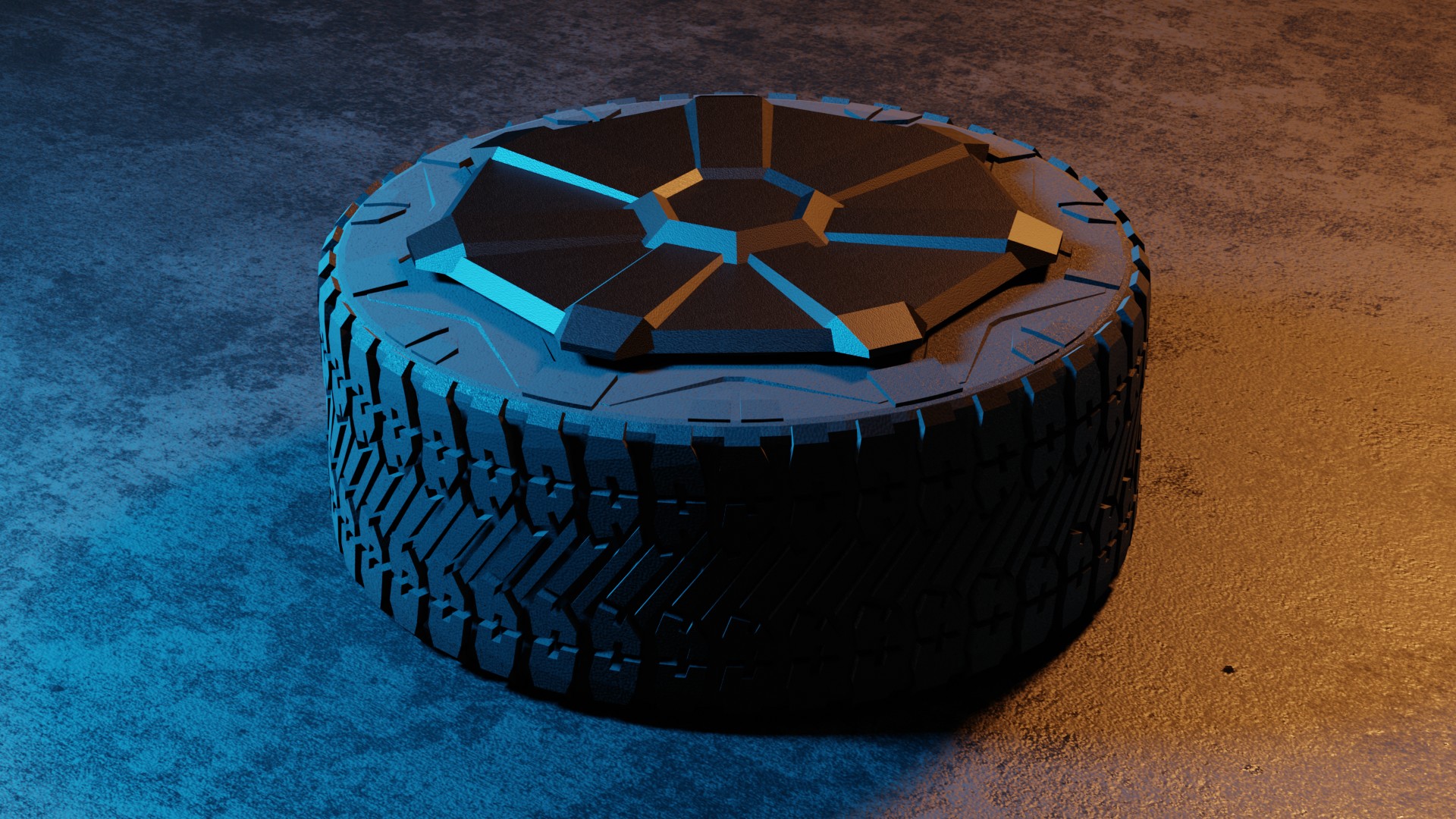
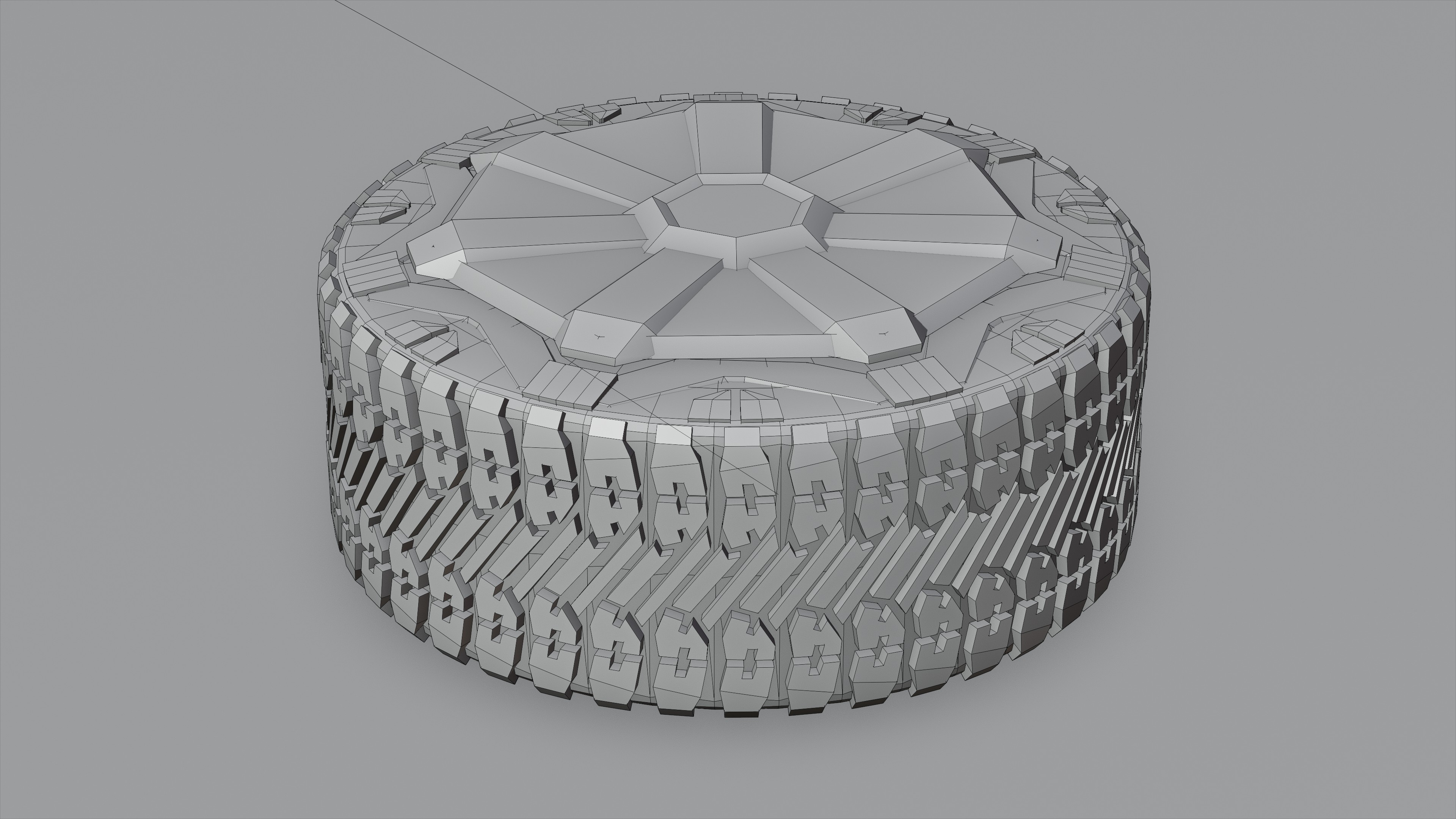
Some more NITROX3D good fun-- this Cybertruck wheel created with only 172 verts comprising 37 faces. Rim and all.
One of the great things about this workflow, is it’s easy to “rez-down” your object(s). Consider this original mesh as shown above. It’s ~75,000 faces.
Now, turn off a few bevel modifiers and reduce the number of segments in a spin modifier and we’re down to ~5K faces!
Where is this form? I went to checkout on Blendermarket & Gumroad, but don’t know see how my previous receipt provides any discount.
@chippwalters is talking about the support form on https://kit-ops.com/support that you’re supposed to fill out to request the discount before purchasing, not the checkout form.
Hey Chipp, can you do a NITROX video on wheel rims/tires?
Haha, just finished creating the tires for Cybertruck and used NITROX3D to do the whole thing. I do have a rotation symmetric tutorial already complete-- I just need to add the part at the end where I share the many different KIT OPS starter INSERTS which make things oh so much easier. Thanks for reminding me!
Awesome! Non-destructive circular array stuff has really been throwing me for a loop. Looking forward to that.
Thank you.
Hey all, the non-destructive circular array NITROX3D tutorial is out – and this one is FREE (see below). The catch is I also include a whole set of circular array KIT OPS templates which get you started really quick. While KIT OPS is free ( https://gum.co/kitops ), you’ll need to be a NITROX3D customer to download the KPACK templates:







Even so, there’s tons of good information, and you can create your own radial symmetrical objects like this Cybertruck tire and wheel (uses the Radial-Sym-7seg INSERT from the N3 Radial KPACK).
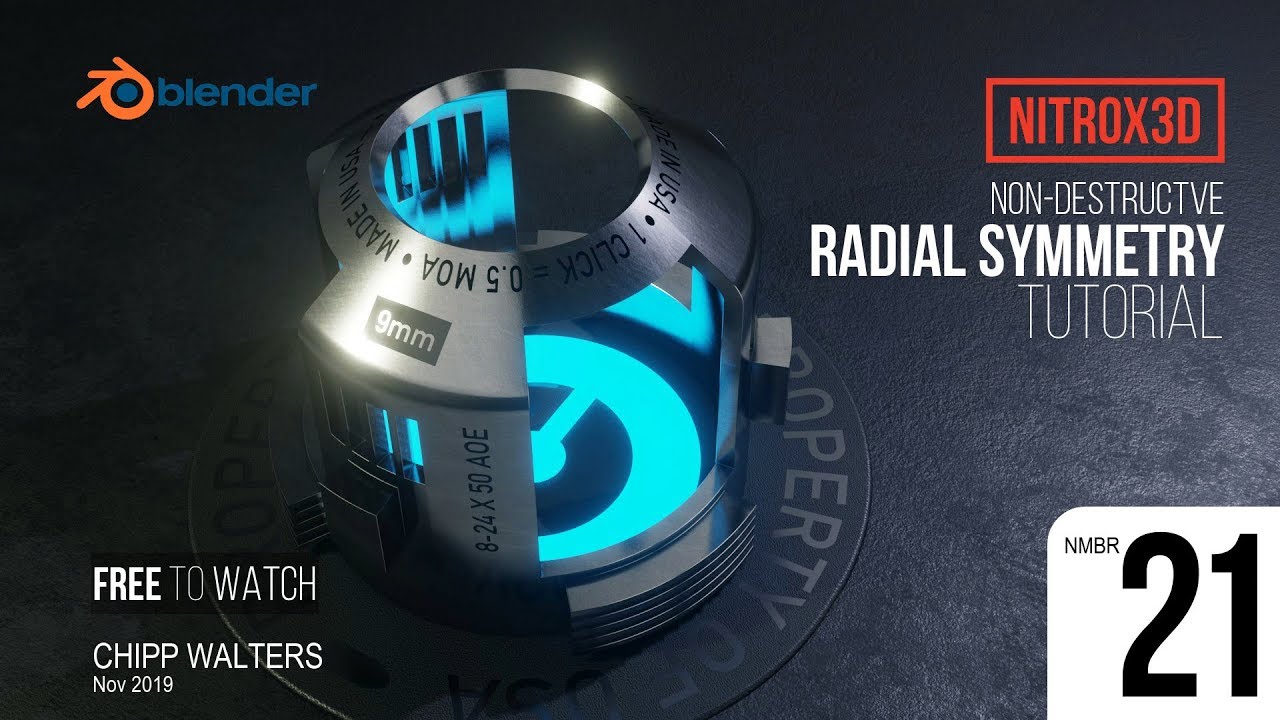
If you have the course, you will have access to the KIT OPS Radial Symmetry Templates which are shown at the end of this lesson. The file to download is: NITROX-sym.zip. Unzip and install with the free or pro version of KIT OPS:
https://gum.co/kitops
https://gum.co/kitopspro
Install instructions:
https://youtu.be/hBsgeSwM0VE
Imagine building this in SolidWorks/Fusion 360 and the amount of sketches you would need.
I am a little late here in the discussion but wanted to provide the following two thoughts.
I really think the way how we use CAD is out dated.
And I agree certain objects are suited for certain tools mechanical > NURBS - organic > subD.
Since years I work with Blender and Fusion360 with Fusion being the end point.
Sometimes I start a project first in Blender, sometimes in Fusion.
I work on medical devices to furniture and honestly Fusion or Rhino would just be too slow which comes to my second point.
I think also this idea of sketch first than CAD is outdated. PERIOD!
Often I hear CAD is slow thus we sketch - well then you use CAD wrong.
Last person who told me that was a studio lead using SolidWorks - FacePalm.
More important would to be think about why we use a certain tool or process.
From that angle you can see how 2d sketches, rapid 3d polygon models are immensely effective for the ideation phase before transferring the data / ideas to a NURBS based CAD.
I am not making a case against sketching. I sketch myself but I dont spend time on nice looking 3d perspective sketches when I can get the needed information from a 2D sketch paired with a poly concept model.
And from that stage then data or understanding can be transferred to nurbs surface / solid based modeling tools for adding the then needed details and precision polygon modeling simply does not have.
Ideally honestly I would love to do each on one app but that does not excist.
Actually Altair new SolidThinking version is a very nice step forward combining SubD right Into their design history workflow and Alias also now has Pixar SubD right build in compatible with ALL nurbs tools !!!
Poly is also not for everybody here in Detroit however poly car sculpting replaces a lot of the alias surface modeling during the conceptual phase assisting the hand sketches before things go then to the alias guy.
Here is another example of how useful Blender for concept modeling is.
I follow a process that follows typical surface / solid modeling steps like in Rhino / Fusion360.
The whole design is previewed via modifiers in Blender and when send to Fusion the same slicing mesh will be used for the nurbs equivalent there (trim split etc).
No rebuild or anything.
The only thing I miss in Blender is a curvature comb. The advantage for this project here is that also structural details, bristles, bending, can all be explored much better than in a parametric modeler like Fusion360.
This is not an error free approach. It has its down side.
Fusion uses a timeline. So I could make a model split the surfaces and assign different materials. In Blender I have to make a clone of the same mesh and use a boolean command one for difference and one for intersect since blender has no timeline. But this way I can also edit an object when I want and not have to navigate a long timeline.
Filleting edges is number one problem. But this is also a detailing task I dont do till the cad model is done. In Blender you can now render sharp edges soft which can work very well.
One of single most important things learned as a designer, is that iteration is the key to a successful design. Nobody gets it right the first time. The more iterations, typically the better the design. This concept drives the classic sketching and rendering techniques taught in design schools.
Sketching and perspective are taught in school, just as english (or your language of choice) is taught to help students communicate. For designers, the first task is to be able to communicate to oneself. That is the purpose of sketching-- to explore or IDEATE on a problem using form and a visual library of techniques.
I’ve know Syd Mead for well over 30 years. We’ve worked on projects together, and I’ve helped him hire technical people to work by his side with computers. He eventually got good with Photoshop, but never did get the hang of 3D.
A few years back, he and Roger (his partner) were in Austin and came out to the ranch for some Texas BBQ and we talked about this. He had seen some of my recent work and inquired how long it took to be able to learn to do “that”-- which was 3D.
My remark to him was he didn’t need a computer to create perfectly constructed glide projection perspectives. And his superb mastery of color, composition, reflection and deflection, camera angles and scene setup meant he could sketch and render his designs much, MUCH faster than people could model and render them.
And that’s my point. For many designers, they spend more time with tools and less with the concept.
Now, that said, there is a new breed of designers who can iterate designs as fast or faster with computers than with traditional techniques. The key is NOT to let the tool substantially dictate what you can or cannot do. If you spend more time trying to finesse the tool rather than contemplating the design, then you have to rethink your process.
Syd Mead once said a designer has to be 3 people-- and I paraphrase. The first is the concept guy with fantastic imagination and problem solving skills, the second is the technician who can use the tools available to create a stunning design, and the third is a manager to not let the first two end up absorbed by their processes.
So, whether it’s Blender, Maya, 3D Max, MoI3D, Fusion360 or even SketchUp, the key is to be good enough and fast enough to iterate solutions without getting lost in the processes. That’s my opinion.
And, that is the reason for creating NITROX3D and a host of other products for Blender-- to speed up my process of iteration, and thus create better designs in less time.
Sorry for the long post…
That is a great observation from Syd Mead! Thanks for sharing- it rings very true to my design experience.
Sid or Scot Robertson operate at complete different level than most industrial designers.
I see them also much more as concept artists.
Teaching in industrial and interior design I see two other problems still remaining.
First technology evolves. Before photography we used portrait painting. Hand rendering was replaced by 2d photoshop rendering. And today 3D rendering replaced it.
The two major issues I see in academia but also in the industry is how they are stuck in the past.
Faculty do not want students to use cad/3D modeling before hand sketching/rendering because it either prevents from learning to sketch, or when they are bad at cad limit is also their form language.
Faculty today increasingly for skill building courses are adjuncts often are not what I would consider very well trained in many aspects of cad and rather represent what they use at work.
Academia should be about exposing students to a broad approach and too set that is not as linear sketch2cad as it is taught today.
To combat the first problem I simply require students to do both. The design process is not so linear as many think. Often sketching is ideation rendering is presentation - face palm.
When you can model sketch and render equally fast each step will be a problem solving tool for the ideation phase.
One could say well blender is not used in the industry and it is not - but the process is the same - and increasingly companies like the auto industry embrace also including poly modeling.
I think the acceptance of poly modeling for the conceptual phase would be much more adopted when in academia they would finally arrive in today’s time.
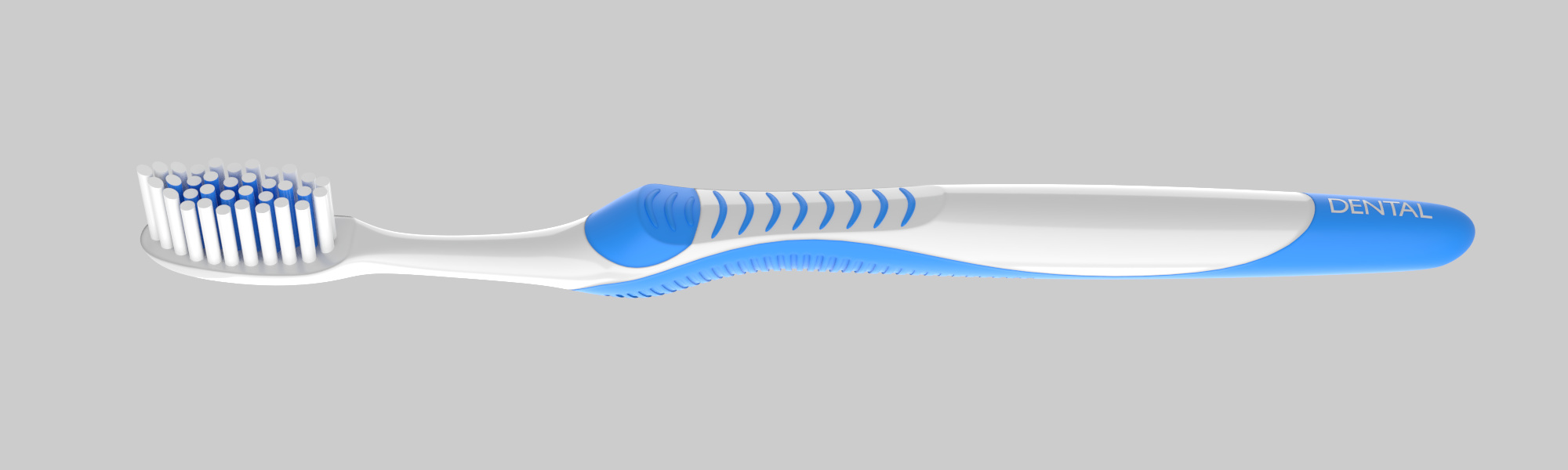
Just imagine the amount of sketches one would have to make first to create the toothbrush main body - and then you would be stuck working on one model in Fusion or Solidwoks.
So I think the idea of new breed of designers is correct but I would not put them into the they are faster at cad section. They simply when taught well embrace cad more efficiently now.
Some of my best students do both - sketch and model at the same time to explore designs
Too bad blender does not have the same 3D sketching ability like Catia had.
Hi Chipp,
I am recent convert to Blender and came across your NITROX3D workflow after buying several of your products/addons (I love Chalk Style Pro BTW). A couple of days ago, I watched your free video on the WiFi router. And yesterday, I decided to implement NITROX3D for a new project.
For what I do (a bit of arch and product viz), this approach is awesome, especially since I came from software that is destructive only. While it does take more time to set up than bashing things out, I know that I can now go back and manipulate details fairly rapidly.
As far as surfacing the object, if I have a bunch of cut outs, etc., do I have to now plus the “Apply” button? For example, if I wanted to put different materials on each of the faces of the WiFi router, is this possible from the the unapplied modifiers?
I do agree students need to learn to draw. In fact, I think basic drawing and perspective should be taught outside of Industrial Design, it’s that important as a communication device.
Just like you need to learn to spell, and not rely solely on computer-assisted spell checkers, the same is true with drawing and design. And in fact, good designers should also learn typography as well.
I sit on several Advisory Boards for different universities, and I have seen this same thing for both professors and adjuncts as well. They just don’t have time to keep up with all the changes. This goes for other curriculums as well: Computer Science, Chemistry, and even History!
Yep.
Well if we could throw out the general education of American liberal arts education or at least lower the amount of courses that would be great so students would have more courses related to the major they are actually studying.
Yeah but drawing isn’t drawing. You can communicate well with a 5 minute quick sketch as well as with a 3 hour long hand rendering.
My previous teaching place the put a high emphasis on doing photoshop renderings. My students asked me in Interior Design why we don’t do photoshop renderings. I told them that well SketchUp 2D orthographic renderings just replaced it.
I feel often sketching drawing classes just teach sketching drawing without understanding how it plugs into a modern workflow like today.
There is however truly a psychological reception to sketches vs cad when presenting to a client.
For that is the main reason why to practice sketching well. That also seems to apply more to product design - I don’t see that reaction with interior design clients.
My main point was that many think cad is easy and bad vs hand drawing is more superior.
That I think is just the wrong mind set when teaching both technologies because in the end they supplement each other wonderfully.
My students often ask my why I know all that stuff and I tell them that well it is my job to learn and teach. During the summer I do creative projects and mainly research and during the semester then I teach what I have learned.
Adjuncts often are underpaid and just teach what they know from work. That makes also sense. That’s also why I see often issues with Adjuncts and teaching 3D modeling in general.
Sometimes I feel tenure faculty are just not setting a focus also on keeping update with digital tools. My graduate jewelry professor he is in the 60 learned SolidThinking and Maya to teach a interdisciplinary 3D modeling class.