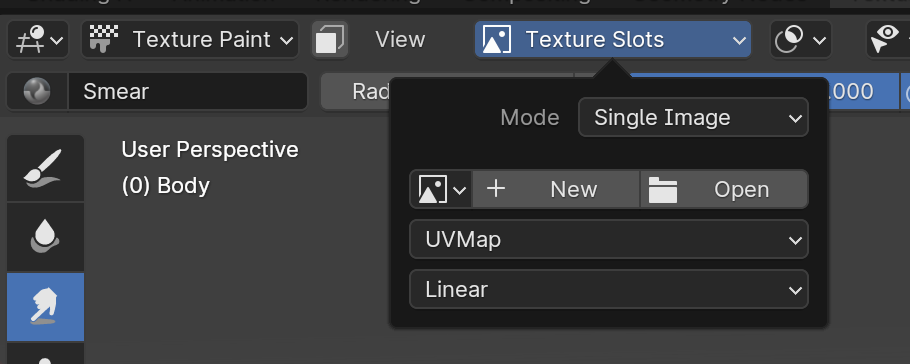
there is no texture slot thing in my blender im trying to paint. also is there a way to make one part of my model glow and the other parts not because my character has like this bulb that needs to glow
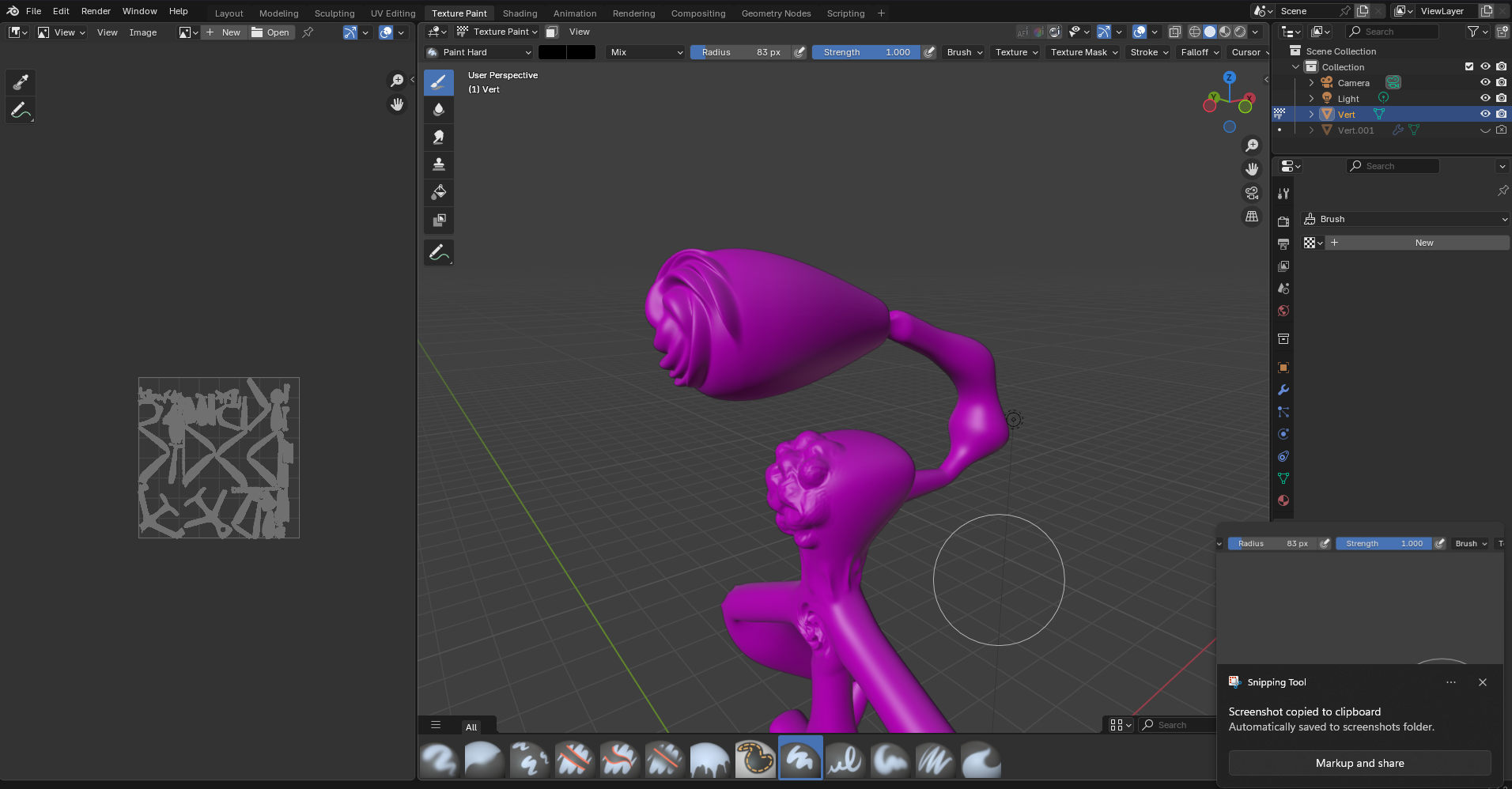
if you look at the top theres no slot
I do not know why you talk od texture slot when showing the brush propeties…
Anyway:
In both cases:
Just add one with + New …
where
also if your talking about the thing in the texture tab below materials it doesnt work
You need a material with an image to be able to paint on this… so you might add one with the Wrangler enabeled and Ctrl-T and adding a image… for example in the Imaged Texture node with ( guess what ) … + New .
A texture for the brush is only needed if you want to use some special effects while painting.
You may have to elaborate this to get a more suited answer.
Then it seems you still have no texture (image) in your material…
If you call specific items “thing” then it might be that you do not know the proper terms ? It is important to know these “things” ( ← pun intended ) because for example:
Please fill up my car with gasoline.
Sir, this is an electic car…

Create a new project, check it with a simple object, and if it’s the same problem, you need to initialize the blender.
If there is no problem with the new project, disable importing the saved UI of the options settings when opening the file.
ok i checked it its the same problem, so how do i initialize the blender
You don’t need to. Just click the +New button in the texture slot dropdown
that doesnt exist, the picture i sent (2nd one) is what i dont have
Well… you might have to look at some basic tutorials…
ok wow it still doesnt work i did exactly that, it paints only black
You may start new blender instance and check about texture painting… maybe in this file something is set up differently ??
I’m out of ideas…
i did already, im also using steam and verified integrity, did nothing
Have you scrolled on that header? I can see you have menu items that are cut off by your screen size, scroll along that and see if you have the Texture Slot menu
nope doesnt work
Did you actually try it?
yeah i did
You are a bit hestistant and unprecise about your info given to the community… i do not know if you are somekind of experienced in texture painting and what you already have done before asking here… and i’m not meantalist…
Also you sentences are a bit short and i do not completely understood what exactly you have done… or not…
While i’m typing:
So you didn’t have tried… 
You know i have different things to do in these time of the year… 
oh yeah i guess what i said doesnt really make sense lol, but anyway i have done this before and im used to there being a texture slot in either tool/workspace settings or at the top near strength radius etc. and suddenly doesnt exist which is strange