NodeFlow: Building a bridge between 3ds Max + Corona -> Blender

Hi everyone!

I’d like to share a tool I’ve been developing for my own architectural visualization workflow.

After many years working with 3ds Max and Corona Renderer, I started moving my production workflow to Blender. The biggest challenge was not learning Blender itself — it was bringing years of existing production assets into a new environment.

This is why I started developing NodeFlow.

NodeFlow is a conversion pipeline designed to transfer architectural visualization scenes, materials and assets from 3ds Max + Corona Renderer into Blender.

The current workflow:

3ds Max plugin → NodeFlow processing pipeline → Blender addon → Cycles-ready scene

The system uses an automated headless workflow, allowing conversion tasks to be processed without requiring manual interaction with 3ds Max.

Current supported Corona workflows

Materials

NodeFlow currently supports conversion of:

  • CoronaMtl → Principled BSDF
  • CoronaLegacyMtl → Principled BSDF
  • CoronaPhysicalMtl → Principled BSDF
  • CoronaLightMtl → Emission shaders
  • CoronaSkinMtl → Principled BSDF + Subsurface Scattering
  • CoronaLayeredMtl → Blender Mix Shader workflow
  • CoronaBlendMtl → Blender Mix Shader workflow
  • CoronaRaySwitchMtl → Light Path based shader mixing
  • CoronaFrontBack → Facing based shader mixing
  • Standard 3ds Max Blend material

Texture and shader nodes

Supported texture workflows include:

Bitmap and color processing

  • CoronaBitmap
  • Standard Bitmap textures
  • CoronaColor
  • CoronaColorTex
  • Color correction workflows
  • RGB multiplication

Mixing and compositing

  • CoronaMixTex
  • CoronaMix
  • Composite textures
  • Output processing

Procedural textures and mapping

  • CoronaNormal
  • CoronaBumpTex
  • CoronaAO
  • CoronaRoundEdges
  • CoronaTriplanar
  • Noise
  • Cellular
  • Gradient
  • Gradient Ramp
  • Falloff

Randomized textures

  • MultiTexture
  • CoronaMultiMap

Lighting support

NodeFlow also supports:

  • CoronaLight conversion
  • CoronaSun conversion
  • Light position and orientation transfer
  • Kelvin temperature support

Current development status

NodeFlow is actively being developed and tested with real architectural visualization projects.

The goal is not to replace native Blender workflows, but to provide a practical migration path for artists and studios with existing 3ds Max + Corona libraries.

I’m especially interested in feedback from:

  • Blender developers
  • Technical artists
  • Architectural visualization users
  • Artists transitioning from 3ds Max to Blender

Recent update:
We have also added direct asset archive upload support from Blender. This allows users to submit 3ds Max asset libraries directly through the Blender addon and run the conversion pipeline without manually preparing files outside the application.

What features would you consider essential for a tool like this?

This looks really interesting! How does it work under the hood? I’ve been looking for something like this for a while, especially for moving assets from 3ds Max to Blender. Could you share a link to the project/community? Thanks!:slightly_smiling_face: :upside_down_face: :folded_hands:

1 Like

Thanks! :blush: NodeFlow is currently in beta, and we’re working hard toward the public launch. The idea is to preserve as much information as possible when transferring assets from 3ds Max to Blender, including geometry, materials, lights, cameras, and more.
You can follow the project here: https://nodeflow.art

We also have a community where we share development updates, beta progress, and upcoming features. Thanks for your interest!

1 Like

Thanks! Yes, I’ve already installed it. I’m going to work with it now.

1 Like

Update. V-Ray is now supported alongside Corona — roughly a hundred material and map
types, plus cameras with DOF. Glass keeps its color and reacts to real thickness, scattering
media no longer arrive black, SSS radius comes from render tests, and V-Ray light intensity
is handled across all six normalization modes (that one used to make scenes several times
too dark). 76 automated checks run on every build, some comparing against the original Corona
render pixel by pixel.

Still approximate: highlight shape on some V-Ray materials, car paint flakes, Corona cylinder
light, V-Ray dome and mesh lights, and procedural noise (different math in Max and Blender).
The conversion log names the material and slot whenever something didn’t transfer exactly.

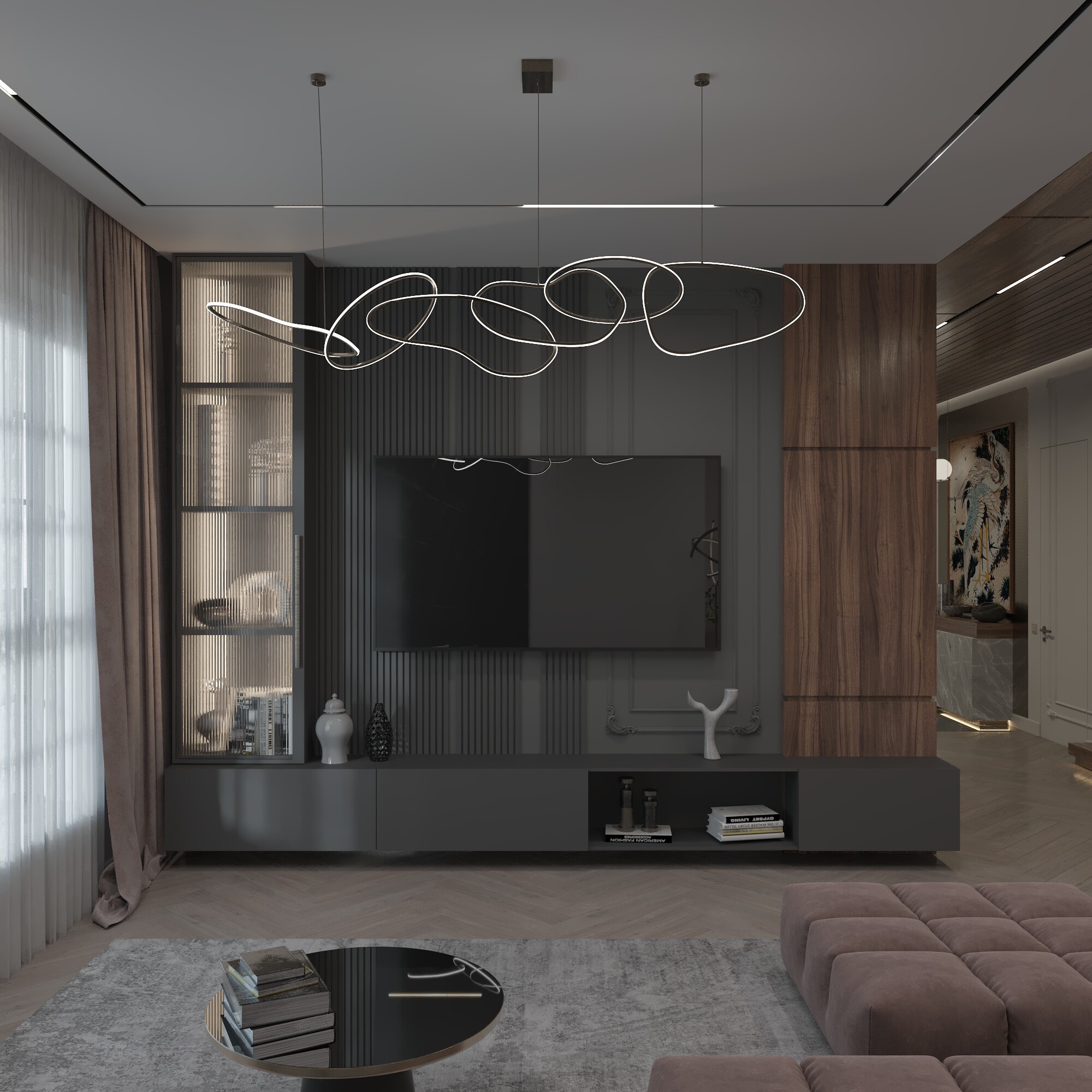
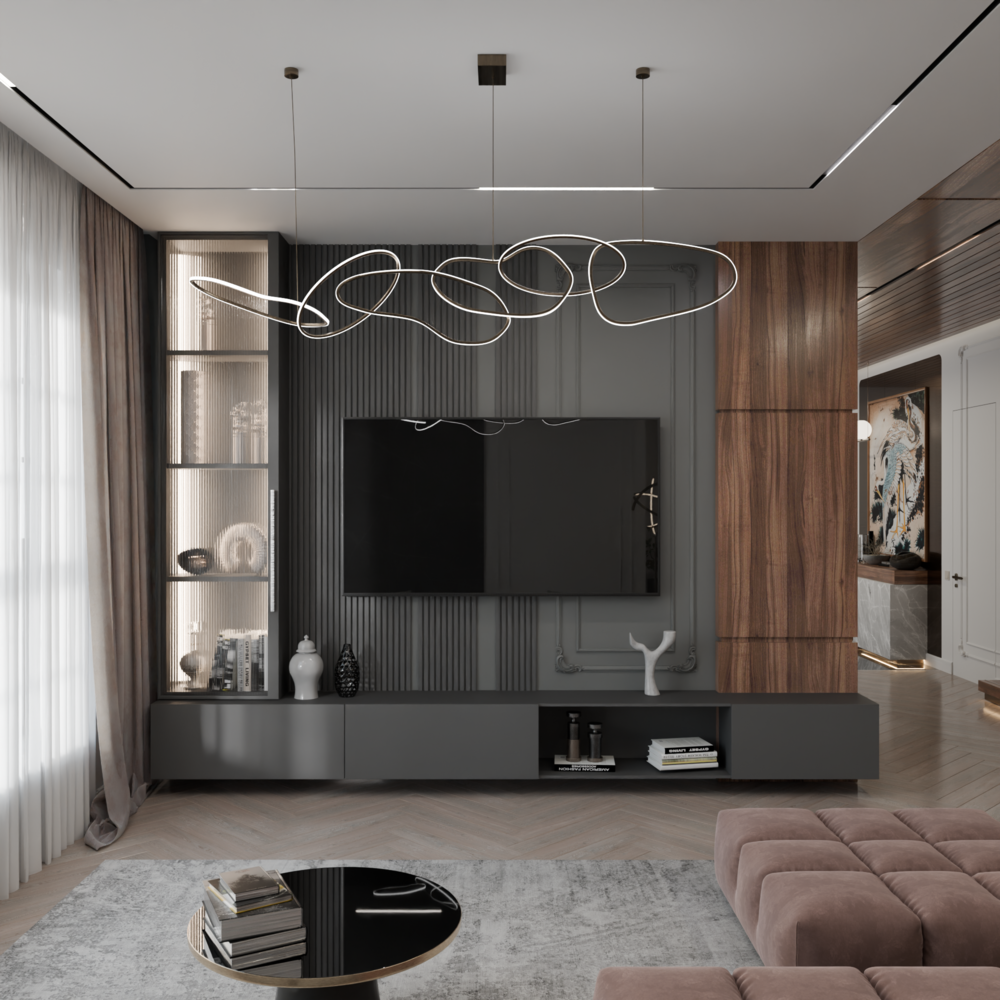
Blender 4.2–5.2, free tier is 3 conversions a day. Full interior scene below.

Small game before the technical details: one of these is the 3ds Max / Corona original,
the other came out of NodeFlow into Cycles untouched. Guess which.

If you spot the difference, tell me where you’re looking — glass, metal, fabric, the
lighting falloff. Those answers go straight into our test suite.

Just guessing…

Bottom one Corona, Top Blender.

In any case, there is a visible change on lighting levels (exposure?) and a difference on the enlighted ceiling near the glassed niche on the left of the TV (from the POV).

1 Like

Close! :grinning_face_with_smiling_eyes: It’s actually the other way around — the top one is Corona, and the bottom one is Blender.
1 Like

I’ll never win a lottery!

Anyway…why those differences?

1 Like

They’re two completely different applications, with different color management, node systems, and rendering engines. So some differences are absolutely expected.

But honestly, I think the automatic conversion does a pretty damn good job — and the result is quite impressive considering how many things have to be translated between the two.

By the way, yesterday I released a video covering the latest NodeFlow Platform updates and new features:

We’ve also made a major update to the website — added a lot of new information and completely refreshed its structure:

https://nodeflow.art/

I’d love to invite you to check out the video and have a look at the website! :slightly_smiling_face:

oh..this for sure.

It’s a time saver…and the rest of the time could be spent on fixing the differences.

The big potential I see is on conversion of a 3d library, more than on load some old project made with all but Blender and convert them… that it has its potential but for someone that want to switch, a 3d library converted seems more important in the future.

1 Like

Absolutely. I think this is one of the most important use cases for NodeFlow Platform.

If someone is switching from 3ds Max + Corona to Blender, converting an entire existing asset library can actually be more valuable than converting individual old projects. Once the library is ready, the user can start building new projects in Blender without having to recreate everything from scratch.

And I completely agree about the time saved: the goal isn’t necessarily to make the conversion 100% identical in every single case, but to get the asset 90–95% of the way there automatically and let the artist spend the remaining time fixing the differences rather than rebuilding the asset from scratch.

It’s been a little over two weeks since my last update here, so I thought it was time for another development update. :slight_smile:

@marcatore - you mentioned that the biggest potential you saw in NodeFlow Platform was converting an existing 3D asset library rather than just converting old projects.

I completely agreed with that, and a lot of the work since then has actually been moving NodeFlow Platform further in exactly that direction.

The idea is becoming pretty simple:

Take your existing 3ds Max / Corona / V-Ray library → convert it → keep building new projects in Blender.

Not to make 3ds Max and Blender magically identical, but to automate as much of the boring rebuilding work as possible.

A lot has changed in the converter

One of the biggest areas we’ve been working on is accuracy between the original render and Cycles.

Glass and refraction received a major rewrite.

Thin glass such as car windows and headlights is now treated differently from closed-volume glass. Light transmission, absorption and partial refraction were measured against Corona renders and rebuilt accordingly.

On one of our test scenes, the difference from the Corona reference was reduced by roughly 4-4.6×.

IES lights now travel with the asset.

Instead of keeping a path to an IES file that only exists on the original machine, NodeFlow Platform packages the profile with the conversion and reconstructs it in Blender.

VRayIES and native 3ds Max photometric lights are now supported as well.

Environment maps now transfer too.

HDRI / EXR environments from 3ds Max are reconstructed as the Blender World, including the original spherical orientation.

Camera correction / tilt-shift now transfers.

Corona, Physical and V-Ray Physical cameras with automatic vertical correction no longer arrive in Blender with converging verticals.

Manual lens shifts are transferred too.

Object pivots are now preserved.

This sounds like a small thing until you’re converting an asset library. :slight_smile:

Origins in Blender now match the original 3ds Max pivots. In our geometry tests, the worst vertex deviation after correcting the transform was about 0.0002 mm.

Blender 5.2 gets its own conversion path

NodeFlow Platform now has two conversion paths.

Path A targets Blender 4.2-5.1 and remains compatible with older Blender versions.

Path B targets Blender 5.2+ and can use newer shader functionality such as Thin Wall and Volume Coefficients directly.

The path can be selected from either the 3ds Max plugin or the Blender add-on.

Importing got much faster

We also found a pretty nasty performance problem in node layout.

On one test scene with 40 objects, that stage went from:

67 seconds → 2.3 seconds

with the resulting node graph remaining identical.

For individual assets this is nice.

For converting a library, it matters a lot more. :slight_smile:

NodeFlow Platform is becoming more than just a converter

We’ve added a few new areas to the website.

NodeFlow Platform Lab
https://nodeflow.art/lab

This is where we’re showing what happens under the hood: Corona → Cycles material breakdowns, conversion experiments, blind comparisons and, importantly, a public list of things that still don’t translate perfectly.

NodeFlow Platform Gallery
https://nodeflow.art/gallery

Real projects from artists using NodeFlow Platform, published under the artists’ own names.

What Artists Say
https://nodeflow.art/voices

Feedback and results from people actually throwing production assets at the converter.

And we’ve started keeping the full development history public:

https://nodeflow.art/change_list

There are frequent updates across all three parts of the system:

Conversion engine → 3ds Max plugin → Blender add-on

We fix something, someone finds a new horrible edge case, we fix that, and the cycle continues. :slight_smile:

There is still plenty to do, and Corona/V-Ray and Cycles will never behave identically in every situation.

But the goal of NodeFlow Platform remains the same:

Don’t rebuild your 3ds Max library. Bring it with you.

:globe_with_meridians: https://nodeflow.art/

:speech_balloon: Telegram community / feedback / bug reports:
And as always - if you have a particularly nasty 3ds Max asset that you think will break the converter, send it our way. :slight_smile:

Those are actually the most useful ones for development.

Well… one more thing. :slight_smile:

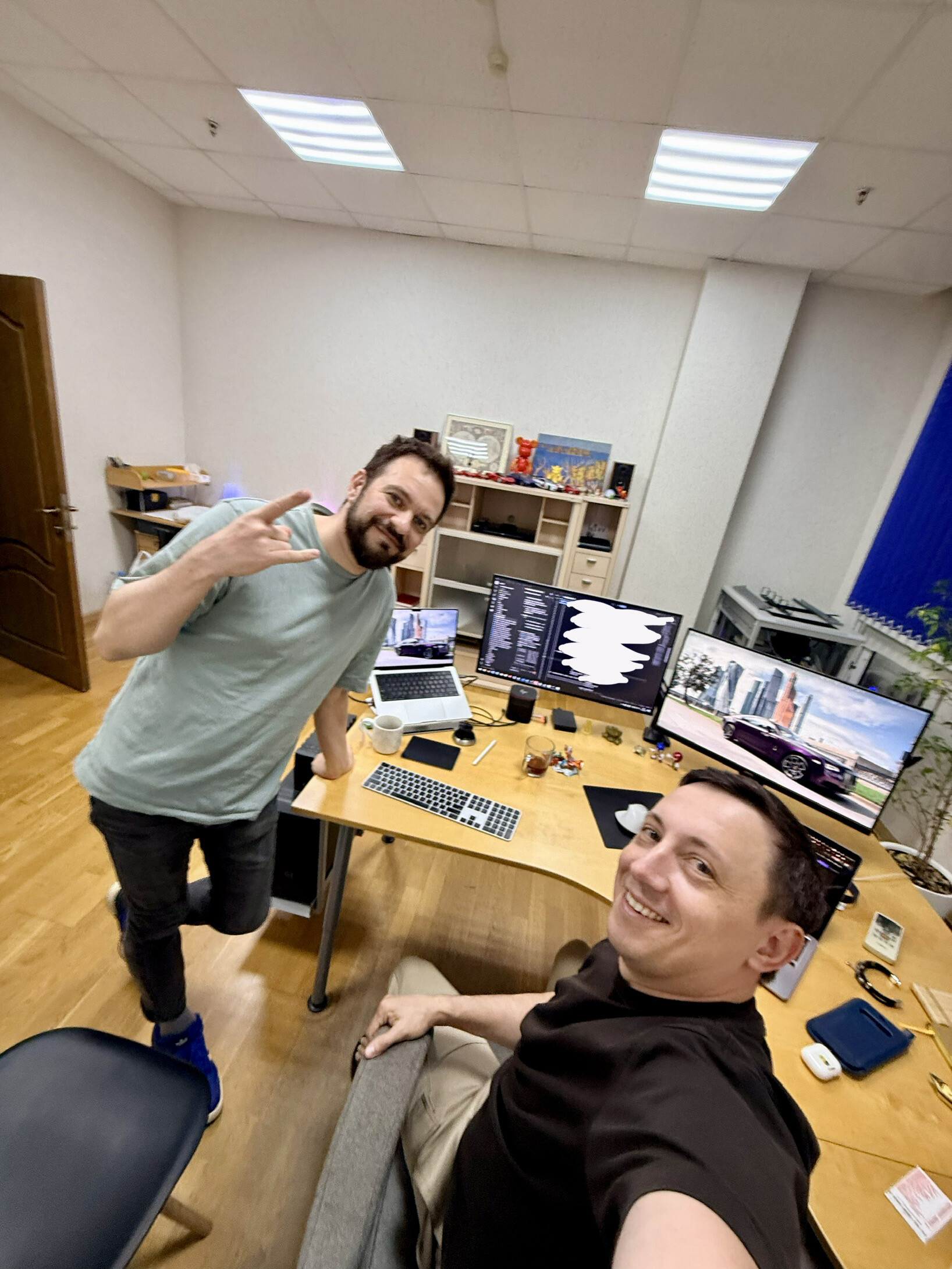
After posting the update above, I thought I’d share a little behind-the-scenes moment from NodeFlow Platform development.

This is me and Andrey after another long coding session - tired, but pretty happy with what we were seeing on the screen. :slight_smile:

And this time we were working on something new:

Blender → 3ds Max.

Yes, the other direction.

NodeFlow Platform started with 3ds Max → Blender because that was the problem we personally needed to solve.

But the bigger idea has always been a bridge between 3D ecosystems rather than a one-way converter.

So lately we’ve started experimenting with the return trip.

3ds Max ⇄ Blender

It’s still early, there’s a lot to implement and probably even more things to break. :slight_smile:

But the first parts are already working - and seeing Blender data successfully arrive back in 3ds Max was one of those small development moments that makes all the late nights worth it.

So here are the two people behind a good part of this madness - shortly after the moment when it finally started working. :grinning_face_with_smiling_eyes:

More experiments ahead.