God bless you, my dude!
Great job 
1 Like
but it is built-in in blender, what do you mean?
1 Like
ohh yeah your are right how can this be a tool in another addon, well maybe they didn’t (the devs) thought about merging it into the defaults tools toolset…
This add-on Blender 3.1 not work. How I can fix it?
8 Likes
Tnx! It’s work! 
Whoever made this, thank you so much. Why this isn’t part of the default set is a mystery. Who do I throw money at?
2 Likes
Crashes on extrude
1 Like
Just installed 0.4.1 to blender 3.4 and tested offset extrude… works for me.
3 Likes
@gorion103 I should’ve reported this weird functionality much earlier, but in the interactive version of the addon, shift+mousewheel to change methods (also scrolling the mousewheel on its own) also changes the angle value. I expected only alt+mousewheel to affect it according to the viewport tooltip, but this is not the case. This results in very changes to the angle value over time when using the tool and small, unintended imperfections in the mesh.
Also, it would be great if we could set a preferred default method in the addon preferences. I use Move most of the time and having to constantly shift+mousewheel to change from Offset can be a bit annoying over time. If you could show me how to change this directly in the addon code instead, it would be greatly appreciated. 
I just tested the 0.4.1 on Blender 3.6 and at least for me it works like a charm. Thanks for the addon!
3 Likes
Tested 0.4.1. On PC and 3.6 and 3.3, can get it to install but cannot get any of the menu features to appear in either version.

Press Ctrl+e to bring up the menu.
Or the Top Menu Edge

If it doesn’t work, check if the Addon is installed properly.
1 Like
I activated the “Edit Mesh Tools” and accessed it through the top edge menu and it works perfectly.
Thank you NewVisitor and oo_1942!
2 Likes
3 Likes
No idea if it still work on other Blender versions. In my 3.6.2 install the Hidesato fork (0.4.2) crash my Blender when using the Extrude directly from the context menu (yet it work fine if I select it from the Operator). While the version bundled within Blender (called Edit Mesh Tools) works yet sadly the Operator doesnt show up. Anyone could confirm it?
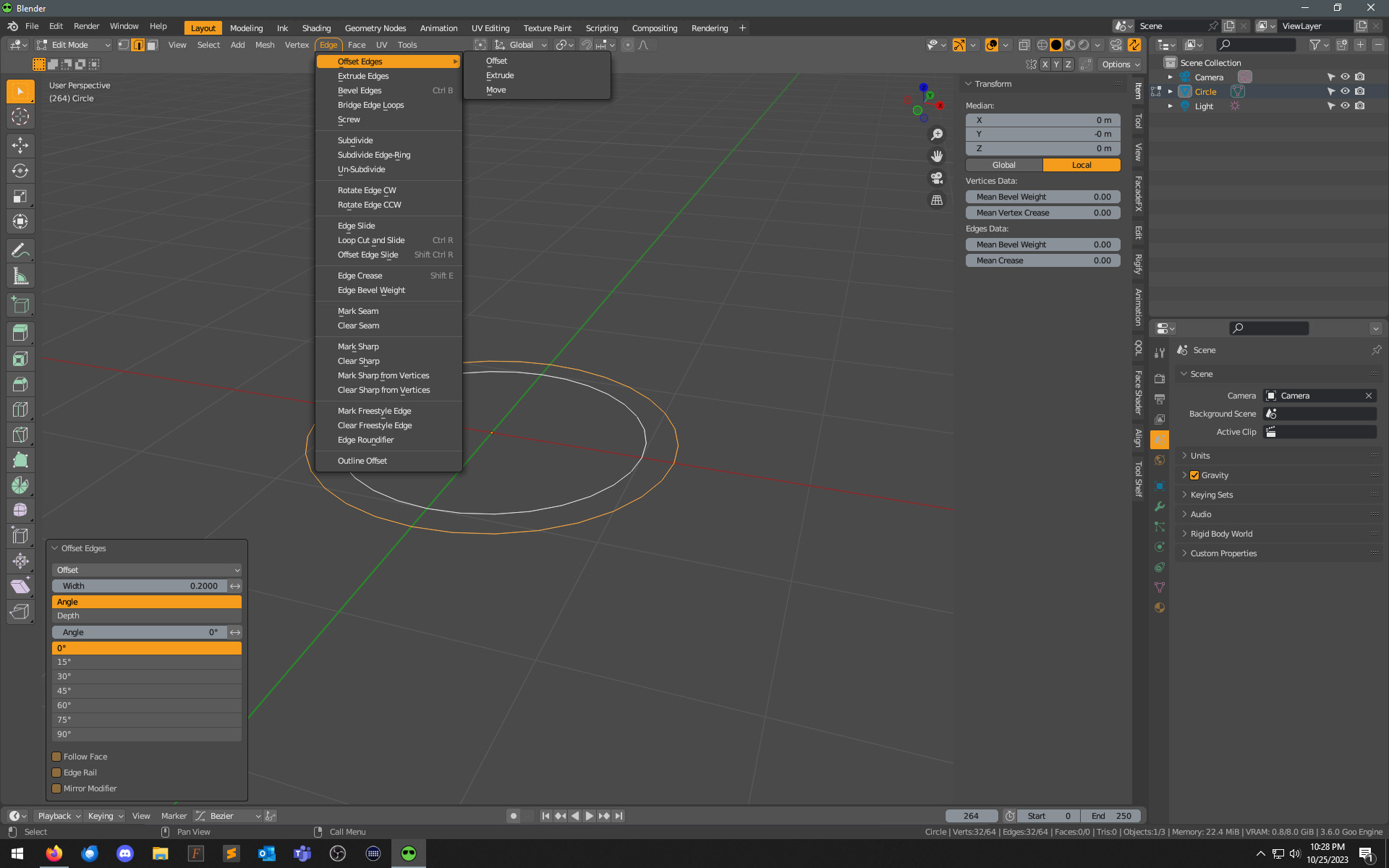
Peraphs I’ve found the cause of the Operator tab not apperaing when using Offset Edges. I’ve deleted the file downloaded from this comment Organize your N-Panel with this free addon: SIMPLE TABS - #54 by ulf3000 and the issue seems fixed.
@ulf3000 could you test the sort_npanels.py along with Offset Edges to confirm if that’s the issue?