Hi,
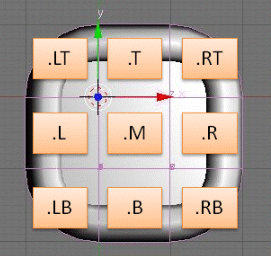
A new group is ready:FRAME

With that you can easily create resizable frames in your game. You can apply different styles. Even custom styles are no problem. And they are 3D as expected.
What is it good for?
I thought about using it for dialog boxes etc., but it can be anything.
How to install it?
- Download the file Frame.blend (61.7 KB)
- Link shift+F1 the group Frame
- Add an instance of Frame to your scene
- Add to the instance:
- property Frame
- property width - with the initial width (float in BU)
- property height - with the initial height (float in BU)
How to resize in-game?
Add following logic to the Frame instance:
- property sensor True pulse, “changed” prop: width
- property sensor True pulse, “changed” prop: height
- both connected to Python controller Module: LinkLib.copyPropsToBase
How to change the frames style?
Make sure you have the new style available in your scene (e.g. at an inactive layer).
- Download the file FrameStyles.blend (45.1 KB)
- Link a style group or group AllStyles
- create an instance of the group on an hidden layer
- switch back to the frame instance and
- add a property style as string with the name of the style (currently: Hard, RoundThin, Simple, Borderless)
- the default style is Default
in-game
- property sensor True pulse, “changed” prop: style
- connected to Python controller Module: LinkLib.copyPropsToBase
Frame.blend (61.7 KB)
FrameStyles.blend (45.1 KB)
I hope you find it usefull
Monster