Hi everybody!
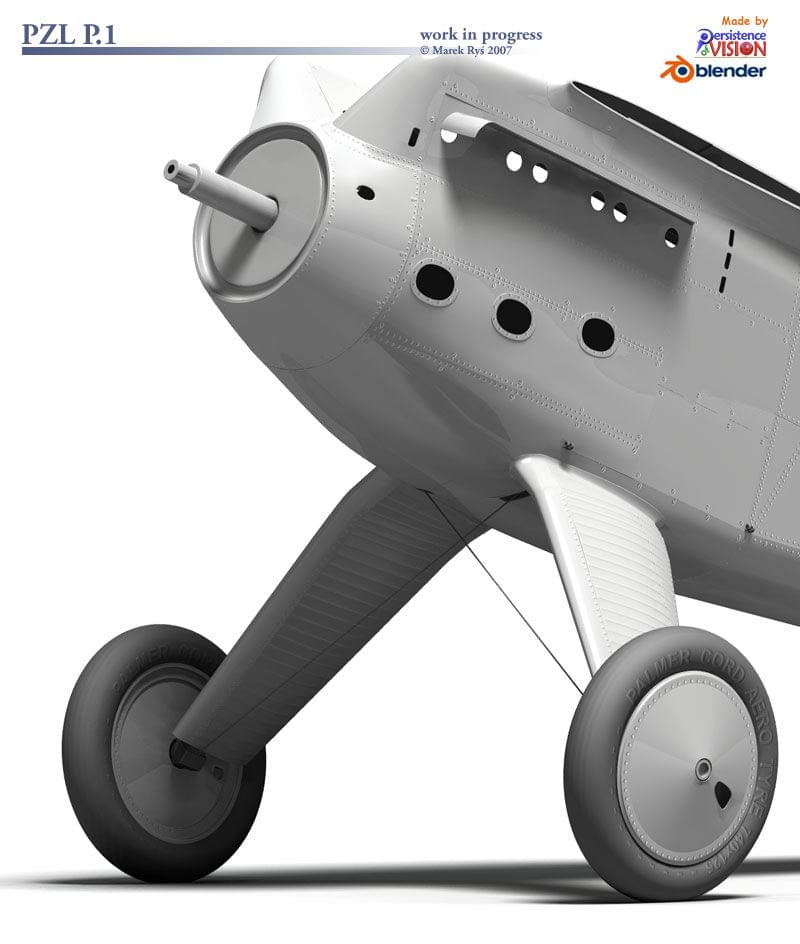
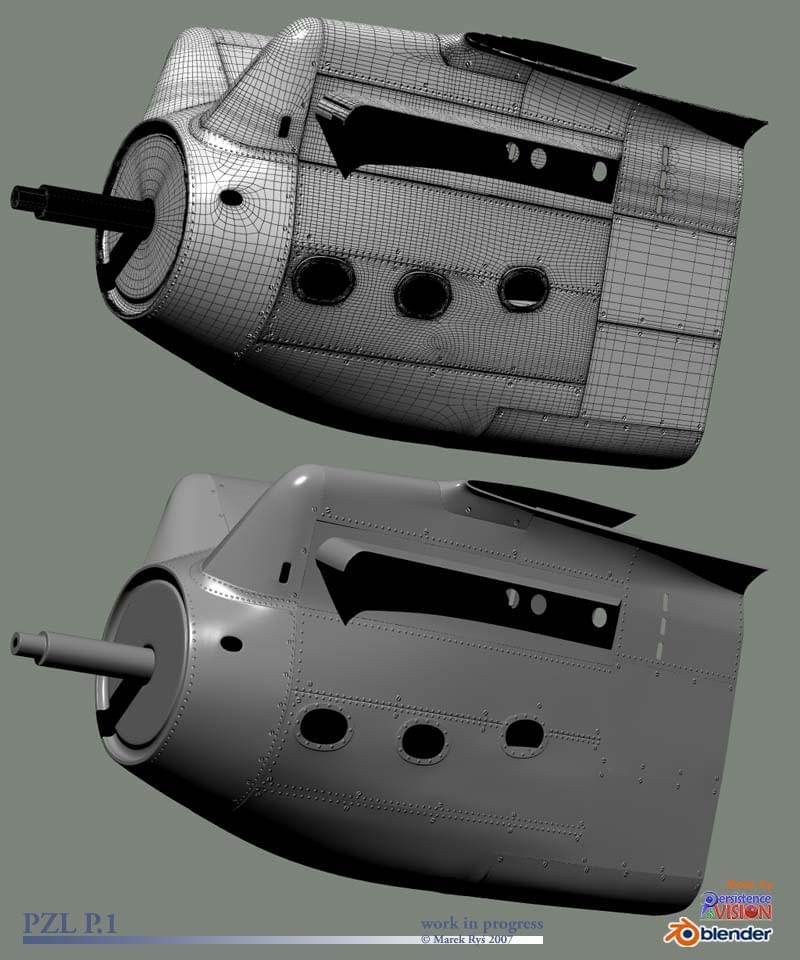
Here is some updates. UV mapping and bump maps for fuselage are almost ready (just some noise layer in bumps and will be OK). Unfortunately are some problems with bump map in PovRay appeared - normals are inverted no matter what bump maps is used (black/white, white/black). Working on solution.
BTW I used to use UV Mapper program for precise UV mapping, but this time only Blender’s UV Map Editor was involved in producing this for my P.1. Very powerfull tool…
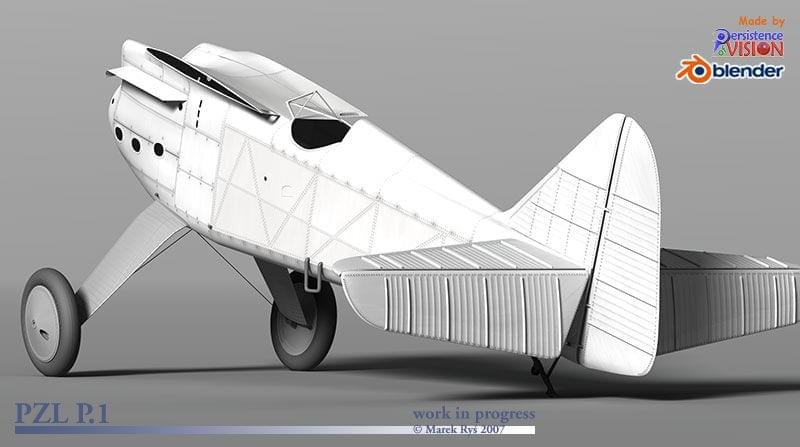
Also started with diffuse (color) map with some dirt and scratches. weathering of panel lines will be tweaked soon, so don’t watch too critic on them. I set up axis for rotating of vertical and horizontal steer surfaces. Density of rivets on this surfaces have to be reduced, I see now…
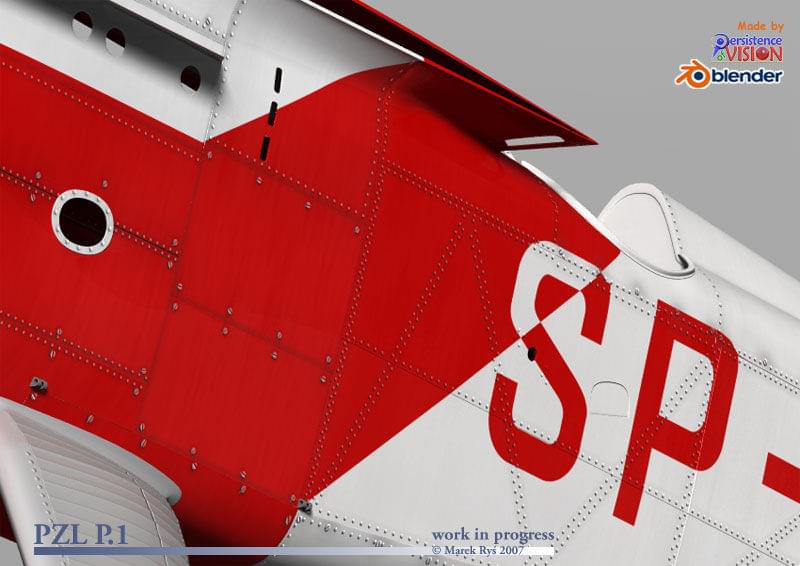
Bumps was my primary erea of interesting last few days, but also made a little progress with texturing fuselage. Shaders not finished yet and still no specular maps and final weathering. Texture painting mode in Blender’s UV Editor is fantastic tool! The letters on fuselage had to be divided into two pieces: on top part of fuselage and on side parts of fuselage. All corrects necessary to matching this pieces together was made by texture painting directly on 3D mesh.
There is some staggering detail on your work, are you planning to become a proffessional CG artist by any chance?
Anywho, one thing i would crit is that as your working to such a high standard that you could model in the compression/squashing of the tyre as it is resting on the ground, it should give the model a bit of extra weight. I cant wait to see this finnished.
It depend on what you mean as “professional CG artist”. In fact I cooperate with few publishing houses in Poland, USA, France making covers and illustrations for their books, so probably I could call myself “professional”. But feel better as freelancer. And if you mean professional as improving my ability and level of my works to be better and better - then I say yes. There are still so much to learn… I was working few years with Max and Rhino. Looking for new soft I found Blender. I planed to learn main technique of polymodelling with it free soft before buy Modo (No. 1 for me), but now I think, that Blender is so powerfull tool, that it makes possible to use it and get similar effect then with Modo, Max or XSI etc. Only renderer needs some improvements. Besides using OpenSource tools is so cool:cool:
And don’t be afraid about tyre - they will be squashed:)
Zog34, you have right. I’ve just noticed this damn squashed rivets. But in this place will be mounts wing support, so probably rivet will be covered by it. If not I will have to correct UV mapping in this part…
Excellent! I wish I could say something for improvement, but as I read this thread, all the times I though of something you fixed or improved it on your next post.
The only thing: Just get to the finish line. Finish it. Find the time.
Wow, mrys! Even more details, very realistic look, I’m deeply impressed…
Since I’m currently trying my hands at an aircraft model myself (Stinson Reliant, strictly lowploy), some questions, if you don’t mid:
How do you create the bumpmap? Do you paint it in 2D-software on top of the UV-layout or is some amount of modeling and baking in the workflow?
I’d like to take a look at your exported UV-map. Did you merge all objects into one in order to unwrap onto a single texture or do you use several texture maps?
The small distortion around the wing root suggests you’re mostly using “from viewport” in ortographic view in order to unwrap. I found the unwrapper (previously known as LSCM) to be very powerful, do you use it at all?
Since I have a gazillion questions more, why don’t you take a few month off to write a complete tutorial about the project? :eyebrowlift2: (just joking…)Kind Regards,
Frank
Ad. 1. I draw bump maps (rivets, lines etc) over UV Layout in Corel Draw as 2d drawing, export it as *.eps format and open in Photoshop in hi res. I made new layer filled 50% gray. Invert rivets into white (they are filled black in Corel) if I want bulged elements. Lines stay black (to make them concaved). Then I blur them a little. On gray layer I add some noise, scratches etc.
Ad. 2. I divide model into few parts. In this case it is aft part of fuselage, front part, wheels and wheel legs, stabilisers and wings. Every part has own texture in hi res (4096x4096). Here are examplaes of UV layout for fuselage:
Ad. 3. Yes, I usually use “from viewport” options, but after UV wire is hand modified with “checker teksture” as helper to correct all distortions. In difficult parts I mapping separately faces of top and side of the mesh and after I stitch this parts of maps together. Few elements was “unwrapped” - it is great tool, but not always usable. If you need to draw precisely straight lines over UV wire after unwrapping is sometimes difficult to do. Front part of engine cowling in mu plane was mapped by unwrap.
Ad. 4. I thought about writing tutorial about this project, so maybe when I’ll find some time. I still have hundreads of trial render, *.blend files, textures etc. from every stage of work (almost 8 GB on my HDD :yes:), so it should be possible. Cause I’am still learning Blender this kind of secure my expariences could be usable also for myself.
Thanks a lot Marek for your elaborate response. This is exactly the insight I needed to get my own work going - pure gold. I’d certainly appreciate a tutorial, and probably I’m not the only one here… :yes: :yes:
Small update only. Still fighting wirh bumps in PovRay:(. I have some new ideas what woul happend , but need to check them.
In the meantime I was playing with “finishes” (shaders) for surfaces textures. Here are some effects still without specular maps.
I was especially working with reflections to get them not to strong and enough distorted by bump maps.
There were some problems with aft part of fuselage textures, but “texture paint” mode in UV Editor in Blender was extremly helpful! It made possible to match halves of letters with no visible offset or distortions.
… and all the work really paid off: the little distortions in the reflections are a beautiful detail, adding a lot to realism.
I only hope you don’t get bored when you have to do all the same stuff on the wings…
Don’t worry Frank:)! It should be much easier. When I figured it on fuselage I use this parameters for wings. More challenge will be setting up whole scene with grass airfield. I plane few shoots in air and on the ground.
Had another thought: even with stiff strong wings there would be the tiniest bit of sag when it it isn’t moving (if you ever look out of a plane window when a plane is landing you can actually see that the wings are wobbling all over place). That and the compression on the tires/tyres should give a sense of weight, i dont know how accurate you are moddeling to, pretty bloody accurate by the looks of it.