Noise Displacement with Linear Light

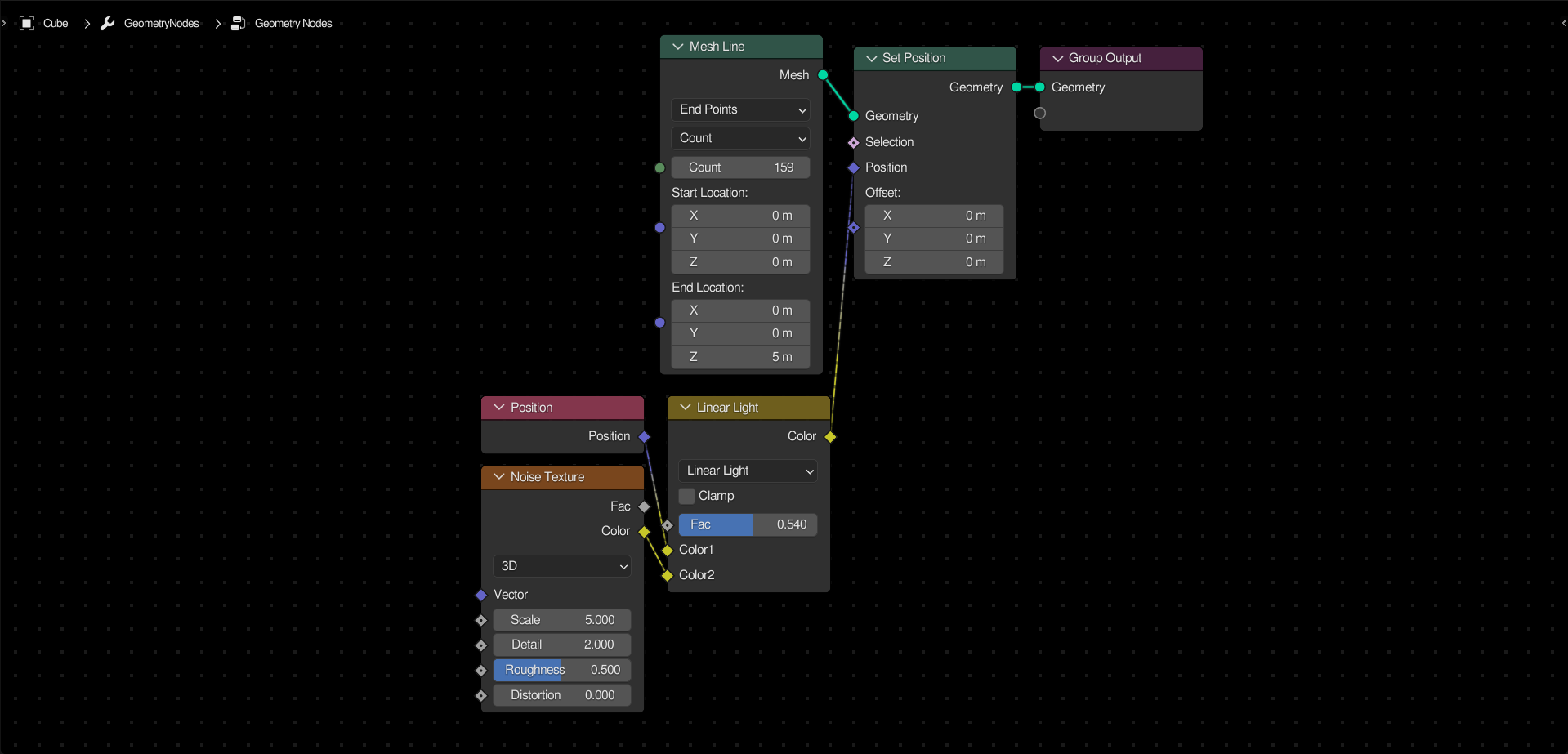
One important thing to take advantage of is that the Linear Light blending mode will add values, but using 0.5 as the midpoint instead of 0. In effect, this will allow you to evenly displace points using a 0-1 texture, such as the default noise texture.
This is great for displacing meshes that have no faces (hence no outward normals) to set the offset direction.