Hey, nice tip! Thanks for sharing!
1 Like
Override Field
Sometimes, in a nodegroup, you want to default to a certain input (usually position), but use a custom input if one is plugged into the socket.
To do this, take the range of the input using the Attribute Statistic node and compare this value against 0. If it is 0, use the default value. Use the custom value otherwise.
Make sure to set the default value to 0, and hide the value of the socket.
5 Likes
Merge by Index
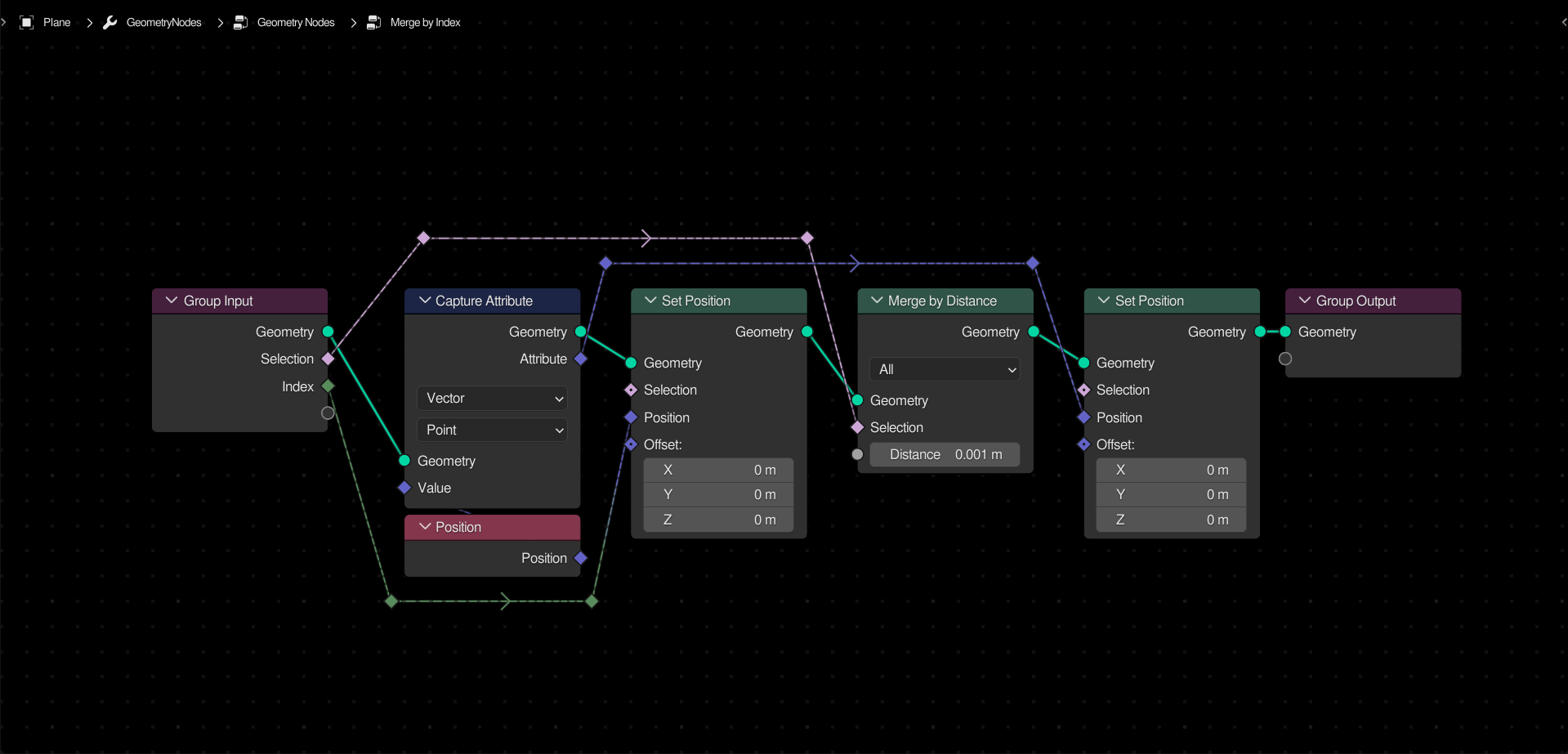
The merge by distance node is limited. It allows you to limit the merging to a selection, but doesn’t let you choose exactly
what gets merged with
what. This setup allows you to input an index instead. Points with the same index will be merged, and points with different indices will be ignored, regardless of location. This gives you a lot of control over merging, letting you weld islands that are touching, without accidentally fusing them together.
First, capture the position attribute. Set the position of each point to the index, and merge by distance. Set the position back to the original position.
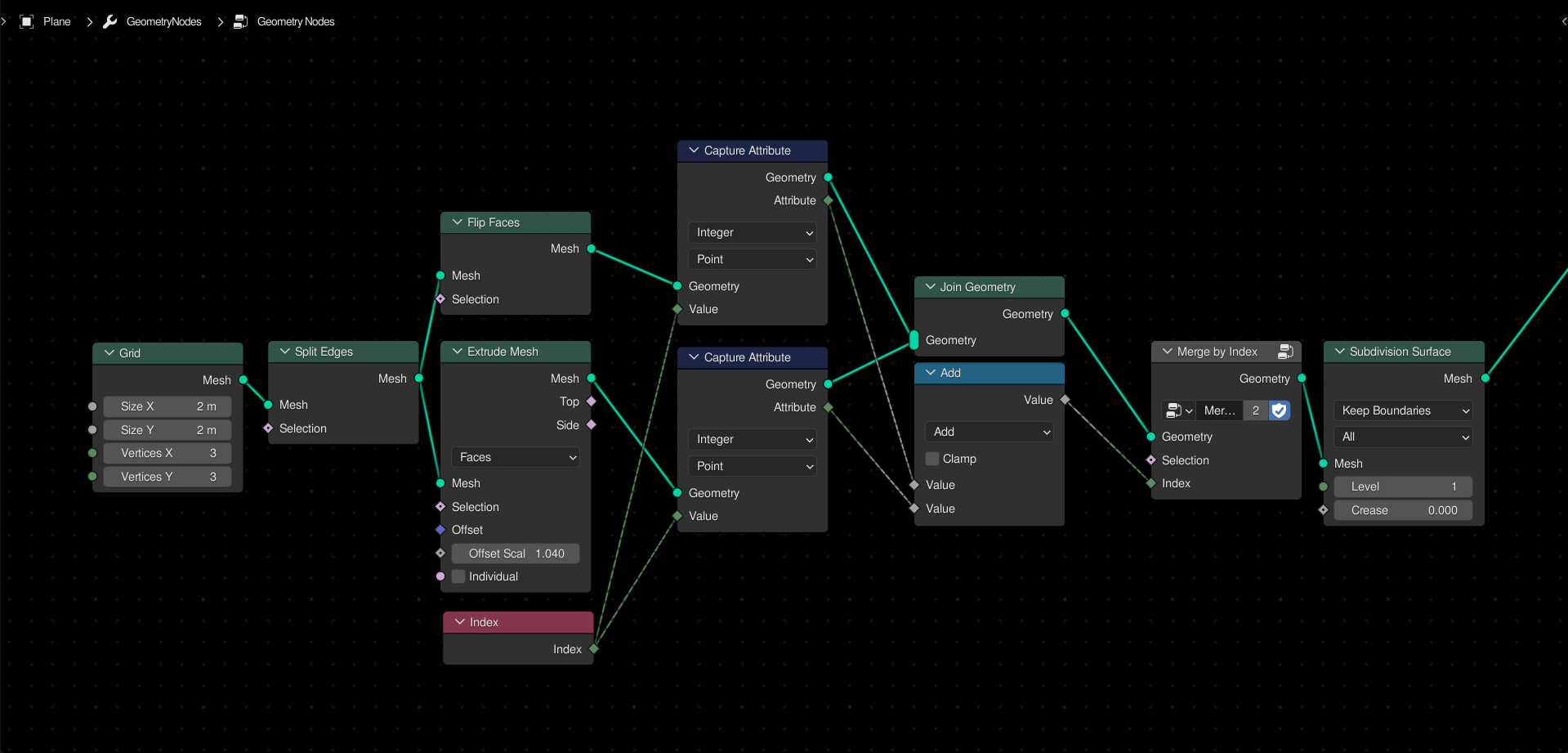
Usage:
There are a lot of advanced index math techniques, but to reproduce the result above, simply capture the indices of both meshes before joining, and add them together. Merge the points using this as the index.
5 Likes
Manifold Solidify
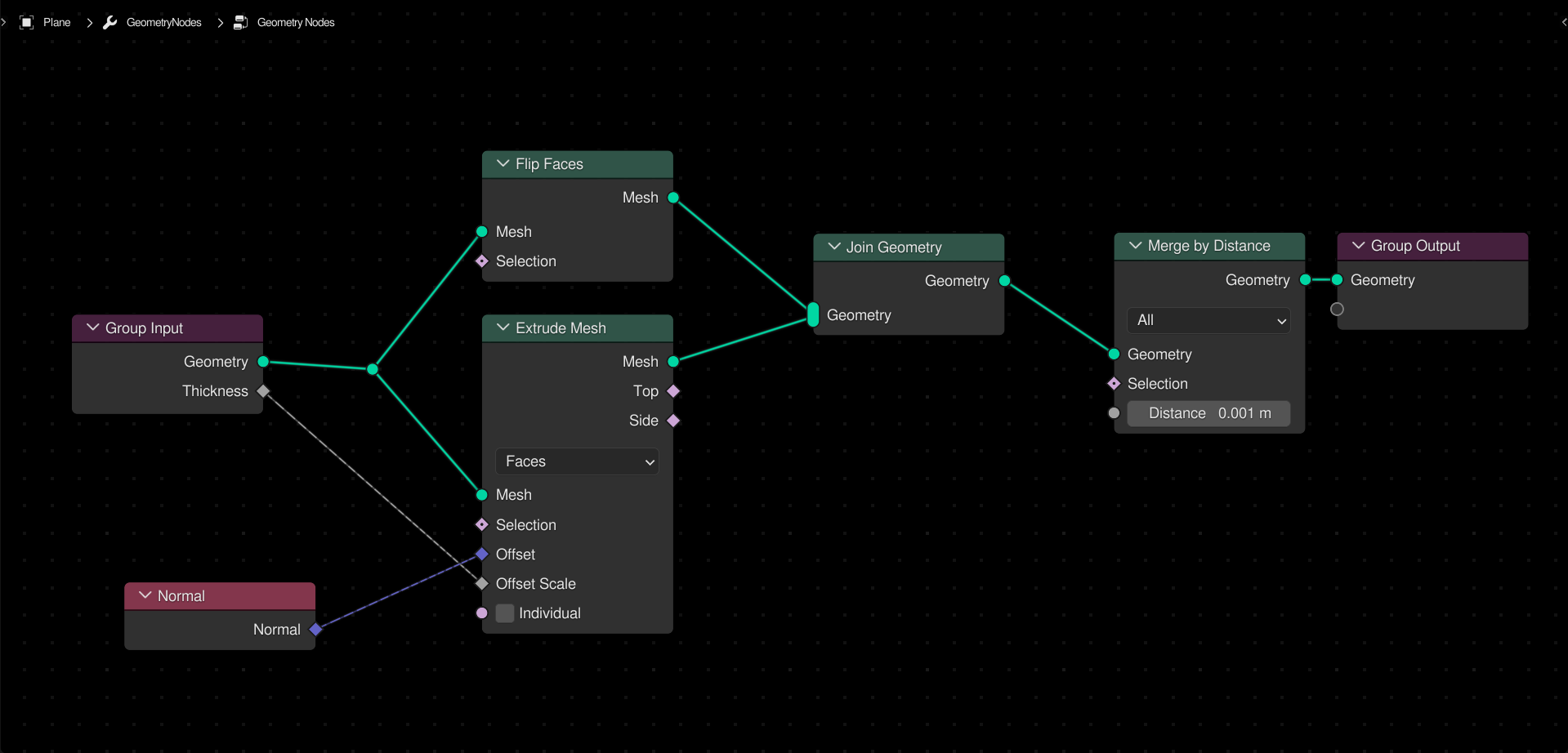
By default, when extruding a planar mesh (such as a grid or filled curve), the bottom is left open, resulting in incorrect topology.
To properly solidify a mesh, flip the faces of the original geometry, and join it with the extruded geometry. Merge by distance afterwards to weld them together.
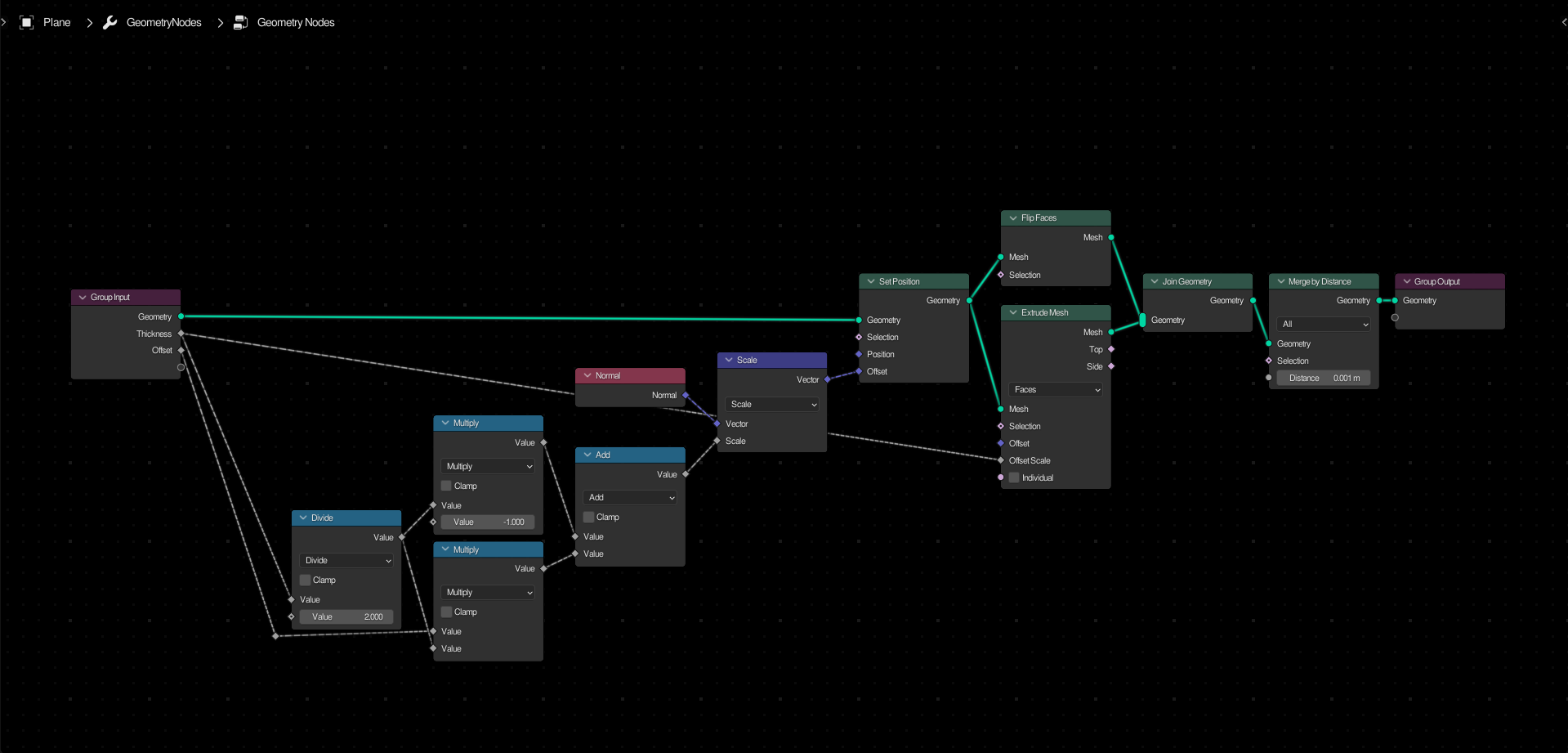
Advanced Technique: Offset
Using some math, you can offset the original geometry along the face normals. The setup above will replicate the offset of the solidify modifier.
4 Likes