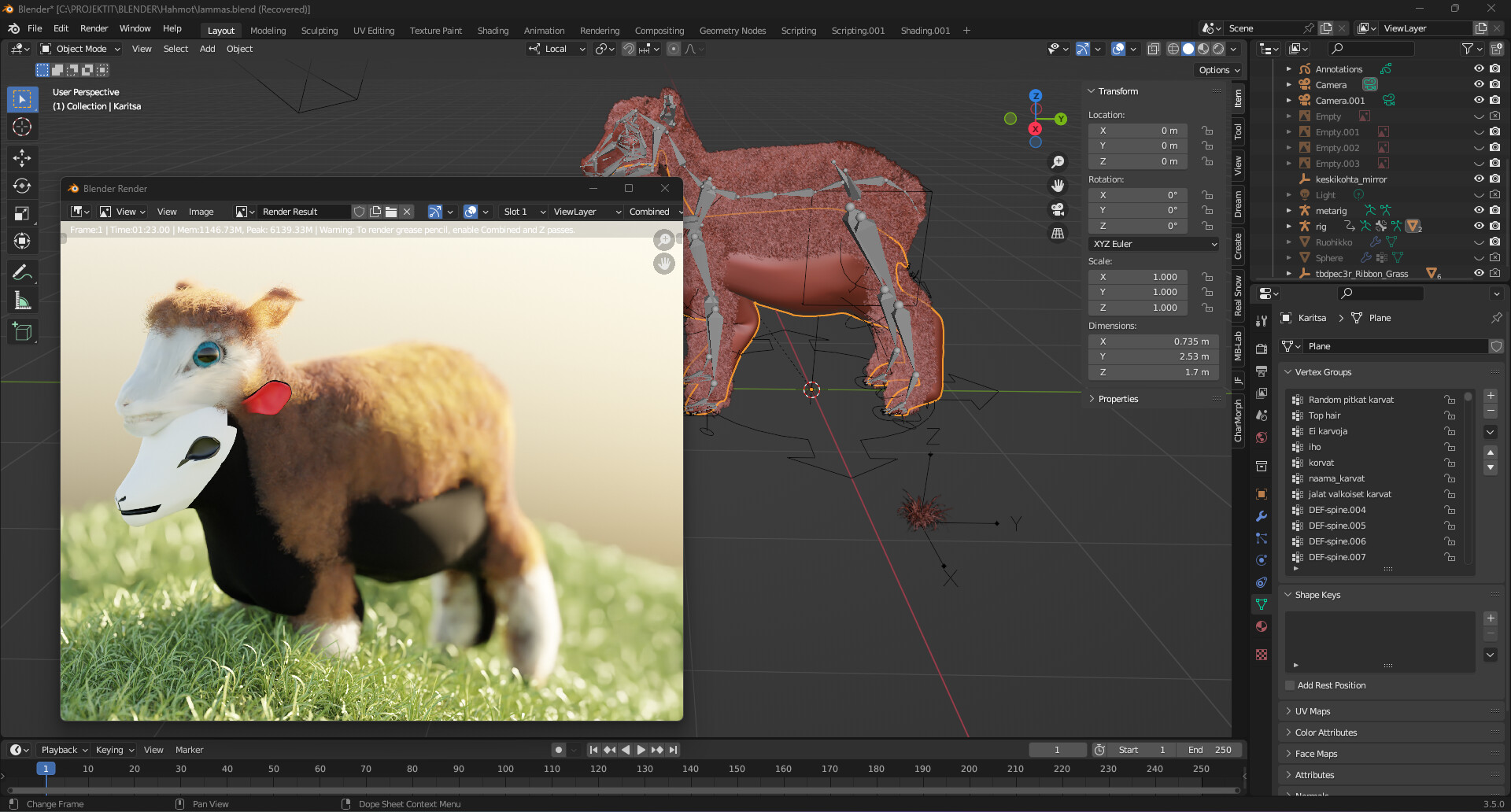
Rigify - eyes assigned to same Vertex group

Eyes are in separates objects. I was going on with this tutorial:

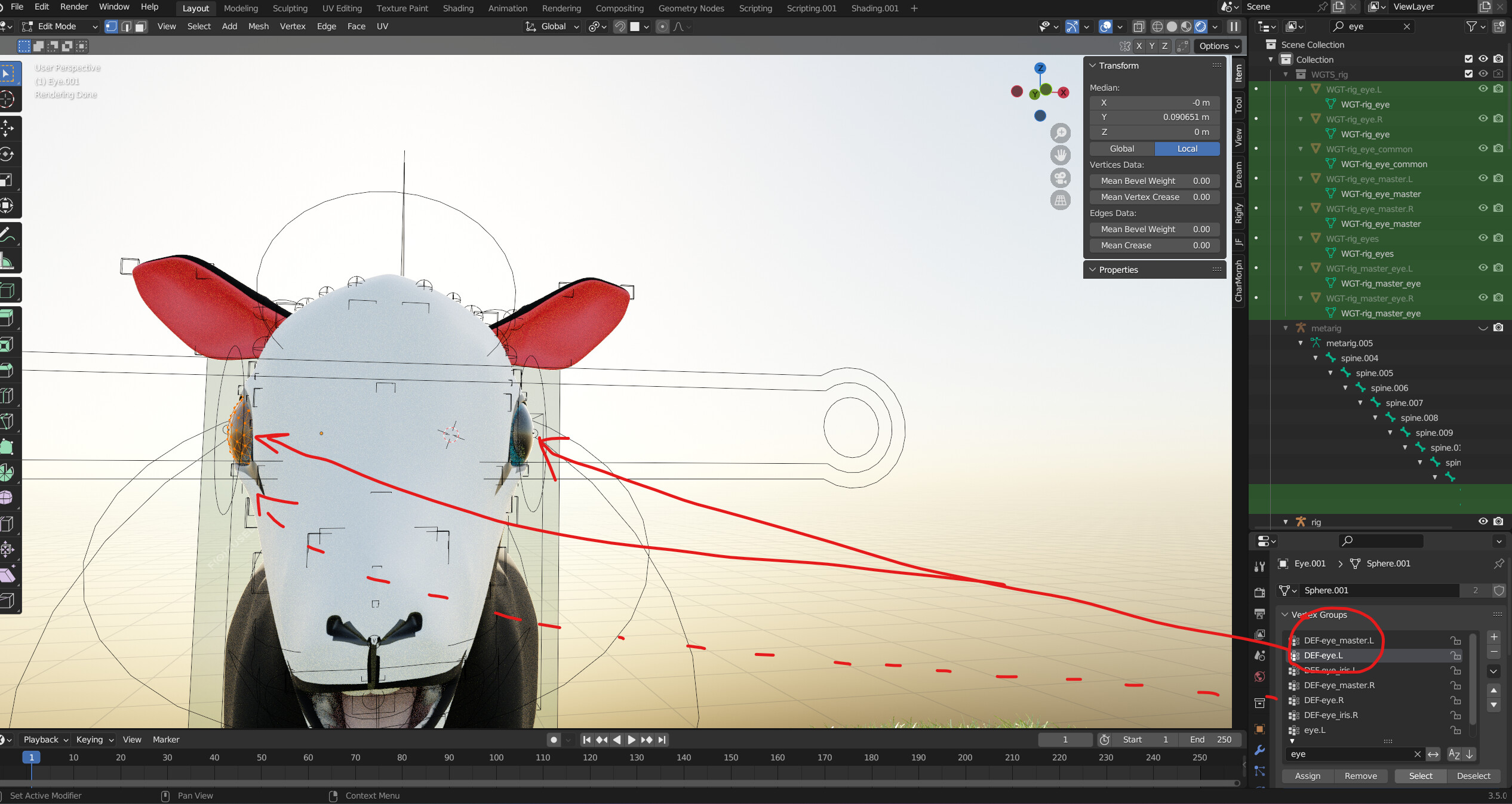
First I parented (ctrl+p) one eye (right) to rigify rig “with empty groups” after that selecting right eye - then edit-mode - select all - search DEF-eye.R - assign. It worked good when testing in pose mode. But when doing same for the left eye and selecting DEF-eye.L for it, it works fine, but right eye assigns are changed and it is assigned to left eye too.

If in reverse order same happens, but in vice versa.

What can be the problem? I have done many times this parenting, will it remove old parenting when do this?

Don’t do that. Remove all parenting, vertex groups, etc, etc from the eyes.

Then in edit mode on the rig, select the DEF-eye.R bone, leave that selected and return to object mode.
Then parent the eye to the rig but select “bone”. With luck it will pick the DEF-eye.R bone you had selected inside the rig. If not you may have to go the eye’s object properties and relationship and assign the bone, but hopefully that won’t be needed.

Then do the same for the left eye. This way you are parenting each eye to a specific bone (rather then vertex groups).

1 Like

Ok. Thank you! I removed parenting with rig, deleted vertex groups and made like You said.

But can’t see DEF-eye.R bone visible. I selected it from outliner, but when trying to parent it said that no bone selected (Tried to unhide too). Then I selected eye_master.L and checked ‘Relations’.

When changing it to DEF-eye.L the eye jump up.

And when manually changing back to eye_master.L it still don’t go back to in place (going even upper).

Sorry, I skipped a couple of steps as I thought you already had the bones visible, etc.

You pretty much never need to expand the rig in the outlining, that’s just painful. You need to get your head around the rig Layers, where all the various components are kept.

So with the generated rig selected, click the Object Data Properties (its a little running man icon) and you will see a lot of layers, with a lot of dots and many in blue.

By default all the deform bones are on a layer that isn’t visible, so you have to turn it on.

So hold down SHIFT and Left Click on the little layer box that the red arrow points at.

Then go into Edit mode (you may have to toggle viewport X-Ray mode) and you will see all the bones that are actually used to deform the mesh.

Again, in that above screen shot, I have the DEF-eye.L bone selected (you may have to click a couple of times, as its actually inside another bone.

With that picked, exit edit mode and parent using bone.
If you then look at the Object Properties | Relations, it should look a lot like this:
image

Just like my eye object, it has no vertex groups, all movement is based off the whole bone, I mean its the eye, any vertex group would just be the whole eye weight painted to the same bone, so why bother, just directly use the bone.
My modifier stack also doesn’t have the armature listed, it isn’t need. It’s all done via direct bone parenting.

EDIT *********** NOTE ****************
Do the stuff below first. The eye object needs to be ‘correct’ before any parenting.

As for the eye jumping out into space, etc. There’s a few things you need to check/adjust. First make sure that scale has been applied CTRL-A.

Second, where is the origin point of the eye object? If it isn’t at the center of the eye, then things may get a little strange. Also, you need to make sure your bone placement (as part of the metarig) is correct.

If you look at this image:

you can see that the eye object origin (the very small orange dot in the middle of the move gizmo), along with the head of the eye bones are all at the center of the eye object.

If you want to see or understand more how it all works, with the deform bones layer visible, hide all your mesh objects (leaving just the rig) and go into pose mode and move the eye control around a see what the rig does. Even select just one of the eye circle controls and move a single eye around. You can actually even scale that circle control and observe what that does.

If need be, just start a new blender file, add Rigify and generate the rig. Then add a sphere, place it where the eye bone is and then play around with parenting, etc so you can understand how the rigging all works, what’s on the various layers, etc.
1 Like

Wow! Everything worked like You said! Now my sheep is watching where I wanted! Thanks so much :palms_up_together:t4: 4: :palms_up_together:t4:, thank You for this notes also; have to check.

God blessings :open_hands:t4:!

But off course there came a new problem, what I don’t understand is it depending on this or what I have done else? Before it took about 1,5-2 minutes to render 4K, now I don’t get rendered image ever (192*108px even) , it is only “packing BVH nodes” and whole system is near to freeze and I noticed that fur is not corresponding pose any more. :face_exhaling:

EDIT:

Good to hear your sheep isn’t crossed eyed any more and half floating in space.

As for the rest, depending on how much you have been messing around with the same file, trying to get it to work, there could be so many ‘things’ all over the place.

You may not want to hear this, but depending on what else you have done since, it may just be best to step back to the last version of the file when it did render fine and then just do the eye setup, now that it is all sorted.

This does of course assume you have a series of files to go back to. For example, on the project I’ve been working on (Animated Short Film-The Trinary Prophecy) the main character is at file version 46 at the moment. Before I do anything major, I save a new file.

If that’s not an option, then it’s going to be a slow process of elimination, like disable render on some modifiers/objects, etc till you can find what is causing the main problem. Also you can do a File | Clean-up to remove any unused data from the Blender file. But you do need to be a little careful with that and know your file, since anything that isn’t actually being used, like a material not assigned to anything, will be deleted.

Unless it has a ‘fake user’, assigned to it. Again, another reason why I have so many file versions.

:smile:
Thanks again, that is wisdom.

I tried this:
Cleanup Unused Data-blocks, but no help.

There was auto saved files, but don’t understand how my rendered image made 11.5.2023 is rendered nice, but when opening blend-file before that, rendering is not possible anymore (on the left side of this picture below). Blend-file created 9.5.2023 is working (on the right side of this screenshot):

EDIT:
After that I parented rig and sheep and rendering succeeded but fur is not follow the rig. It looks like sheep are trying to get more children :grimacing:

EDIT2: It was because of armature modifier was last one. :ok_man:t4: Now fur is following rig.

This endless BVH rendering solved! :pray:t4: :latin_cross:
There are mouth1, mouth2 and tongue objects that are parented to the rig. There was same hair particles for these objects as for main body (I don’t know why) , and unchecking those render - it worked!

This does of course assume you have a series of files to go back to. For example, on the project I’ve been working on (Animated Short Film-The Trinary Prophecy) the main character is at file version 46 at the moment. Before I do anything major, I save a new file.

This looks very interesting, have to read with good time. Thanks!

Yay, nothing worse then naked sheep…
In just about every case, the armature modifier is usually at the top of the stack.

Add to that, the more and more complex the model/file become, the more you start to discover just how big of a stack of cards it all is. All it can take is one little check box or one modifier in the wrong order and something goes from looking great to a blank render or parts flying off in all sorts of directions.

1 Like