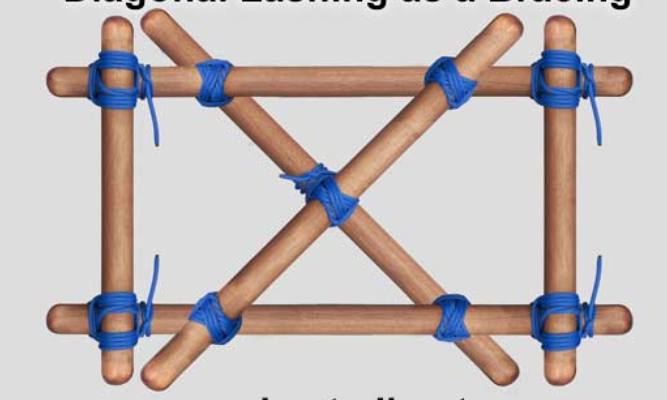
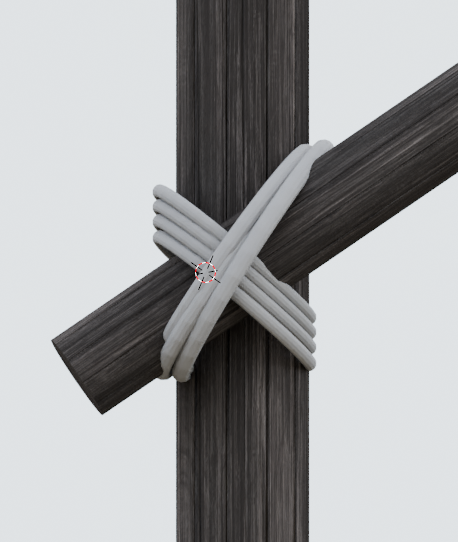
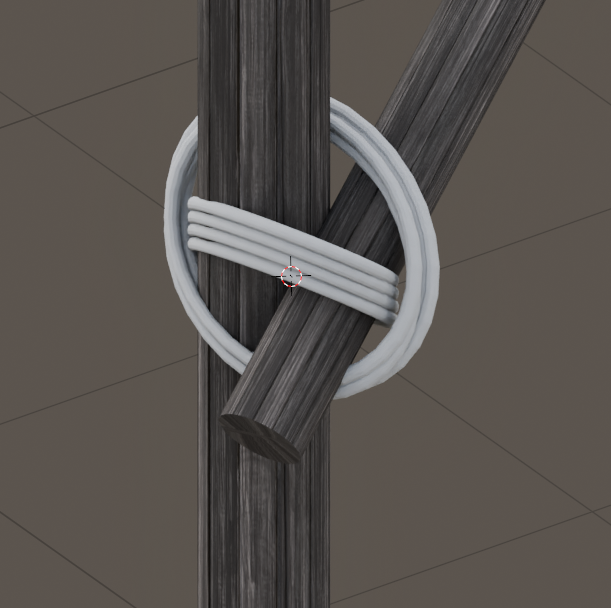
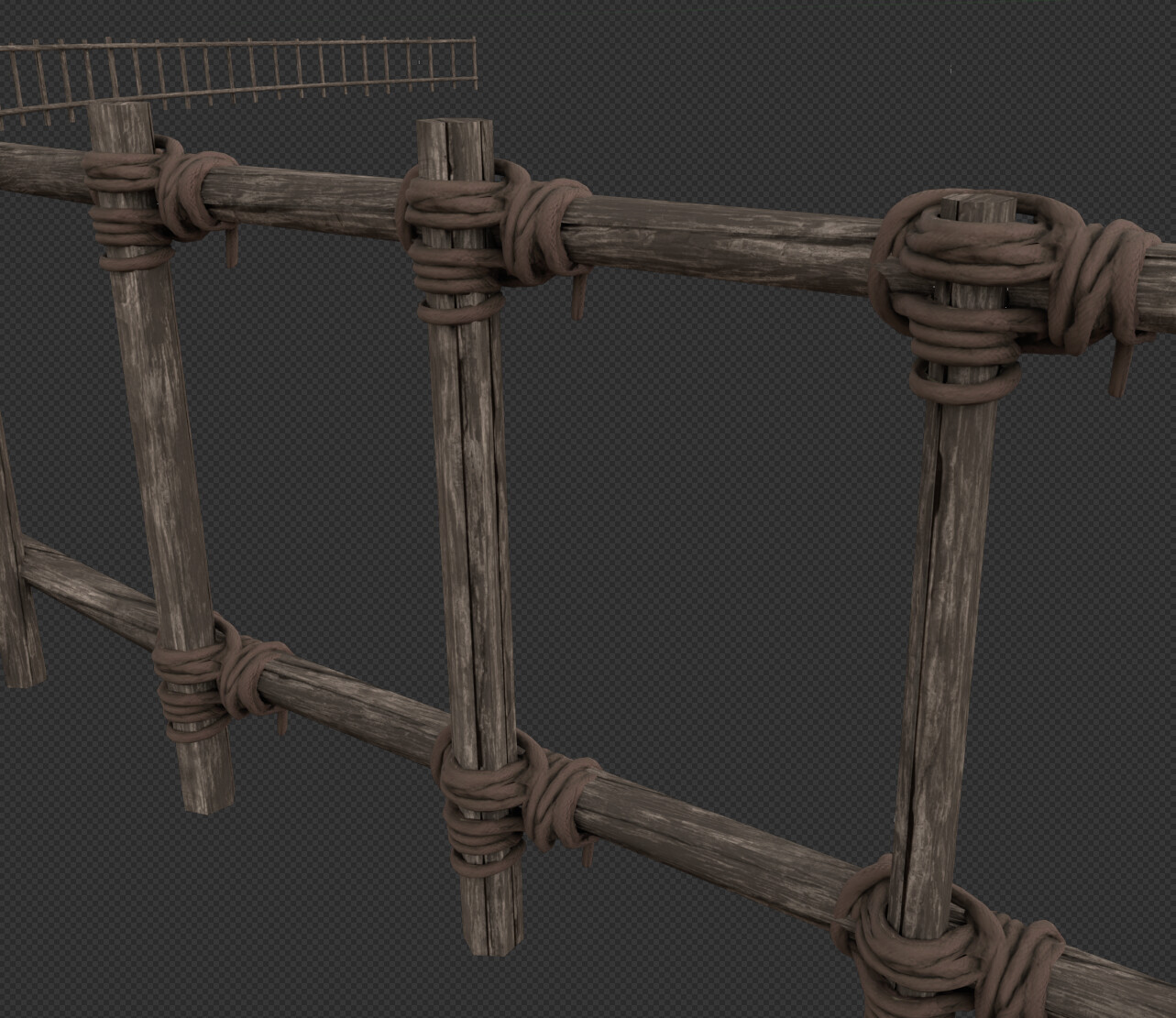
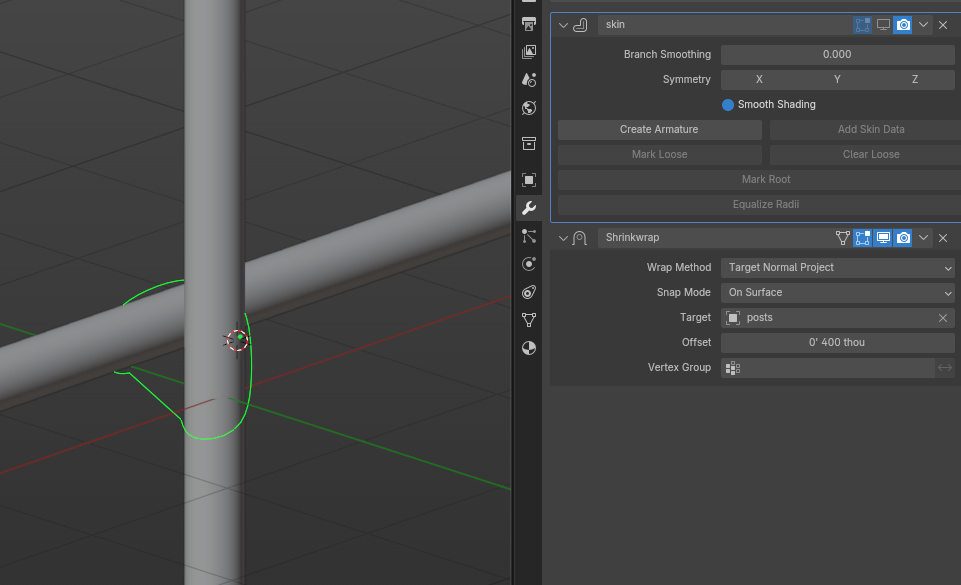
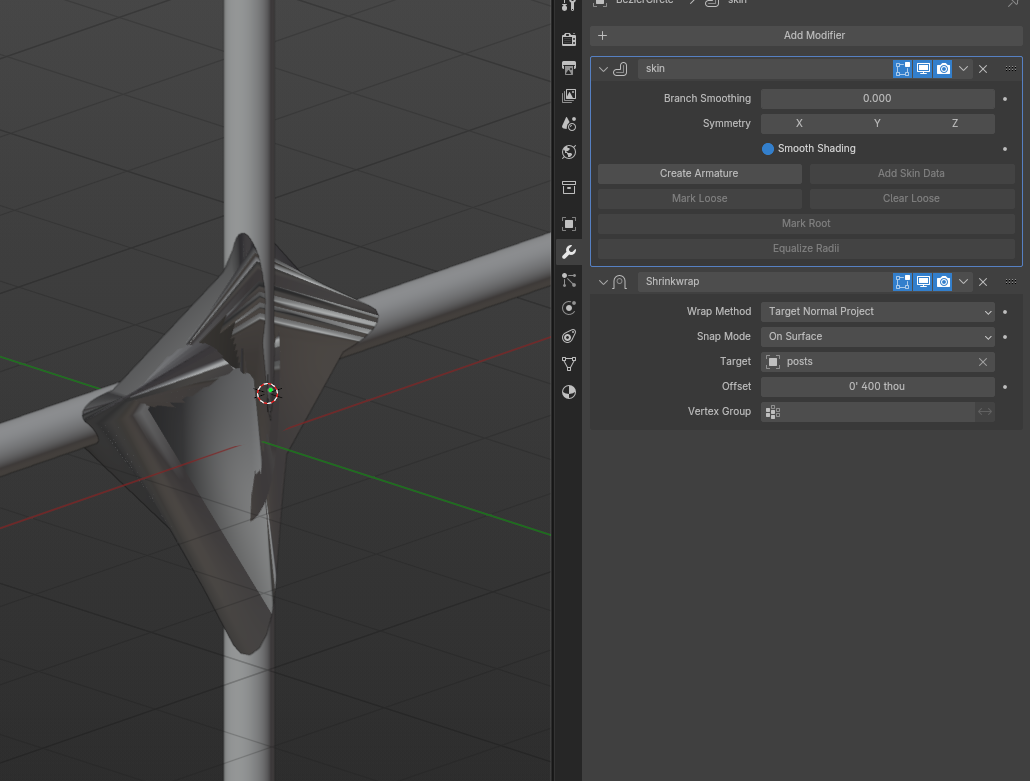
I currently draw a circular curve, add depth to it for thickness, then duplicate a few times to give them impression of lashing. However, this looks half-assed (see my version below), especially at certain angles.
Is there a better and easier way to do lashing? I have a bunch of these builds that require lashing and I dont want to do this manually on each… even if I duplicate them, then there’s the headache of placing them.
First image is the example reference of what id like to accomplish. The other two are my version.
You could create a single node model for a 90-degree angle like in first image and add a modifier, such as lattice, to change this angle as needed. I’m afraid there is no simple solution here.
I don’t think you will find a way not to do this manually.
But if you are using curve circles you will also have to turn off the cycle of the curve on all duplicates and connect every other one so that it literally makes a coil wrapping as if one thread.
Aside from that, I would recommend making a template lashing that you can duplicate and edit to use more than once.
I wonder if it would be possible to automatically fit each ring more closely to the poles by shrinkwrapping them?
This is easier said than done though, as the wrapping would have to be done on a thin wire, which would need to be given thickness afterward. Also, I’m not sure if it would be possible to avoid self intersection between the different ropes.
If you take the time to make several, you can save them all together in a file to be used as assets in future projects. Look at it this way and you can justify taking forever to do a really good job manually.
Lashings are very tight. Good lashings look like they were made by a machine. Try lashing some pencils or sticks together to get a better sense of them. There are lots of lashing tutorials to help you figure out the routing so you can make your own real-life references to look at. This will also help you figure out which type of lashing you want to model for a particular situation.
You can use the axes of the poles if you want some help with transformations, or shrink-wrap the curve to a single object consisting of two cylindrical meshes, or snap the points to the poles’ surfaces and then scale them outward from the poles’ axes.
A possible shortcut for lashings viewed from a distance might be to make a single band and texture it to give the appearance of multiple lashings. I think this is common in games. It’s kind of crude and completely fails when viewed up close, but it’s a Thing that you could do. It would definitely help with your poly count.
Absolutely. In my experiments in the past I’ve found that accurately replicating the knot was the single most important factor for realism. End hitches (tying the rope to a single pole) are less important, but the pattern formed by the rope holding the poles toghether is quite unique. Being a scout helps with knowledge in that regard, you can easily look it up online though.
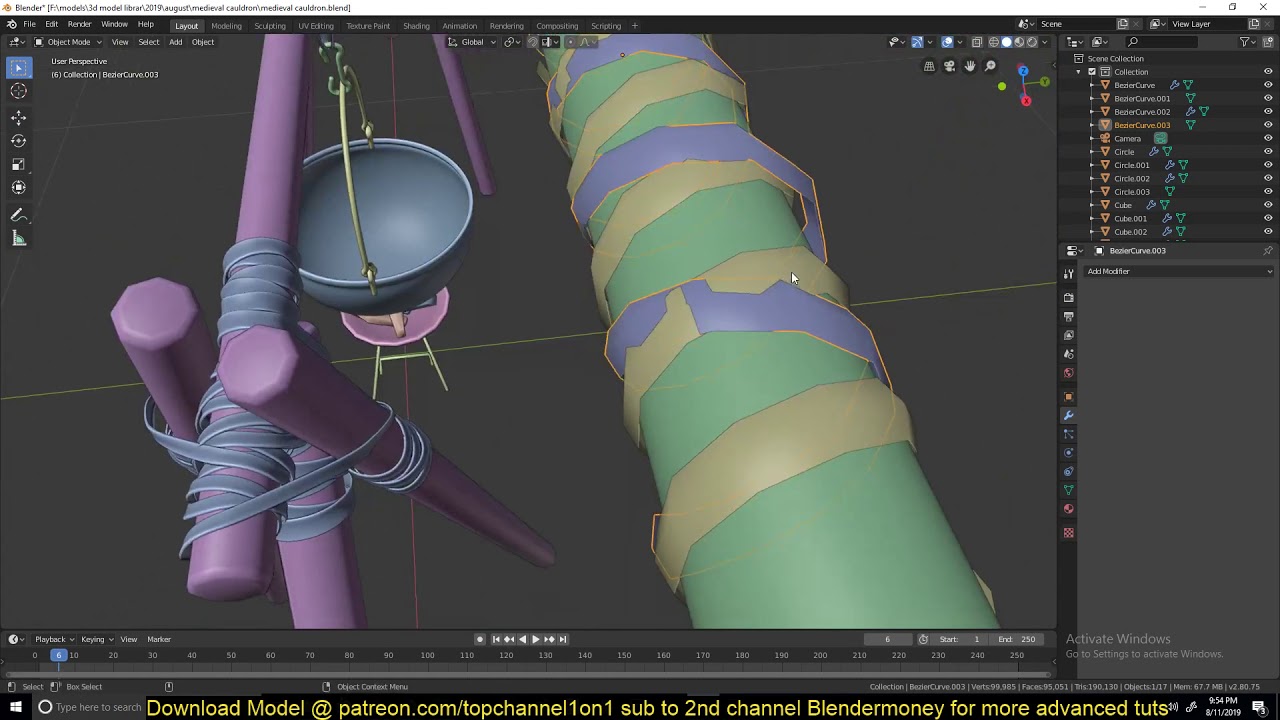
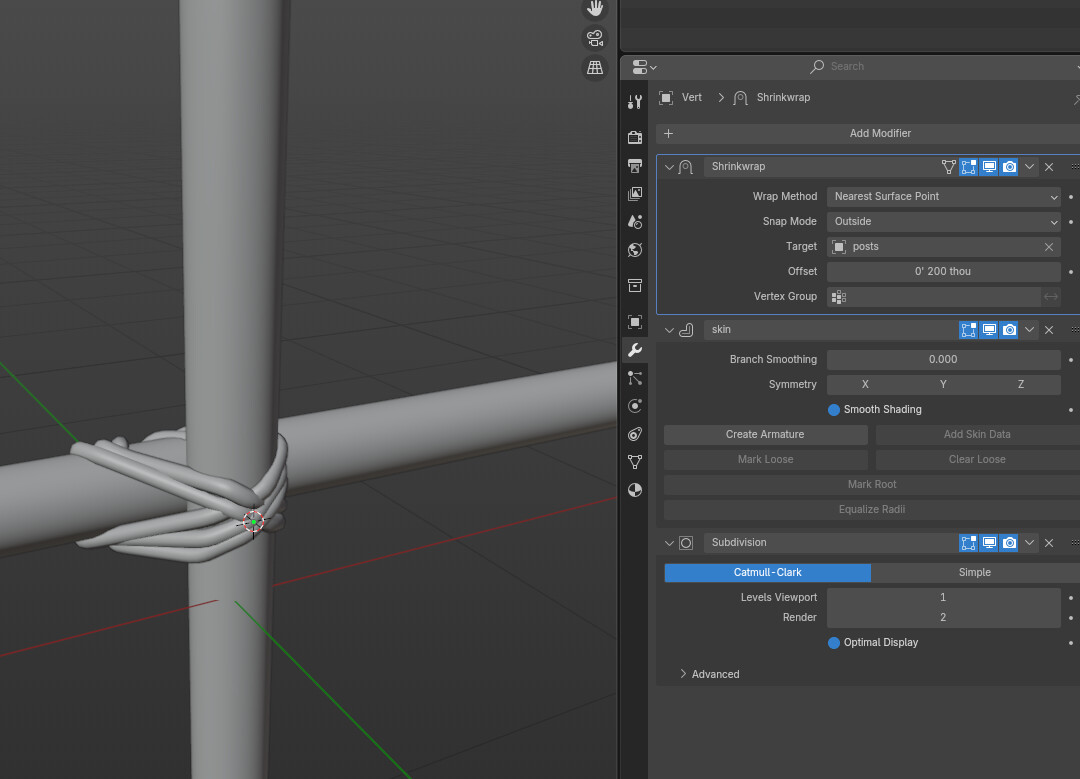
Modelling wise I used a vertex line with skin, subdivision and shrink-wrap modifiers.
Given I had a time sensitive project, I found a work around using meshy.ai image to model feature, and cleaning the resulting model a bit in blender…results are sufficient for now.
If this will be used close to a camera, you might at least want to fix the texturing artifacts and move the vertices around a little bit so the lashings aren’t passing through the poles…
This is the very first time I have found ai disturbing and a slap in the face.
Full disclosure, we have been using ai to turn images into rough models after which we retopo them to save the sculpt step and a ton of time for characters that are not in the foreground.
We also use Character Creator, for time crunch projects.
One thing I would not finding myself doing, is waste people’s time with I don’t have the time and (apparent ability) to model x, then get some good sound advice on how to do it only to come back to say I used AI.
Seriously?
I think this warrants another thread.
Sorry boys. Couldn’t cut it.
Here is a thread to discuss AI.
I really don’t think it belongs in the modeling support section because….
AI is not a modeling solution.
It’s a workflow decision worthy of another discussion entirely.
It’s valid. But it does not belong at the end of a thread where someone might come learning to actually DO this.
I wouldn’t put it as strongly as above, but it is really quite rude to ask for help and then ignore all of it. I recognize that you felt a time crunch and decided to act accordingly, I don’t fault you for that, but please strive to be constructive in what you do here
Apologies, I had a serious project deadline and had to get it done for a presentation. Did not have time to go thru the various pieces of advice, but will try them now that the push has passed. Will report back.
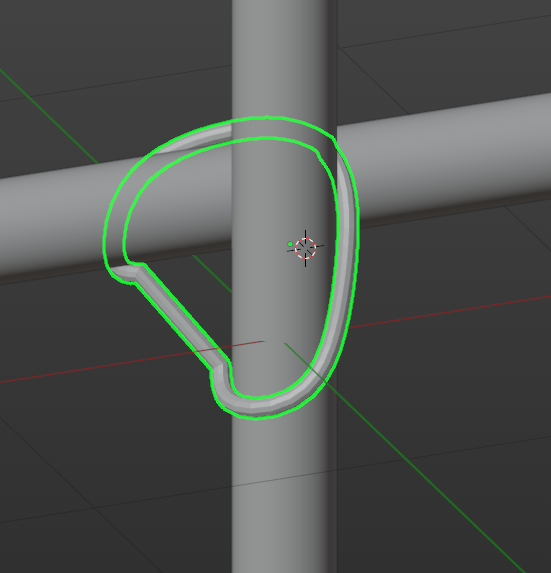
@thosios Thanks. I like the idea of creating a shrinkwrapping to two cylindrical meshes…but this lashing exercise is getting complicated. Might just stick to modeling directly…and yes, make one and use it extensively. Might even put it up for sale when I build them. Im guessing others would appreciate it. @oo_1942 True, it was a meant to convey the idea from a distance. My work is usually larger environments so you’re rarely close enough to see the details. But i still want these to be made correctly. That is a nice video, thanks for the share. However it doesnt get into how to connect the two poles…but I might come back to this if I dont find another method that combines wrapping the poles together. @SFN agreed that details are important for realism, and despite rarely being close to the knots in my renders, it would nonetheless help. I tried the suggested skin, subd, shrinkwrap…it seem to work but I have to figure out how to prevent self intersection of the rope. Any ideas to get the rope to sit overtop of the existing wraps? Here’s my progress with this …I know it’s not proper lashing but want to test concept first to dial in the modifiers: