That’s really great! Thank you very very much for the contribution Nutti!
Great tool, but I don’t see it into Blender version 2.78 RC2. Why?
Hey, Nutti, I just wanted to say I really like your contributions to this add-on! I especially like how you can select “Current Space” as the display space. Thanks for your excellent work! 
-Adam
Good job. Thanks
ooh nice, I thought that the addon couldn’t do text over the VSE. This is great. I wish though that I could make it ignore typing in the text editor window. Its annoying to see everything I type repeated in 3D view, but its a pain to go and turn it off while recording a tutorial.
Thanks nutti and everyone for this tool https://github.com/nutti/blender-ScreencastKeysMod/tree/pr 
Originally Posted by Nutti 
My version is merged into chromoly’s repository.
You can use this feature from below link.
Meta I get a 404 error when clicking in that link.
https://github.com/chromoly/ctools
it’s in there, however i’m tiring of people still looking for this addon so may very well put it into 2.79 release.
Hooray!!! 
It really is helpful when making those tutorials
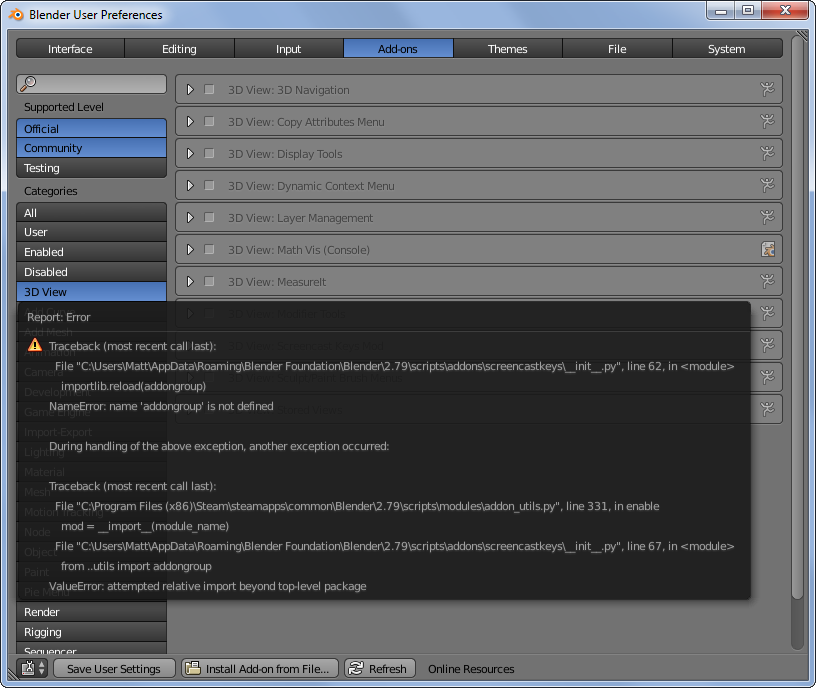
Should this addon be assumed dead?
Hi, there.
CTools has the newest and most powerful modification to Screencast Keys.
However CTools has already stopped the development recently.
Screencast Keys add-on is useful for making tutorial, so I ported Screencast Keys add-on from CTools.
Screencast Keys use deprecated “bgl” module, so we can not use it no longer after Blender 2.8 will be released. So, I will also tackle to support Blender 2.8 as well.
Currently, Blender 2.8 does not show final Python API specification. I will tackle to this project when Python API sepecification is released.
Thanks.
1 Like
Hi,
Screencast Keys now supports Blender 2.8.

Tutorial Video: https://www.youtube.com/watch?v=mWkkPCp7RSI
You can also use this add-on in Blender 2.7x.
And comments and requests are welcomed.
Hope you like it.
6 Likes
Works great in 2.9! Awesome! Thank you for this awesome addon.
can we please have the last show operator (without data path) I am not sure what it is called so i have attached the image that will make more sense.
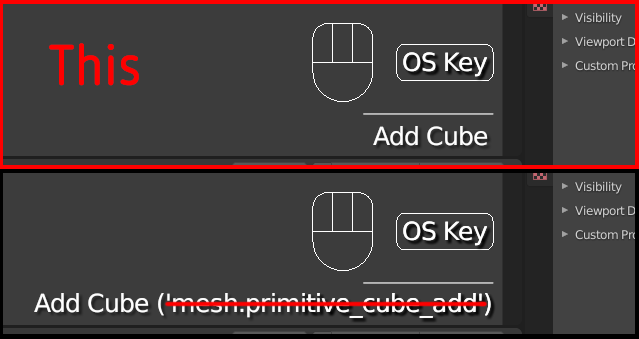
please thanks again.
Thanks for your feedback.
This feature looks good to me.
I implemented this feature in unstable version.
You can use it by following below instructions.
Also, I’m now preparing new release v3.3.
1 Like
Great works like charm thanks
love it.
btw i did not understand what is (get event aggressively)
Most of other forked Screencast Keys could not query event in model operation.
“Get event aggressively” option enables us to get events in model operation such as G(Translation) + X, S(Scaling) + Y.
This option hacks the internal structure of Blender, so it is now experimental.
If you want to use this add-on safely, you should not check on this option.
But the bug reports are welcomed to fix potential issues.
1 Like
Screencast Keys v3.3 is now released.
Updated features
- Added options
- Change display method of last operator
Other updates
- Fix bugs
- Change CI to GitHub Actions from Circle CI
1 Like
If I press a key or mouse button fast, two times. I get something like this:
Double fast press key ‘A’:
A x3
Why three? I only pressed it fast two times.
Double fast press mouse left button:
Left Mouse x3
Why three? I only pressed it fast two times.
I also get three times with other keys and mouse presses.
I’m using Blender 2.90 and Screencast-Keys v3.3.