I suppose it might be possible, but the line weight wouldn’t be consistent.

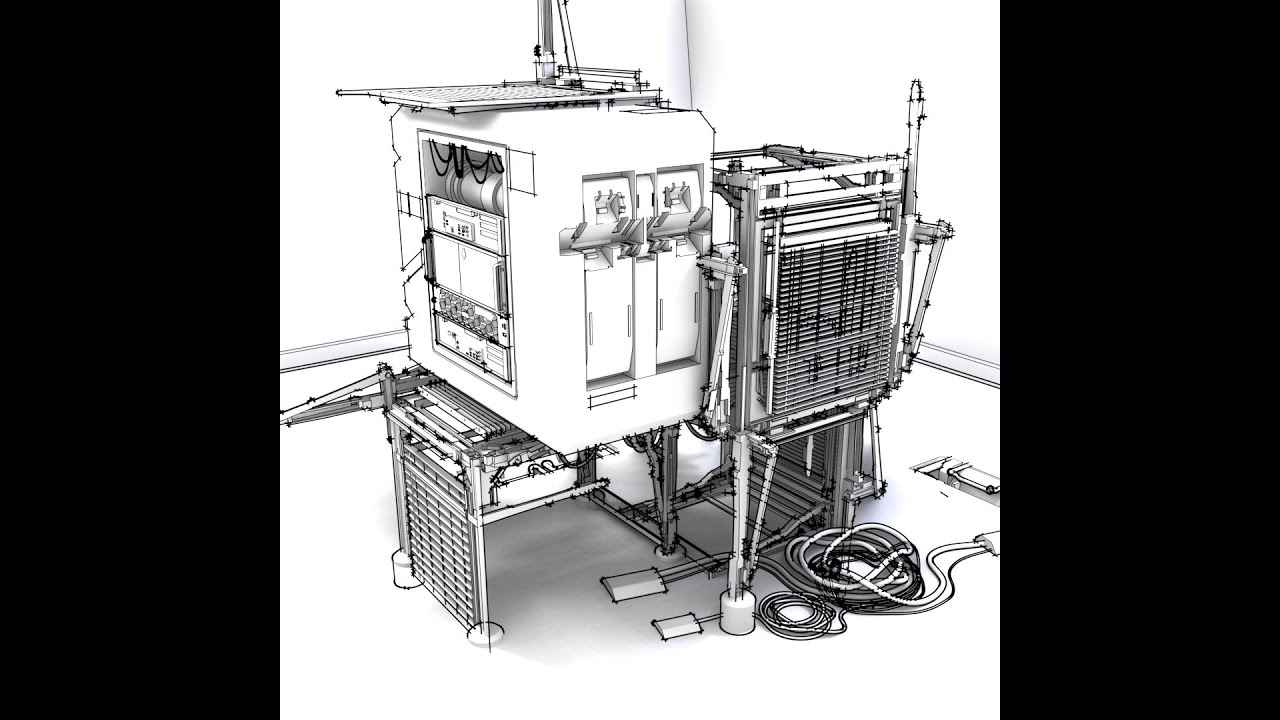
Just in case you’re interested, SKETCH STYLE 2.0 now has thumbnails which help you to select the preset you want. There are also some speed enhancements. Check it out now at
or
1 Like
Chip,
I’m not clear on the policy if we already bought the first version of Sketch Style, and want this upgrade. Please clear up, thank you.
It’s a free update. Just go to where you purchased it and download the 2.0 version!
Hi Chip,
Thank you. I installed Sketch Style 2.0. Renders well; however there is no ‘Load’ button under ‘Sketch Style Utilities’. (Blender 2.82a, Mojave 10.14.6).
1 Like
You mean this one?
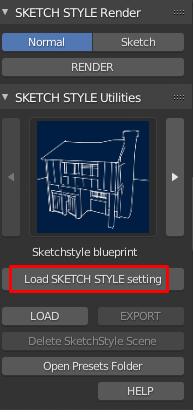
Try quitting and restarting Blender. If that doesn’t work try:
Really nice update…
1 Like
Hi Chip,
Closed, restarted Blender 2.82a (on Mac), ‘Load’ button appears; all working beautifully, renders much faster! Thank you very much!
1 Like
Hi Chipp,
Is there a way for sketch style to work with the measureit arch addon in the compositor? Right now I can have freestyle and measureit arch in the compositor for flloorplan dimensions, but it would be great to have the great renders of sketchstyle to give it an extra touch
Hi Ector3,
Sorry but as far as I know, the measureit addon doesn’t work with Freestyle-- so it can’t work on SKETCH STYLE.
Edited: I didn’t know measure-it actually DOES work with Freestyle. Thanks for sharing.
Sorry kipp I don’t know what I was thinking. The sketch style render is the render result in the compositor. I have used the freestyle output along with the measureit arch output for some nice layout. So now I can easily use sketch style along with measureit arch output as well. It works just fine already. Thanks
1 Like
Hi guys
Cant get the sketchsyle utilites to load settings. Ive adjusted line extends lineweigts etc and although when saving settings in utilities it says sucessfully saved , i can never seem to be ableto load the saved lineweights and line extends settings again?
Can anyone confirm that they area ble to do this?
Thanks
Works fine for me on 2.83.
Please check you have the latest version of SS:
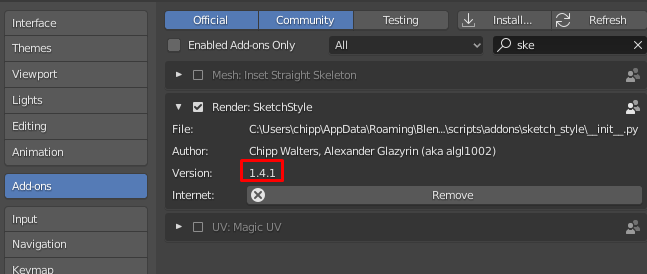
Hey @chippwalters just want to give you a heads up that Sketch Style doesn’t load the sketch styles properly if you have the addon in an alternate scripts path. This is in Blender 2.83.4 with Sketch Style 2.0.2.
edit: This fixes it for Windows, though I haven’t tested it on Linux/Mac:
edit2: None is default, not //, simplified
edit3: Even simpler
sketch_style/init.py line 35:
def getBasePath():
    p = os.path.dirname(__file__)
    p += os.sep
    return p
Thanks for the heads up. This fix will be in the next version. Much appreciated!
Hey Chip, I haven’t been keeping up with the latest developments and still have yet to dive deep into SketchStyle… Can SS render nice clean technical drawings like those found in patents?


Please advise. Thanks pal!
Yes, it uses the freestyle component of blender, which is most configurable.
Hi there! Sorry about the Reply, I can’t figure out how to make a new post on this thing. Anyway, here’s a question… I’m hoping to use your plugin to get an illustrated comic-ish style the way Zbrush has it’s NPR system. I know ZB and Blender are radically different rendering paradigms, so I’m not expecting identical results but I would like to know if I can get the dark crushed shadows like I can in Zbrush. I can’t get my lights to make a dent in your render plugin, and I’m assuming that’s by design, but I wanted to check to be sure. I’m very incompetent when it comes to technical stuff, which is why your video about plug-n-play sold me on giving it a shot. I would stick with Zbrush, but because its camera isn’t ‘real’ 3D it means the only way to get a good looking landscape is to use forced perspective and shrink things the further they are in the background. Which is not going to work for me since I need to be able to get shots from many different angles in the same area. So Blender would be ideal if I could find a way to capture that NPR sketch/ink look. Any help and tips would be greatly appreciated!

You can use a sunlight with a small angle setting to get sharp shadows
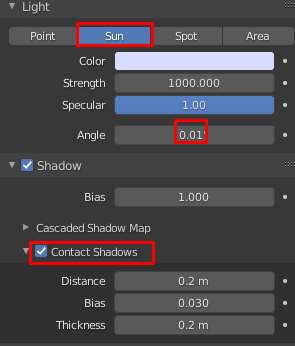
If using EEVEE turn off sharp shadows in EEVEE render settings under shadow.
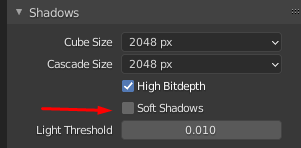
Then you can boost the EEVEE Ambient Occlusion settings
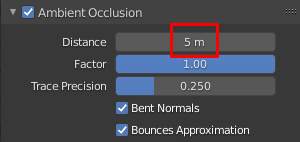
Then punch up the contrast with post render compositing by adding a Hue Saturation (to make it Black and White) and a Curves to sharpen AO and shadow. HTH
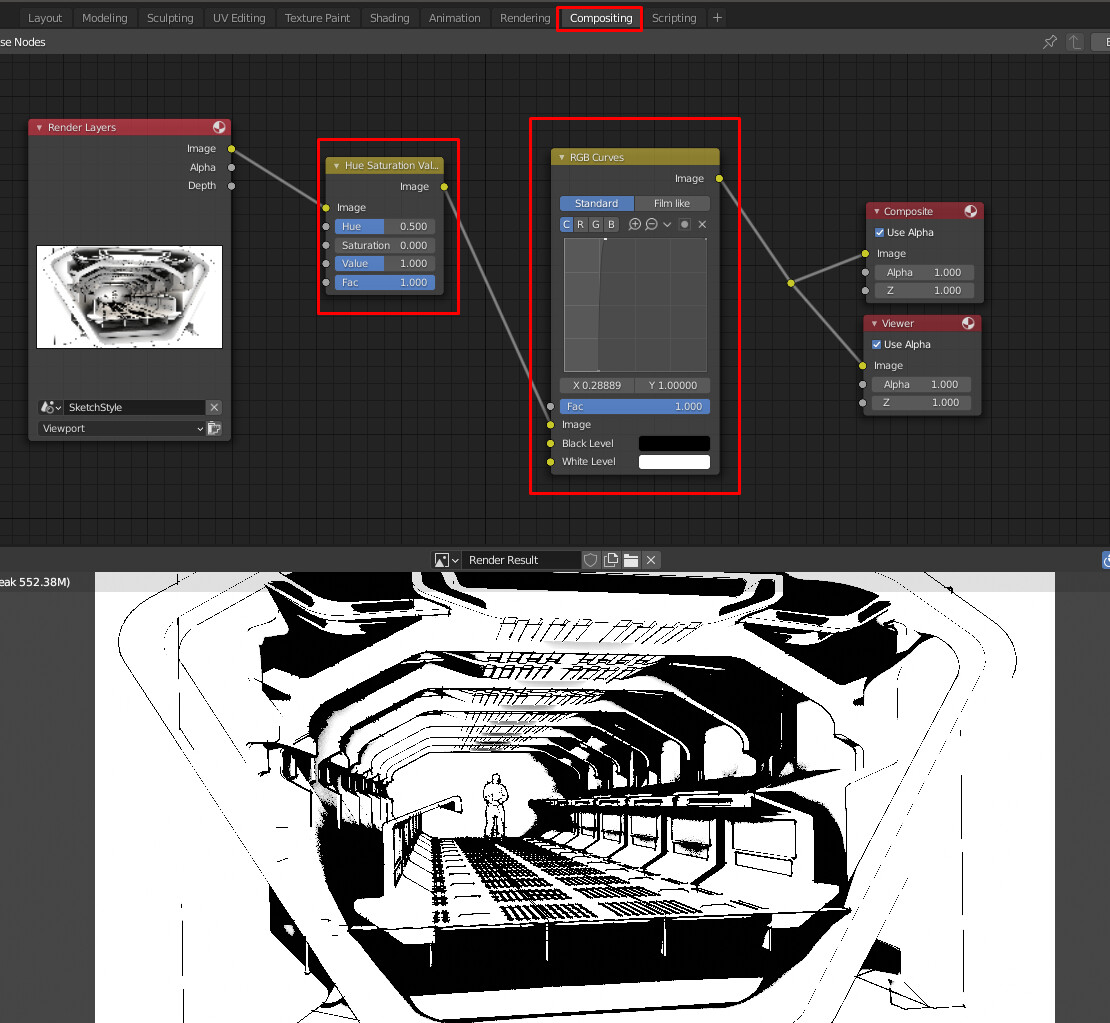
3 Likes
Wow, thanks so much for the thorough image-filled reply! I’m very inexperienced with Blender, so it took me a long time to track down how to find WHERE those menus are. But I eventually figured it out I think. Now I think I can mix this with other render passes in Photoshop to get close to what I’m going for, but I thought it couldn’t hurt to see if I can get any closer to this. I think a lot of it has to do with the lines that wrap around the front of the object. I can get some very tiny ones with Sketch Style, but making them thicker does not make MORE of them.

So like, more of whatever is making these red lines that help define the shapes inside the form. If that’s not possible to get closer to the Zbrush image I posted above, then just consider it a suggestion for a future version.
