Update:
This time there some major updates:

First the
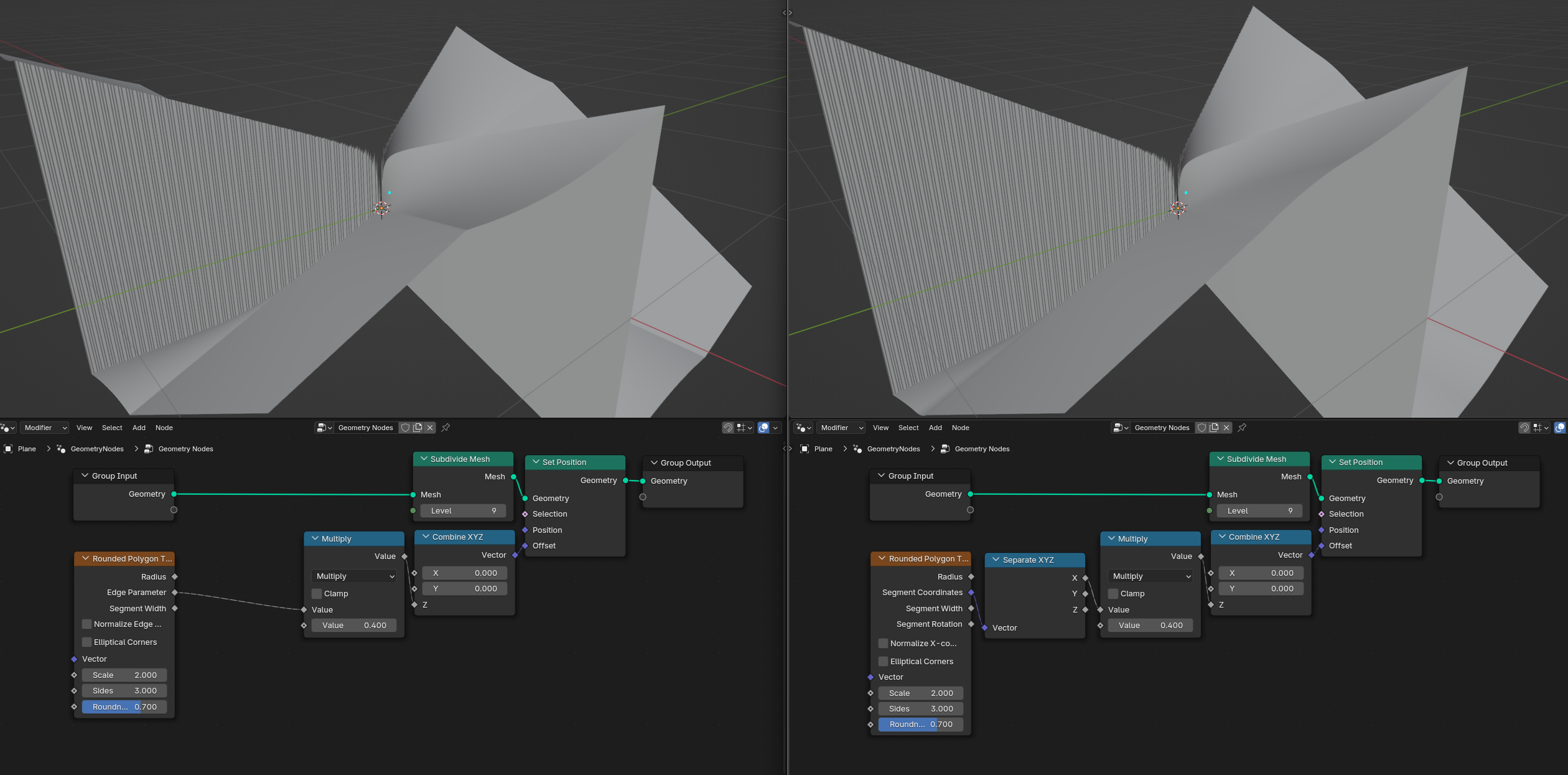
Edge Parameter output was replaced by the new Segment Coordinate output, which has the Edge Parameter output as it’s X-coordinate and the Radius output-1.0 as it’s Y-coordinate.This change was made to make radial tiling easier to set up, to access the old
Edge Parameter output just use a Separate XYZ node.Moreover the
Normalize Edge Parameter was renamed to Normalize X-coordinate to reflect that change.
Apart from that the algorithm for the Edge Parameter output (or rather the X-coordinate of the Segment Coordinate output now) got a major update.
Previously the output wasn’t differentiable at the points where the polygon started to round which lead to creases in the output. I was able to develop an algorithm that ensures that the output stays differentiable even in those points, thereby eliminating those creases in the new version.
Below is a comparison picture. Left side shows the old implementation, right side shows the new implementation.
The Max Unit Parameter output was renamed to Segment Width to give it more visual interpretation.
A new Segment Rotation output was added, which can be used to align object along a certain global direction when using radial tiling.
The Grid 2D Parallelepipedal node group was updated to a better (Prototype) Grid 2D node group. This node group isn’t actually part of the PR and as the (Prototype) in the name suggests is still far away from the planned final implementation both feature and performance wise.
Despite this it now allows for tiling without the need of repeating the node tree 4 times, which the old Grid 2D Parallelepipedal node group needed.
As an example it is now finally possible to create a procedural hexagonal tiling with just a few nodes:

For the new version I updated the demonstration .blend file and added a new example to it:
Download here: https://projects.blender.org/attachments/a9d79bdf-f24c-4f5f-80be-d0f0000bbbb2
When opened in rendered view this is what it looks like:
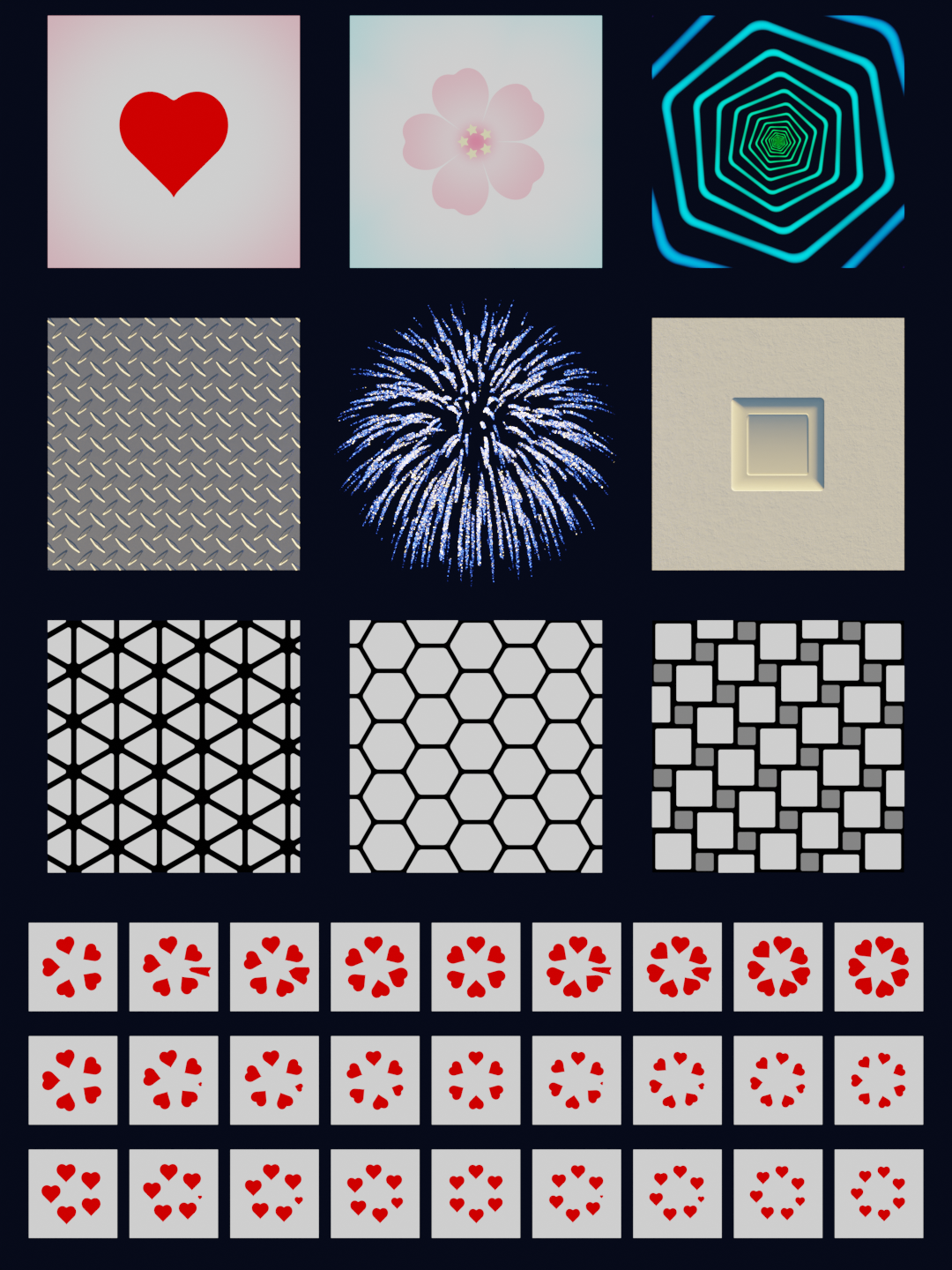
The firework in the middle is quite expensive to compute, so if you have the problem that Blender becomes unresponsive when switching to rendered view just toggle the visibility of the firework (which is the only cube object) off or alternatively switch the render engine to EEVEE.
Please make sure that you use the new patch build when opening the demonstration .blend file:
Download here: Link to Patch Build
I also updated the user documentation:
Download here: https://projects.blender.org/attachments/cdef7dd6-1825-4fbe-9a42-2f59837dde29
Lastly I noticed that very few people are looking at the demonstration .blend file and user documentation. So if possible, I would really appreciate it if you could have a quick look at them and maybe even give some feedback.
That’s all for this update, thanks for your support as always! 