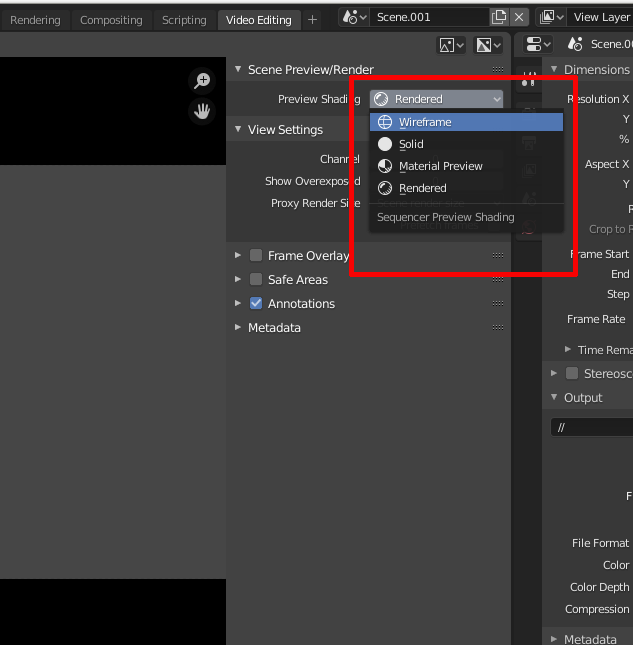
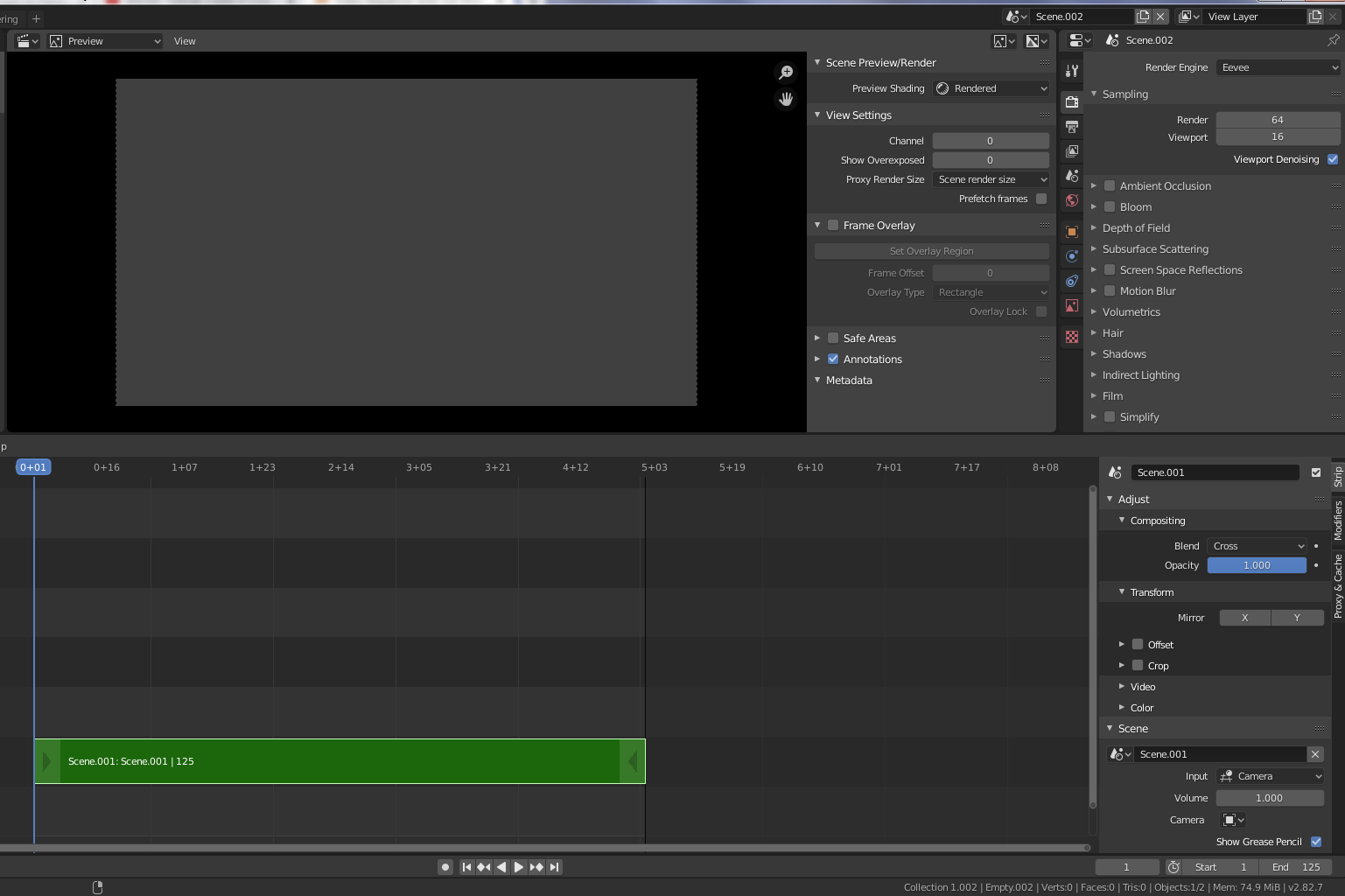
Trying to see a scene001 on the Video Sequencer but the image on it is a grey rectangle. I´m following a tutorial where Scene/Preview Render is set to “Texture” but on Blender 2.8 this option is not available.
I am not seen anything on the Video Sequencer and blocked days ago…
Yes, I was following the tutorial https://www.youtube.com/watch?v=q8idnLe6UKg&t=736s
The tutorial sets Texture on Scene PReview/Render. (I think) this option is not available on Blender 2.82
Yes, I confirm that scene001 is added to the sequencer. Finally, just today, I have take care of the camera facing the object.
The image is visible on the 3DViewPort but a grey rectangle on the Video Sequencer.
Why don’t you try it with a default scene? That way you will see it works, and how it works. I think you should not have trouble viewing the texture in the Material Preview or Rendered view.
If I follow these steps I get a default cube in the preview. It shows in solid mode.
File > New > General
Use the middle mouse button to slide the tabs at the top until you see the plus icon (+), click that, choose Video Editing > Video Editing.
Add a new scene, Full Copy.
(You should now be in Scene.001)
Down in the sequencer, Shift a > Scene > “Scene”
You should then see the cube in the preview. If you switch back to “Scene” and switch to the layout tab, you can manipulate the cube. When you switch back to “Scene.001” and switch back to the Video Editing tab. You can scrub the sequencer and you should see the changes reflected in the preview.
Perhaps it’s a version build bug. I gonna try on my side. 2.82 2.82a and 2.83
Work fine on 2.82a. Here
Overlayed text with ortho camera in called scene.
I have removed 2.82 version and reinstalled 2.82a. The bug about the abrupt closure of the application when -rendered- or -material preview- seems to be corrected.
However, the scene continues not visible on the video sequencer.
An additional detail, when I play the scene on 3DView port the video is ok (25 fps and smooth movement of the image during zooming -it is just a simple zooming over a photo-). However, when I try to play on the view sequencer the frames per second display on the left top corner says 3.15 to 3.17 fps, the image is not visible and you can see the evolution on the frame timeline not being smooth but jumping awkwardly.
Start frame is 1
End frame is 125
step 1
and frame rate 25
I suspect, but don’t know, that processing the scene through the video sequence editor may result in a lag. The original issue is still there though. Is this scene that won’t show from following the tutorial? You can get the cube to show but you cannot see the image in material preview or render preview?
Can I see the blend file? Please pack the textures using File>External Data> Pack All Into .blend
the problem with the abrupt closure returns… when executed on further trials…
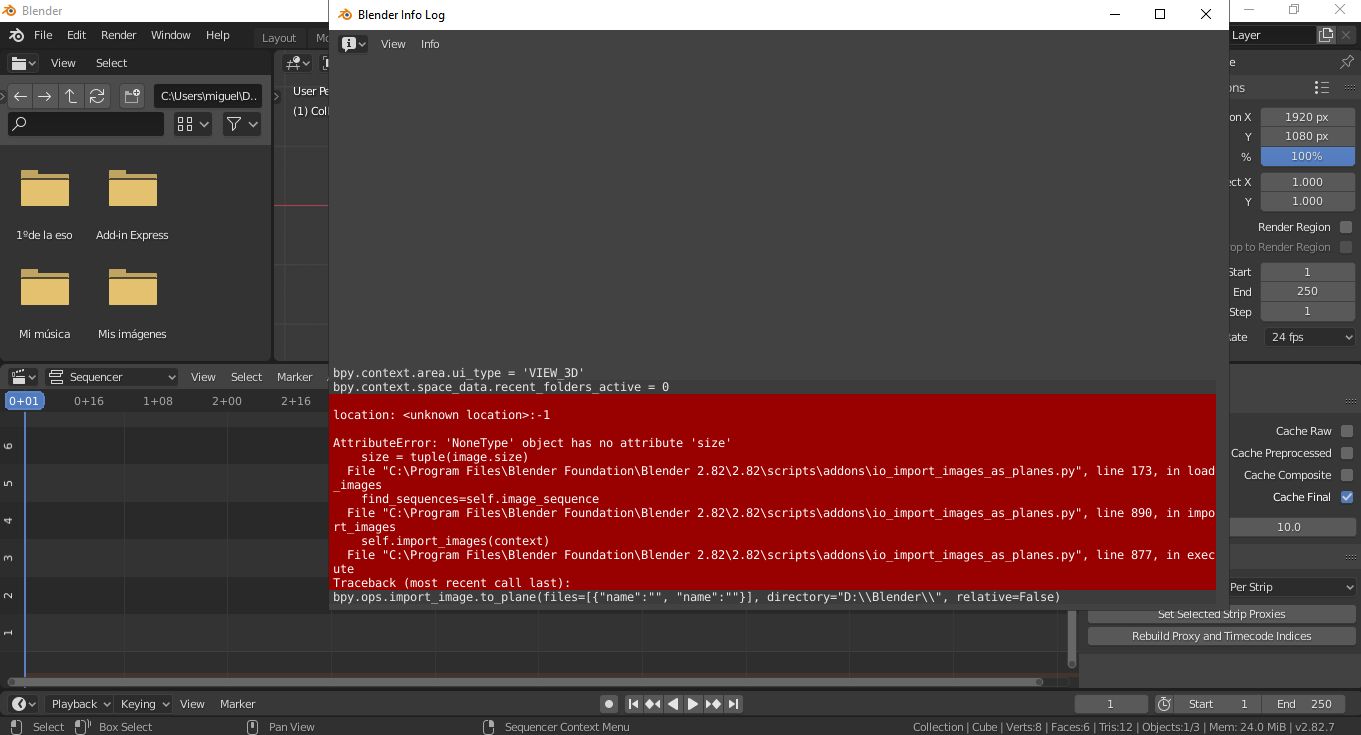
I have installed 2.82a in another computer, a laptop (i3 6100 processor, win10, 8 Gb) and… a new problem when I try to load a simple image (import as plane)… first trying with .PNG, then with .BMP… no image loaded
Blender window says
When you say installed, you used the auto-installer?
What are your graphics cards? What does it say in Edit>Preferences>System>Cycles Render Devices?
Does a console window open with blender, what does that say?
Is this an empty scene?
I’m running linux and have little experience with win 10 or, for that matter, diagnosing this kind of problem (been pretty lucky) so it would be helpful if someone else could aid here.
On which computer? laptop or other? I tried on desktop and laptop. Inestabilities on both have been found.
When you say installed, you used the auto-installer? auto-installer and portable version have been tried. Errors and inestabilities have been found on both.
What are your graphics cards? built-in on PC motherboard. NVIDIA Ge Force GT530
What does it say in Edit>Preferences>System>Cycles Render Devices? None
Does a console window open with blender, what does that say? Please, other thread on this forum (see below)
Is this an empty scene? a simple imported image is the object on the scene.
Anyway, a number of errors (lack of preview on VSE, Blender program closures, lack of image loading, etc.) on two different computers lead me to a frustrating experience. I have tried to group all the information on another thread on this forum.
I read the other post and I will reply here because the relevant information is here
Now that I am remembering correctly, I had some problems (in spite of my previous claim of being lucky) with blender 2.8 even starting when I didn’t have the correct graphics driver for my card. If you have no render device I suspect you will run into problems and you should correct that. I don’t know the details on windows but you should check out the nvidia site for a driver or see if windows provides one. I am confident that I needed a cuda driver to get mine to work on linux.
Definitely sounds like a GPU issue. Requirements to simply run Blender are met with a card like the GT530, but there are further requirements for GPU rendering which it doesn’t meet. Blender needs a card with CUDA Compute Capability of 3.0 and higher. GT530 has a Compute Capability of 2.1
There’s a list here that shows the Compute Capability of all the Nvidia cards