Hi, I’m trying to understand how to create equations in Geometry Nodes. This is supposed to generate a sine wave, but there’s no result. What is wrong? Thanks.
Welcome  …
…
well… t is no variable here; it does not change… and you are positioning the curve line to one (and only one position… you must use some “cahnging” input and maybe re-search a bit about GN fields…
You may have look at:
( or use further this awesome forum feature at the top right  Search: …
  )
)
What Okidoki said, you can use a time node to drive your curves. I have some examples at Roobol - sketchbook - #50 by roobol and Lissajous - #2 by roobol
You were almost, there.
3 mistakes.
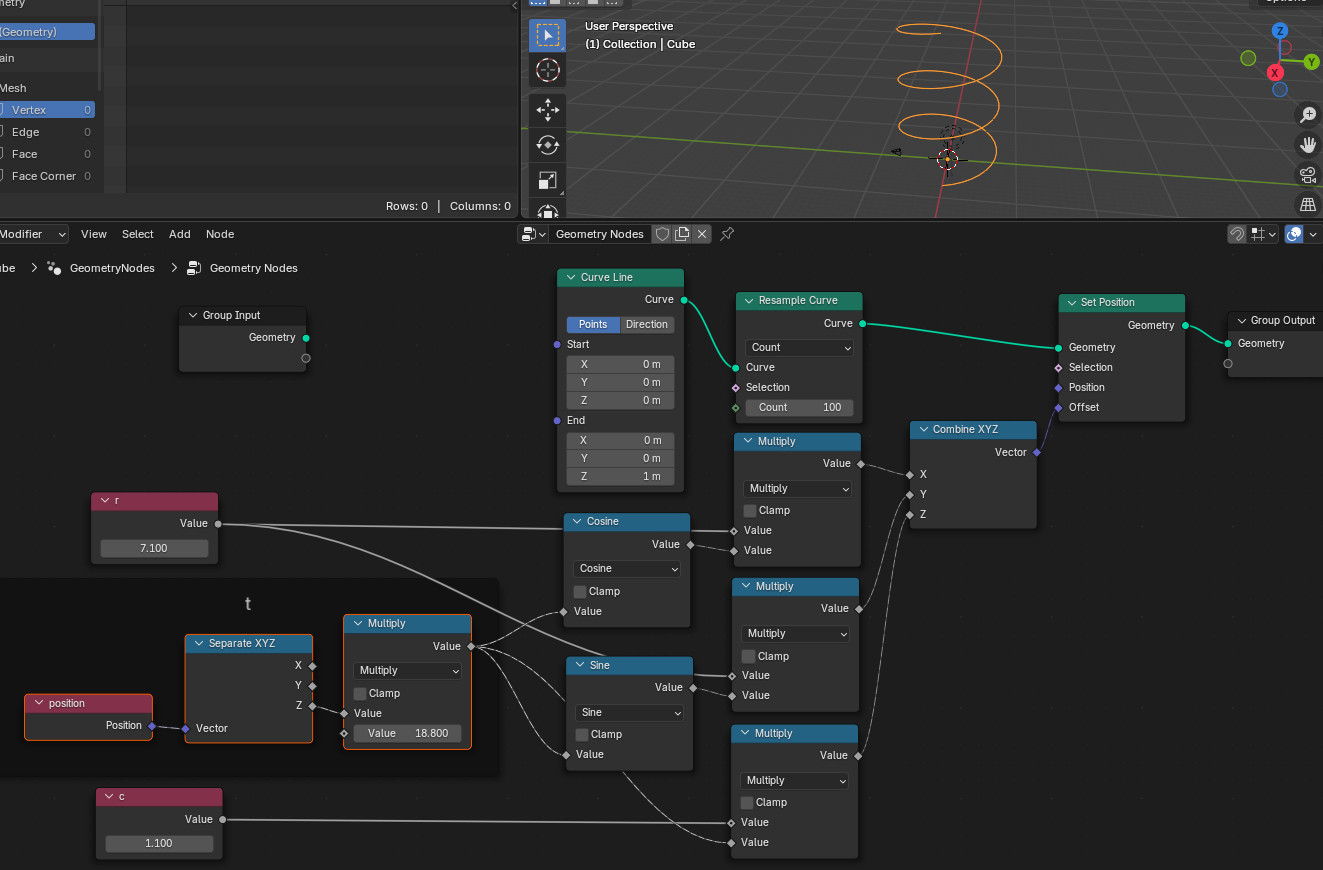
First one, curve is made of only 2 points. It does not matter how you offset those two points : result can only be a line. A Resample Curve node is necessary to increase amount of curve points to move.
Second and main one, t is a variable in equations. That means it has to correspond to a field. Here, I choose to make it corresponds to position of points according Z axis. I added a multiplier to control it better according to resolution of curve set by Resample node.
Third one, t is same variable for 3 equations. So, that is the same output of Separate XYZ node that has to be plugged everywhere.
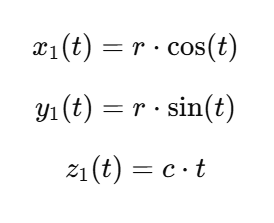
3 equations. 3 dimensions. Result is a spiral.
To have a wave, you only need 2 dimensions x1(t),z1(t) or y1(t),z1(t). Z is t multiplied. X is cosine wave relative to t or z. Y is sine wave relatively to t or z.
So, you have to unplug X or Y equation plugged into Combine XYZ node.