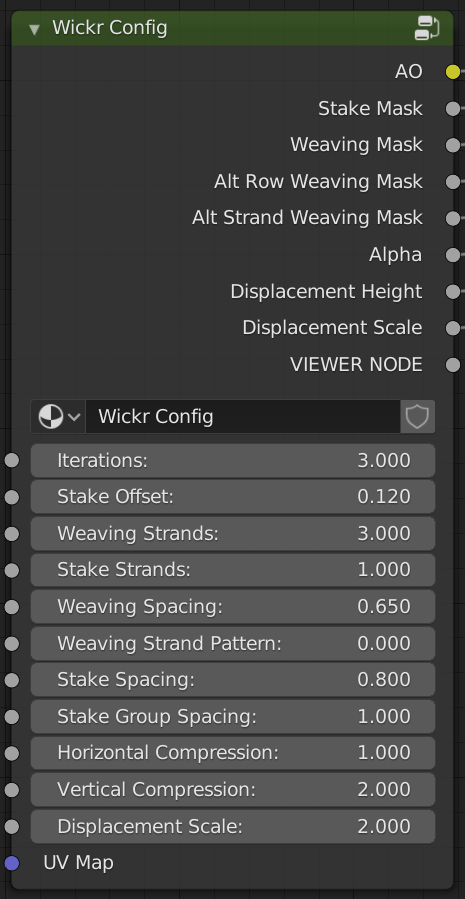
This node setup generates totally customisable wicker materials for your models. The Wickr file contains both the master material setup with everything connected as intended as well as the two node trees individually, one to configure the wicker and one to give fine control over the texturing.
You can find the file for free on Gumroad:
Or $2 on Blender Market (all of which goes to the blender fund)
The material outputs diffuse, roughness, alpha, normal and displacement maps which can be plugged into a principled shader and the displacement into the material output for a full 3D surface. You can create very complex looking models from very basic meshes in this way.
Inside the node trees looks complicated but it’s all very simple maths so easy to modify if you want to! I’ve tried to use reroutes and frames to keep things as legible as possible.
These are the two node groups that make up the configurable material
I’ve tried to include as much customisation as possible from outside the node but you may also wish to tweak the Strand Shape and Wave Shape RGB Curves that are highlighted in red inside the config node.
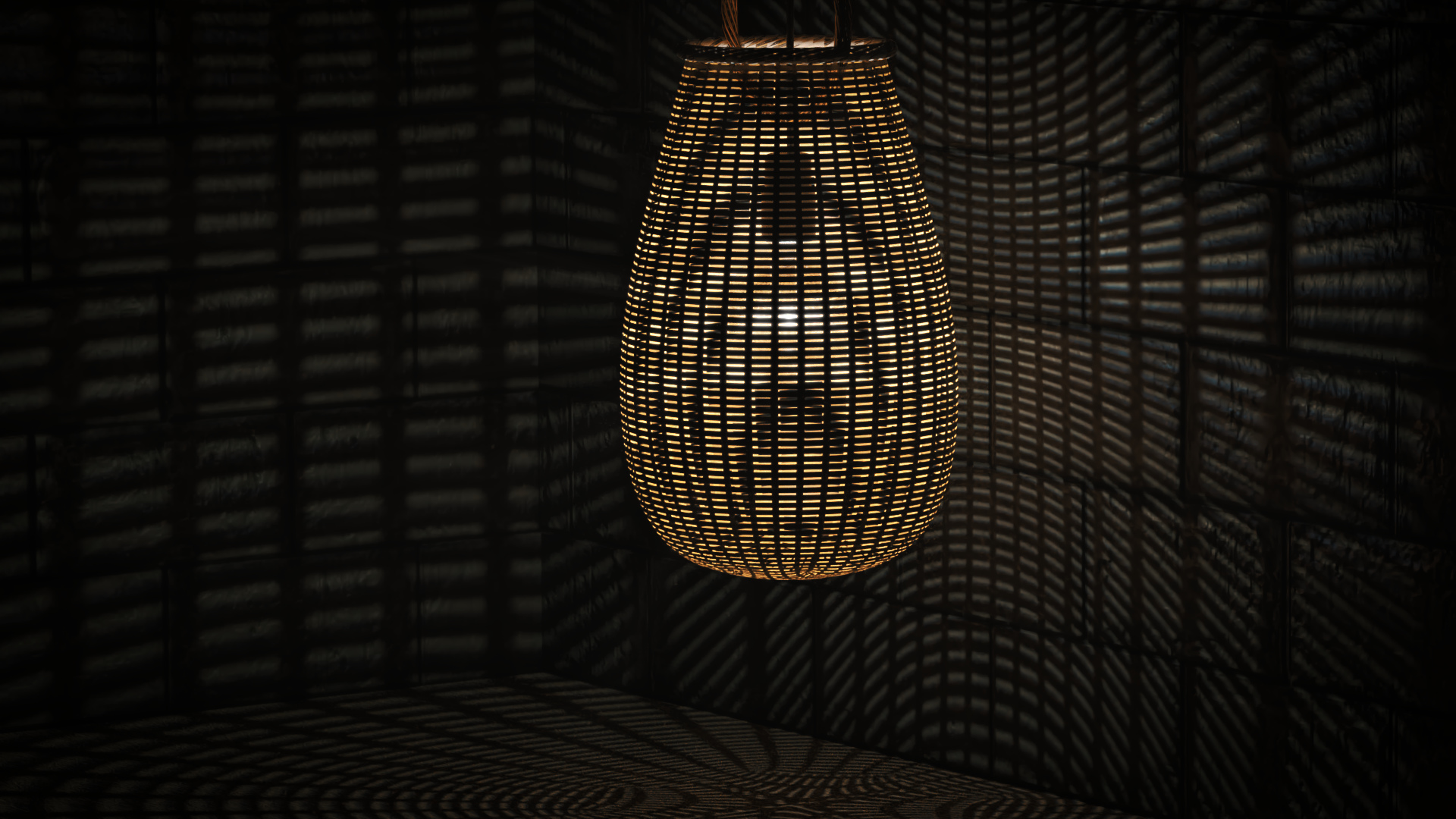
You posted it just as I finished the scene I could have used it in! As soon as I saw your post I thought you’ve got to be kidding me. I am only starting to become aware of just how much can be done with nodes.
The modeling for this actually was not difficult. This image is the only geometry I had to create for the main cone. The rest is the modifier stack. It does display if you click to enlarge.
Whaaat?! I need to get on the modifier stack! My knee jerk reaction to anything repeated is “how can I maths this?”. The nodes in blender are a great time, I definitely recommend!
What do you mean the high raised strands? Like a displacement error? If that’s the case then maybe you need to turn up the subdivisions on your subsurface modifier!
I mean that effect that horizontal strands look like planks at intersection points, because their edges continue all the way deep down to the level of main surface.
Oh I understand. Yeah it’s because I’m using displacement, not vector displacement, so I can only displace in the at a normal to the surface. No undercuts unfortunately. I still haven’t got to grips with vector displacement either so I can’t update it just yet!





 I am only starting to become aware of just how much can be done with nodes.