Is it possible to add/remove control points from Bezier Curve?
I converted plane to curve and can’t enable handles on the vertices.
I also cannot remove handles from created Bezier Curve
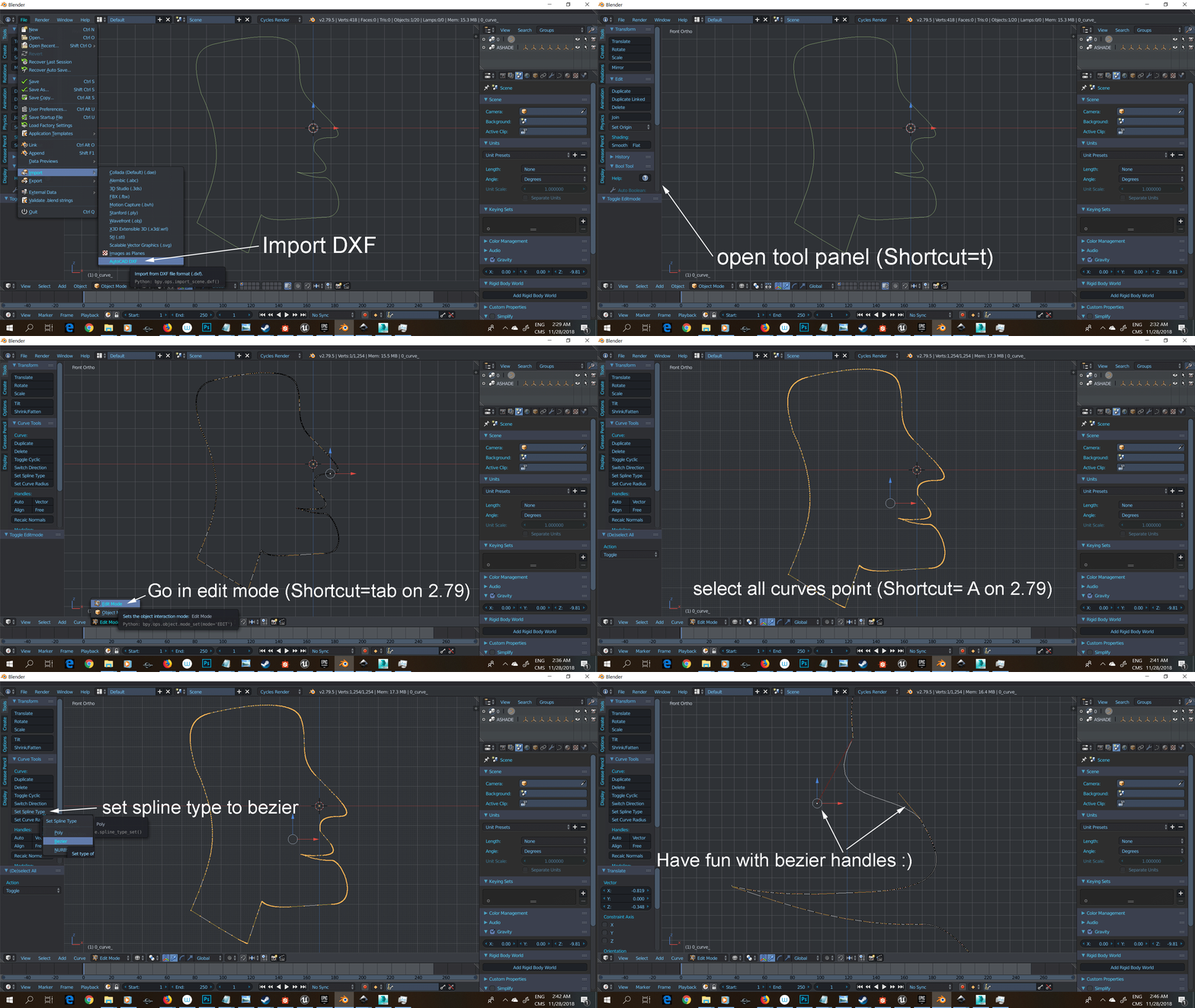
You can set the spline type. I don´t know where the button is for that in the interface but you can use the search menu (space) and enter “set spline type”. You have to be in edit mode.
After converting from mesh to curve you get a spline of the type “poly”.
Adding points to a bezier curve is a simple matter of selecting two points and subdividing ( w + s). Or select an endpoint and press “e” for extrude.
2 Likes
Hi again.
In Max I can Relax vertices with soft selection on. This will relax selected vertices and those affected by soft selection.
Is anything like that possible in Blender? I know only Smooth Vertex option but dunno how can I combine this with proportional editing…
A very simple math problem:
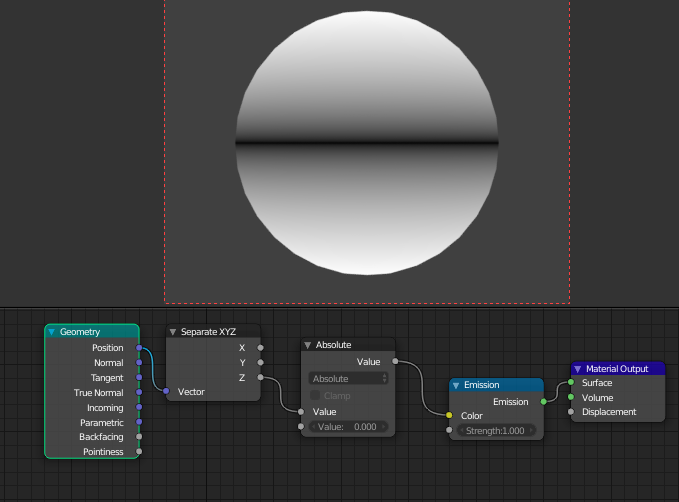
Might want to use the texture coordinates for the actual input node instead of geometry. I just picked it quickly at random to show how math nodes/absolute works(-1.0 == 1.0).
1 Like
Not sure if that’s actually what you mean but might be worth trying to select a central vertex and scale along normal with proportional on?
Interesting trick, but it’s not the same. What I mean:
Take a sphere, select a group of vertices and apply Smooth Vertex with 20 iterations on them. You will get group of relaxed vertices and hard transition between those relaxed and not-relaxed verts. In Max you just turn on “soft-selection” which is equivalent of proportional editing in Blender, and you get nice smooth transition between smoothed and not smoothed verts.
So you mean using the relax modifier together with soft selection? In that case I guess within max the soft selection probably dynamically creates a vertex group or how ever it might be called in 3DS again(I haven’t used it in about 10 years now) that then controls the relax modifier if that makes sense. This would mean that for a similar effect you would have to approach it a bit more manually in blender since the modifiers work in a different paradigm in blender.
I haven’t checked yet but it might be interesting to see if 2.80 might handle this a bit different now that there will be the active tools concept in blender. Hmm…
edit: yeah, no. 2.80 is no different in this. Far as I can tell you can’t do exactly what you want in blender. At least right now. Might be a fitting thing for a feature request tho.
Check out https://blender.community/c/rightclickselect/
It’s a site that I can’t visit(doesn’t work for me - never has. Should work for you tho assuming your web browser isn’t as heavily modded as mine is for an obnoxious level of security) but that seems to be where most people are making feature requests/proposals.
- Blender has nothing like Edit Poly. You can only duplicate the object and hide it in reserve.
- For Bezier. Select segment > W > Subdivide.
X for delete.
Search “Set Spline Type” and hotkey V for Set Handle Type. - Soft selection Relax. There is no such. Only Smooth in Sculpt Mode works in a similar way.
sorry for my English
ok thanks guys, I still like Blender a lot, even if it hasn’t same functionality as Max but it has some features that Max doesn’t. and it’s free 
I’m really fed up with those greedy corporations like Adobe (I hope GIMP will kick Photoshop’s butt soon) and Autodesk, not only their software is overpriced but now all this stupidity with monthly/annually payments. Plus all “spying” or so called “data collection” they do on you. Not to mention how many times Max crushes, how heavy it is, 3dsMax uses 7gb on disk and Blender uses only 300mb and it starts about 2 seconds. I hope Blender will cause a lot of pain for Autodesk soon. Maybe they will even lower prices but now I really don’t care 
1 Like
to relax a soft selection, you can add a vertex group and/or paint weight them, then use a smooth modifier with group enable.
not as practical as max, but it work
personnaly i use sculpt mode
You can do a similar thing with the lattice modifier. You have a base mesh with appropriate subdivision. Then you create a new mesh or a lattice to wrap around the base mesh create a modifier on the base mesh to use a lattice. Then add your subdiv modifier to the base mesh afterwards.
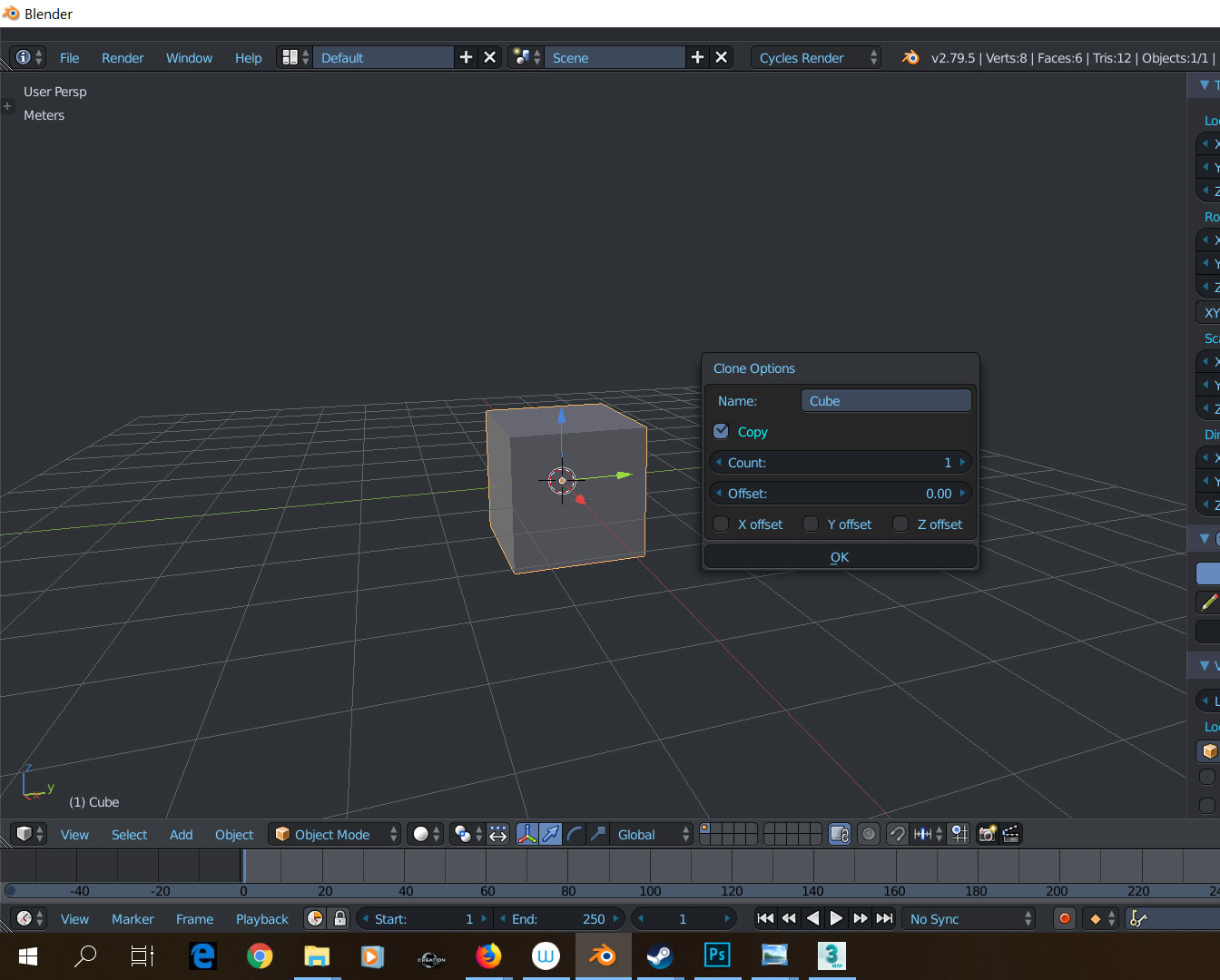
In 3dMax I can drag object with Shift to duplicate it and set for example 5 instances of it or 5 copies (it works like fast Array). In Blender I know only Array modifier but I don’t know how can I use it to make separate objects or instances. Anyone?
The way I do it is to make one copy (or instance) and then just hold SHIFT+R which is repeat last action and it quickly makes many copies. If I need many copies I use array modifier.
1 Like
Just use the Bmax addon since i ask about that neat little feature in max and the author made it the same day. He made a bunch of other useful tools like in 3ds max but for now they only work with 2.79.
Here the addon forum link ; BMax Tools or how I left 3ds Max :)
nice addon, one month ago I would go for it, but now I will stick with Blender way of doing things since 2.8 is more like 3dsMax by default. I think this is better than relaying on addons forever. I think shift+D and shift+R is close enough to Max shift+drag object.
ps.
I was using Max since 2001 
Just a note: shift+D is a copy (new mesh) and alt+D is instance (sharing same mesh structure)
2 Likes
Vray Area Light has “Directional”, I think Corona has it too. It might be pretty usefull. Is there anything like that in Blender?
It works like: 0 - emit light in all directoins, 1- fully directional, and you can adjust this parameter.
Area lamps emit light in one direction only (so just use two if you need light on both sides). If you’re using emission on geometry it emits in all directions. If you want to limit it to one side, just use the geometry node - backfacing plugged to the strength input of emission node. This gives you 0 for the back side and 1 for the front side which you can then multiply to get higer values.
1 Like
It’s not what I asked about, but thanks.
Area lamps emit light in 180 degree area, you have soft shadows. In Vray when you have Directional 0 it works exactly like Area Lamp in Blender, when you set Directional to 1 you get sharp shadows like from direct light. Obviously you can set Directional to values like 0,5…