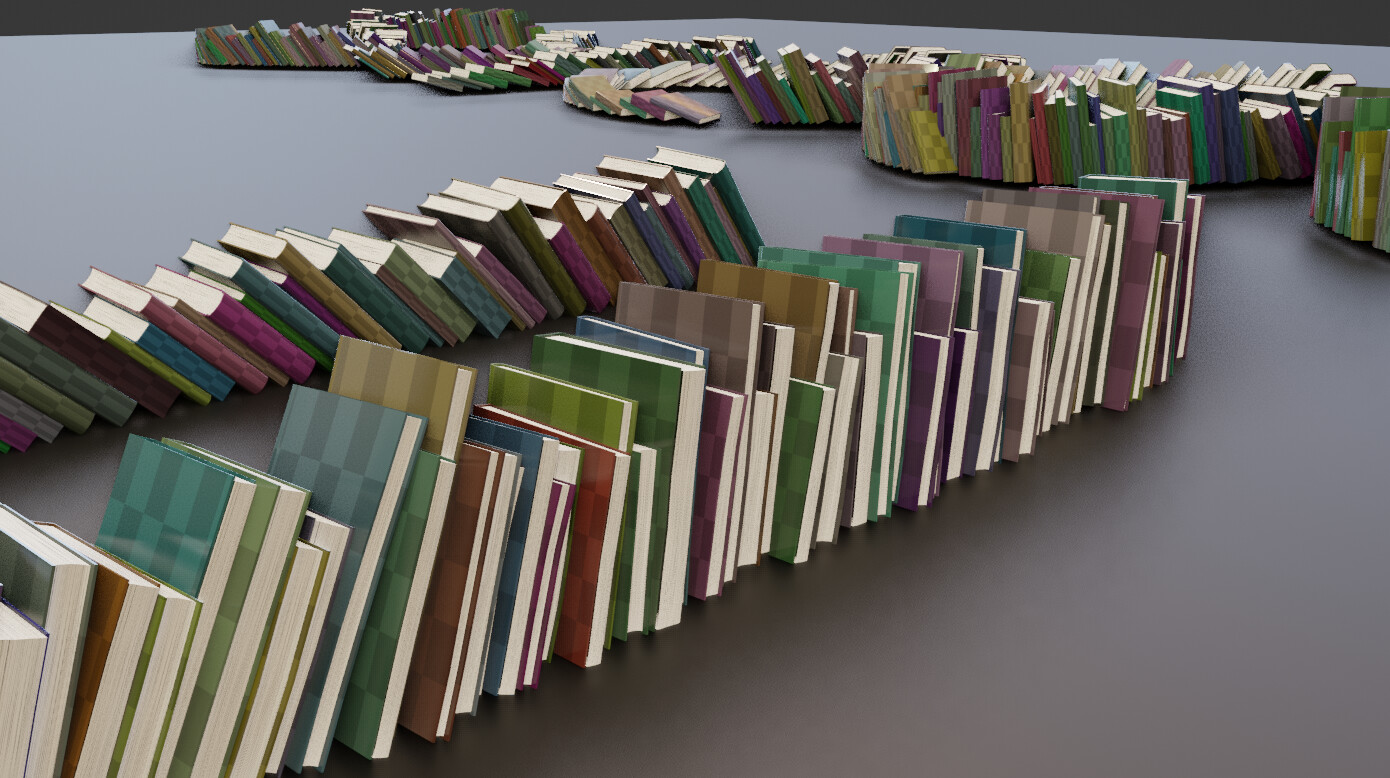
Arrays of books! (Geometry nodes)

Hello !

I needed a little break from my procedural buildings , so after seeing an amazing talk by Anastasia Opara I tried to reproduce her book generator in blender (toward 26mn in the talk) :
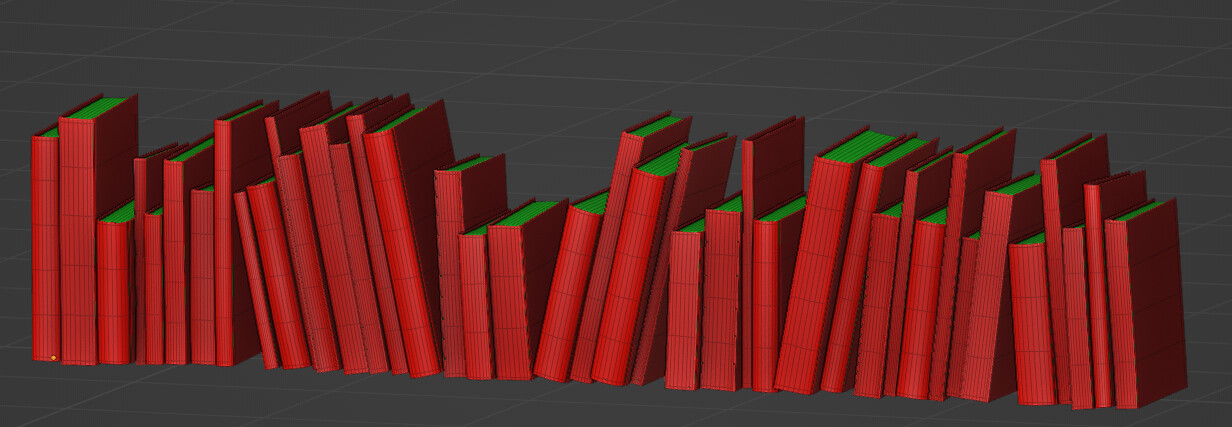
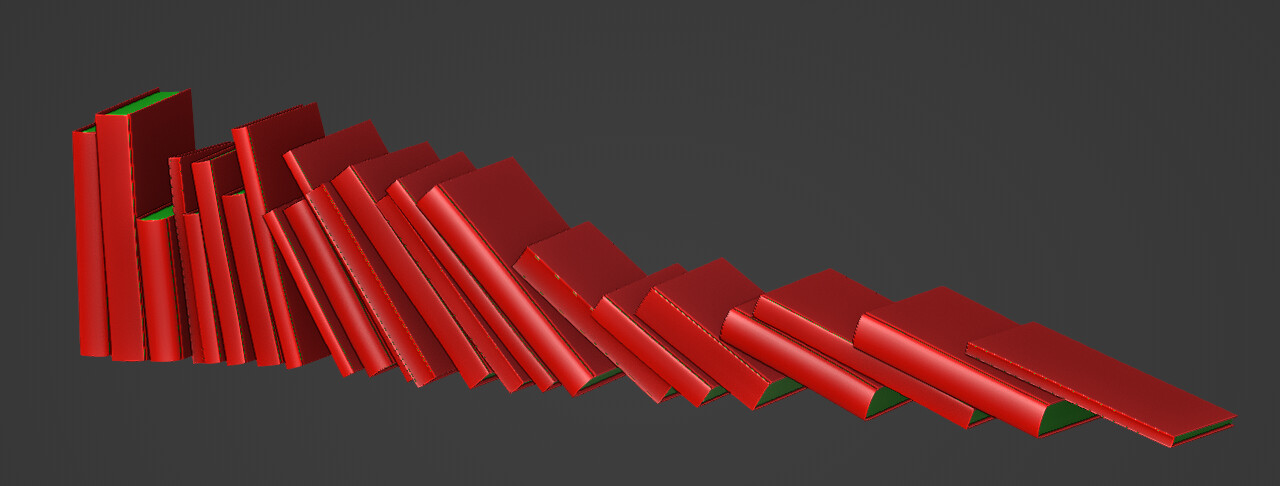
I didn’t think it would be that much complicated, but eventually I figured out a way of doing it…
Mainly because there is no loop in geometry nodes yet, I find that it was hard to replicate exactly how she did it. So I find my own way in the end.

For those interested here is a short description of the method :

I start by generating some points and some random values for scale and rotation.
At this stage what I get is something like that :
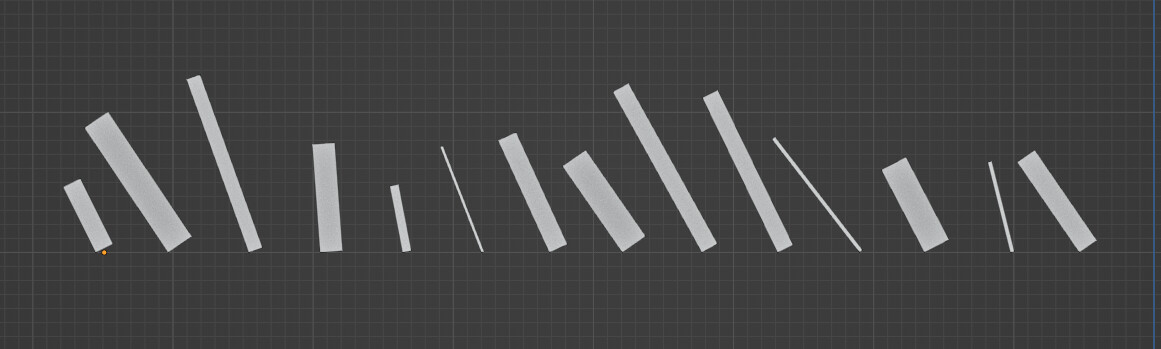
The cubes are instanced on points and scaled / rotated according to the random values.
Then comes the tricky part, it’s basically a lot of vector operations based on these random values.
The basic idea is to do all the calculations beforehand , to know the exact position of the book according to their rotation and scale, and when I get these value I can instance object or do some modeling based on that.

The first step was to get these vectors :
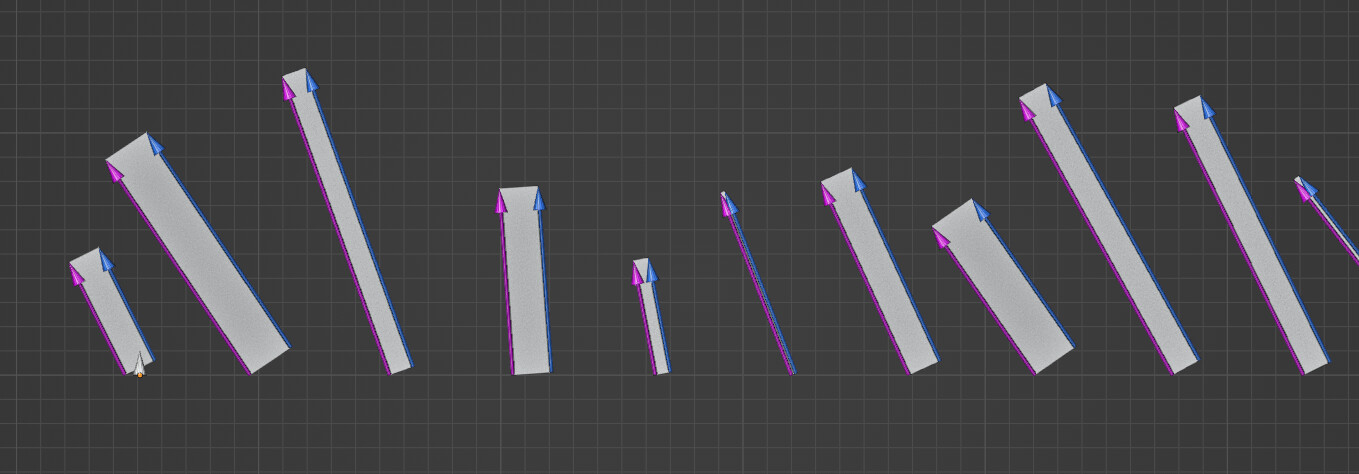

It’s not taken from the geometry, but by taking the random values and do some math operation . Like taking the Z random scale and use rotate vector on that according to the random rotate value (that will give the purple lines).
At some point I had to make a group that help me visualize these values, forming these colored arrows.

Then comes the most difficult part, using previous vectors I look for these ones :
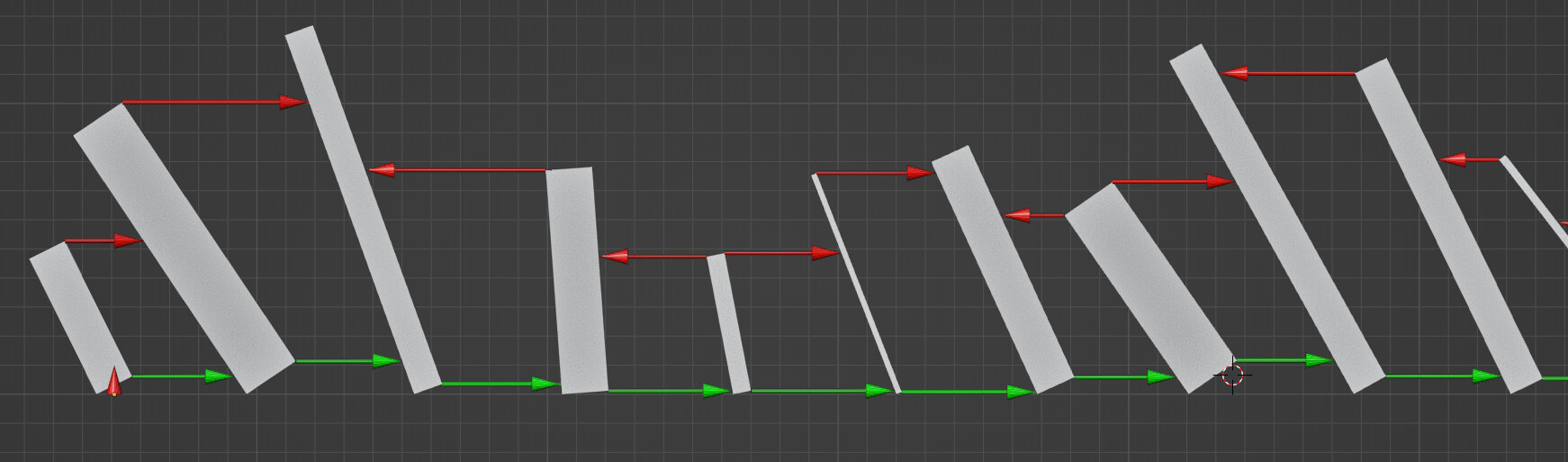

That’s basically the contact points between two books.
I used the Field at Index node to inspect the next “book” .
You can see that the red arrow change direction depending if one book is next to a bigger book.
The direction isn’t relevant, but I needed to find the upmost corner of the smallest book between two books and point toward the biggest.
To give these arrows the right length I needed a way to get the intersection point between two lines , because at this stage there isn’t any geometry to do some raycast .
I looked up for finding the interesection point of two segments in 3D.
And I ended up translating this code into geometry nodes.
Then I find the intersection point of the red arrows with the purple or blue lines in the previous capture.

Once that was done, the last step is to take the shortest line between the red and the green , and substract that from the original positions :
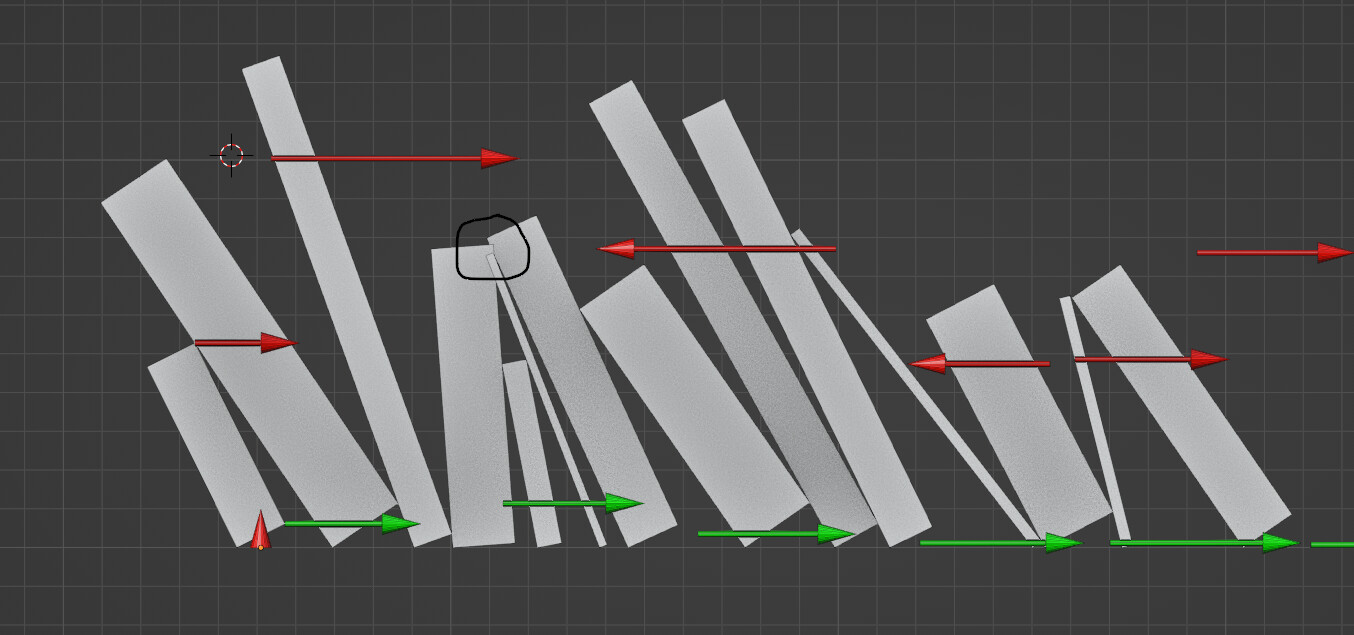

And all the books will stack between each-other \o/ !

There is still some way to make that fail, there are some intersection in the black circle because it only take into account the closest books, but if there isn’t too much variations in size it will work !

At this stage I could then build the books.

The good thing in having only fields and do all the calculation beforehand, is that I can model the books straight , witch is much simpler, and rotate them in a last step :
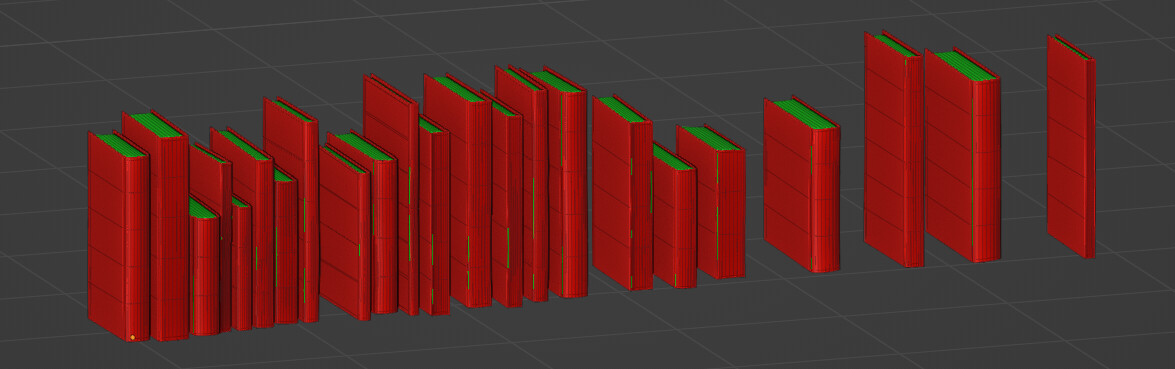

because rotation and center points are stored in the geometry as attributes, I can always access them down the line and use them when I want…
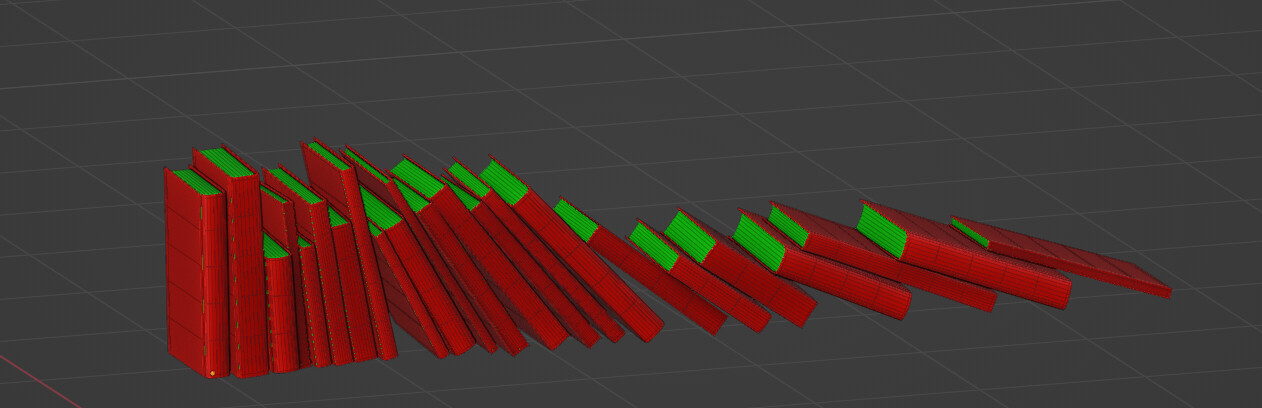
I think it’s the most involved thing I’ve done in GN yet, despite the visual simplicity of the result.
I’ve learned a lot in the process !
I hope at some point doing things like that could be less involved, on a production I would have probably gave up and used a more manual approach which would have been faster, unless there are really a huge amount of books and client would be phobic of repetition patterns.

I’ll see if I can build a bit more on that now that the difficult part is figured out…

If someone look into it I would be really glad to know of other ways of doing it (hopefully simpler) that would allow these kinds of rotation / distribution !
Thanks !

34 Likes

Clearly black magic! :slight_smile:

On second thought, would it be possible to use a accumulate node, instance the books, randomly rotated as in your way, but using their bounding boxes for calculating the distance between books, then rotate the whole stack?

1 Like

Something like:

  • if the “previous book of the stack” angle is > than “this book”, then transform this book location by “that book” bounding box length (moving it closer to that one on z axis of the accumulated “tower”; )
  • if the “previous book of the stack” angle is < than “this book”, then transform this book location by “this book” bounding box length instead; (as above)

[edit] it wouldn’t work probably if the previous book was taller than the next, damn.

1 Like

It’s not that easy, especially because there isn’t rotation on the bounding boxes and you can’t get them from instances, so seems likes a dead end, but it could have helped to simplify getting the initial distances.
I also used accumulate fields in some places, especially to get the accumulated rotations, so it gives the feeling that the books slipped toward the end of the array.

1 Like

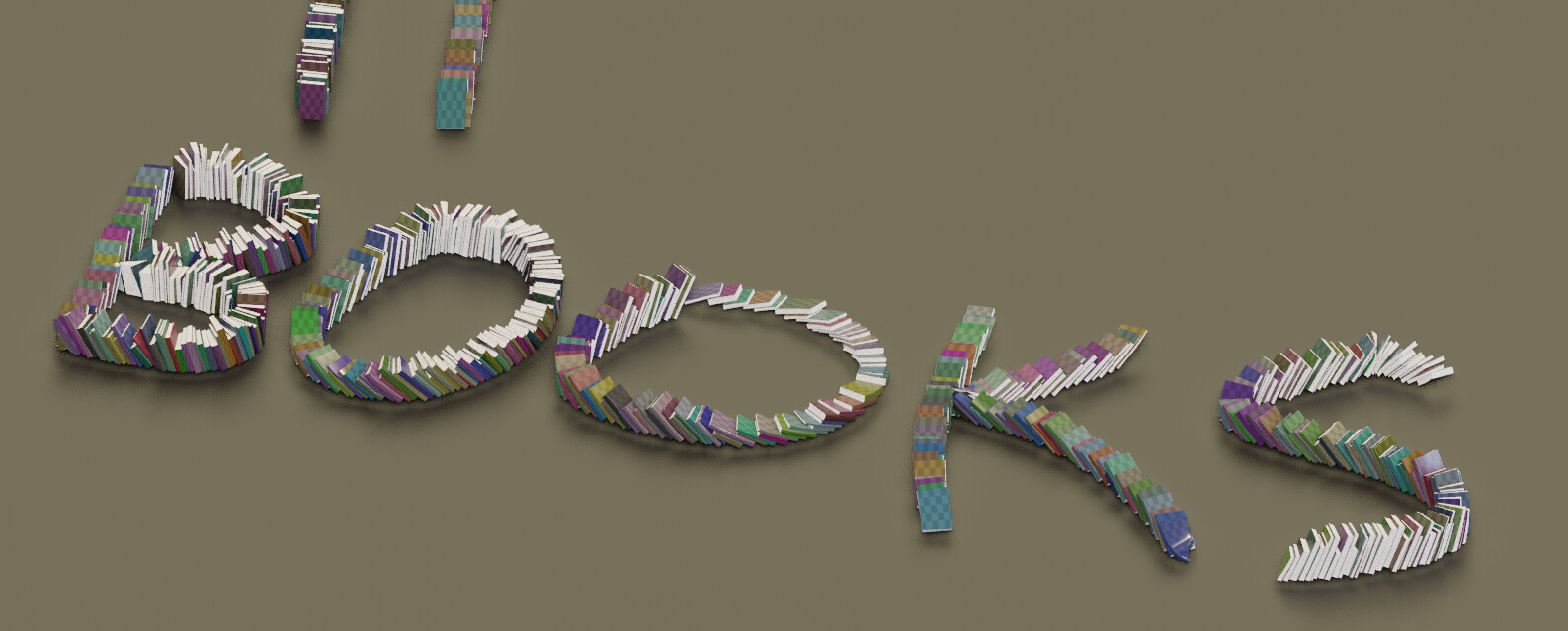
A small updates, now with UVs and curve deform inside geometry nodes.
The only modifier used so far is an temporary edge split to get a better shading.


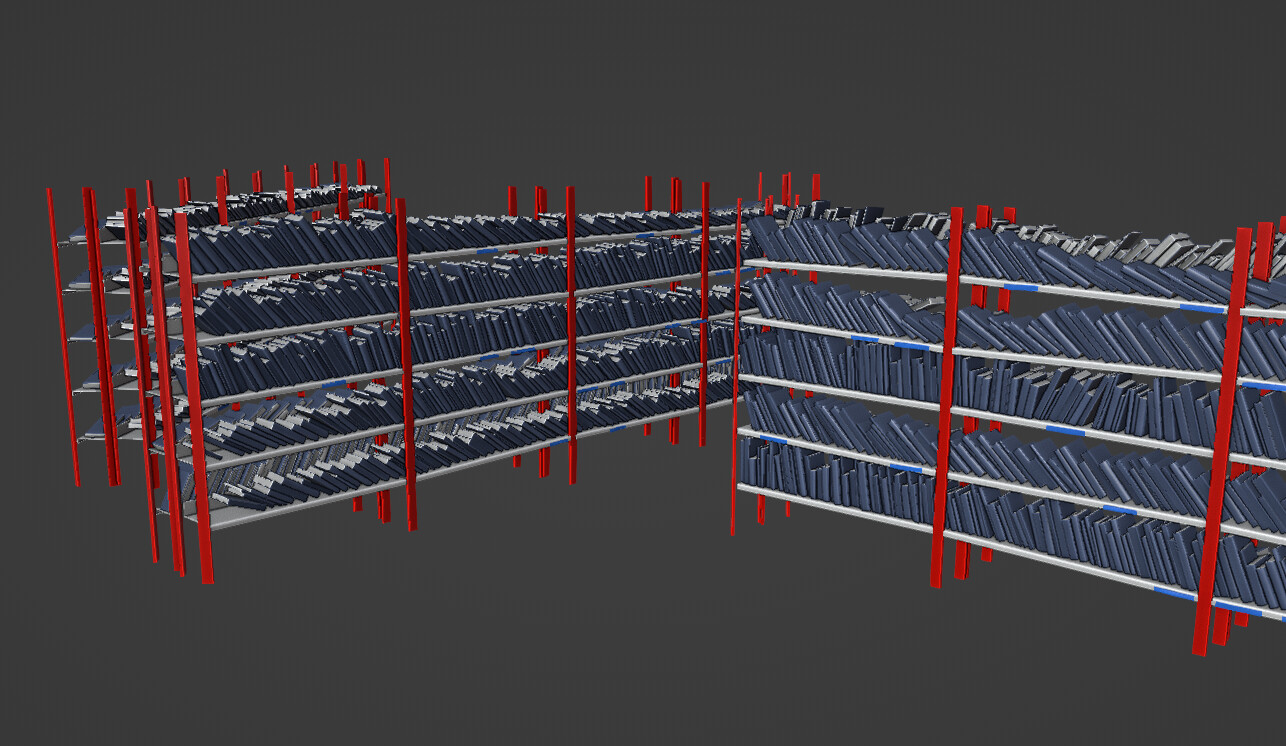
I’ll probably look into generating some shelves and put the books inside… At least it should work nicely with that.

The funny thing (at least to me) is that generating the books is quite fast, like ~500 ms for the image above with 920 individual books, no instancing, 455 000 Tris. And adding a bevel or edge split modifier after that seems like at least 2/3 times longer…
Even if that’s understandable I wouldn’t have though that in the first place… Geometry nodes never cease to impress me !

10 Likes

Very cool work!
While it uses recursion, so it won’t work well in Geometry Nodes, you are welcome to use my bookshelf generating code to make bookshelves. Crazy Procgen Bookshelf Script
Or you may draw inspiration, just as you have given inspiration!

Hey ! Thanks !
I already started looking into something a bit simpler / boring , I’ll try to push the details on the model and try to make huge rows of shelves.

But I’ll take a look at your script, that’s something definitively useful to do and as a lot of applications.
This post just came out, that’s along the same lines :

It uses recursion too, but, as long as it’s not too slow to compute :slight_smile:

I’m really looking forward to look into these kind of base pattern and test different applications, so I’ll
take look as much approach as I can for inspirations !

Thanks for sharing !

5 Likes

Your work is really inspiring. You’re a blender ROCK STAR dude!!!

2 Likes

Hello!

@sozap I’ve been working to replicate the same effect almost succeding, your post has helped me a lot, thank you. As you can see in the image my books do lean correctly between each other but I’m missing two things.

1- I’ve have’nt been able to adapt to a curve the whole group of books, I know how to deform a mesh using the curve’s normals but I’m not sure if I should deform the points to the curve before the instancing or afterwards.

2- Right now I’m using a random value for the lean angle but how do I get the effect in which books look like the have fallen like a domino? Even if its a random value it looks too regular

thank you

2 Likes

Hello !

Cool !! It’s a fun exercise, I think if I had to start over I would go for a much simpler approach using loops but at least my take might be a bit faster …

So for your first question : you can’t deform instances so either you use instances and stick them to the curve which should be fine but depending on the curve you might run into weird mesh intersections…
Or you do like I did, you take the mesh (with instances realized) and do a curve deform basically… Obviously the books are a bit stretched the less straight the curve is… but it’s probably going to be fine !

And for your questions 2 : it’s pretty simple , you just accumulate a random rotation in one side so the books get more and more oriented toward the ground…

Have fun !

Hello,
Thanks so much for this!
I have been gone from blender for about 7 years, decided to get back into blender.
Like you, wanted to do something different, saw this new geometry nodes way of modeling. Spent the last week trying to find anything I can to learn it. It’s been fun. Only have done tutorials, nothing project wise yet.
But I do have something in mind. And this book node was what I was looking for.
My inspiration was these two images:

and

Anything else you care to share on this project or tips for a beginner learning geo nodes would be great.

@dudecon…thanks for the script…will have to check it out.

Well, back at it.
Thanks again!

1 Like

Hi there !

Thanks for your message, I suggest you check my other geometry nodes projects on blenderartists ( you can access them through my portfolio) , and if you are really eager to learn take the time to read all the posts and follow the links I mention.
How to learn GN is a recurring subject and I have made a few post about how I would suggest to do so…

As for this project, like all the breakdown I did it doesn’t give you a step by step approach but you should be able to take inspiration from that or that could give you a starting point.
If after reading carefully everything and looked at external resources I mentioned it’s still not clear, that’s just a good sign that this project is a bit too complicated yet for you. You need to study more fundamental knowledge and try simpler stuff for now. More about that on my other thread/posts…

That said, keep in mind that there isn’t one way of doing things, so at some point you could try to solve that problem in a different way , with different GN tools ! At that time this was the best approach I could find, but given the complexity I’m not sure I would recommend that … But it was a very interesting learning experience anyway…

have fun !

3 Likes

Thank you
Looks like I am on the right track, doing what you said.
I will check out your portfolio sometime today!
Beginning to understand that there isn’t one way of doing things, but that’s 3D :wink:

I’m waiting for a new book to be released in November,
Procedural 3D Modeling Using Geometry Nodes in Blender: Discover the node-based workflow for physics-based and procedural modeling using Blender 4.2 by Siemen Lens. From packt.

Thanks again for the tips.

1 Like

Well, that book seems interesting, in the meantime I would recommend Erindale’s workshop :
https://canopy.games/product/bcs-geometry-nodes-for-blender-4-4/?v=82a9e4d26595

There is probably a lot of good learning material in the blender cloud…

At least Erindale and Simmon Thommes are part of the top blender geometry node users and they are great educators too… it’s always good to learn from the bests !

Well that looks interesting also.
Found this in google search:

https://www.udemy.com/course/geometry-nodes-for-blender/?srsltid=AfmBOopqNCog8dDWhfccYZjWr7jCoKu-uDIfhtEpvYi7MltiyfMMPqd9

I wonder if this covers the whole book or just a portion?
Thanks again sozap :+1:

1 Like

Well, I can’t say for sure, but given their planning it already covers a lot !
But keep in mind, like all the workshop it can’t explain everything, so it’s a good start to get basics but eventually you might want more advanced stuff or maybe you’ll be able to manage all by yourself !