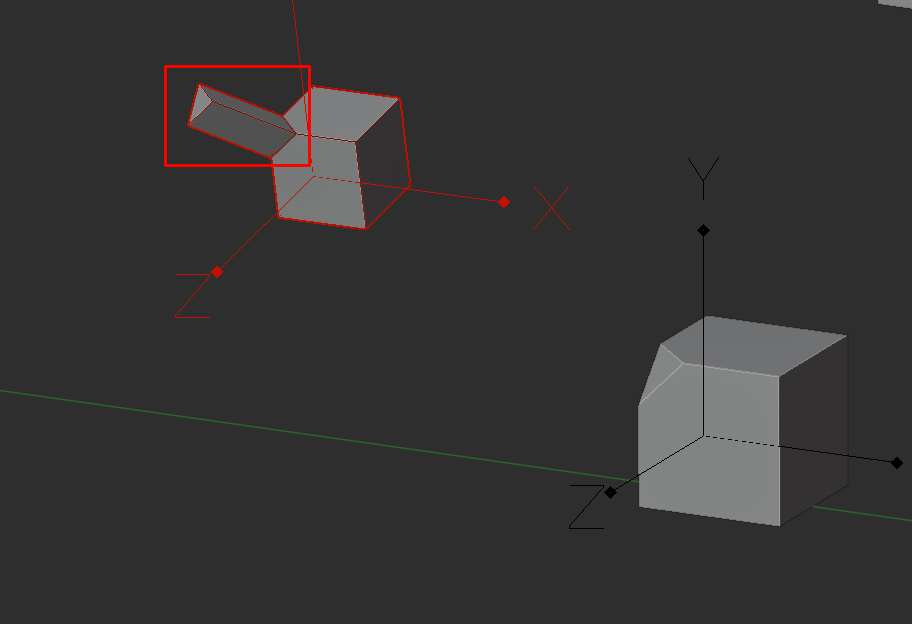
Can’t you select both (all) boolean objects, go into edit mode, select the faces you need and then hit the hotkey for Cursor Fit & Align? It works with multiple faces.
Yes, it’s another solution.
Drawbacks are: you have to unhide all the booleans, find/select proper polygons… In some heavy -bool models it could be problematic and time consuming. Plus if in the mod stack some deforming modifiers below bool-mods you can’t use initial geo.
Couple of questions:
So you are thinking something like
- Activating the tool would:
This enables the modifiers to be visible and editable in edit mode - Select faces
- Cursor fit and align
- Toggle visibility state back to how it was using the tool
Because can you actually pick faces in object mode for a tool to begin with? Or would it be very hacky?
Then again apply all modifiers before picking faces may take some time to compute, but this may also apply for showing all boolean objects of the scene gets heavy. At least it doesn’t require much computing so it should be faster for visibility only. Also, would you even want all boolean objects to show? Or how would you decide which ones should and which ones shouldn’t? And what if the boolean objects are in wire display?
Don’t get me wrong, I like the idea, but not sure what would be the best approach here.
It’s simpler. Look at this (default Blender keymap):
How it works(all in object mode):
- hold D key to activate the tool
- select 1 face, hold A key and select 2nd face (still holding D)
- unhold D key to deactivate the tool and place 3D cursor
1 Like
Two things:
-
Anyone knows a quick align tool that does along object A to object B in all transforms based on world coordinates? (The way I do it now is to parent A to B with invert transformation and then unparent it.
-
When Joining to object meshes I found that it works like that A joins B, except when B contains no mesh data (all delete), then it works the opposite way. Kind of confusing or?
you can do this with hardops with the set origin tool
Not entirely sure I understand what you want to accomplish, but if you want the Origin of Object A be the same as Object B, that would be “Align Origin to Selected”, if it wasn’t bugged ;D
(fixed, next release)
No I want to align an object to another object …
Also just curious: I had import of edge crease working, but suddenly it stopped… is that a Modo or Blender problem? Anyone knows why.
mesh align plus addon may help you with that…
Your best bet would be to ask in a separate topic imo.
There is an Align and Distribute addon by Amandeep and also an official align addon that is bundled with Blender iirc. I don’t think there is an object align in vanilla. Don’t know the second addon’s name, not on my pc atm.
2 Likes
This is the keKit functionality that comes to mind;
(General blender functionality is outside of thread topic)
3 Likes
@Kiellog hi, mate, how r u?
have a new suggestion u may be interesting in - its in adding checkbox “origin scale” (based on selection bounding box area size) while performing “origin to selection”. this way it might be possible to make same not only orientation of objects but also scale. i attached video for deeper understanding what’s i’m about… https://imgur.com/a/4VzctfL
Hmm, I dont understand what you want to do. Make object A have the Transforms (loc,rot,scl) same as object B? That should already be possible?
Have you tried the built-in addon “Copy Attributes Menu”?
1 Like
in my example initial objects both has applied transforms but different location scale and rotation. for example like this two suzanas
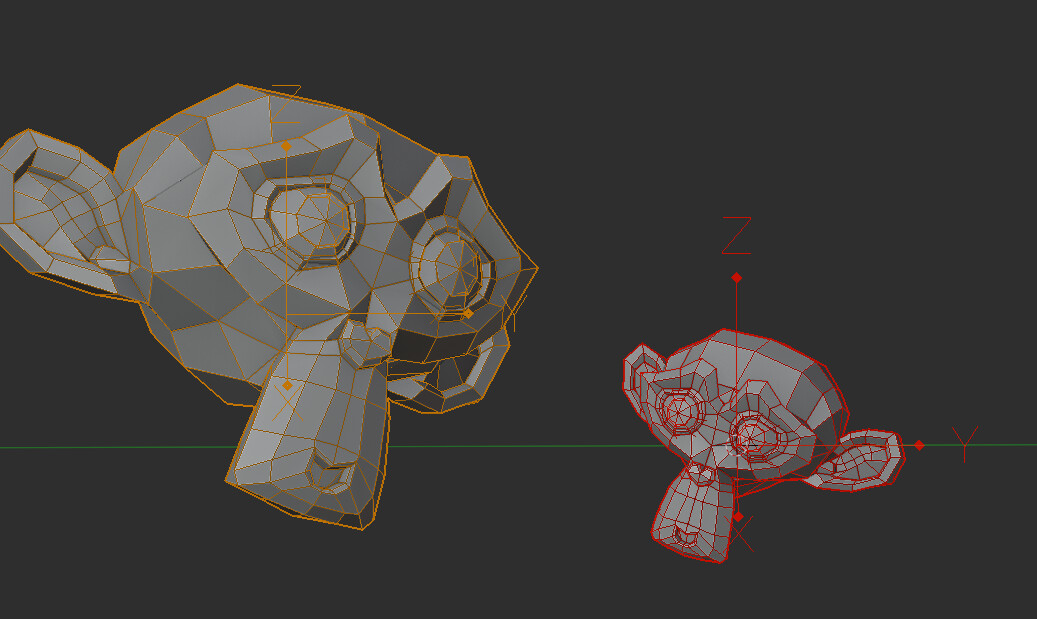
so i make one of them different and wanna then make small suzanna geometry exactly the same as big one
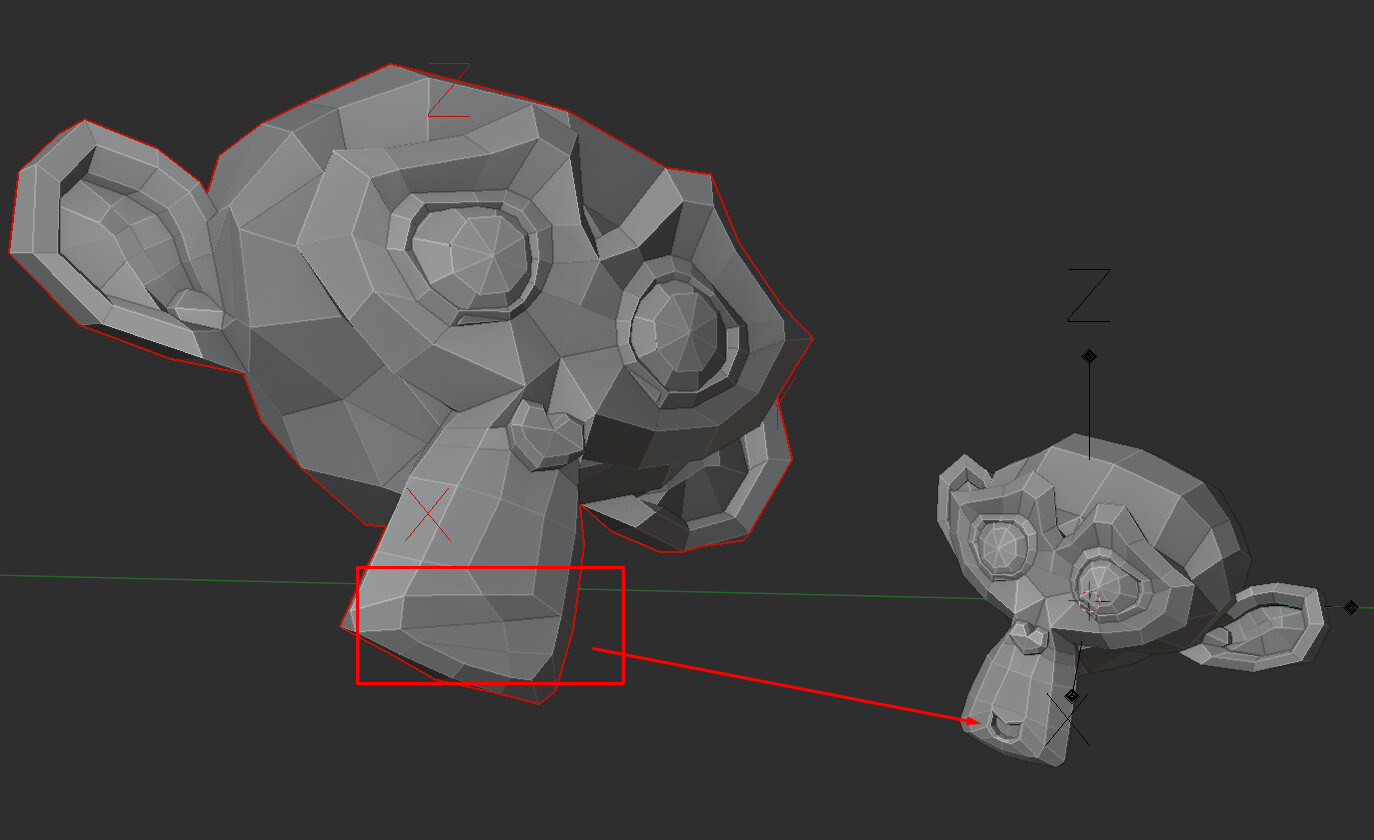
its impossible cause they dont have any similar transforms for now. but i can choose same faces (verts or edges sets aslo) and having the same algorithm of calculating origins (with oeientation transformation) place origins to selection
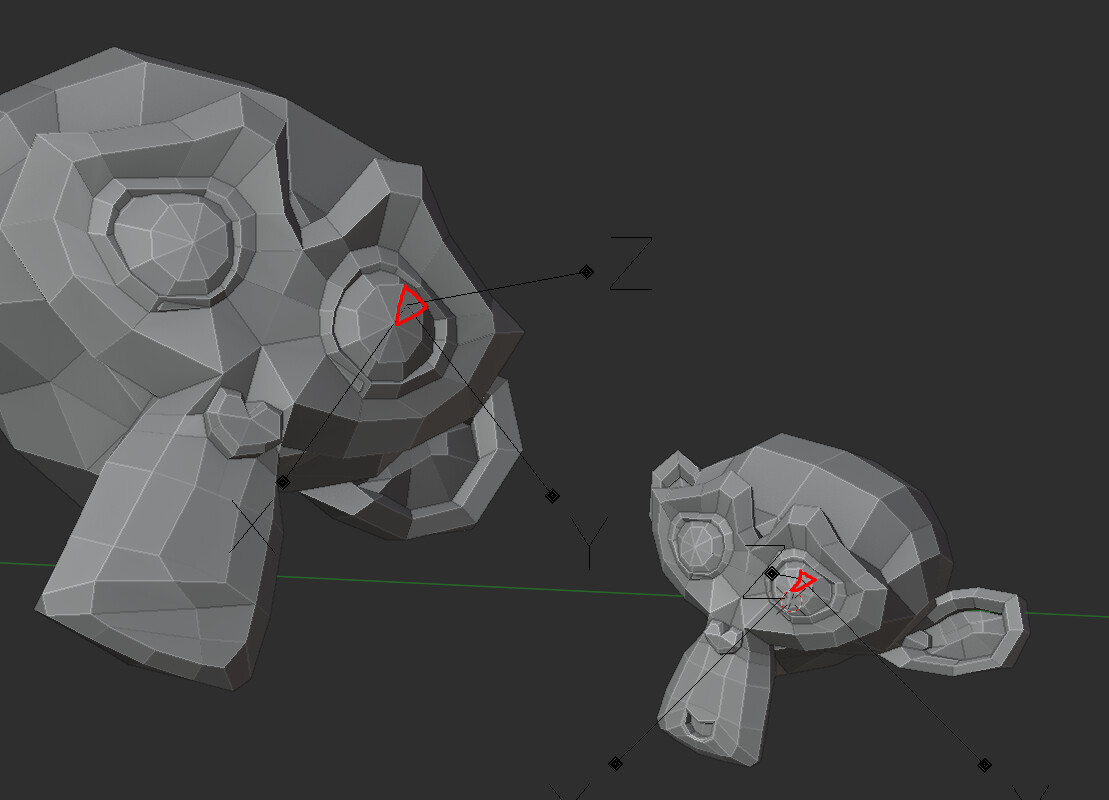
then if i copy data from big to small suzana the small one becomes big
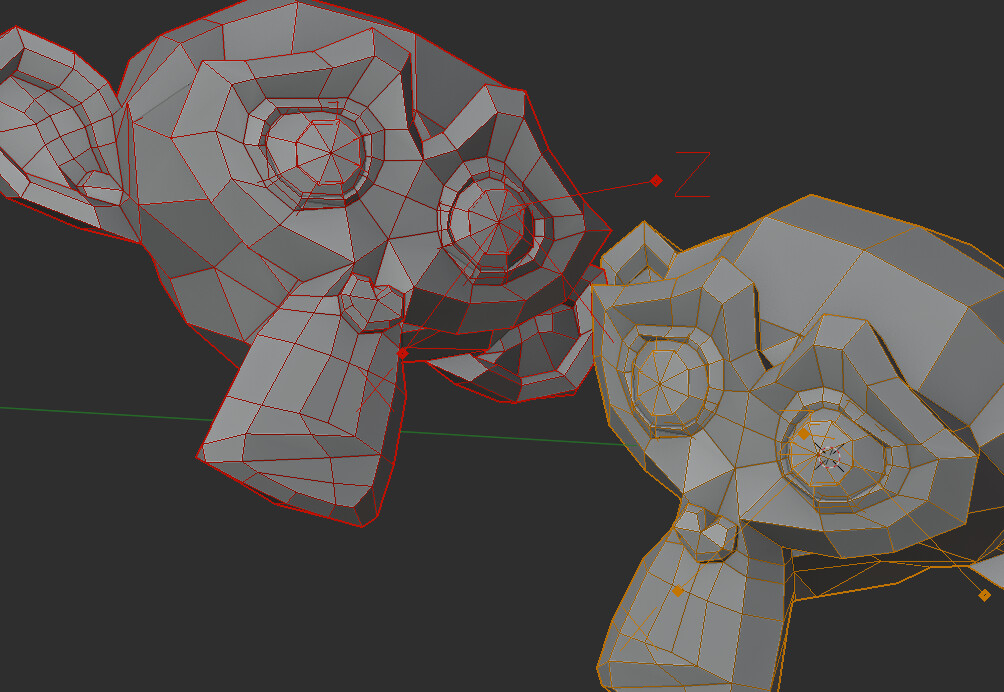
(cause their applied transforms both has scale 1) but with possibility to calculate origin scale based on the selection (using the same algorithm) its possible to also make scale transforms relative to each other and swap objects
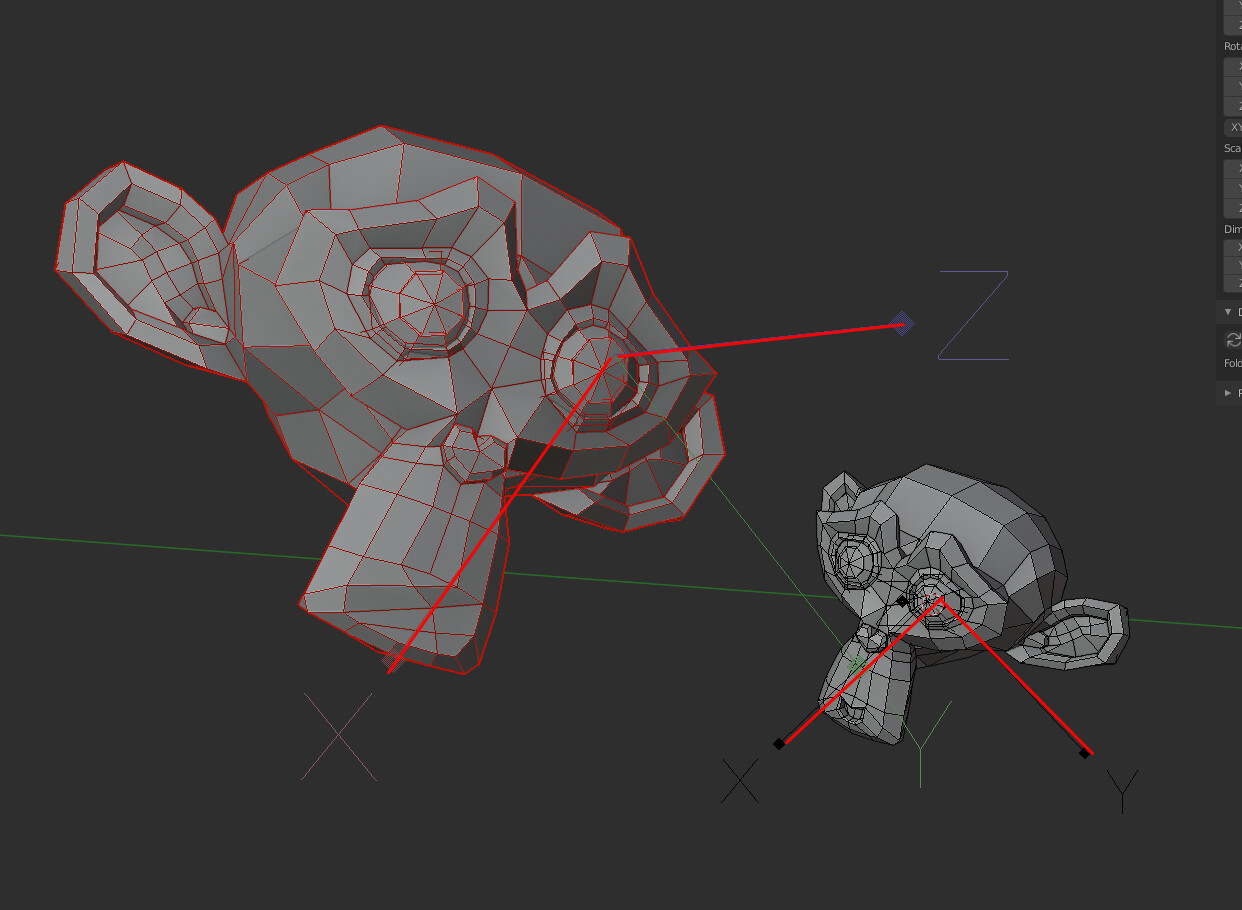
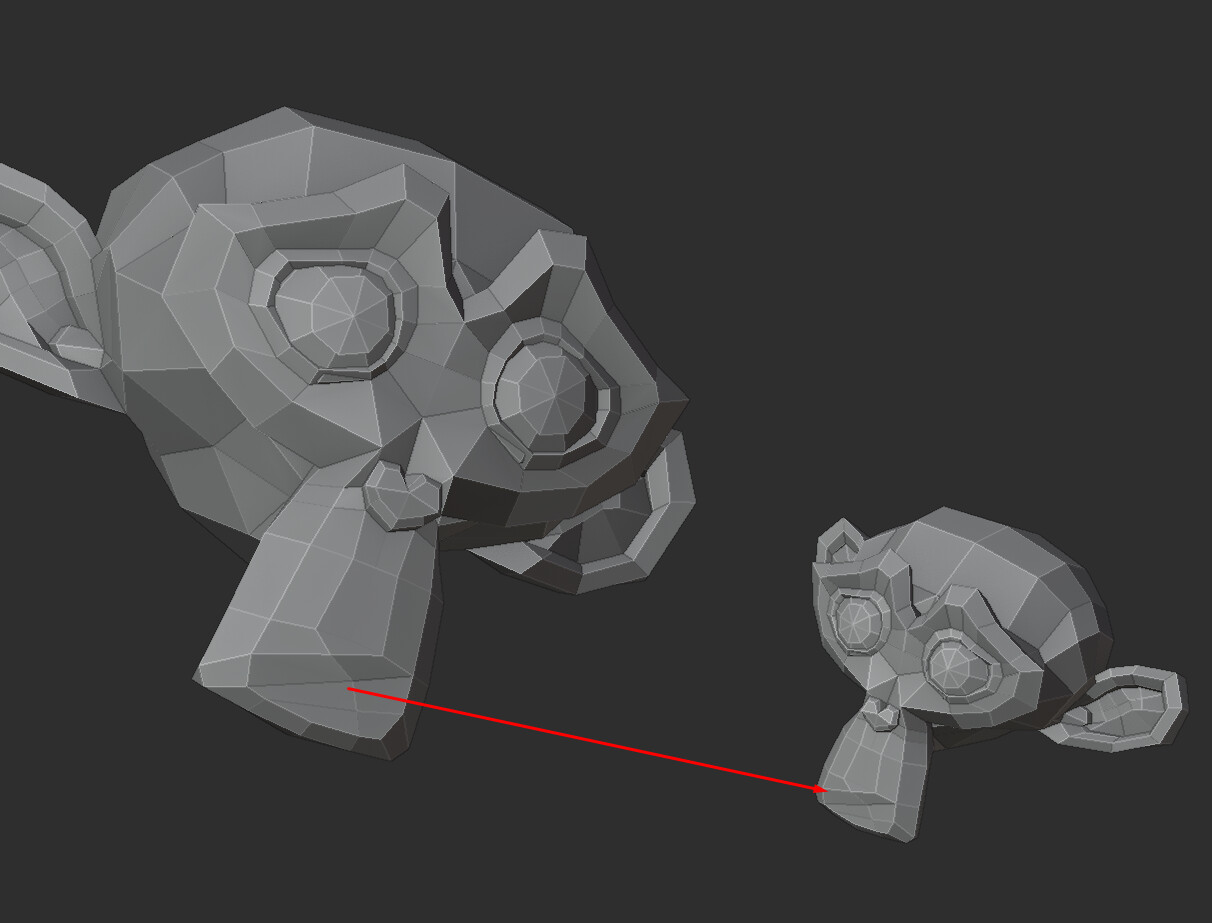
this method possible on high density meshes
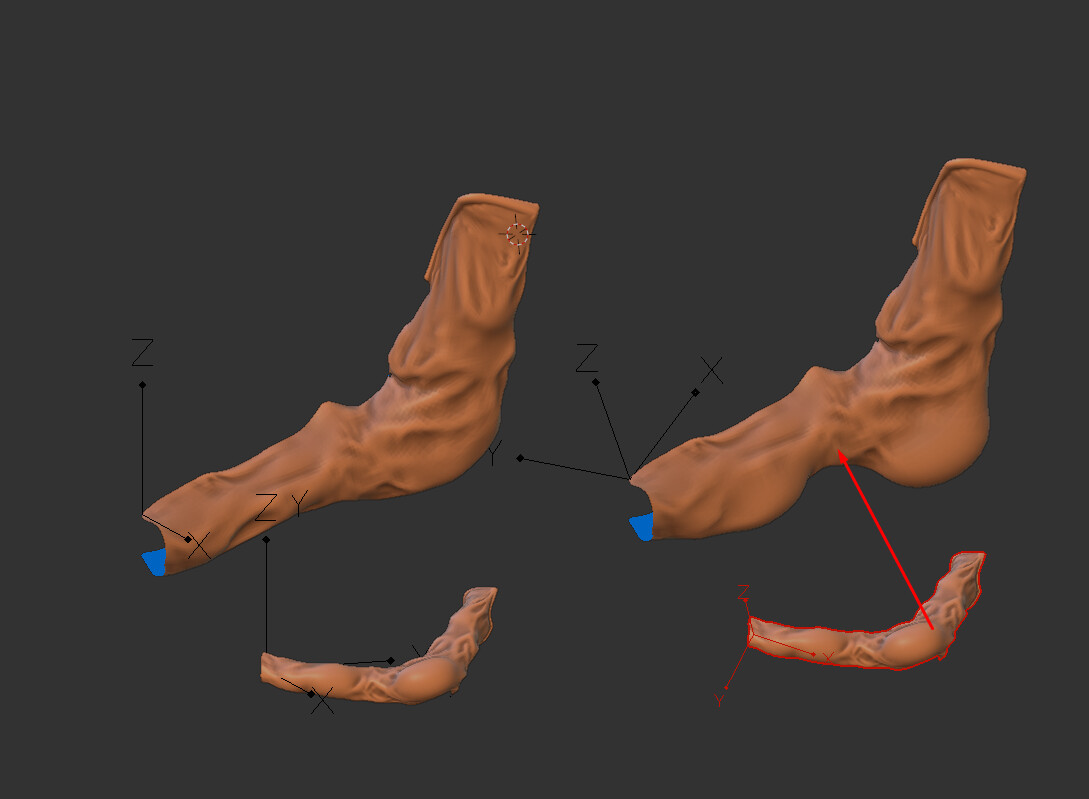
Thanks… That copy Attributes menu I didn’t remember. But the one click solution in KeKits tools is better for my need.
Still think that all should be easier. Like the copy modifiers or constraint, that only let you copy the selected, but what if you want to have 3… you can only select one… etc.
ah ok. That is doable. It will expect the origin to be set as desired on all objects beforehand. This will also allow batching any nr objects selected (to active). could be neat.
2 Likes
You could add options in Quick Origin Move so that you can change the snapping mode while in use(vertex, edge ect…)?
Maybe, will check it out.
Edit: No, I cant: The transform tool is running (in origin only mode) and it’s modal controls take precedent. You could ask Blender Foundation to implement sub-element mode switching in the transform tool, or try to hax that modal map somehow.
1 Like