I’m sorry, I just don’t understand what you are saying. Maybe if you do a step-by-step, and explain what you expect as opposed to what you get?
1 Like
Just a question: When doing edge creases I mainly set a value to 1 or 0. Is there any script for that? Like to have that on a shortcut.
Not in vanilla blender afaik. You’d run the tool and press 1 (or 0, or whatever).
I use my subd-pie:
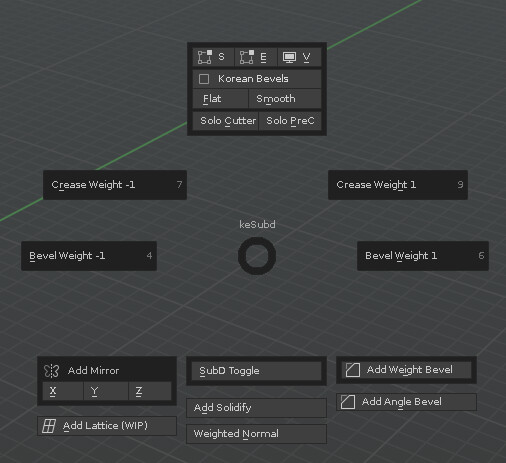
if you want to run those as hotkeys, you can use these commands:
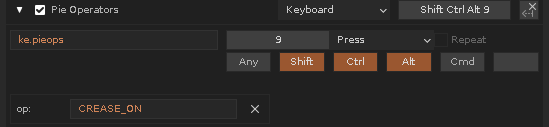
(CREASE_ON or CREASE_OFF)
1 Like
Perfect!
Oh and one finding. If you I use Align object to ‘active object’, and the object has keyframes on transform, even with autokey on no keys are created.
Maybe that should be added, if auto key is active.
plz check this video https://cloud.mail.ru/public/Mr2T/ymEvyf3kr
ah I see. that is a very specific operation ;>
- You would have 2 objects selected in edit mode
- with 2 faces selected, 1 per object (they are then area-compared, and the shape of the face would have be assumed to match)
- and then object 1 is scaled via the face area-size difference to object 2. (The origins would probably not matter much then.)
That is easy enough so sure, but I’ll post an alpha version here first, to make sure it is useful.
1 Like
thank you! yep its kinda specific xD but havent got any implementations for now… and yep its also possible to calculate as you described (in my example i scale both origins to match each other)
some time ago i needed it in two tasks - one time a had slightly different mountains with different scales and transforms and i needed swap 'em for exporting absolutely in same place on level… another time i worked with mech and made linked copy of already positioned element, then scaled it a bit, unlinked, partly changed geometry, scaled again and at the end i needed to place it back…D
I still trying to find a solution to increase the edge subdivisions on a curved mesh. In Modo I would select the boundary edges and add a single loop slice with compensation active. Is there something similar? Maybe, I’m searching wrong.
Sounds like something for Edge Flow? If that doesn’t work for you - you should try the modeling section of the forum, I’m sure there are threads already (about what edge flow can and cant do).
edit: Link removed, will release on gumroad shortly
Here is the “alpha” of 472, not much changed except the new “Scale From Faces” operator, find it in Modeling Section (I also moved BBmatch there, with all the other scaling operators)
Lemme know if it works!
1 Like
Oh what is scaling from face, as in scaled based on face normal’s ?
1 Like
No, size (area) relative from selected to last selected. This is the tooltip/release note (probably):
“Scales selected object(s) by the size(area) difference of selected faces to match last selected face Select 1 Face per Object, in Multi-Edit mode. Scale will be auto-applied”
3 Likes
wow! as for me it asesome! tested a bit - all works as expected. i really like it! thank you!
2 Likes
Actually subdivision edge does a bit the job, except dealing badly with joined polygons on the sides. I will try in the other section.
1 Like
v1.472 is now released
https://artbykjell.com/blender.html
Note: I did a quick last minute fix overwriting it, so if you grabbed v1.472 before 2022-02-22 12:05 (CET) just download again and overwrite 
5 Likes
Sorry to bother you but I have the same problem I had before where after I activate the tool VPgrab or VProtate in local mode if I lock one of the axis (using middle mouse button) it switches into global mode.
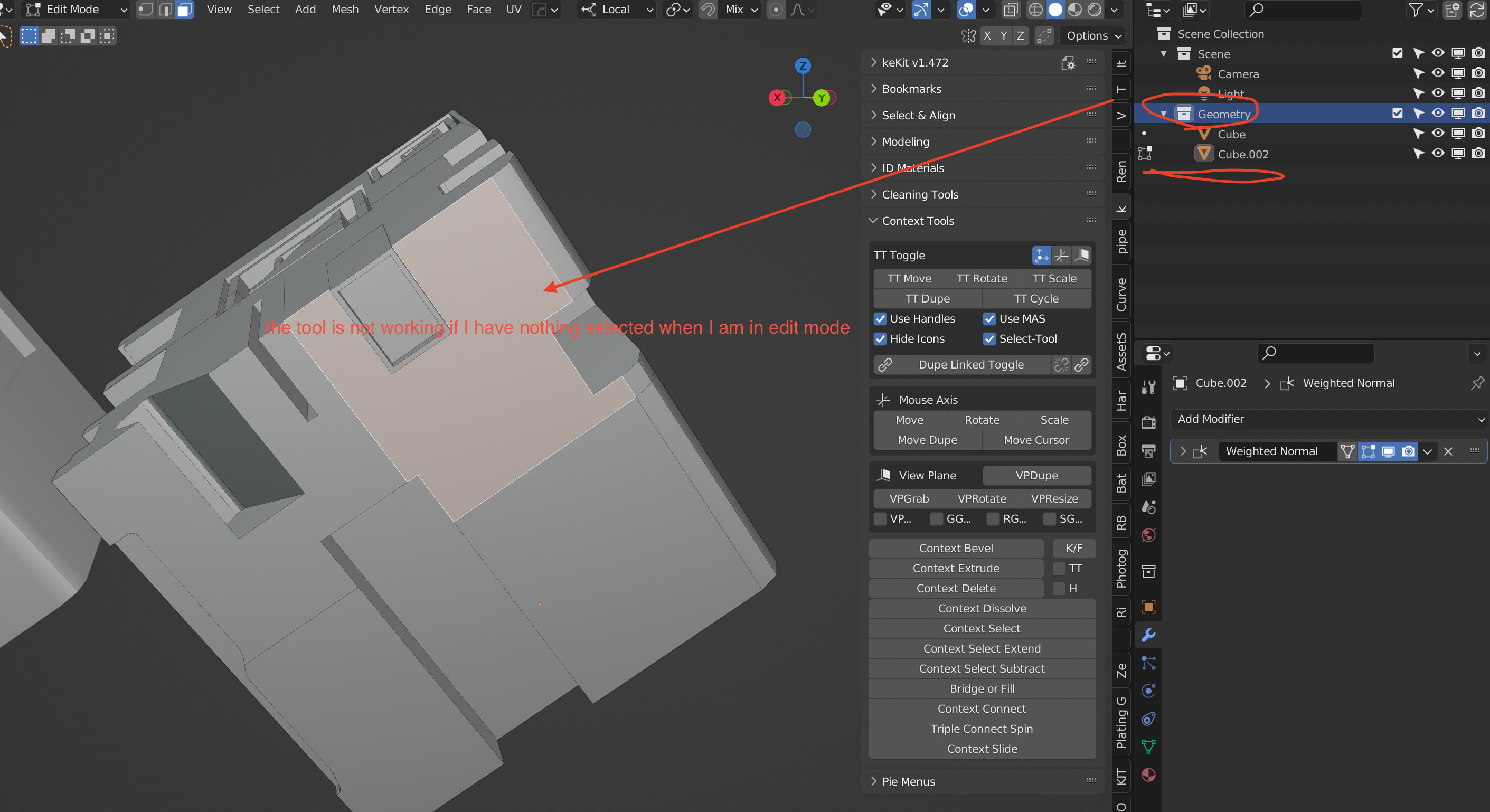
Also the tool works only if the mesh still selected - if I have nothing selected while in edit mode the tool stop working.
I am using te latest version of blender 3.1
Thanks 
Hey.
MMB : I can’t reproduce that in the latest release version (3.0) - and I do not test alpha/beta versions.
Obj not selected: VPtools require an active object at the moment. I might change this in the future.
Edit : Should be fixed in latest (1.473) - Let me know ;>
It is possible for You to make option to set active collection by selected object from 3d viewport?
1 Like
Yes, added to the list.
Edit: Check out 1.473
3 Likes
Thank You for that!
EDIT:
Can You add option in
bpy.ops.view3d.ke_show_in_outliner()
to show object in Outliner but without set active collection?
1 Like