Noter is an add-on created to increase productivity in Blender by organizing the workflow.
With Noter you can:
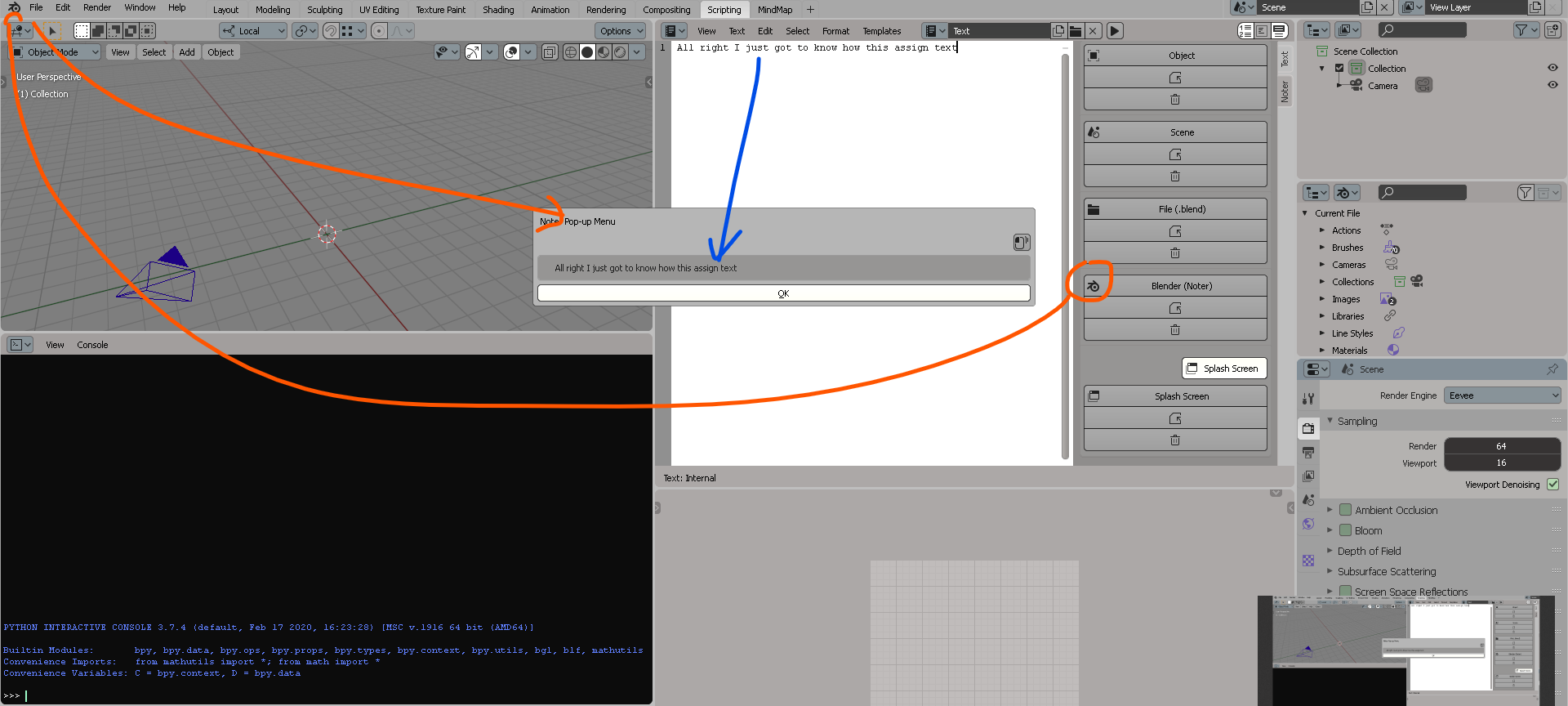
Annotate a specific object, scene or file(.blend).
Create notes lists for the object or scene.
Save the text in the Blender itself so that it will be available in any file(.blend).
Create notes tree using nodes. Thus, you can do something like a schema that will represent a chain of actions, for example, for one user or for the second if you work in a team.
Enable Noter Splash Screen for file(.blend) so as not to forget if there is anything unfinished left when you open a file(.blend).
This looks really, really cool. This could be fantastic for teams, as you mentioned. I think this should be added to Blender by default eventually, heh
Yes, I am watching. It would be so useful to have it with Audio Great addon!! Adding it to my list and recommend install for my next video. I am interested in the NODES part.
Tempting. I wish it would be that fast. But your addon is the perfect excuse to EMPHASIZE about the importance of custom WORKSPACES. Indeed I will make a video. I am cracking the node part now.
Yes, I saw that option. What I meant, is that if in the place of the hearts, cars and blocks changing icons for “NOTES” tittle, maybe you could add crucial file information like:
Last date opened, Rendered frames or not from previous session in that file, Current vertex count and image paths missing (just as a number).
I am just suggesting this, but so far, everything is working awesomely!
Working now. SHIFT+A. It would really seem obvious but without audio and without screen caps is like driving at night without headlights.
NOTE for everyone reading the thread: FOLLOW the exact namings for the TEXT files which are solely “Text” in the different workspaces. Specifically to name the LABELS
I don’t know if the “Text” name in the text editor HAS to be used in order for all of this to work. I also don’t know if the layout nodes graph title SHOULD always be “NodeTree” or can be changed?
I also found out that there is no word wrap from the text to the node. The node receives a string.


 Noter Documentation:


 Great addon!! Adding it to my list and recommend install for my next video. I am interested in the NODES part.