Bravo, congratulations and many thanks for this!
I recreated the size consistent radial mapping thingy with the Radial Tiling node in Blender 5.0.
Here is the file if someone wants to try it.
RadialTextureExamples.blend (1.3 MB)

8 Likes
I recreated the size consistent radial mapping thingy with the Radial Tiling node in Blender 5.0.
Here is the file if someone wants to try it.
Thanks, they’d make a great example! Are the textures you used under Creative Commons?
One moment please, I accidentially uploaded the wrong file. I will upload the correct one.
The textures are creative commons. The cobble stone is from:
https://cc0-textures.com/t/th-cobblestone-01
And the other one is a blender splash screen.
1 Like
Ok, now it should be the correct file. Sorry for the inconvenience.
Yeah, that one didn’t age quite so well…
So the thing is that the Rounded Polygon Texture node group, since it would be available in the Shader, Geometry and Compositor editors, currently would need separate node group implementations in the different editors, even though it’d just be exactly the same node group in each editor.
There is already ongoing work for making node groups reusable between different node editors, but unless a miracle happens, that feature isn’t gonna make it in 5.0.
Since we also don’t want three duplicate versions of the same node group, we’ve decided to include the Rounded Polygon Texture node group in whichever version node-group sharing is introduced, presumably 5.1.
But if you’re reading this post, this won’t be an issue, since the Rounded Polygon Texture node group is very easy to create:
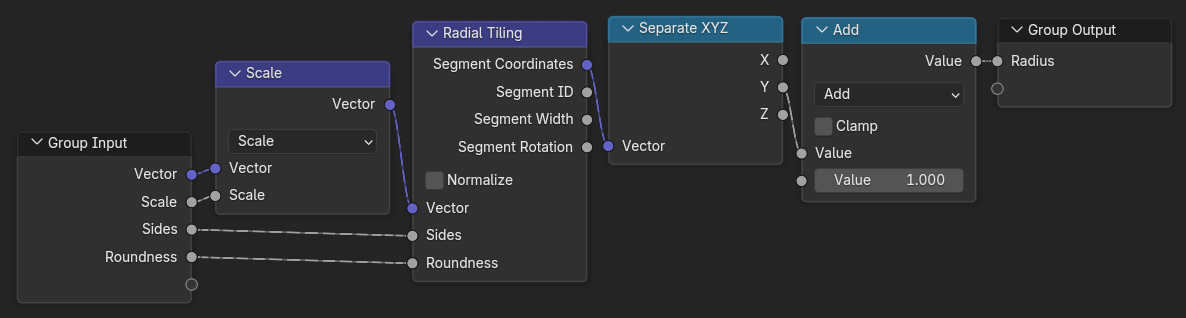
Alternatively you can also download this .blend file and append the node group into your .blend file:
rounded_polygon_texture_node_group.blend (1.4 MB)
6 Likes
Honestly, that node-group sharing is coming Soon™ is great news, even if it does mean your Rounded Polygon Texture group won’t be shipped for another couple of versions. And you can feel good about being one of the first node groups shipped with it 
Any chance this radial tiling thing at some point could be expanded to also support a spiralling coordinate system?
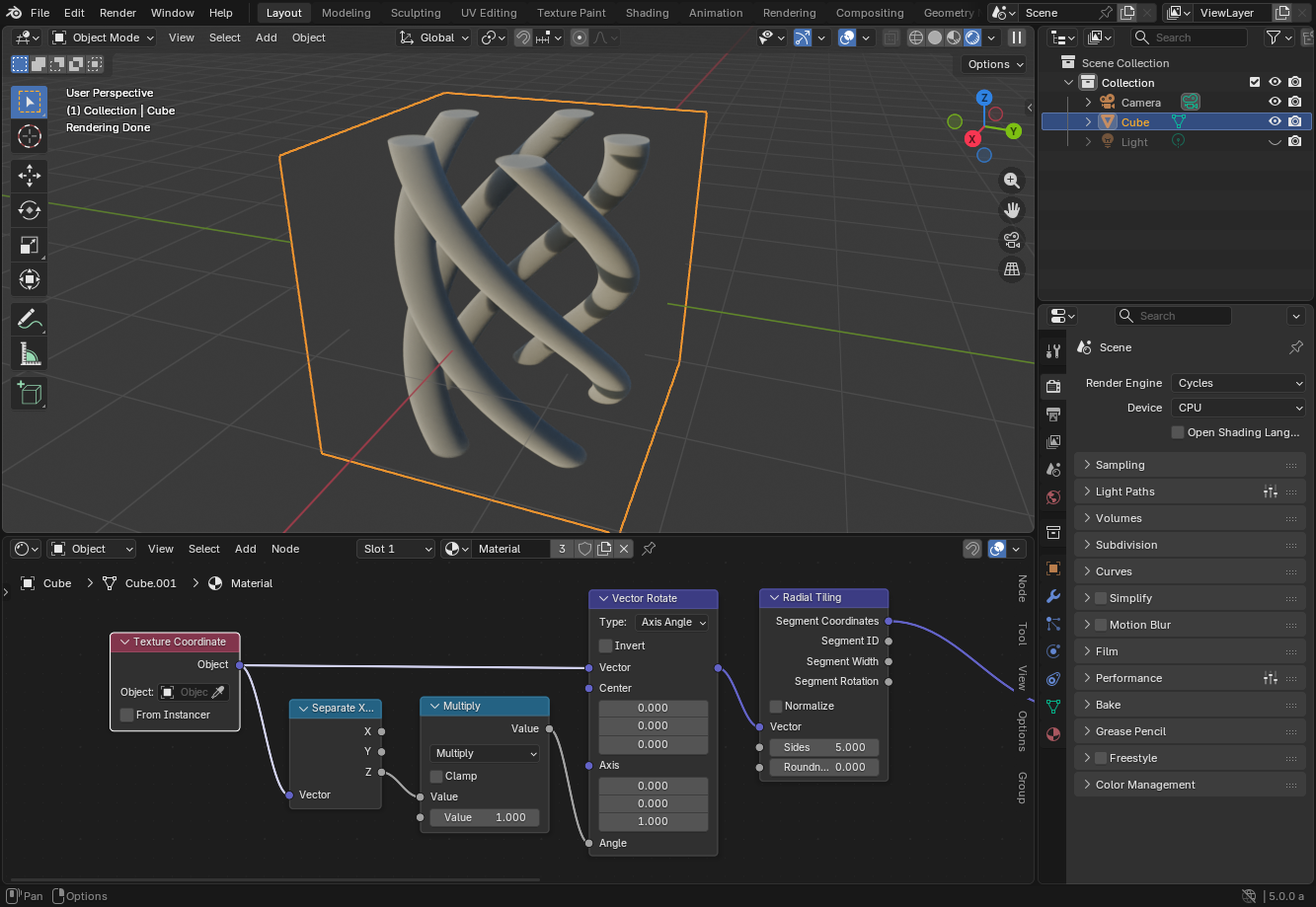
Was thinking more of a 2D spiral. Not sure how to handle the center start though, while keeping the coordinate system size uniform. I can create a regular spiral shape, but so far I have had issues doing a continuous coordinate system. So I just mix in some seamless radial noise using a snapped multiplier to maintain approximate density further out in the spiral.
1 Like
You mean like so ?.. I once made something like this…
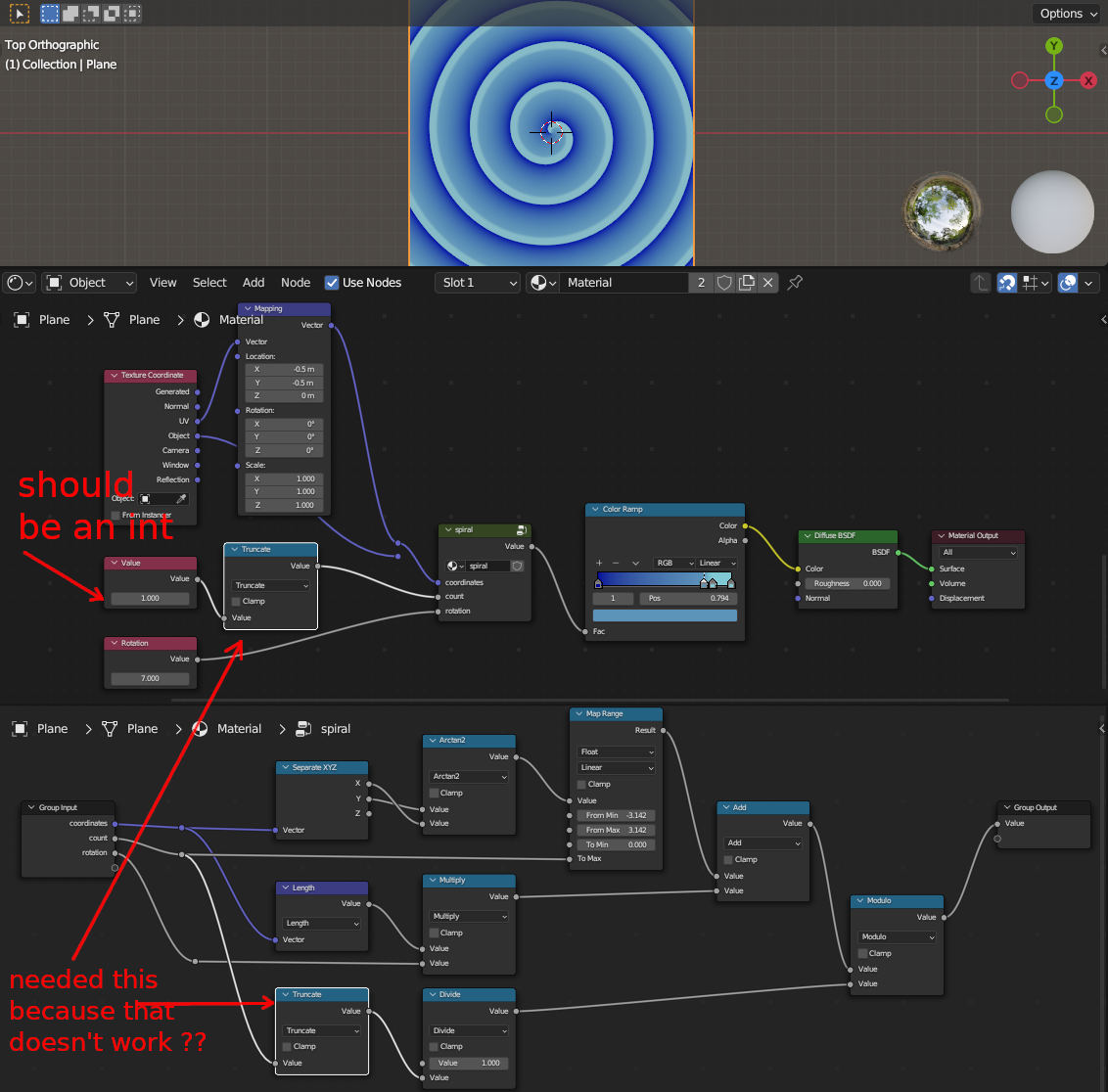
…but i didn’t get why the truncate did not work in the group node so i added one outside the group.
4 Likes
Putting the trunc outside also affect the map range max. My method is different, but does make a spiral. What I was looking for was a full on coordinate system arranged in a spiral, with the curve paths being equal lengths like the radial tiling does. Might be better than mine though, have to check. Today, the modulo would have to be Floored Modulo if you want to use negative rotation value, for anyone building it now.
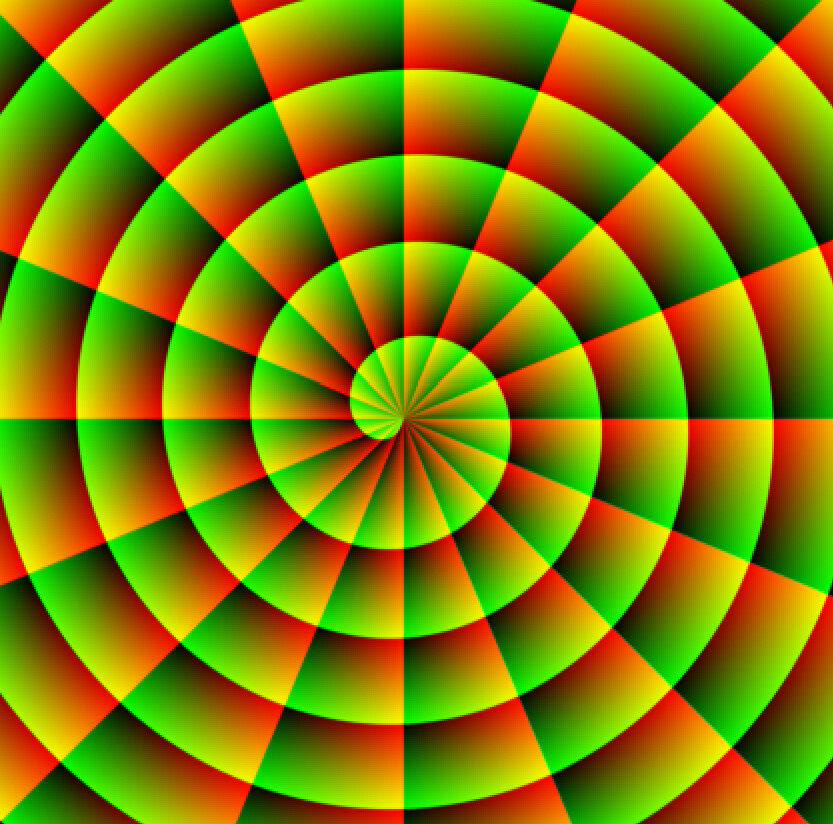
The setup makes one dimension of a 2D spiral coordinate system. How to get the other one, with equal spacing between round numbers?
Something like this, but with equal length segments like the radial node accomplishes:
1 Like
I may have not understood the last question… and after starting to answer a few hours (or…~90 minutes) ago i thought… oh he meant that UV coordinate transforming thing … and yes  you edited your post…
Hmm…  have to think about that because it did this sometimes ago and only "adapted it to match your blue example
Ohh… wait a second… does the BrickTricks addon work in >3.6 ?? (I’m on the wrong computer right now… )
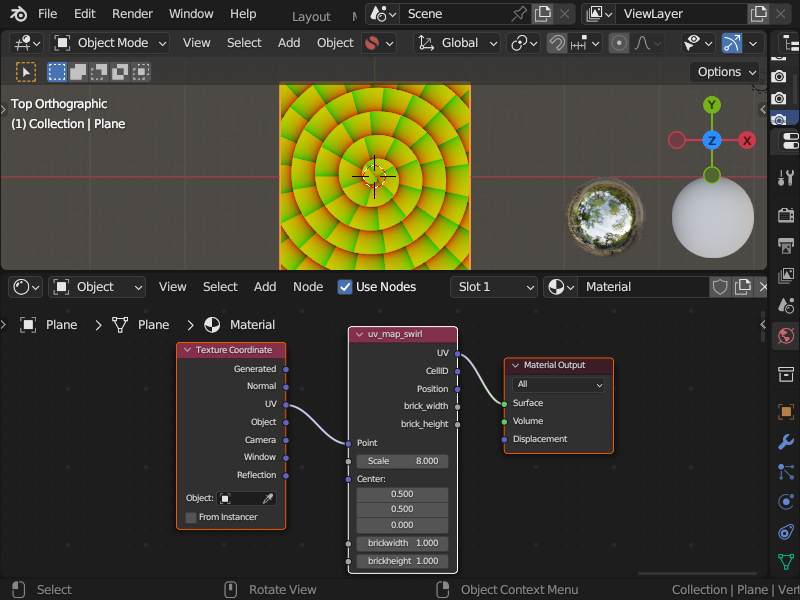
1 Like
I have it in my 4.1.1 version and it’s working… Didn’t installed/tried it in newer versions (thought if fixes are needed it should be minimal), but it’s still possible to extract the internal nodetree and use it as a normal nodegroup asset.
1 Like


Instead of 1/trunc, try count/trunc. That way number of spirals will match the count instead of some weird doubling. While interesting in itself, the radii is still a discrete increase, which isn’t what the BrickTricks addon image above produced. Which was more what I was looking for (other than having to use fraction on one coordinate to obtain equal UV per tile).
1 Like
Thanks…  sometimes when one is “involved” with something one thinks that some parts are fine/done and never touches them again…
Tell me about it.  Visiting a project half a year later for some revision work, only to spot people sitting inside the chairs after raising the floor and seating 300mm but not the people. And nobody spotted it, incl myself, and the customer (or they didn’t mention it but had a laugh).
Ohhh yes…
Who the f… did this?
signed: myself…

