Hello there everyone,
I have just finished rendering my forest path scene from the Blender 3D environments course (https://www.udemy.com/course/blender-environments). This has been a very interesting section of the course.
Here is a compressed version of the animation, for the full quality version click here:
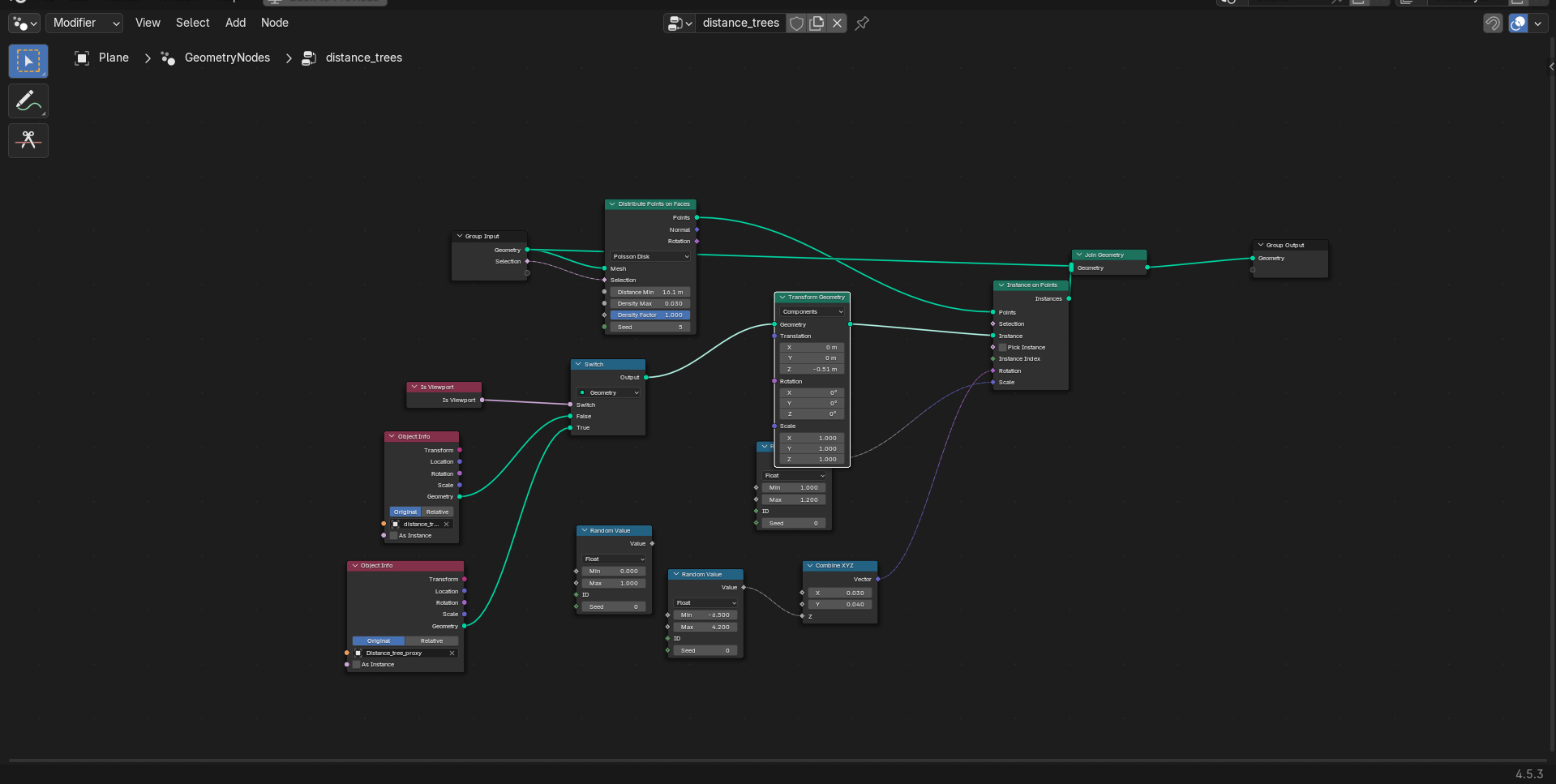
The grass in the scene is from chapter three of the course (you can see my thread about that here Grass animation - 3D Environments course). The trees are creating using Mtree (thank you to @Roberddd for providing a fork of Mtree that works in Blender 4.5) and the textures provided by the instructor of the course. The trees in the distance are made using Mtree and are being scattered on the distance plane using geometry nodes (nodetree below).
The water at the front of the scene is created using a plane and proportional editing to adjust which parts are visible, the material is a glass BSDF node.
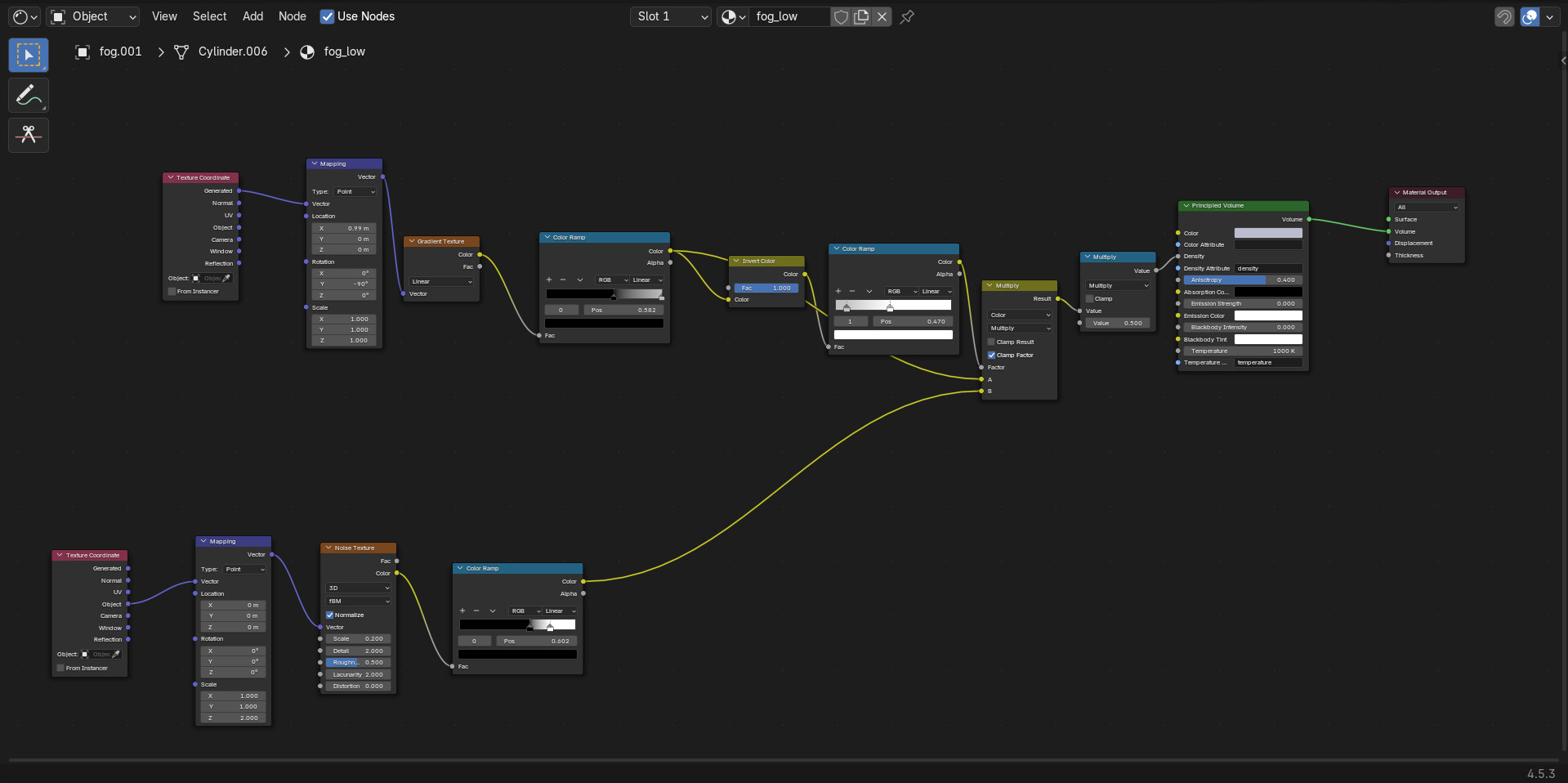
The fog is made using two cylinders, one simply uses a volume scatter node plugged into the volume in the material output, this creates the fog in the distance. For the more dense fog visible in some areas another cylinder is used, this uses a volume BSDF node and several colour ramps to control it (nodetree below)
Nice work! Thanks for explaining how you created fog, I always find it the most GPU-wearing for me (grass included too).
I feel like the lighting is good, especially with the shadows, but somehow doesn’t feel too realistic. HDRI’s usually solve this but it looks like you have one. I think the problem is the leaves because IRL I notice how opaque they are (light goes through & makes them glow), so perhaps that’s what’s throwing me off.
Thank you for your kind words, I really appreciate it.
Yes, the fog does make rendering significantly slower, in my experience it makes it take twice as long. The entire animation took about 20 hours to render on my RTX 3070. The grass isn’t too bad, it more slows down the viewport even with proxies.
I do agree about the leaves, I am working on another project from the course, I will try to adjust the material to fix it for the next render. It shouldn’t be too hard to fix, although I won’t be re-rendering this scene as it took quite a long time.
Yeah, it takes a long time. I use a variable energy tariff, sometimes if there is too much electricity being generated, the price per kilowatt goes into negatives. So I get paid to render basically. I try and do all my rendering when it is cheap, free, or negative.
Nowadays nothing should melt or break, since it will thermal throttle or in a worst case shutdown.
I dont believe that ever happens in us with ai data centers going up in everyone’s backyard there is always a premium for kilowatts but yea i was being facetious
With the variable energy rates it works so that at peak times (evenings, dinner timer, plus winter in general) you pay more. But when there is too much energy being generated, it is cheap.
It makes you plan your energy usage more, such as running appliances overnight. But I saved £1000 in 2025.


 i just noticed the animation how long did that take to render?