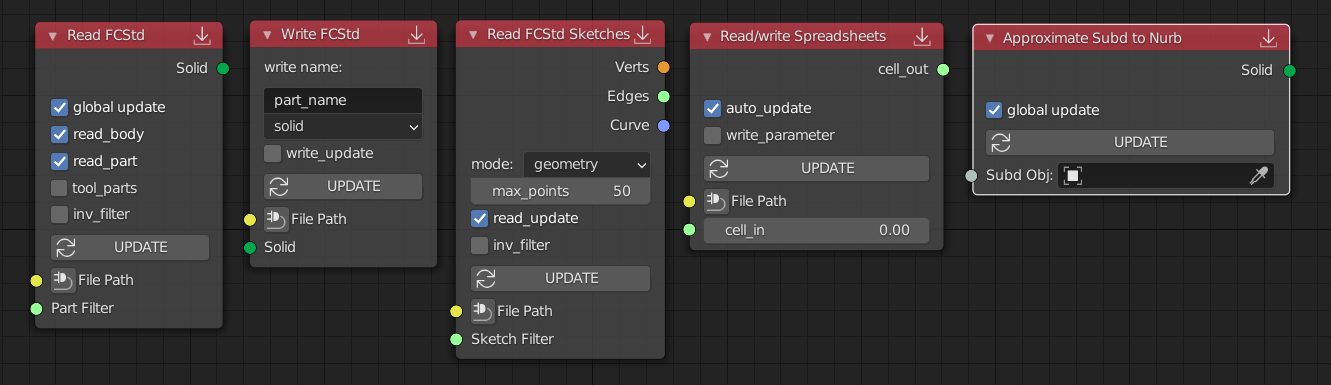
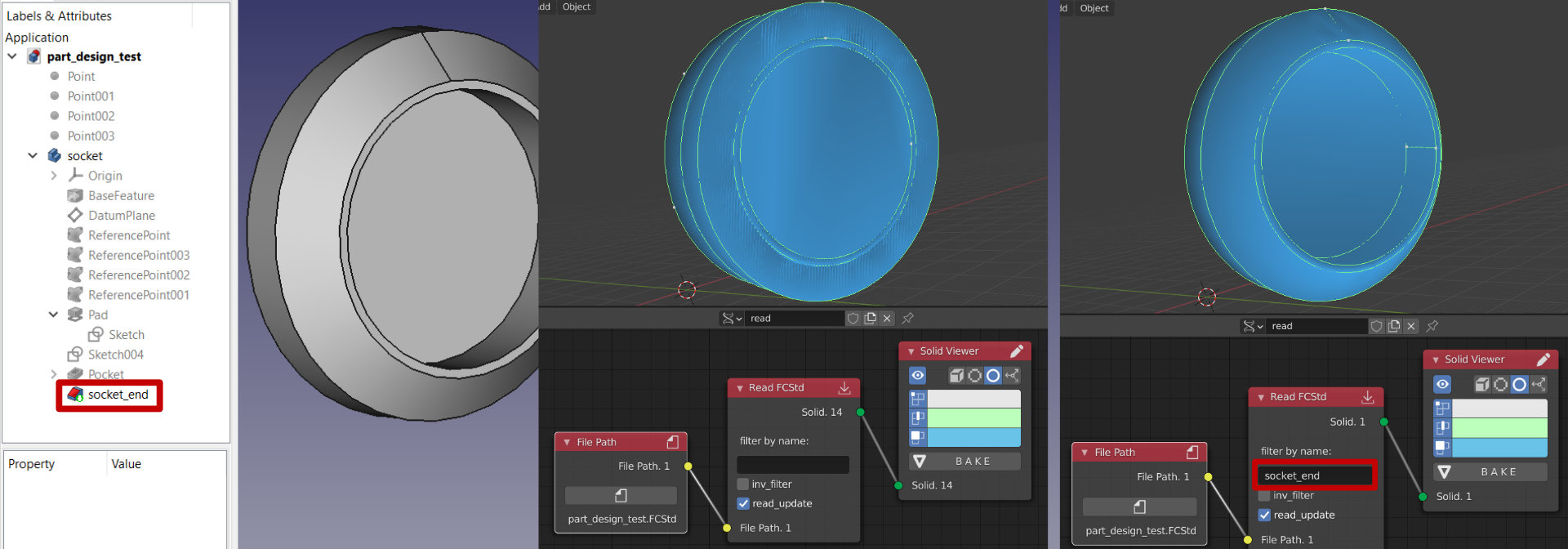
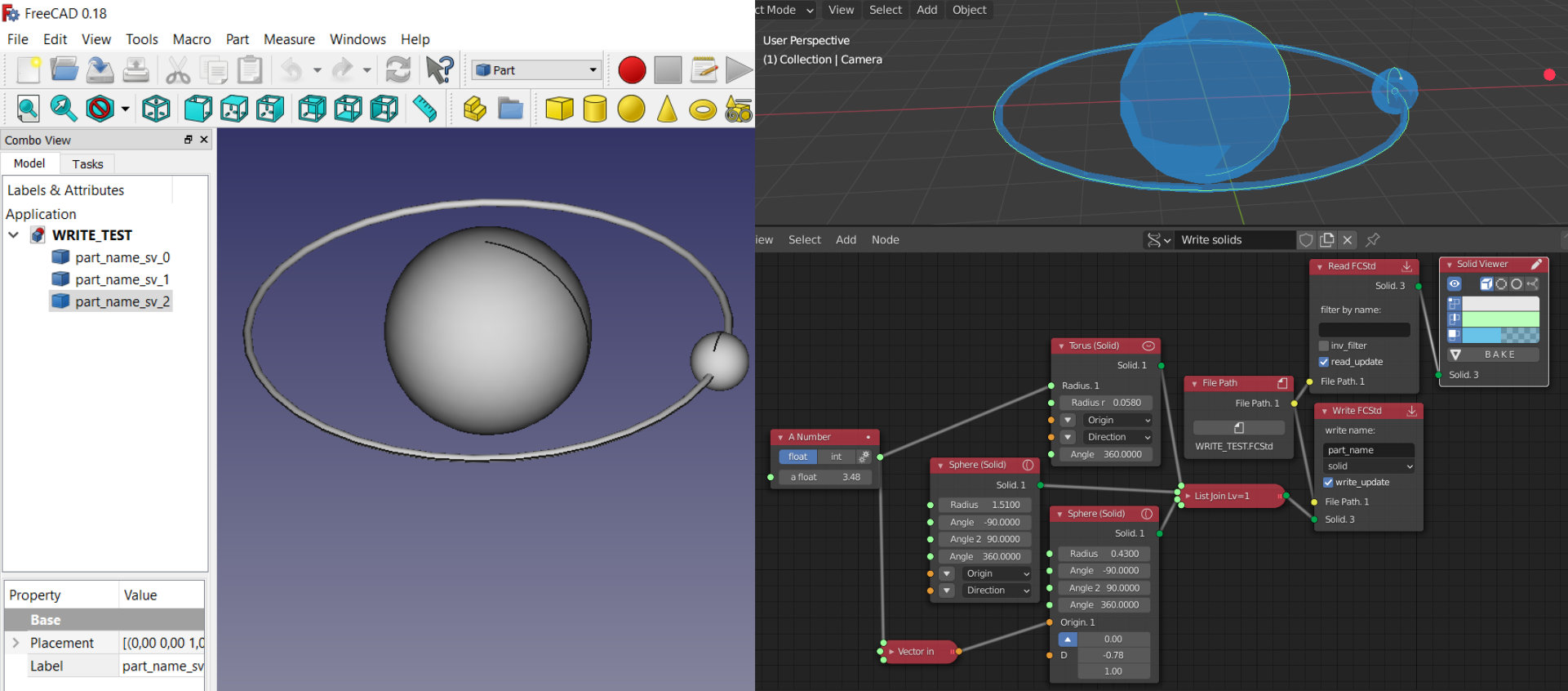
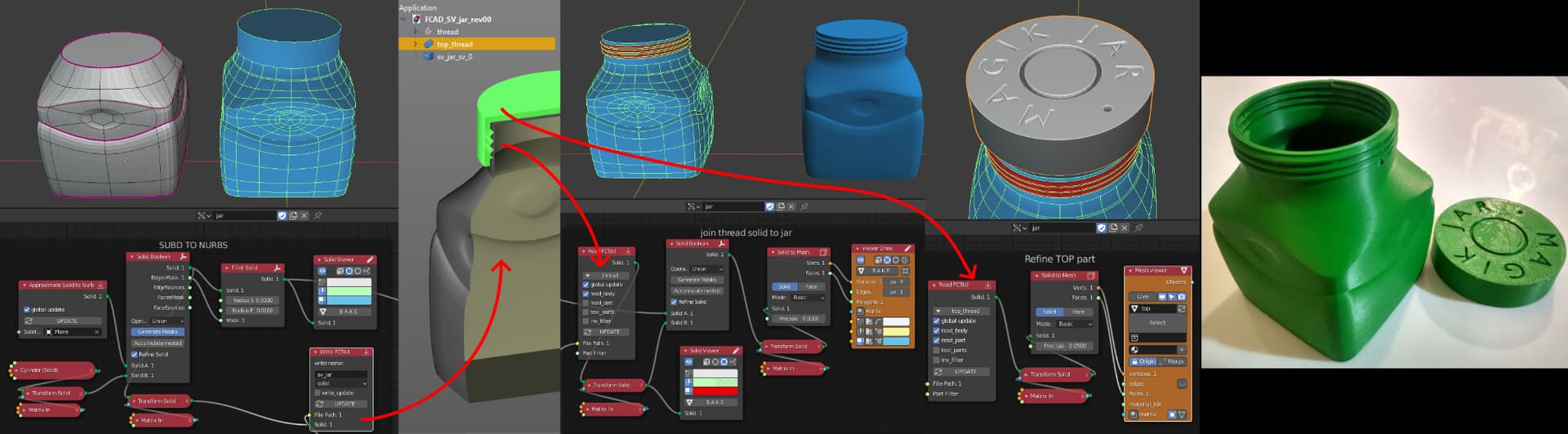
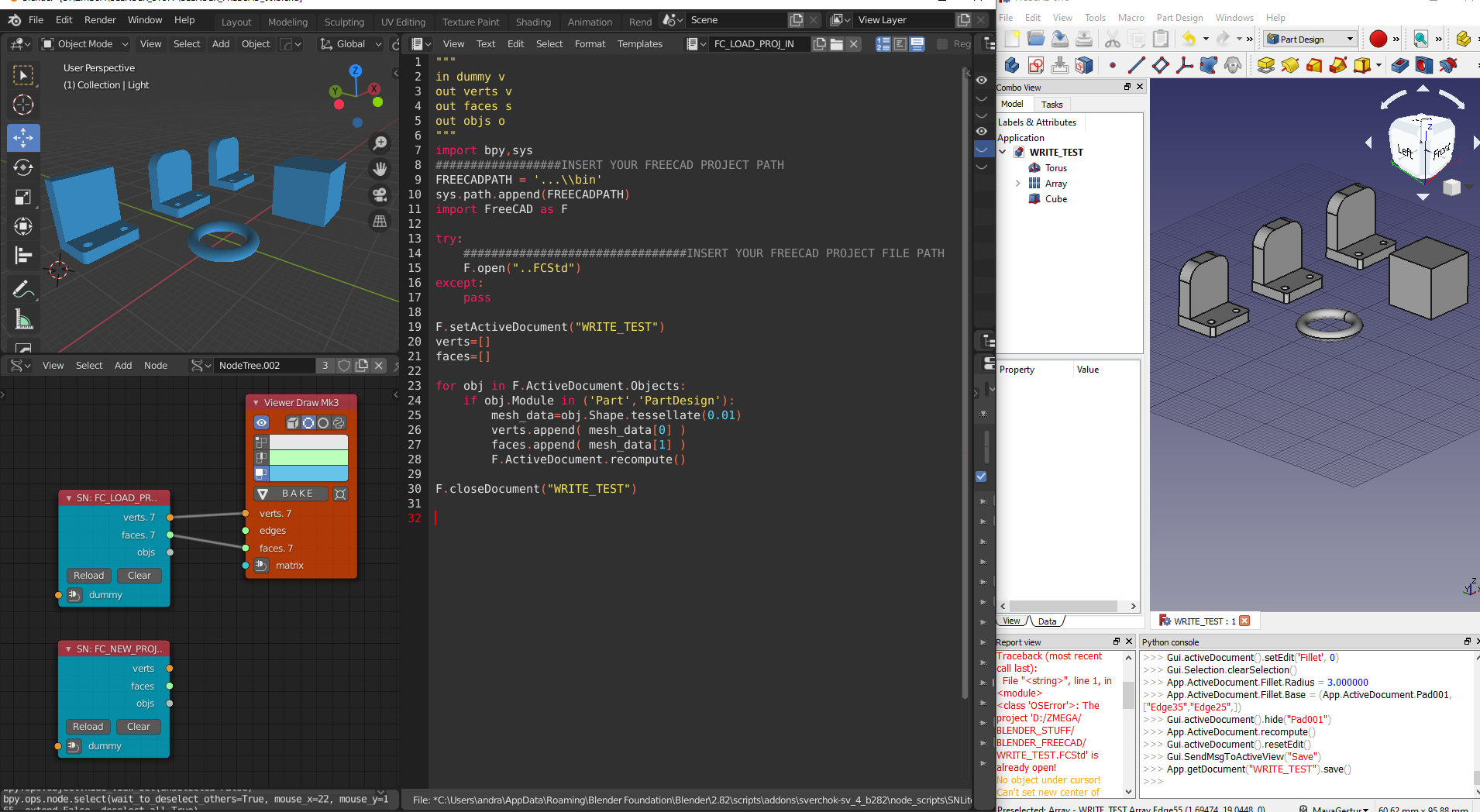
If someone is interested to collaborate in this development, my goal would be to write a node set for sverchok to manage freecad project inside blender (read/write).
This is so awesome, I don’t understand why it doesn’t get more attention. I am excited overall about the subd to nurbs conversion. Hope you keep on developing this and keep us updated. Congrats for your great job.
Yes, besides having freecad inside blender, subd to nurbs would be a great task to accomplish but less difficult than I thought.
I made a simple script to get it work and I now can obtain a watertight part of a subd from blender to use in cad project development, but the curvature conversion is not good enough at the moment and we have to brainstorm some math to get it work properly.
The script now take the four border marked by the seam, convert them in splines and then use the boundary curves ordered to generate a surface, it would be better to generate a nurbs grid with control points and then map this points accordingly. The curvature is obtained pinning the verts of the mesh before subdivide it and use the generated verts to guide curvature… or something like…
Interesting initiative. Blender lacks FreeCAD’s BIM features, and FreeCAD lacks Blender’s navigation and usability.
Have you contacted Yorik on this topic? If i recall right, he once also noted the possibility of such integration.
Yes the combo freeCAD “tesselate” to blender “mesh_from_pydata” seems to be already designed for this “live” connection.
But before contact Yorik about this maybe I would have something more structured on blender side.
I need some help on development mainly about these topic:
1 “node_tree” programming.
2 “math” to improve subd-nurbs conversion
Perhaps a more descriptive introduction to what exactly are you aiming and what you have accomplished already? It is not very clear from your first post. ‘Tesselate’, ‘subd’ and ‘mesh from py data’ terms don’t mean a lot to most people here, maybe some more low-level description?
Also - are there some images in larger resolution? I can’t seem to find a way to enlarge the ones you posted, to see some details.
Otherwise a nice idea, the information that this could be possible has been around for a couple of years now.
I wrote a better script for “node_lite” to import all freecad parts from a file into sverchok viewer,
to update just save the project in freecad and update sverchok network
"""
in dummy v
out verts v
out faces s
out objs o
"""
import bpy,sys
#INSERT YOUR FREECAD PROJECT PATH
FREECADPATH = 'C:\\....\\bin'
sys.path.append(FREECADPATH)
import FreeCAD as F

try:
    #INSERT YOUR FREECAD PROJECT FILE PATH
    F.open("C:\\....\\WRITE_TEST.FCStd")
except:
    pass

F.setActiveDocument("WRITE_TEST")
verts=[]
faces=[]

for obj in F.ActiveDocument.Objects:
    if obj.Module in ('Part','PartDesign'):
        mesh_data=obj.Shape.tessellate(0.01)
        verts.append( mesh_data[0] )
        faces.append( mesh_data[1] )
        F.ActiveDocument.recompute()

F.closeDocument("WRITE_TEST")
Hi.
Yorik said me some years ago, he will be glad to manage FreeCAD API from some node system.
Maybe interaction can be provided with sverchok even.
By the way, there are Sverchok extra tools that got nurbs/splines/vectorfields basics nodes:
Please, use it if needed. Install separately and extend with addon menu (installing dependency libraries with one click).
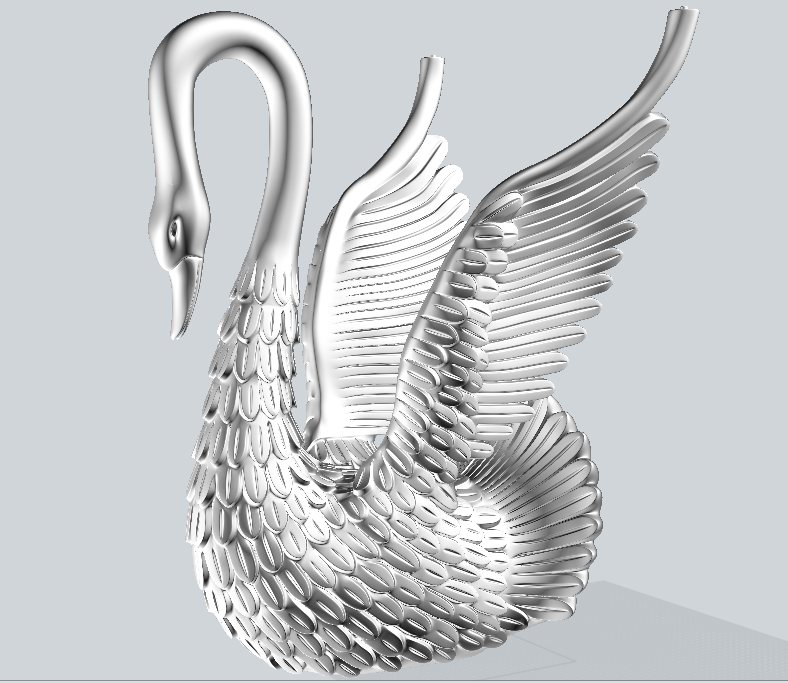
I put a years of research to design a workflow to produce complex NURBS-compatible organic mesh models.
Almost all results we has got trying to convert mesh to NURBS failed.
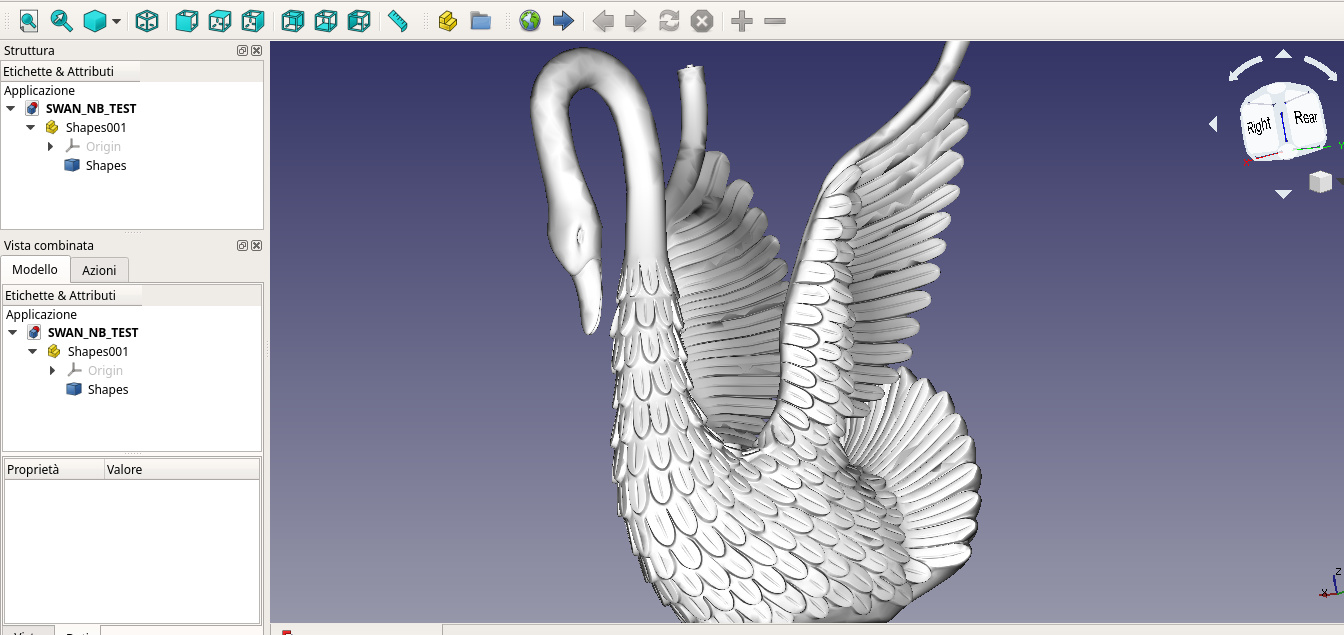
Here are results of our tests.
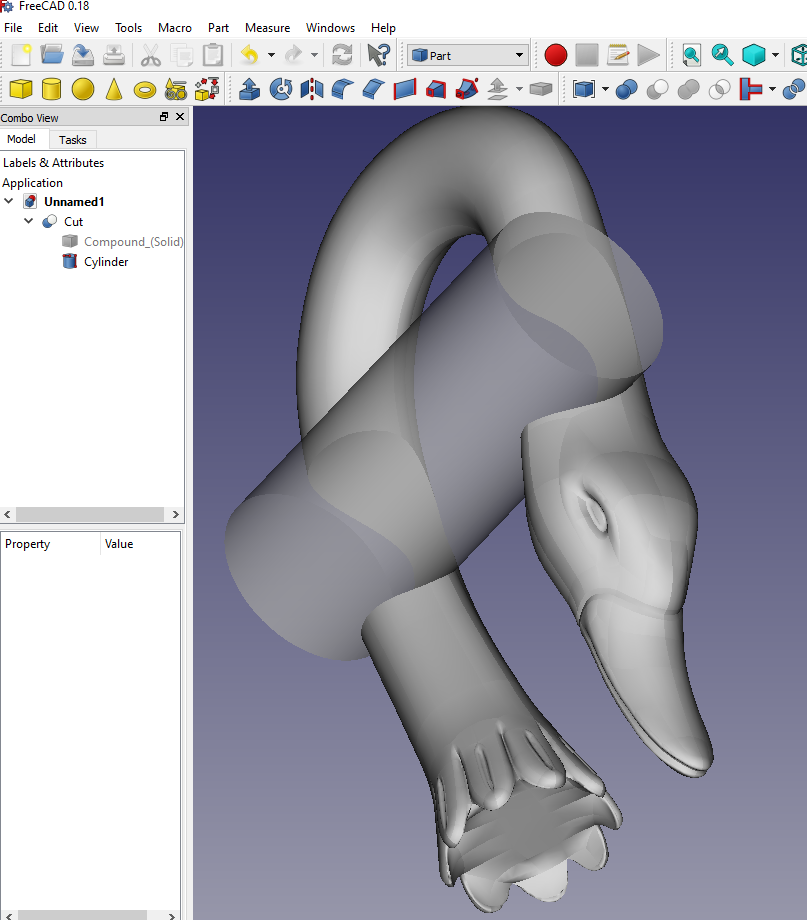
I converted a piece because the entire mesh was going to bottleneck both blender and freecad, i closed the surface to convert it in a solid. How you can see the method is quite raw in fact there is no perfect continuity between the patches, maybe It has to be fixed with some operation on curve degree.
I need some help to improve the code, it’s not a easy task.
At the moment this workflow state of art is in Fusion with T-spline, I used also the power translator in modo… I think we need to have something like in Blender, because the mesh are great but in production CAD object are best suited to obtain information and generate tech drawings, also having a bridge from Blender to FreeCAD could be the door for the “production” side, at moment I use blender in 50% of my work and other I use commercial software for CAD stuff… With a boost freecad could be a real option in CAD environment
I don’t know if you guys are aware of this initiative, i only found out about it recently. It is a group of enthusiasts trying to bring BIM (IFC) features to Blender, perhaps some coordination could come in handy:
Also, a Blender - BIM addon, currently in development:
For sure, NURBS have pretty much strong mathematical engine, and scripting abstraction layer have a bottleneck by definition, but it is awesome, that method is working!
I can’t imagine how you achieved such resuls with scripting, didn’t thought that it is possible, amazing work!
I heard about initiative by Zomparelli (Blender for Computational Design and Architectural design), but not sure that it is the same. Nice to see they are using OpenIFCShell, I supported it a bit.
Well, that was completely unexpected!
A very interesting method, never heard about such programs (we also never got easyweight STEP files)
Thank you for this beautiful discovery)
I’ve got a question - is it possible to convert objects not to subdivided NURBS, but to not subdivided solid with your approach?
It could expand freeform Architectural design in FreeCAD by using Blender.
BLENDER MESH TO FREECAD SOLID
Maybe I misunderstand the question, could be something like that?
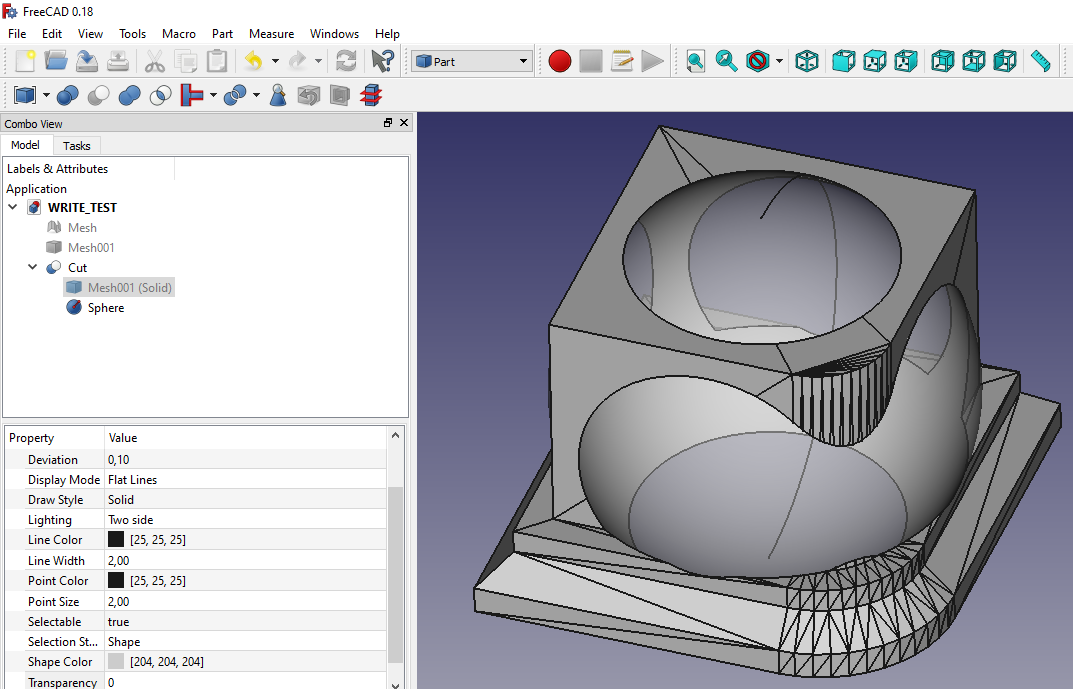
In freecad you can import a stl file and convert it in a solid, here a sverchok/freecad way to do it in live mode… the output seems a correct solid ( I tried a boolean to test it)
SCRIPT NODE CODE TO LOAD A BLENDER MESH INTO A FREECAD PROJECT
"""
in verts v
in faces s
"""
#out verts v
#out faces s
#out objs o

import bpy,sys
##################INSERT YOUR FREECAD PROJECT PATH
FREECADPATH = 'C:\\...\\bin'
sys.path.append(FREECADPATH)
import FreeCAD as F

try:
    ################################INSERT YOUR FREECAD PROJECT FILE PATH
    F.open("C:\\...\\WRITE_TEST.FCStd")
except:
    pass

import Mesh

F.setActiveDocument("WRITE_TEST")

fc_root = F.getDocument("WRITE_TEST")
obj_names = set( [ i.Name for i in fc_root.Objects])

if not "Mesh" in obj_names:

    mesh = Mesh.Mesh()

    meshdata=[]

    faces=faces[0]
    verts=verts[0]

    for f in faces:
        v1,v2,v3 = f[0],f[1],f[2]
        meshdata.append(verts[v1])
        meshdata.append(verts[v2])
        meshdata.append(verts[v3])

    MeshObject = Mesh.Mesh(meshdata)
    Mesh.show(MeshObject)

    import Part
    F.getDocument("WRITE_TEST").addObject("Part::Feature","Mesh001")
    __shape__=Part.Shape()
    __shape__.makeShapeFromMesh(F.getDocument("WRITE_TEST").getObject("Mesh").Mesh.Topology,0.100000)
    F.getDocument("WRITE_TEST").getObject("Mesh001").Shape=__shape__
    F.getDocument("WRITE_TEST").getObject("Mesh001").purgeTouched()
    del __shape__
    __s__=F.ActiveDocument.Mesh001.Shape
    __s__=Part.Solid(__s__)
    __o__=F.ActiveDocument.addObject("Part::Feature","Mesh001_solid")
    __o__.Label="Mesh001 (Solid)"
    __o__.Shape=__s__
    del __s__, __o__

    F.ActiveDocument.recompute()
    F.getDocument("WRITE_TEST").save()

F.closeDocument("WRITE_TEST")
Fantastic initiative! I really look forward to seeing this progress.
I am one of the developers of the BlenderBIM Add-on, and I have contributed a bit to the BIM features on FreeCAD, we are now collaborating on more features and organising how to share code. It is indeed the same one that Zomparelli mentioned.