Linking here for consistency
Hi,
I would like to request a small but very useful Blender add-on - tool menu “Bevel baker”;
Tool menu should have a file path input box (allows to enter a path and a file name), three bevel size entries and a render button.
So when the artist picks a file path, and a 3 bevel sizes respectively, by clicking render button this tool will render 3 normal map textures with corresponding bevel sizes and will save generated textures in selected folder.
This tool automate all manual selection and file saving process.
Please let me know, if anyone would be interested to make this. I am ready to buy this on Gumroad or BlenderMarket… !
Thanks,
K
Have you checked the baker add-ons by Daniel Bystedt? I don’t know feature details, but it might be helpful to you.
1 Like
There is also this fairly new Discord server with blender addons developers where you might make a request.
Some big names in there too  .
.
3 Likes
Yes, Thank you for the link! I’ve checked tutorial: functionality is great, just not exactly what I am looking for.
1 Like
Thank you for the suggestion! I will try posting on Discord channel!
2 Likes
Much of this is already done: check out KIT OPS BEVEL
One thing I would really like to have is a one-click solution to add things from the file you are working on to your main asset library. So next to mark as asset, there would be an add to main asset library option. Unfortunately the devs have decided against such an approach in favour of having only a single blend file open at a time, hopefully an addon could tackle this issue.
Hello, is there a similar addon for Blender like this one for 3DSmax.
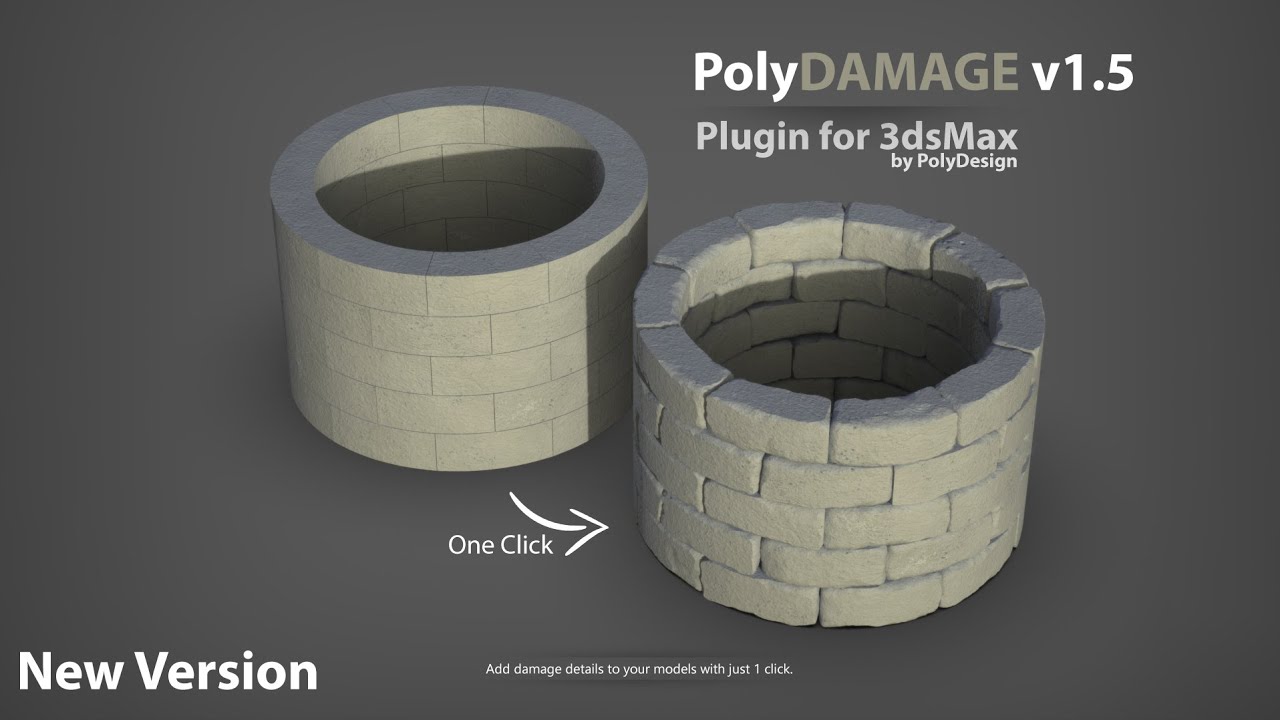
It would surely save some time other then sculpting all the damage on every object by hand.
6 Likes
AgamaMaterials livelink maybe.
AgamaMaterials is a very good 3d painting application
1 Like
I would love to have an addon that would mimic skin modifier, but with two improvements:
- no stupid additional edge loops in-between nodes; the thing is described here: https://blender.community/c/rightclickselect/x3gbbc/?sorting=hot
- skin width adjustable with value slider, instead of having to enter edit mode and adjust width in viewport (with CTRL+A)
2 Likes
Another nice thing would be an addon that would automatically flip face normals back after mirroring (using CTRL+M) and scaling using negative values.
Normally, you always need to do it manually after mirroring or negative scaling.
1 Like
The construction Line is not accurate, the main issue is snapping. it’s clicking somewhat near point. I wish to see the Line tool in Blender officially.
1 Like
There is a group on Facebook:
Its creator claims that he will design a toolset for Blender that will mimic SketchUp’s modeling approach, mainly focusing on Line tool. I take his word on it, even though he hasn’t yet shown any results, even WIPs. But I do have hope, so I decided to follow his page.
1 Like
I would like to request a very simple addon (or shortcut to decrease/increase with increment) that can change Scale of view grid in Viewport Overlays
Talking about this.
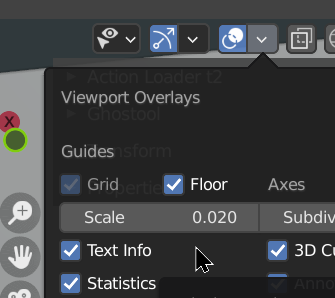
Reason: Add Cube feature heavily relies on the Scale that Viewport overlay uses. It would be insanely handy to change the scale on the fly.
1 Like
The following function would be helpful:
Unfold object, edit object and fold back at the end => see video.
Would this perhaps be combinable with UV unwrapping?
1 Like
Do you mean something like Surface follow and wrap tools ? There is another addon, yes Textools. Look at UV Mesh nearly at the bottom of the page: http://renderhjs.net/textools/blender/
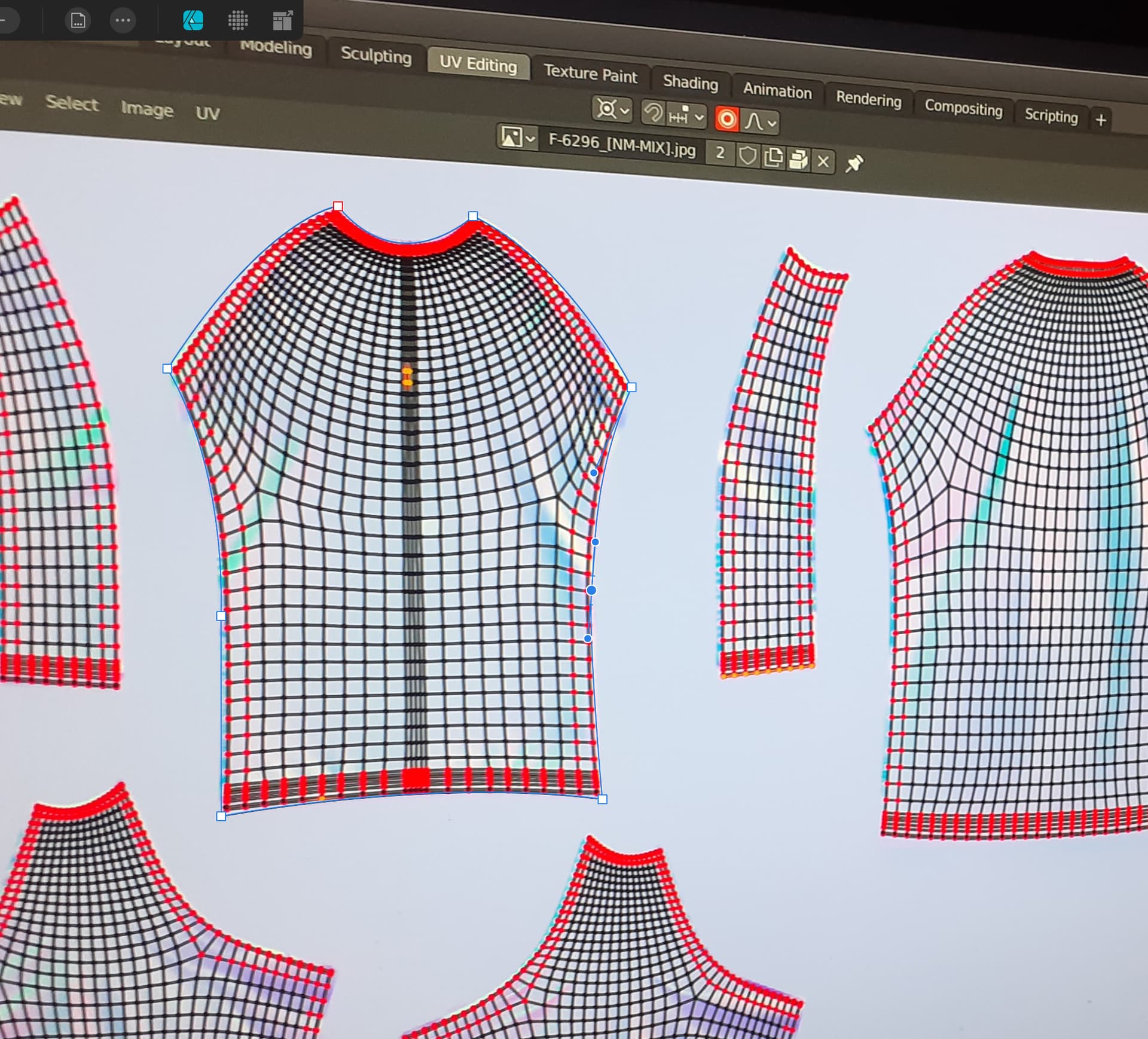
Hello I’m working as an Apparel 3d modeler for a big company modeling shoes, hoodies, jerseys football uniforms for customization I’ need an addon to match unwrapped UV shape to a draw shape curve matching pin to the curve node distributing vertex correctly as in 3d viewport.
- Existing Addon that can be useful Flexi bezier tool integrate it in the UV editor
Here is an example of what can be achieved, matching UV to a cad pattern is time consuming

3 Likes
If any dev are interested in implementing this send me a message this is a paid work or any existing Addon dev wants to implement in their tools is ok for me.
1 Like
Something like this?
Not an addon, but could be of help…
1 Like