WE are not here to profit on seducing ignorant crowds… but to liberate of such burden.
That is something uneducated hipsters with ultra-thin Apple laptops might believe…
Max/Maya, Houdini, Mari, Nuke look like they did back in the days and get (all) the shit done.
Call me old-school but i prefer an cold industry look. It makes me feel efficient not like i am playing with fisher price toys.
3 Likes
An actual wireframe draw mode is coming soon to 2.8 (somewhat similar to 2.79 with a couple of extra features).
https://developer.blender.org/T56649
Not a patch, but most of Willam’s proposals end up getting committed.
4 Likes
I hope I’m misunderstanding this proposal. If I’m retopologising something I want to see the wireframe backface culled but usually with xray on so that it draws over my target object… williams proposal doesn’t seem to allow for this as it seems to merge xray and backface culling. but then again retopo needs per object drawing settings…
You are right. That proposal does not mention backface culling and hidden wire overlays.
Feedback about non-functional shortcuts was made on devtalk.blender.org
I made a reply about ability to remove Occlude Selection because it became useless for paint modes.
I was too optimistic about ability of X-ray per object.(I did not test it in edit mode and thought it would correspond to current hidden wire).
And finally, I forgot that by default, hidden wire behavior was based on Occlude Selection option ON.
Main problem seems to be that involved per object display options are only pertinent for Object mode and not for Edit mode.
1 Like
4 posts were merged into an existing topic: 2.8 Default Keymap
I’ve found that nodegroups in 2.8 Eevee have strange behaivor. Shaders are going through, but changing values on the nodegroup itself does not affect anything in eevee viewport. You have to create value node and connect to a nodegroup to get it working. Changing values inside groups also seems to work.
3 posts were split to a new topic: Why not have view-port button to toggle quad-view?
yes , I’ve run into that issue and found it quite annoying, I guess it’s WIP
 why not keep using it or is unable to adapt to simple change

4 posts were split to a new topic: Where are the grid settings?
Is it possible to Totally disable the wireframe display in the 3d view in edit mode ? i’d like to tweak the Uvs of a mesh in one window with only EEvee display in another window
This was possible a few weeks ago, when disabling overlays would not show anything, including wires in edit mode.
For some reason, edit mode wires were excluded from this at some point. Not sure why and when exactly, but edit mode wires keep being drawn even with overlays disabled now. I wish they wouldn’t. It’s inconsistent.
3 Likes
Sounds like a bug. Better report it.
Is there any way to disable blurring of HDRI background in Lookdev mode? The blurry background creates a very foggy, hazy, unappealing environment which negatively affects my lookdev abilities. It may be different for others, but when I do lookdev, I usually want to see a nice environment around it to relate my asset shading to, and that heavily blurred environment just creates a visual mismatch, constantly telling my brain it just looks all wrong and something needs to be fixed.
3 Likes
Yeah… A blur slider is urgently needed there…
1 Like
Sorry, I do not know where to post this.
Clément implement Wireframe node:
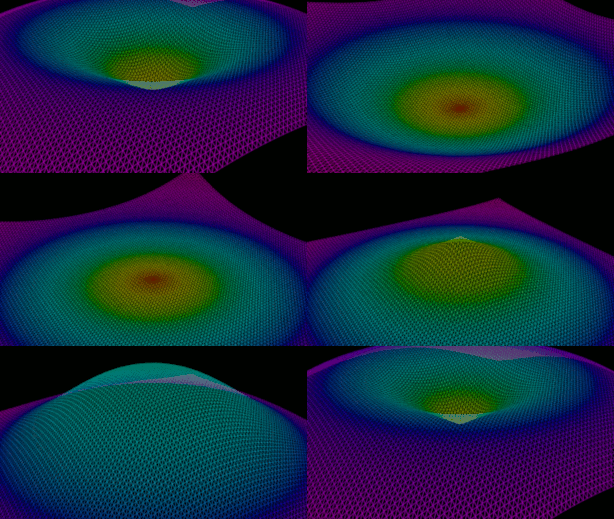
I hope that Random in Object Info node is implemented soon to obtain random colors in particles 
9 Likes

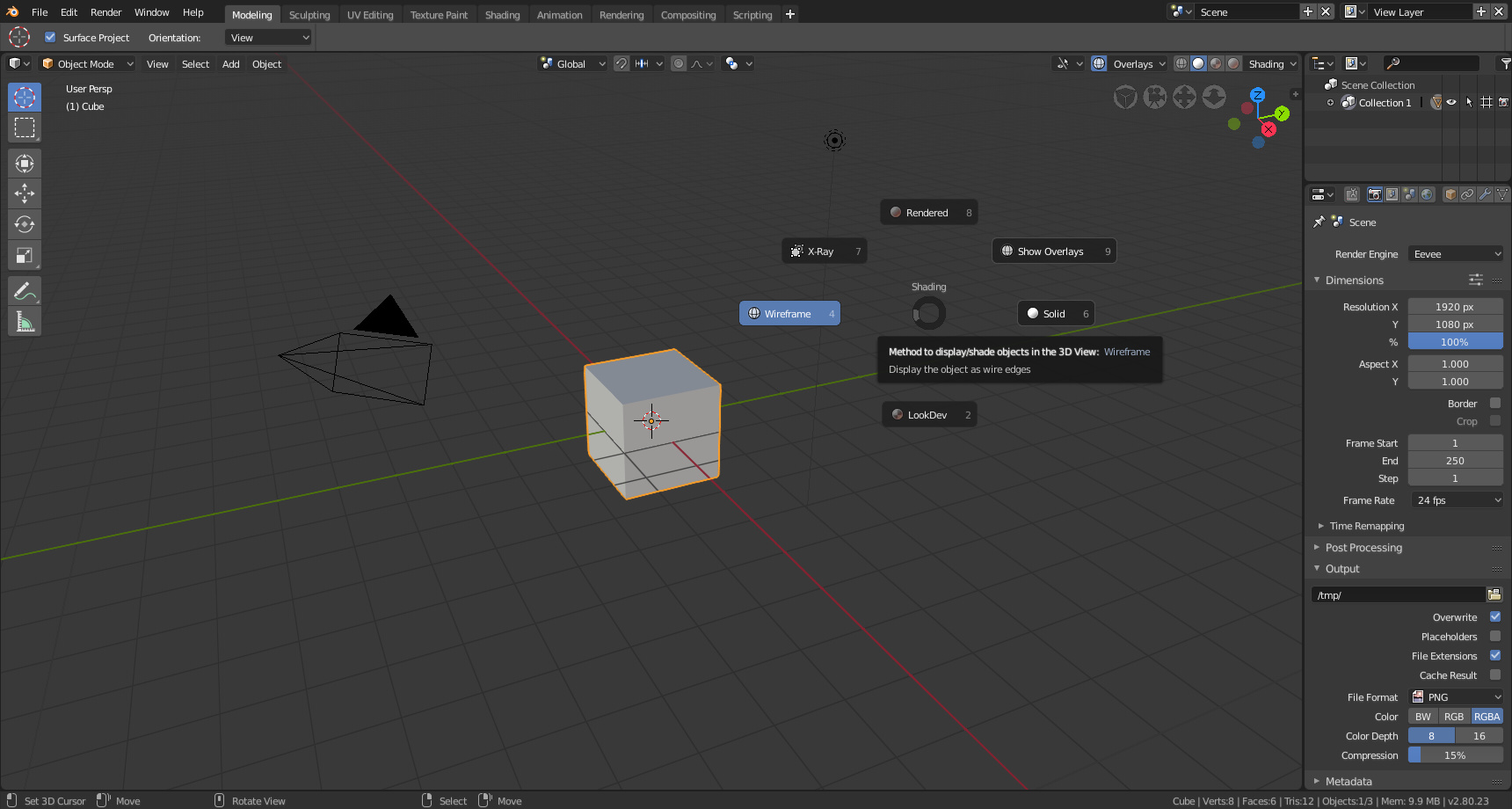
Seems a bit useless at the moment. The whole point of wireframe mode is that you can see through the mesh to the edges and faces on the other side.
I do have an unrelated question to anyone who wants to answer. Is there a shortcut to reset the cursor location? Shift+C no longer works. Currently, I have to to open up the N panel and use the 3d cursor panel to reset the position. This is a really annoying solution to a problem that shouldn’t exist in the first place.
Enable x-ray in the shading dropdown.
Shift+S gives you the menu for that.
1 Like