Awesome VSE Addons
A list of awesome Blender Video Sequence Editor add-ons(mine or other’s I’ve contributed to).
Add Strips
- AI generated Video, Audio, Speech and Image: https://github.com/tin2tin/Generative_AI
- Speech: https://github.com/tin2tin/text_strip_to_speech
- Stems: https://github.com/tin2tin/Music_Stems_Separator
- Alpha Background: https://github.com/tin2tin/remove_background
- Audio from Audacity: https://github.com/tin2tin/Audacity_Bridge_for_Blender
- Text: https://github.com/tin2tin/Subtitle_Editor
- Text: https://github.com/tin2tin/text_to_strip
- Rendered Strips: https://github.com/tin2tin/Add_Rendered_Strips
AI
- AI generated Video, Audio, Speech and Image: https://github.com/tin2tin/Generative_AI
- Text to Speech: https://github.com/tin2tin/text_strip_to_speech
- Stems Separator: https://github.com/tin2tin/Music_Stems_Separator
- Remove Background: https://github.com/tin2tin/remove_background
- Screenwriter ChatGPT Assistant: https://github.com/tin2tin/Blender_Screenwriter_Assistant_chat_GPT
Audio
- Bridge to/from Audacity: https://github.com/tin2tin/Audacity_Bridge_for_Blender
- Volume Meter: https://github.com/tin2tin/volume_meter
- Surround UI: https://github.com/tin2tin/Sound_Strip_Surround_UI
- Stems Separator: https://github.com/tin2tin/Music_Stems_Separator
- Text to Speech: https://github.com/tin2tin/Text_Strip_to_Speech
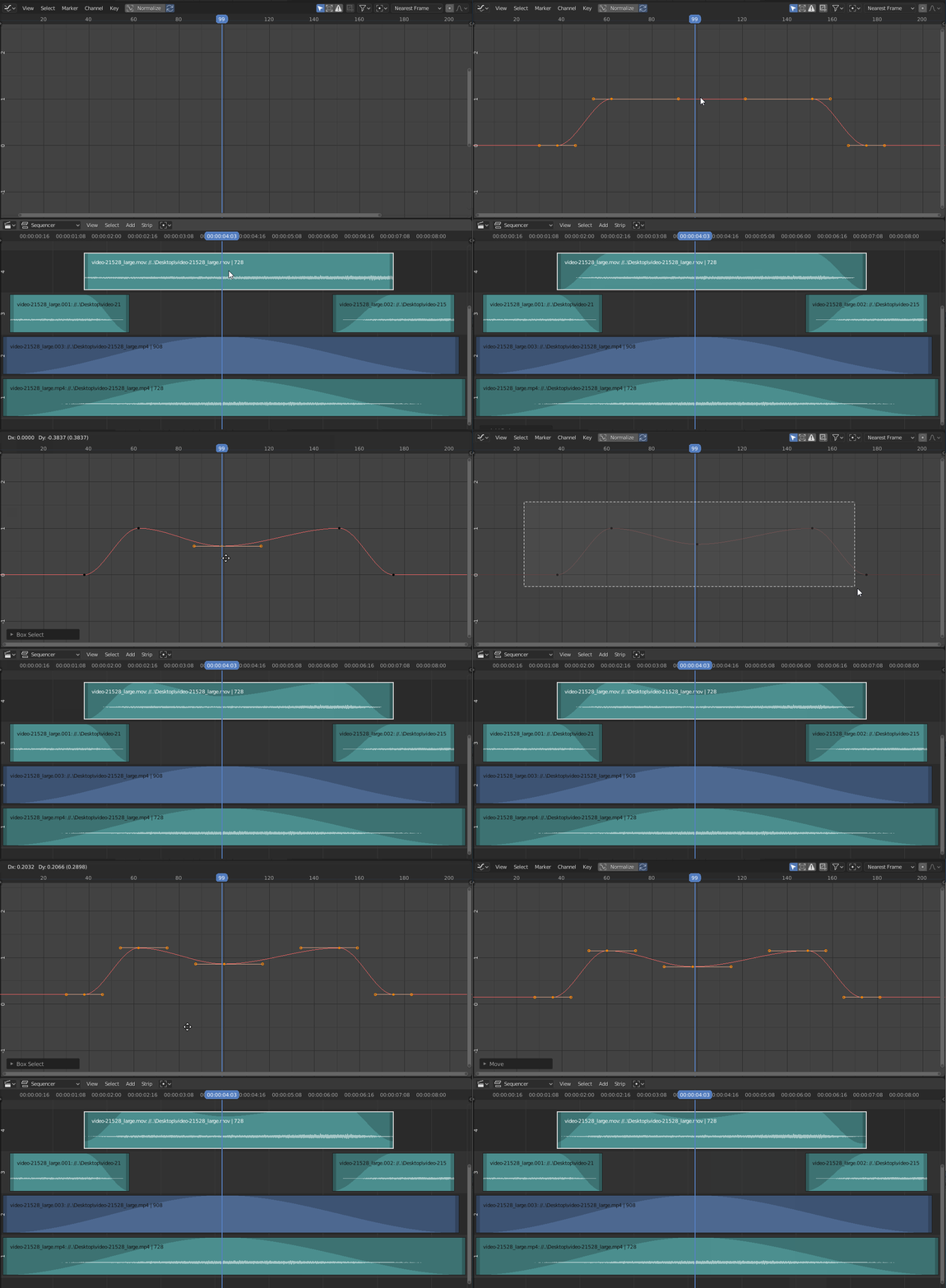
- Auto Edit on Sound: https://github.com/tin2tin/Auto_Edit_on_Sound
- Freesound Bridge: https://github.com/tin2tin/freesound
- Audio Channels Export: https://github.com/tin2tin/Audio_Channels_Export
- Record from Mic: https://github.com/tin2tin/blender_addon_push_to_talk
- Render Proxy fot Audio: https://github.com/tin2tin/blenderAudioProxy
File I/0
- File Menu: https://github.com/tin2tin/VSE_File_Menu
- Fast Export: https://github.com/tin2tin/Parallel_Render
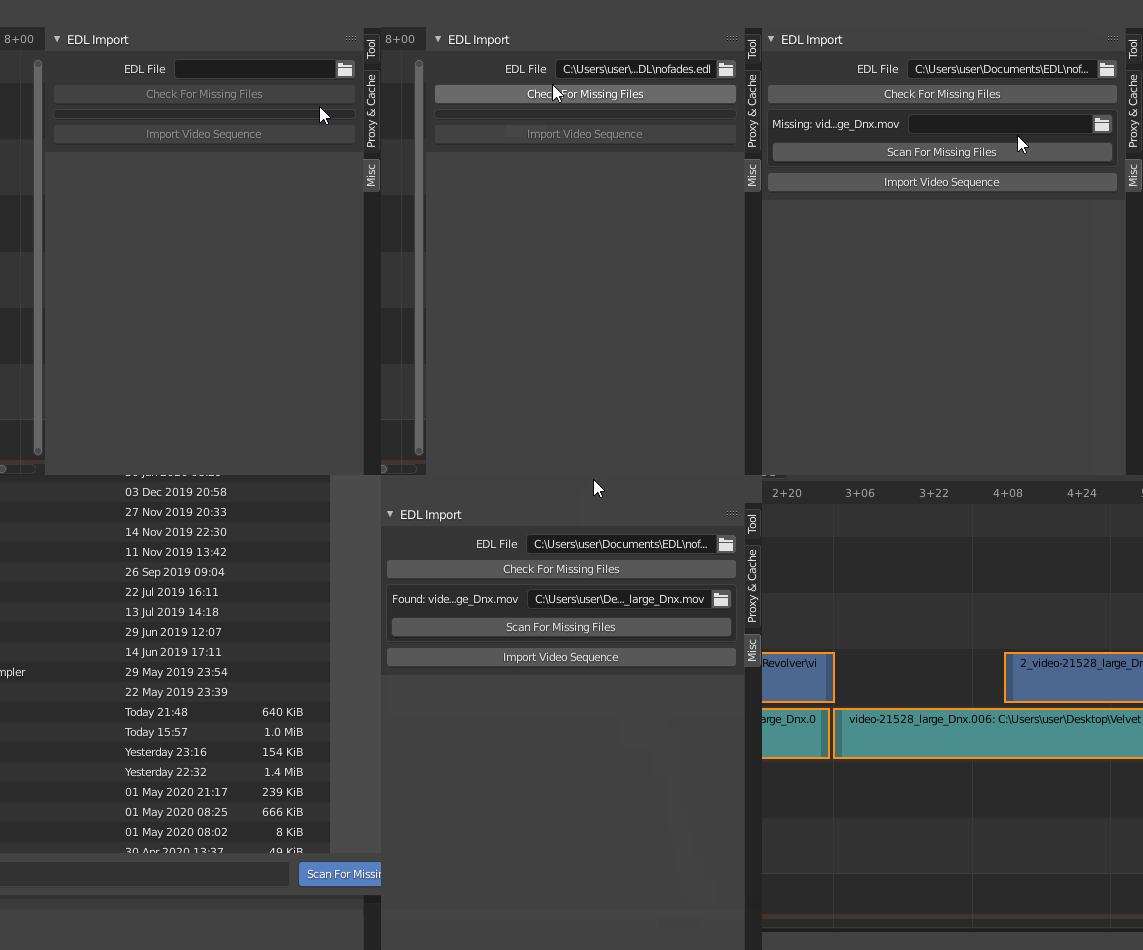
- Import EDL: https://github.com/tin2tin/Import_EDL
- Export EDL: https://github.com/tin2tin/Export_EDL
- Export OTIO: https://github.com/tin2tin/VSE_OTIO_Export
- Import as Asset: https://github.com/tin2tin/Import_as_asset
- Get Mediainfo: https://github.com/tin2tin/get_mediainfo
- Paste Image to VSE: https://github.com/tin2tin/ImagePaste
- render Current Frame: https://github.com/tin2tin/render_current_frame
- I/O Subtitles: https://github.com/tin2tin/Subtitle_Editor
Help
- Documentation: https://github.com/tin2tin/open_vse_docs
Screenwriting & Storytelling
- Screenwrite and Generate Sequence: https://github.com/tin2tin/Blender_Screenwriter
- MindMap for Screenplay: https://github.com/tin2tin/MindMapper
- Screenwriter ChatGPT Assistant: https://github.com/tin2tin/Blender_Screenwriter_Assistant_chat_GPT
- Text Strip Editor: https://github.com/tin2tin/Subtitle_Editor
Scene Strips
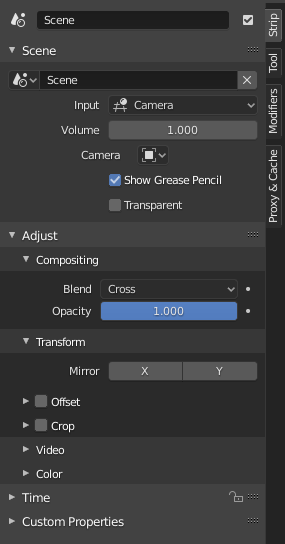
- Switch camera in 3D View from Sequencer: https://github.com/tin2tin/scene_strip_tools
- Camera Markes to Scene Strips: https://github.com/tin2tin/Camera-Markers-to-Scene-Strips
- Add Rendered Strips: https://github.com/tin2tin/Add_Rendered_Strips
Text Strips
- Text Strip Editor: https://github.com/tin2tin/Subtitle_Editor
- Text to Speech: https://github.com/tin2tin/Text_Strip_to_Speech
- Add Outline: https://github.com/tin2tin/Outline_for_Text_Strips
- Import Subtitles: https://github.com/tin2tin/import_subtitles
- Text Block to Text Strip: https://github.com/tin2tin/import_text_block_as_text_strip
- Text Editor to Text Strip: https://github.com/tin2tin/text_to_strip
- Text to AI: https://github.com/tin2tin/Generative_AI
Text Editor
- Update Old Addons: https://github.com/tin2tin/script_update_checker
- Intellisense: https://github.com/tin2tin/Intellisense_for_Blender_Text_Editor
- String check and fix: https://github.com/tin2tin/Trim-Whitespace-Change-Case-and-Split-Join-Lines
- Text Editor to Text Strip: https://github.com/tin2tin/text_to_strip
- Search Selected Text: https://github.com/tin2tin/Search-API-Reference
- Stylechecker pep8: https://github.com/tin2tin/Python_Stylechecker_for_Blender
- Autocomplete: https://github.com/tin2tin/code_autocomplete
- Code Navigator: https://github.com/tin2tin/Code_Navigator
- Find/Replace UI: https://github.com/tin2tin/Horizontal-Find-Replace
- Contents View: https://github.com/tin2tin/ContentsViewer
- Debug Mode: https://github.com/tin2tin/Debug-Mode-for-Info-Editor
UI
- Time Panel for Scene Strips: https://github.com/tin2tin/blender-addon-vse-scene-strip-frame-panel
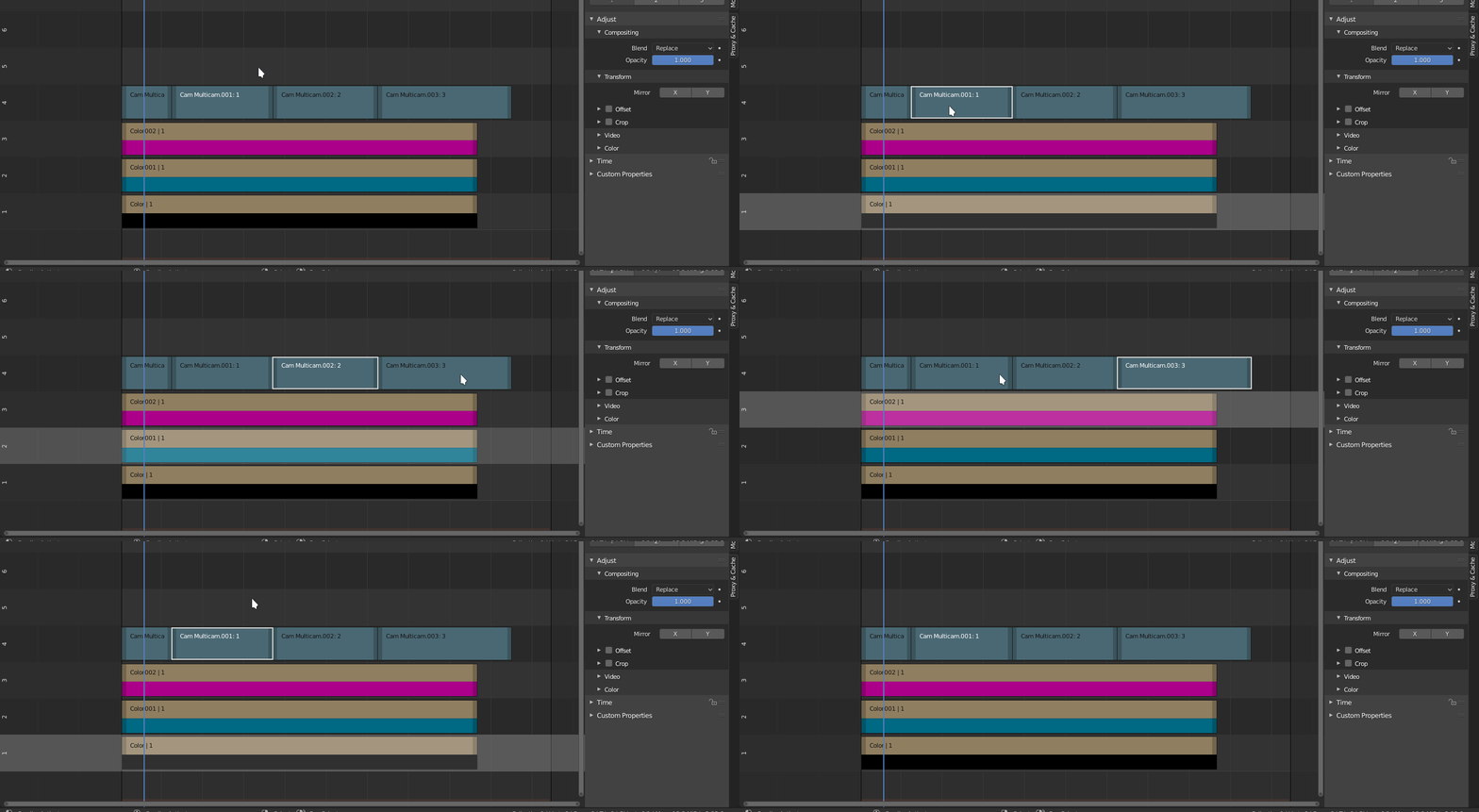
- MultiCam UI Enhancements: https://github.com/tin2tin/multicam
- Surround Sound: https://github.com/tin2tin/Sound_Strip_Surround_UI
- Specials: https://github.com/tin2tin/SequencerSpecialsMenu
- Find/Replace UI: https://github.com/tin2tin/Horizontal-Find-Replace
Video Edit
- Scene/Shot Detection: https://github.com/tin2tin/shot_detection
- Auto Edit: https://github.com/tin2tin/Auto_Edit_on_Sound
Workflow
- Add Rendered Strips: https://github.com/tin2tin/Add_Rendered_Strips
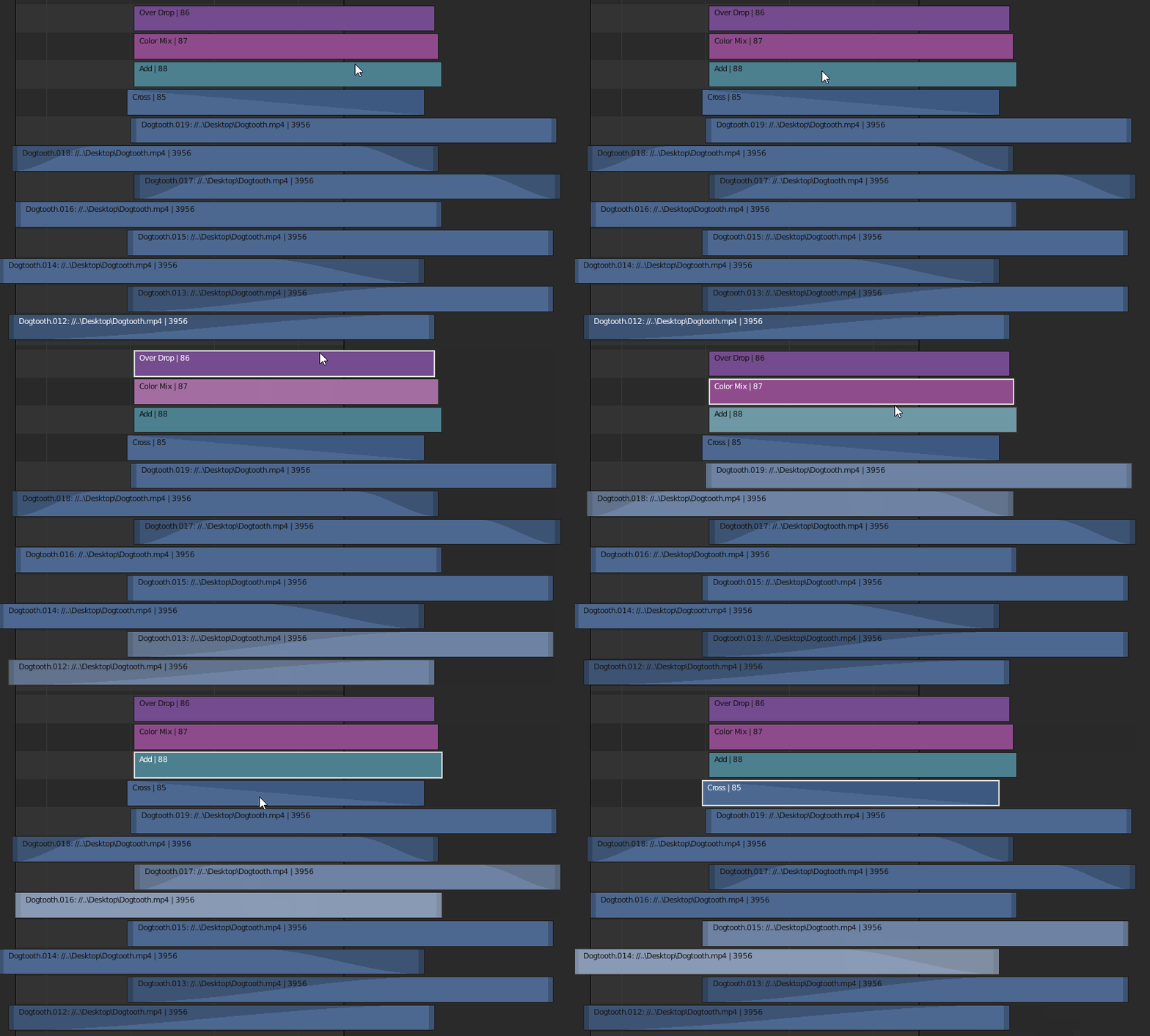
- Auto Arrange(clean-up) Sequence: https://github.com/tin2tin/Arrange_Sequence
- Auto Set Range: https://github.com/tin2tin/Auto_Range
- Auto Select Active Strip: https://github.com/tin2tin/auto_select_active_strip
- Go To Matching Frame(in another scene): https://github.com/tin2tin/match_frame
OLD POST FROM HERE:
Anyone are welcome to post news and addons concerning the VSE here.
Join the #VSE chat channel here: https://blender.chat/
The latest VSE development(bug reports, submitted or commited patches): https://developer.blender.org/project/view/28/
VIDEO SEQUENCE EDITOR ADD-ONS
Toolboxes :
Power Sequencer - https://github.com/GDquest/Blender-power-sequencer
A comprehensive toolbox of strip editing functions.
Blender Edit - https://github.com/samytichadou/blender_edit_sequencer_addon
VSE bin ability, multi user project, and extra sequencer UI/operators.
VSE Quick Functions - https://github.com/snuq/VSEQF
This script is designed to make Blender’s VSE easier to use by implementing features often found in other video editors. Includes: strip parenting, ripple editing, right-click context menus, automatic proxy generation, and much more.
Easy-logging - http://easy-logging.net/
De-rushing and tagging, 3 point editing, video editing by tags, share log and metadata, parametric video editing.
VSE Reworked - https://github.com/tin2tin/blender_vse_reworked
Essential editing, selecting, transforming tools deeply integrated into a redesigned VSE UI.
Kino Raw Tools - https://github.com/kinoraw/kinoraw_tools
Huge tool compilation with navigation, markers, in/out, strip info, modifier clean up, menus, proxy tools, audio tools(+audio meter), exif info, eco, random, glitch etc.
ToolPlus - https://github.com/mkbreuer/ToolPlus/tree/master/2.79/Sets/toolplus_header_vse
Set of buttons with icons for edit tools. Located in the VSE menu header.
Tutorial - https://www.youtube.com/watch?v=Hz2dCXEI9aU
Blender Velvets - http://blendervelvets.org/#velvets_version
Generate proxies, modified interface, shortcut keys, export to Ardour.
Sun Tools - https://github.com/wilecoyote2015/Blender_Addons/blob/master/SunTools_1_2.py
Movie Manager, view and trim clips before import, A/V import as metastrip, Sort files, proxy import, Trim Tools. Docs: https://wilecoyote2015.github.io/Blender_Addons/
Extra Sequencer Actions - https://en.blender.org/index.php/Extensions:2.6/Py/Scripts/Sequencer/Extra_Sequencer_Actions
The Grandfather of all toolbox VSE addons. Download - https://developer.blender.org/F67964
Multithreaded Export :
Parallel Render - https://github.com/elmopl/ktba/blob/master/addons/parallel_render.py
Using the UI, utilize all cores for as fast as possible export from VSE. Tutorial: https://github.com/elmopl/ktba/wiki/Addons
Blender Power Sequencer Render - https://gitlab.com/razcore/BPSRender
Standalone command-line tool for multithreaded export.
Export :
Export Settings - https://blenderartists.org/t/video-converter/615886
Control detailed export settings from panel in Sequence Editor.
Export CMX 3600 EDL - https://github.com/tin2tin/ExportEDL
For ex. Davinci Resolve, Lightworks, Final Cut Pro & Premiere Pro. Exports: video, audio and dissolves. Tutorial - https://www.youtube.com/watch?v=WdyMN9tQ21k
Export CMX 3600 EDL - https://github.com/dfelinto/edl-exporter
Only image sequences? Made for export to Davinci Resolve.
Export to Reaper/Samplitude/Vegas: https://github.com/snuq/Quick-EDL-Exporter
Basic exporter for Blender’s VSE timeline audio files to an EDL file that can be opened by Reaper, Samplitude, Vegas, and more.
Export Audio to Ardour - http://blendervelvets.org/en/blue-velvet/
Export VSE to Node Editor? - https://github.com/Simon-L/Blender-s-VSE-experiments
Export Markers as Subtitles - https://gist.github.com/natecraddock/660c073da70c77a71366
Export & Import of Markers - https://github.com/sobotka/blender-io-timeline-markers
Export Cameras - https://github.com/TkSakai/Add-on_MultiCamRender/blob/master/Addon_MultiCamRender.py
Upload to YouTube - https://github.com/AkBKukU/blenderYoutubeUpload
Export Selected:
Export Selected Strips - https://github.com/sambler/myblendercontrib/blob/master/sequencer_tools/export_strips.py
Export Selected Audio Strips - https://gist.github.com/Pullusb/c1a82f79bd3a47e77d1c9d53721975e5
Export Selected Frames - https://github.com/agapas/render-selected-frames/blob/master/render_selected_frames.py
Import :
Import & Export of Animated GIF - https://github.com/doakey3/Bligify
Import & Export of Audacity Labels: https://blenderartists.org/t/audacity-labels-to-timeline-markers-script/576619/5
For ex. Beat detection in Audacity and import in Blender.
Import Images - https://github.com/Botmasher/blender-vse-pretty-img
Load properly scaled image strip respecting transparency and proportions.
Import Subtitles(.srt files) - https://github.com/doakey3/Subsimport
Import From Freesound Audio Library - https://github.com/iwkse/freesound
Import File Batch & Add Crossfades - https://github.com/sambler/myblendercontrib/blob/master/VSEC.py
Import EDL - https://en.blender.org/index.php/Extensions:2.6/Py/Scripts/Import-Export/EDL_Import
Import Final Cut Pro X Markers - https://gist.github.com/tin2tin/8b61cea677eb8b7840e740d9a8b32176
Set Import Settings- https://gist.github.com/p2or/59b2795f011f2f024f5e781d1a33a5da
Change the defaults ex. modification date, thumbnails and tiny. Docs: https://blender.stackexchange.com/questions/23159/how-to-make-the-file-manager-default-to-sorting-by-modification-date
Strip Effects :
VSE Transform Tools - https://github.com/doakey3/VSE_Transform_Tools
Edit Strip With Compositor - https://github.com/wilecoyote2015/Blender_Addons/blob/master/sequencer_edit_strip_with_compositor_014.py
About: https://wilecoyote2015.github.io/Blender_Addons/
Natron Connect - https://github.com/wilecoyote2015/Blender_Addons/blob/master/Natronizer_1_2.py
Tutorial - https://wilecoyote2015.github.io/Blender_Addons/
Mask O’Matic - https://github.com/Botmasher/blender-vse-customizations/blob/master/vse/maskomatic.py
Set up a basic mask and mask modifier for a single sequence editor strip.
Motion Blur - https://www.dropbox.com/s/9dt73jefvur4osc/MBlur2.py?dl=0
Tutorial - https://www.youtube.com/watch?v=JO_hvVb-pz4
Echoes - https://blenderartists.org/t/vse-addon-eco/543088
Layered and offset strips with opacity.
Strip Alignment - https://github.com/sambler/myblendercontrib/blob/master/sequencer_alignment.py
Align strips to edge of frame.
Slideshow Scripts - https://blenderartists.org/t/vse-scripts-for-creating-slideshows-adjusting-image-ratio-pans-zooms/561159
Adjust image ratio / pans / zooms.
LUT Curve Editor - https://github.com/wilecoyote2015/Blender_Addons/blob/master/LUT_0_9.py
For the Node Editor.
Auto Color - https://github.com/Botmasher/blender-vse-customizations/blob/master/vse/auto_color.py
Adjust lift/gamma/gain across multiple strips
Roundtrip Strip - https://github.com/Joeboy/blender-addons/blob/master/open_strip_source.py
Open a VSE strip’s source audio/video in an external editor like Audacity or Avidemux.
Loop Strip - https://github.com/mutantbob/blender-vse-loop/blob/master/vse-loop.py
Correct aspect ratio - https://github.com/bikebot/blender-reset-aspect-ratio/blob/master/reset-aspect-ratio.py
Process image strip - https://github.com/gabrielmontagne/blender-addon-process-vse-strip
Process strip in ffmpeg and maybe imagemagick - https://github.com/PumpkinPai/TimeComp
Strip Editing:
Cut Smash - https://github.com/Botmasher/blender-vse-customizations/blob/master/vse/cut_smash.py
Cut, ripple, lift, remove and markers etc.
Cut Every Nth Group - https://github.com/Botmasher/blender-vse-customizations/blob/master/vse/frame_every_other_cutter.py
Cut a sequence into framecount groups and remove every nth group.
Lengthen and Separate Sequences - https://github.com/Botmasher/blender-vse-customizations/blob/master/vse/frame_spacer.py
Move selected sequences apart, lengthening them and leaving a gap.
Frame Splitter - https://github.com/Botmasher/blender-vse-customizations/blob/master/vse/framesplitter.py
Cut one sequence into one lengthened, separated sequence per frame. Made for manual frame-by-frame animation.
Meta Strip Unpack & Repack - https://github.com/Botmasher/blender-vse-customizations/blob/master/vse/meta_unpack_repack.py
Separate metastrip, add new strips or perform ops, then pack metastrip.
Shuffle Strips - https://github.com/Botmasher/blender-vse-customizations/blob/master/vse/shuffle_strips.py
Reorder selected strips. Intended to give random variation to cycled sequences.
Add, Delete & Edit Transitions - https://github.com/Botmasher/blender-vse-customizations/blob/master/vse/transitions.py
Add and manage fade, scale, slide, rotate in/out transitions through transform strips.
Generate :
Optical Lens Flare VSE - https://github.com/cgvirus/blender_optical_Lens_Flare-VSE-addon
Hand Drawn Strokes & Writing - https://github.com/doakey3/vsedraw
Stopwatch Timer - https://github.com/mikeycal/vse-stopwatch-timer-for-blender
QuickTitling - https://github.com/snuq/QuickTitling
Generate static or animated titles (or CGs) using text, basic 3d objects, images and videos.
Letterbox - https://github.com/mutantbob/blender-letterbox
Frame Number as Subtitle - https://gist.githubusercontent.com/tin2tin/1eabb233bce24e78d2edf35cb5a435c8/raw/d747e232b6237cf6330dd8cb61a11a08c262f093/FrameNumberAsSubtitle.py
Cinebars - https://github.com/ZoomTen/blender-vse-cinebars
Link Text to Subtitle - https://github.com/gabrielmontagne/blender-addon-link-text-to-vse-subtitle
Adds a section on the text properties panel from which you can link the text object to the sequencer text strips.
Audio :
Sampler Builder - https://gist.github.com/lennart/afc7b9d145d1d1bc09e7
Import m3u playlist, Adjust gain, Mixdown, Create Sampler, Pair, Scope, Shrink Gap.
Sync Audio - https://github.com/Joeboy/blender-addons/tree/master/syncaudio
For syncing external audio with your crappy camera audio.
Audio to Markers - https://blenderartists.org/t/addon-audio-to-markers/639081
Bake audio data and an interactive tool to place timeline markers which can be used for many things like music animation or video editing.
Auto Volume - https://github.com/Botmasher/blender-vse-customizations/blob/master/vse/auto_volume.py
Adjust volumes to fixed value for multiple sequences.
Mass Volume - https://github.com/Botmasher/blender-vse-customizations/blob/master/vse/mass_volume.py
Use master volume to multiply volumes across sequences.
Audio Toggle Button - https://github.com/CenekStrichel/CendaTools/wiki/Audio-Toggle
Fast toggle for Audio in Timeline header
Properties :
Use Resolution from Strip - https://github.com/TheDuckCow/Blender-Render-Match-VSE-Strips
Reset Aspect Ratio - https://github.com/bikebot/blender-reset-aspect-ratio/blob/master/reset-aspect-ratio.py
Extract MediaInfo data - https://github.com/tin2tin/MediaInfoExtractor/wiki/MediaInfoExtractor
Tutorial - https://youtu.be/_ynfs3JkYTo
Cinematic Aspect Ratios - https://github.com/johnroper100/CinematicAspectRatios
Proxy:
Velvet Revolver Folder batch generation and proxy switching - https://github.com/tin2tin/blender_velvets/blob/master/Blender_2.80/velvet_revolver.py
Batch Proxy Properties - https://github.com/elmopl/ktba/blob/master/addons/batch_strip_properties.py
Audio Proxy - https://github.com/AkBKukU/blenderAudioProxy
Scene Strips :
VSE Camera Switching in 3D View(2.79) - https://github.com/tin2tin/PrevizCameraTools
Tutorial - https://www.youtube.com/watch?v=b4eQrns5KpQ
Dynamic Slideshow - https://github.com/hapit/blender_addon_dynamic_slideshow
Generate slideshow in 3D View and import to VSE. Docs - https://github.com/hapit/blender_addon_dynamic_slideshow/wiki/Documentation
Camera Dolly and Crane rigs - https://github.com/sambler/myblenderaddons/blob/master/camera_dolly_crane_rigs.py
Pro Camara Formats - https://github.com/samytichadou/CamFormat_blender_addon/blob/master/camformat_v0_2.py
Camera Switcher and Bind to Marker - https://github.com/danthedeckie/camera-switcher
Camera Markers to Scene Strips - https://github.com/tin2tin/Camera-Markers-to-Scene-Strips
For converting bind-to-markers-cameras to VSE-scene-strips.
Add Camera from Viewport and Camera Selector - https://blenderartists.org/t/big-render-button-for-blender-2-80-update-27-05-2019/1159414
Markers :
List of Markers - https://github.com/samytichadou/MList_Addon-for-Blender
Adds a list of Markers in the Scene, and add some extra features to them.
Select Markers - https://github.com/gabrielmontagne/blender-addon-marker-select/blob/master/select_makers.py
Left, right, all and none.
Copy Markers to this Scene - https://github.com/gabrielmontagne/blender-addon-project-markers/blob/master/project_makers.py
Marker Preview Video - https://github.com/gabrielmontagne/blender-addon-marker-preview-video
Organize :
Find Strips by Name or Type - https://github.com/Botmasher/blender-vse-customizations/blob/master/vse/find_strips_name_type.py
Find and display relevant media sequence strips from the Blender VSE. Built to catalog assets and display them for copyright/fair use documentation.
Collect All Files - https://github.com/samytichadou/CAF-collect-all-file-addon
Blender Addon to collect all used external files from a project, including video files. BA: https://blenderartists.org/t/collect-all-files-addon/684409
Multicam :
Multicam Tools - https://github.com/wilecoyote2015/Blender_Addons/blob/master/Multicam01.py
UI:
Strip Properties Clean Up - http://pauloup-vse.bitballoon.com/assets/space_sequencer-proposal.zip
About: http://blender.community/c/rightclickselect/zfbbbc/
Channel Tools - https://github.com/venomgfx/addonitos/blob/master/space_sequencer_channel_tools.py
Color, hide, mute, select, volume change entire channel.
Center Image - https://github.com/johnroper100/vse_center_image
Centers VSE preview.
Toolshelf Category hiding on-the-fly - https://github.com/samytichadou/CatHide-Addon-for-Blender
Toogle Strip Modifiers On/Off - https://github.com/TheDuckCow/Blender-Render-Match-VSE-Strips
Mute Modifiers - https://github.com/Joeboy/blender-addons/blob/master/mute_strip_modifiers.py
Mute / unmute all VSE strip modifiers. Useful if modifiers are slowing down video previewing.
Display Active Image Strip’s Name - https://github.com/venomgfx/amaranth/blob/master/misc/sequencer_extra_info.py
When seeking through an image sequence, display the active strips’ file name
for the current frame, and it’s playhead.
Current/end time - https://github.com/venomgfx/amaranth/blob/master/animation/timeline_extra_info.py
Display current/end time as SMPTE on Timeline Header.
Final Resolution - https://github.com/venomgfx/amaranth/blob/master/render/final_resolution.py
Displays a “Final Resolution” label in render settings.
Path Editor - http://blender-addon.blogspot.com/2014/04/addon-blender-path-editor-05.html
Setup for path for sounds, path for clips, path for sequence videos and path for texts.
Set Import Settings- https://gist.github.com/p2or/59b2795f011f2f024f5e781d1a33a5da
Change the defaults ex. modification date, thumbnails and tiny. Docs: https://blender.strting-by-modification-dateackexchange.com/questions/23159/how-to-make-the-file-manager-default-to-so
Full Screen Preview - https://blender.stackexchange.com/questions/118741/how-to-make-the-sequencer-preview-area-fullscreen-with-python
Avid Edit Functions - https://developer.blender.org/T24991 Insert, overwrite, cut all channels, ripple trim etc. Download link: https://developer.blender.org/F13619
Select Left/Right/Current - http://blendervisionpro.blogspot.com/2015/02/bvp-sequencer-selection-addon.html
Timeline playback controls in Sequencer Header - https://github.com/AkBKukU/blenderVSEControls
Shortcut Keys:
Numpad Playback Controls - https://www.facebook.com/groups/1981104845289453/permalink/2034552476611356/
Final Cut Pro & Premiere Pro - http://www.paulcaggegi.com/wp-content/uploads/2017/06/keyboard-shortcuts.zip
http://www.paulcaggegi.com/video-editing-using-the-blender-vse/
VSE Shortcuts - https://gitlab.com/ecea/blender-vse-shortcuts
H : Hide / Unhide function (with the same key). Q, S, D : JKL-like function (moving backward (fast backward), stop, forward (fastforward)). Alt+Arrow to move Clip (up, down, right, left), Alt-Shift + Arrow to move by ten units (only left and right). I / O : Setup IN / OUT. Shift I / O : Goto IN / OUT
Jump X Frames - https://raw.githubusercontent.com/venomgfx/amaranth/master/animation/jump_frames.py
Jump X Frames with Shift Up/Down in Timeline.
Other:
Import Timed Fountain Screenplay and Draw Storyboard - https://blenderartists.org/t/fountain-script-to-help-storyboarding/1123522/1
Can export the timed dialog to srt subtitle files which can be imported with the srt import add-on and cameras one pr. drawing can be converted to scene strips with the camera markers to scene strips add-on.
ADD-ON TEMPLATES
Sequencer Pie Menu Template - https://gist.github.com/tin2tin/5db266ab0c13eea508711d55e17ee907
General Template w. Menu, Panel and Shortcut - https://drive.google.com/file/d/0B4U5LpqB83HWUndIeWZHMmJUTmM/view?usp=sharing
Description - http://blendervisionpro.blogspot.com/2014/12/simple-blender-add-on-template.html
Multifiles Template - https://github.com/osiriswrecks/blender-addon-template
MANUALS
Comprehensive Manual(in French) - https://fr.flossmanuals.net/blender-pour-le-montage-video/pourquoi-blender/?fbclid=IwAR32AWNDZb7h0wJ0bop5RJ5qXJbGMEQSD5X9B2JPTwcG1VgpBJ76QhEx3fQ
Sequencer Manual - https://docs.blender.org/manual/en/dev/editors/vse/sequencer/index.html
Video Editing Basics - https://github.com/fggo/blender
Sequencer Manual(Old?) - https://github.com/lab1092/blender-manual_ja/tree/master/manual/editors/sequencer
Dev:Source/Sequencer - https://en.blender.org/index.php/Dev:Source/Sequencer
Internal functions - https://en.blender.org/index.php/Dev:Source/Sequencer
This collection list was created by the Video Editing in Blender Sequencer Facebook Group.

 Changing the version number in both of these addons allow me to use them…as scripts, which honestly is better than nothing.